
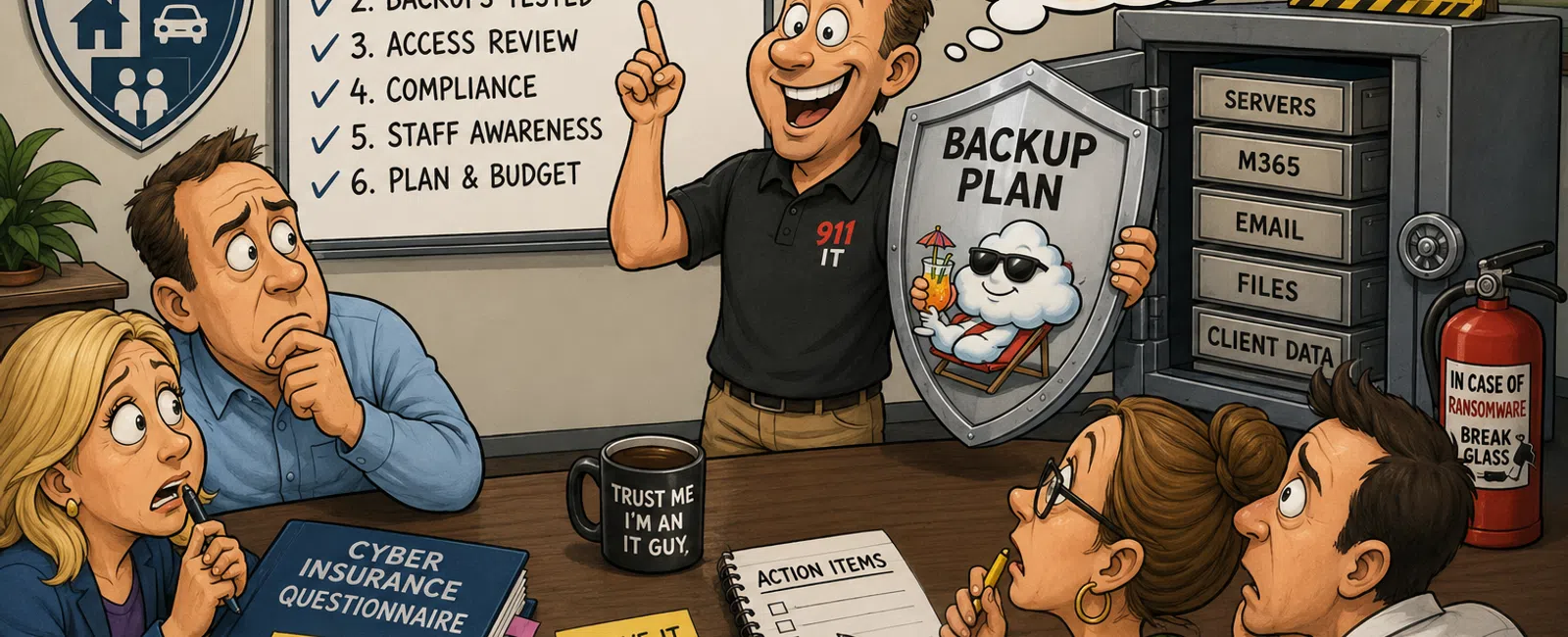
6 Questions Your Insurance Agency Should Ask Its IT Provider Every Quarter
If your IT provider tells you, "Everything looks fine," that is not an
answer.
It is a feeling.
And feelings do not satisfy a cyber insurance questionnaire. They do not
help during a carrier security review. They do not prove your backups work.
They do not show that MFA is enforced, access is reviewed, vendors are
documented, or client data is protected.
In an insurance agency, IT is not just support. It touches client files,
renewals, claims, producer access, email, phones, Applied Epic, AMS360,
Microsoft 365, e-signatures, backups, cyber insurance controls, GLBA
safeguards, HIPAA workflows, FTC Safeguards Rule expectations, NAIC-related
security obligations, and carrier requirements.
That is why quarterly IT reviews matter.
Not because you need another meeting on the calendar.
Because you need proof you can use.
A strong quarterly review should give you clear answers, current risk
visibility, documented next steps, and evidence you can hand to leadership, a
carrier, a cyber insurer, or an auditor without scrambling.
Here's how we make that easier.
The Goal Of A Quarterly IT Review
A quarterly IT review should answer one simple question:
Can your agency prove that its technology, security, backups, and
compliance controls are being actively managed?
Not assumed.
Not hoped for.
Managed.
For an insurance agency, that means your IT provider should be able to
show:
What risks exist right now
What has been fixed since the last review
What still needs attention
Which controls support cyber insurance and compliance expectations
Whether backups have actually been tested
Whether access is appropriate
Whether staff behavior is creating risk
What leadership should budget for next
Who owns each action item
When each item will be completed
That last part matters.
A quarterly review without owners and due dates is just a conversation. A
quarterly review with evidence becomes a control.
The Quarterly IT Proof Checklist
Bring this checklist to your next IT provider meeting.
For each area, ask your provider to answer in one of three ways:
Complete and documented
In progress, with owner and due date
Not addressed yet, with risk explained
If they cannot answer clearly, that is not a small gap. That is the first
finding.
1. What Security Risks Need Attention Right Now?
Every agency has security risk.
The question is whether your provider can see it, explain it, prioritize
it, and fix it before it becomes a breach, downtime event, or cyber insurance
problem.
Ask your provider:
Which devices are missing critical patches?
Are any users operating without MFA?
Are shared mailboxes, service accounts, or admin accounts properly
protected?
Have there been unusual login attempts or suspicious access patterns?
Are Conditional Access policies protecting remote access?
Are endpoints covered by current security monitoring?
Are staff using unauthorized file-sharing, email forwarding, or personal
storage tools?
You are not asking for perfection.
You are asking for visibility.
If your provider gives you a vague answer, you are still the one carrying
the risk. A good provider should be able to show you what is happening in plain
language, without hiding behind dashboards or acronyms.
What A Good Answer Sounds Like
Weak Answer:
"Everything looks good. We haven't seen any major problems."
Strong Answer:
"Three Windows workstations are more than 90 days behind patching. MFA
coverage is currently 97%. Two shared mailboxes are not protected by
Conditional Access. One former employee account was still present in a disabled
state and has now been removed from all groups. Remediation for the shared
mailboxes is assigned to Alex and scheduled for completion by July 31."
That is the difference between reassurance and control.
2. Have Our Backups Actually Been Tested?
A backup that has not been tested is not a recovery plan.
It is a hope with a subscription attached.
You need to know whether your agency can restore what matters if
ransomware hits, a cloud account is compromised, a server fails, or someone
deletes a folder full of client documents.
Ask your provider:
When was the last full recovery test?
What systems were restored?
Were Microsoft 365, SharePoint, OneDrive, email, servers, endpoints, and
agency-critical files included?
Were Applied Epic or AMS360-related files, integrations, exports, or
supporting systems considered?
How long did the restore take?
Were any gaps found?
Is the backup protected from deletion or encryption by an attacker?
Where is the restore evidence?
This matters because backup success and restore success are not the same
thing.
A dashboard may show that backups are "green," but that does not prove
your staff can get back to work when a producer needs policy documents, a
benefits team is handling time-sensitive enrollment files, or accounting needs
access to commission records.
What A Good Answer Sounds Like
Weak Answer:
"Yes, backups are running."
Strong Answer:
"Backups are completing successfully for servers, Microsoft 365,
SharePoint, OneDrive, and endpoint folders included in policy. The last restore
test was completed on June 18. We restored one SharePoint library, one mailbox,
and one server folder. The SharePoint restore took 42 minutes. One excluded
document library was identified and added to the backup policy the same day.
Evidence is attached to the quarterly report."
That is the kind of answer you can keep in your compliance file.
A Real Agency Example
An independent agency went into its quarterly review believing Microsoft
365 was fully protected.
The provider's dashboard showed backup activity. Everyone assumed that
meant the agency could recover if something went wrong.
During the review, the operations manager asked one simple question:
"When was the last time we tested a SharePoint restore?"
The room got quiet.
The backups existed, but no one had tested recovery in over a year. When
the provider ran a restore exercise, they discovered that several SharePoint
libraries used for client documentation were not included in the correct
retention and backup configuration.
That could have been discovered during a ransomware event.
Instead, it was found during a quarterly review.
The provider corrected the configuration, documented the restore test,
updated the backup scope, and added quarterly recovery testing to the agency's
review process.
That is what a good quarterly review does. It finds the quiet failure
before it becomes the loud one.
3. Where Is Technology Slowing Down Our Staff?
Not every IT problem looks like an emergency.
Some problems look like a producer waiting too long for AMS360 to load.
A CSR avoiding a document workflow because it freezes.
A manager not trusting call logs because the phone system does not sync
consistently.
A benefits team using email attachments because the secure portal feels
too clunky.
A staff member saying, "I'll just save it here for now."
That sentence should make your stomach tighten a little.
When approved systems are slow or frustrating, people create workarounds.
Workarounds create compliance drift. Compliance drift creates risk.
Ask your provider:
Which systems generate the most repeat tickets?
Are workstations meeting current standards for Applied Epic, AMS360,
Microsoft 365, and daily workflows?
Are there recurring issues with scanning, printing, phones, email,
internet, or secure document handling?
Are staff bypassing approved tools because they are too slow or
unreliable?
Are cloud phone, call recording, and CRM or AMS integrations working as
expected?
What should be optimized before it creates operational or compliance
risk?
This question is not about convenience.
It is about control.
Your staff cannot follow security procedures that make their daily work
feel impossible. A good IT provider helps you protect the agency without
turning every task into a wrestling match.
What A Good Answer Sounds Like
Weak Answer:
"We only know about problems when users submit tickets."
Strong Answer:
"AMS360-related tickets increased 22% this quarter, mostly from the
commercial lines team. Four workstations are below the recommended performance
standard. We also found inconsistent call logging from the phone system into
the agency workflow. Recommended actions: replace four workstations, update the
AMS workstation standard, and review the phone integration settings with the
vendor. Owner: IT provider for workstation standards; agency operations for
workflow validation."
That answer gives you a path forward.
4. Are We Still Aligned With Compliance, Carrier, And Cyber Insurance Expectations?
Compliance does not usually collapse all at once.
It drifts.
A new employee gets access.
A vendor is added without review.
A sharing exception becomes permanent.
A mailbox rule forwards client data.
A benefits workflow starts handling PHI.
A cyber insurance renewal asks for controls you thought were already in
place.
A carrier questionnaire asks for evidence your provider has never
prepared.
Quarterly reviews help catch drift while it is still manageable.
Ask your provider:
Do our controls support GLBA safeguards expectations?
If we handle PHI, are HIPAA-related safeguards and BAAs addressed?
Are we prepared for FTC Safeguards Rule questions around access,
encryption, risk assessment, monitoring, and vendor oversight?
Are we aligned with NAIC-related expectations for security programs and
third-party service provider management?
Can we answer cyber insurance questions about MFA, backups, EDR,
patching, phishing training, privileged access, and incident response?
Are carrier security questionnaires asking for evidence we do not
currently have?
Are access reviews documented?
Is our vendor register current?
Is our incident response plan current and tested?
Compliance is not just about having policies. It is about whether your
real environment matches those policies.
If your access control policy says quarterly reviews happen, your
provider should be able to show the completed review.
If your incident response plan says backups are tested, your provider
should be able to show the restore evidence.
If your cyber insurance application says MFA is enforced, your provider
should be able to show coverage.
What A Good Answer Sounds Like
Weak Answer:
"We follow best practices."
Strong Answer:
"This quarter, we completed the access review for all active users and
removed two stale accounts. MFA coverage is 100% for standard users and
administrators. We confirmed endpoint protection on 96% of managed devices;
four laptops are pending agent repair. The vendor register is missing updated
documentation for one e-signature provider. The incident response plan exists
but has not been tabletop tested this year. Recommended next steps: complete
endpoint repair, update vendor documentation, and schedule one tabletop
exercise."
That is the kind of answer that gives you something to stand on.
The External Evaluator Lens
Here is the question to ask yourself after every quarterly review:
Would this answer hold up if someone outside the agency asked for proof?
That outside person might be:
A cyber insurance underwriter
A claims adjuster after a ransomware incident
A carrier security team
A regulator
A board member
A managing partner
A client asking about data protection
An auditor reviewing access, backups, or vendor controls
That person will not be impressed by "our provider handles it."
They will ask for evidence.
They will want dates, screenshots, reports, policies, test results,
ownership, and remediation notes.
That does not mean you need to live in fear of audits. It means your
quarterly review should produce the documentation that lets you breathe when
questions come in.
5. What Should We Budget For Next Quarter?
Surprise IT spending is usually a planning problem.
Your provider should help you see what is coming before it becomes
urgent, expensive, or embarrassing.
Ask your provider:
Which devices are aging out?
Which warranties, licenses, and subscriptions are coming up?
Are any servers, firewalls, phones, endpoints, or network devices nearing
end of support?
Are we underlicensed or overlicensed?
Do we need to plan for Microsoft 365 security improvements, backup
expansion, endpoint upgrades, or phone system changes?
Are there carrier, cyber insurance, or compliance expectations that may
require budget?
What can wait?
What creates risk if we delay?
This is where a provider becomes more than a help desk.
A good provider helps you defend decisions before leadership asks, "Why
do we need this?"
They connect the budget to business risk:
"This firewall is unsupported."
"These laptops cannot reliably run the agency workflow."
"This backup gap affects recovery."
"This security control appears on cyber insurance questionnaires."
"This documentation gap could hurt us during a carrier review."
That is how you move from begging for budget to presenting a clear
business case.
What A Good Answer Sounds Like
Weak Answer:
"You may want to upgrade some equipment soon."
Strong Answer:
"Seven workstations are older than the agency standard and are generating
a higher support volume. Two firewall licenses renew next quarter. Microsoft
365 backup storage will need expansion if current growth continues. We
recommend budgeting for workstation replacement, firewall renewal, and advanced
email security improvements. Highest priority: replace unsupported devices first
because they affect patching, performance, and cyber insurance control
expectations."
That is budget guidance leadership can understand.
6. Where Are We Falling Behind?
This is the question many providers avoid.
Ask it anyway.
A reactive provider waits for tickets.
A strategic provider tells you where your agency is exposed before a
carrier, cyber insurer, auditor, or attacker tells you first.
Ask your provider:
Are our current controls still appropriate for our agency size and risk?
Are we behind on MFA, Conditional Access, EDR, email security, patching,
logging, backups, or secure file sharing?
Are staff behaviors creating risk?
Are manual processes creating inconsistent handling of client data?
Are AMS, CRM, email, phone, and file workflows properly integrated and
protected?
Are we documenting enough to satisfy cyber insurance, carrier, or
compliance review expectations?
What would you fix first if this were your agency?
That final question is important.
It forces the provider to move from technical reporting into judgment.
You deserve judgment.
You deserve someone willing to say, "This is the issue I would not
ignore."
What A Good Answer Sounds Like
Weak Answer:
"You're in pretty good shape compared to other agencies."
Strong Answer:
"You are strongest in MFA adoption and endpoint coverage. You are weakest
in documented vendor oversight, restore testing, and incident response
practice. If this were our agency, we would prioritize restore testing first,
then vendor documentation, then a tabletop exercise. Those three items support
cyber insurance readiness, carrier questions, and internal confidence."
That is the kind of candor that makes a quarterly review worth having.
The Numbers Your Provider Should Track Every Quarter
If your provider is not measuring the basics, they cannot manage the
basics.
Ask for these metrics every quarter:
Average ticket response time
Average ticket resolution time
Open critical tickets
Repeat tickets by system or department
Patch compliance percentage
MFA coverage percentage
Endpoint protection coverage
Backup success percentage
Last restore test date and result
Critical vulnerability count
Phishing test results
Security awareness training completion
User access review completion
Number of stale or disabled accounts removed
Vendor documentation status
Incident response plan status
Cyber insurance control gaps
Budget items coming due
Do not let this become a 40-page report nobody reads.
You want a clear summary that helps you make decisions.
If a metric is red, you need the owner, the fix, and the due date.
Quarterly IT Health Score
Use this simple framework to score where your agency stands.
Backups
Green: Restore tested within the last 90 days, evidence documented, critical
systems included.
Yellow: Backups are running, but restore testing is older than 90 days or only
partially documented.
Red: Backups have never been tested, or no one can show restore evidence.
MFA And Access Control
Green: MFA is enforced for 100% of users, administrators, remote access, and
key cloud systems.
Yellow: MFA coverage is 90% to 99%, with exceptions documented and scheduled for
remediation.
Red: MFA is below 90%, exceptions are undocumented, or shared accounts are
not properly controlled.
Patch And Endpoint Protection
Green: Patch compliance is above 95%, endpoint protection is active, and
unsupported devices are tracked.
Yellow: Patch compliance is 80% to 95%, with aging devices identified.
Red: Patch compliance is below 80%, unsupported devices are active, or
endpoint coverage is unclear.
Cyber Insurance Readiness
Green: Required controls are documented, reviewed, and supported with evidence.
Yellow: Most controls exist, but documentation is incomplete or scattered.
Red: Application answers rely on assumptions instead of evidence.
Compliance Documentation
Green: Information security policies, access reviews, vendor documentation,
incident response plans, and training records are current.
Yellow: Documentation exists but does not fully match the current environment.
Red: Documentation is missing, outdated, or not connected to actual
operations.
Incident Response
Green: Incident response plan is current, roles are assigned, and tabletop
testing has been completed.
Yellow: Plan exists but has not been tested recently.
Red: No documented plan, unclear roles, or no tabletop history.
Vendor Oversight
Green: Vendor register is current, critical vendors are reviewed, and BAAs or
data protection terms are documented where needed.
Yellow: Vendor list exists but is incomplete or not recently reviewed.
Red: No vendor register, no clear documentation, or no consistent review
process.
Staff Training
Green: Security and privacy training is current, phishing testing occurs, and
staff know where to report suspicious activity.
Yellow: Training happens occasionally but is not tied to measurable results.
Red: No formal training, no phishing testing, or no clear reporting process.
Technology Performance
Green: AMS, phones, email, scanning, file sharing, and endpoint performance are
reviewed and improved proactively.
Yellow: Problems are handled by ticket, but trends are not reviewed.
Red: Staff rely on workarounds because core systems are slow or unreliable.
Budget Planning
Green: Upcoming renewals, replacements, and security investments are documented
before they become urgent.
Yellow: Some items are tracked, but budget timing is unclear.
Red: IT expenses are mostly reactive.
Sample Quarterly IT Risk Summary
Your quarterly review should produce a one-page summary like this.
Agency Name
Quarterly IT Risk Summary
Reporting Period: Q3
Prepared For: Operations, Compliance, and Leadership
Overall Status
Current Rating: Yellow
Summary: Core security controls are in place, but backup testing, vendor
documentation, and incident response evidence need attention before the next
cyber insurance renewal.
Top Risks
Risk 1: Backup Restore Testing Is Incomplete
Rating: Red
Impact: Recovery confidence is not fully documented for Microsoft 365 and
SharePoint.
Owner: IT Provider
Due Date: July 31
Required Evidence: Restore test report, screenshots, systems tested, time
to recover, gaps found.
Risk 2: Vendor Documentation Is Not Current
Rating: Yellow
Impact: Carrier or regulator questions may be harder to answer quickly.
Owner: Agency Operations
Due Date: August 15
Required Evidence: Updated vendor register, BAA status where applicable,
security review notes.
Risk 3: Endpoint Patch Compliance Needs Improvement
Rating: Yellow
Impact: Unpatched devices may increase breach risk and cyber insurance
exposure.
Owner: IT Provider
Due Date: July 24
Required Evidence: Patch compliance report showing 95% or higher
completion.
Backup Status
Backup Success: 98%
Last Restore Test: Not fully documented
Systems Included: Servers, Microsoft 365, SharePoint, OneDrive
Gap: SharePoint restore evidence incomplete
Next Step: Complete restore test and attach evidence to quarterly file
Compliance And Insurance Readiness
GLBA Safeguards Support: Partially documented
HIPAA Considerations: Review needed if PHI is handled by benefits
workflows
FTC Safeguards Rule Evidence: Needs clearer access control and vendor
oversight packet
NAIC-Related Items: Vendor oversight and incident response documentation
need review
Cyber Insurance Controls: MFA documented; backup testing and EDR
reporting need stronger evidence
Carrier Security Requirements: No recent questionnaire packet prepared
Training Status
Security Awareness Training: Current for most staff
Phishing Testing: Completed this quarter
Open Gap: New hire training documentation missing for two employees
Owner: Agency Operations
Due Date: August 1
Budget Recommendations
Replace five aging laptops used by service team
Renew firewall licensing next quarter
Expand Microsoft 365 backup storage
Add tabletop incident response exercise to quarterly planning
Completed Since Last Review
Removed four stale user accounts
Enabled MFA for all new employees
Updated email security rules
Resolved recurring printer issue in commercial lines
Closed eight recurring AMS performance tickets
Next-Quarter Priorities
Complete documented restore test
Update vendor register
Repair endpoint protection agents on remaining devices
Conduct access review
Prepare cyber insurance evidence packet
That is what "managed" looks like.
Not perfect.
Managed.
The One Question That Changes The Conversation
At the end of your next quarterly review, ask this:
"If a cyber insurer, carrier, regulator, or board member asked for proof
tomorrow, what could we hand them?"
Then be quiet.
Let your provider answer.
If they can show you a clean quarterly summary, backup evidence, MFA
coverage, patch reports, training status, access reviews, vendor documentation,
and incident response readiness, you are in a much better position.
If they cannot, you now know exactly where to start.
Your Next-Week Action
Next week, ask your IT provider for three things in writing:
Your most recent backup restore test evidence
Your current MFA coverage percentage
Your top three security or compliance risks with owners and due dates
Do not ask for a general update.
Ask for proof.
If they send clear evidence, you have something to build on.
If they send vague reassurance, you have found your first quarterly
review gap.
If You Are Not Having These Conversations, That Is The Red Flag
You should not have to chase your IT provider for clarity.
You should not have to translate vague technical updates into business
risk.
You should not have to wonder whether your cyber insurance answers are
supported by evidence.
And you should not be the only person carrying the weight of security,
compliance, uptime, staff frustration, vendor controls, and audit readiness.
This is not about making IT more complicated.
It is about making your agency easier to protect.
A quarterly review gives you structure. A risk summary gives you proof. A
health score gives you language leadership can understand. Clear metrics give
you a way to hold your provider accountable without sounding alarmist.
You are not asking too much.
You are asking for the evidence a regulated agency should already have.
Schedule Your Review
Schedule your 10 minute discovery call with 911 IT. We'll help you
confirm whether your quarterly IT review is producing real evidence around
backups, access, compliance, and cyber insurance controls. Leave with a clearer
view of what needs attention first.


