
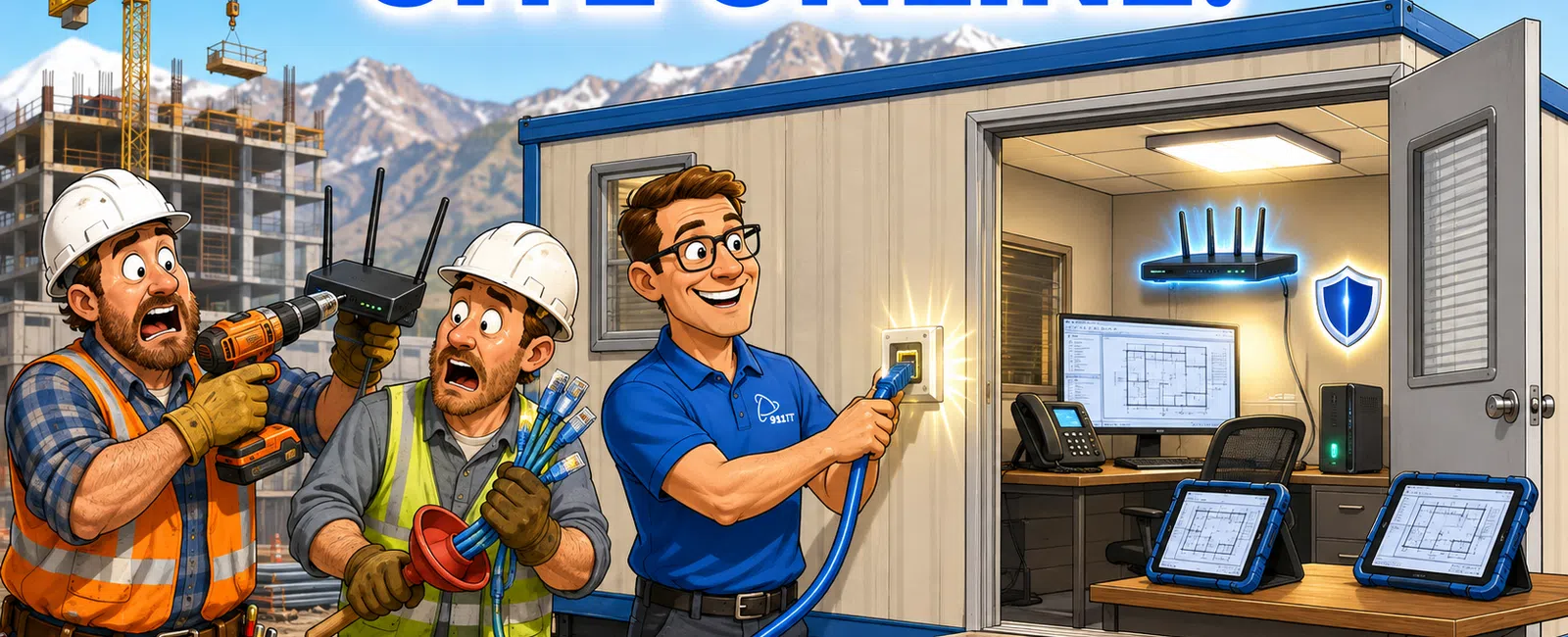
Setting up IT for a new construction project office requires establishing reliable internet connectivity, deploying secure workstations and mobile devices, configuring access to project management and CAD software, implementing data backup systems, and arranging ongoing technical support - typically achievable within 5-7 business days with proper planning and an experienced IT partner.
What Are the Essential IT Components for a Construction Project Office?
Every construction project office needs five core technology elements to function effectively from day one. Internet connectivity forms the foundation, whether through fiber, cable, cellular hotspots, or satellite links depending on site location.
Workstations and mobile devices come next. Field crews need rugged laptops or tablets that can withstand job site conditions, while office staff require desktop computers with sufficient processing power for CAD, BIM, and project management applications. Plan for at least one device per office worker and shared tablets for field supervisors.
Network infrastructure includes routers, switches, and wireless access points sized appropriately for your trailer office or temporary facility. Construction sites in remote Utah, Wyoming, or Arizona locations often require specialized equipment to maintain connectivity in challenging terrain or weather conditions.
Software access is critical. Your team needs immediate connectivity to project management platforms, document sharing systems, accounting software, and specialized construction applications. Cloud-based solutions simplify deployment but require sufficient bandwidth.
Security and backup systems protect sensitive bid documents, blueprints, change orders, and financial data. Even temporary project offices handle confidential information that competitors or cybercriminals target.
A properly configured construction project office requires 8-12 network endpoints on average, including workstations, printers, security cameras, and wireless access points.
Kevin, who manages a construction company, highlights the importance of responsive support: "When I call for assistance, the response is instantaneous. I'm on the phone with a real person right away, and they're able to assist me with whatever issue I'm having."
Essential IT components create the operational backbone that keeps your project running without technology-related delays.
How Do I Get Reliable Internet at a Remote Construction Job Site?
Remote job sites across Utah's mountainous terrain, Wyoming's rural areas, and Arizona's desert locations present unique connectivity challenges. The solution depends on site location, budget, required bandwidth, and project duration.
Fiber or cable internet provides the most reliable, high-speed option when available. Contact local internet service providers 4-6 weeks before your project office opens to schedule installation. Many providers require lead time for new construction sites, and installation delays can push back your entire project timeline.
Fixed wireless internet uses radio signals from nearby towers to deliver broadband speeds without physical cable runs. This works well for sites within line-of-sight of cellular towers, common in the Salt Lake City metro area but less reliable in remote Wyoming locations.
Cellular hotspots and mobile routers offer flexibility for truly remote sites or short-duration projects. Business-grade cellular plans from major carriers provide 100-200 GB monthly data allowances suitable for basic project management tasks, though large file transfers strain these connections.
Satellite internet serves as the last-resort option for locations beyond cellular coverage. Modern low-earth-orbit satellite services deliver 50-150 Mbps speeds with 20-40 ms latency, adequate for most construction applications but weather-dependent in Utah's winter conditions.
Bonded connections combine multiple internet sources - cellular plus satellite, or two cellular carriers - to create redundant connectivity that automatically fails over when one connection drops. This approach suits high-stakes projects where downtime costs thousands per hour.
Plan for backup connectivity regardless of your primary solution. A secondary cellular hotspot prevents complete communication loss when your main connection fails during critical project phases.
Reliable job site connectivity ensures field crews access current blueprints, submit daily reports, and communicate with subcontractors without driving back to the main office.
What Software and Systems Should I Set Up First?
Prioritize software deployment based on immediate operational needs versus nice-to-have features. Project management platforms take first priority because they coordinate all other project activities.
- Project management software like Procore, Buildertrend, or CoConstruct should be configured before your first crew arrives on site. Load your project schedule, upload initial blueprints and specifications, create user accounts for all team members, and test mobile access from the job site location.
- Document management and file sharing systems come next. Construction projects generate thousands of documents - RFIs, submittals, change orders, daily reports, photos, and as-builts. Cloud storage platforms with construction-specific organization structures prevent the chaos of lost or outdated files.
- Accounting and job costing software integration ensures accurate tracking of labor, materials, and equipment costs from project start. Delayed financial system setup creates reconciliation headaches and inaccurate project profitability reporting.
- CAD and BIM software installations require careful planning. These applications demand substantial computing resources and often use network-based licensing that must be configured properly. Test software performance before field crews need to access complex 3D models or detailed engineering drawings.
- Communication tools including email, VoIP phone services, and team messaging platforms establish how your crew stays connected. VoIP systems eliminate the need for traditional phone lines in temporary offices and provide professional call handling.
- Time tracking and scheduling applications help manage field crew assignments and labor compliance. Many construction firms integrate these with payroll systems to streamline weekly processing.
- Security software including antivirus, endpoint detection, and VPN access protects your systems from day one. Construction companies increasingly face ransomware attacks targeting project data and financial information.
Jaren, a construction company user, notes the value of comprehensive support: "They help us with backup services and with virus protection. Give 911 IT a shot! It is worth it!"
Systematic software deployment prevents the scramble of installing critical applications after work has already begun.
How Do I Secure Construction Project Data and Blueprints?
Construction project offices handle sensitive information that competitors, disgruntled employees, or cybercriminals actively target. Bid documents reveal pricing strategies, blueprints contain proprietary designs, and financial records expose project profitability.
Start with network security fundamentals. Install a business-grade firewall that filters incoming and outgoing traffic, blocks known malicious sites, and creates a secure perimeter around your project office network. Consumer-grade routers lack the security features construction data requires.
Implement access controls that restrict who can view or modify sensitive files. Not every field worker needs access to bid documents or financial records. Role-based permissions ensure team members access only the information necessary for their responsibilities.
Encrypt sensitive data both in transit and at rest. When blueprints travel across the internet to subcontractors or cloud storage, encryption prevents interception. Encrypted storage protects data if devices are lost or stolen from job sites.
Deploy endpoint protection on every device accessing project data. Modern endpoint detection and response (EDR) solutions identify suspicious behavior patterns that indicate ransomware or data theft attempts, stopping attacks before damage occurs.
Establish secure remote access through VPN connections rather than exposing systems directly to the internet. Field crews and remote workers connect through encrypted tunnels that protect credentials and data from interception.
Create automated backup systems that copy project data to off-site locations multiple times daily. Construction projects generate new files constantly, and losing a day's worth of change orders, RFIs, or photos creates expensive rework. Industry-standard backup solutions cost $10-$30 per user monthly but prevent catastrophic data loss.
Train your team on security basics. Phishing emails targeting construction firms attempt to steal credentials or deliver ransomware. Brief training sessions reduce the likelihood employees click malicious links or share passwords.
Physical security matters too. Lock project office doors, secure devices overnight, and implement sign-in procedures for visitors. Competitors have been known to photograph bid documents left visible in unlocked trailers.
Comprehensive cybersecurity services protect the intellectual property and financial data that determine project success.
What Ongoing IT Support Does a Construction Project Office Need?
Construction project offices face unique IT support challenges compared to permanent office locations. Equipment operates in harsh conditions, crews work extended hours including weekends, and technology problems halt expensive field operations.
Help desk availability during your actual working hours is non-negotiable. If your crews start at 6 AM or work Saturday shifts, your IT support must be reachable during those times. Standard business-hours-only support leaves early crews stranded when systems fail.
Remote support capabilities resolve most issues without technician site visits. Experienced IT providers remotely access workstations, troubleshoot software problems, reset passwords, and restore files - often resolving issues within minutes rather than hours.
On-site support becomes necessary for hardware failures, network equipment problems, or issues requiring physical presence. Establish clear response time expectations with your IT provider, particularly for problems that halt multiple workers.
Clay, a construction company manager, emphasizes response quality: "Most of the time they will resolve our issue before we hang up the phone. When we find ourselves in IT trouble we are usually in a mess until we call 911 IT and they get things working again."
Proactive monitoring identifies problems before they impact operations. Server failures, backup issues, security threats, and performance degradation often show warning signs hours or days before complete failure. Monitoring systems alert IT teams to address issues during off-hours.
Software updates and patch management keep systems secure and functional. Construction software vendors release updates frequently, and delaying patches creates security vulnerabilities or compatibility problems with other systems.
Vendor coordination simplifies your life when multiple technology providers serve different needs. A primary IT partner who manages relationships with internet providers, software vendors, and hardware suppliers reduces the coordination burden on project managers.
Scalability support helps you add users, devices, or locations as projects expand. Construction projects often grow mid-stream, requiring rapid deployment of additional workstations, mobile devices, or even satellite office locations.
Documentation and knowledge transfer ensure continuity when personnel change. IT providers should document your network configuration, software licenses, vendor contacts, and troubleshooting procedures so new team members quickly get up to speed.
Managed IT services provide comprehensive support that adapts to construction project lifecycles and eliminates the burden of managing technology internally.
Who Are the Best IT Providers for Construction Companies in Salt Lake City?
Construction companies in Salt Lake City need IT providers who understand job site challenges, support industry-specific software, and respond rapidly when technology problems halt expensive field operations. Local providers offer advantages over national chains where small businesses become ticket numbers in thousand-client queues.
911 IT specializes in construction IT support across Utah, Wyoming, and Arizona with specific experience in CAD, BIM, and project management software optimization. Their 24-7 live support ensures construction crews get help during early morning starts or weekend work, and their proactive monitoring prevents problems before they impact job sites.
Executech serves Utah businesses with managed IT services and has experience supporting construction and engineering firms. Their local presence provides on-site support when needed.
Wasatch I.T. offers IT support for Salt Lake City businesses including construction companies, with help desk services and network management capabilities.
Nexus IT Consultants provides managed services to Utah companies across multiple industries, including construction sector clients requiring specialized support.
INTELITECHS delivers IT solutions for businesses in the Salt Lake area with experience in industry-specific software support and cybersecurity services.
ProLink IT serves Utah construction and professional services firms with managed IT support and cloud solutions tailored to project-based workflows.
Qual IT offers technology services for Utah businesses including construction companies needing reliable support for field and office operations.
Large national MSPs serve construction companies but often route small and mid-sized firms through centralized support centers where technicians rotate frequently and lack familiarity with your specific setup. At scale, individual clients receive standardized service rather than the personalized attention construction projects demand.
When evaluating providers, prioritize construction industry experience, rapid response times, after-hours availability, and proactive support approaches. Ask about their experience with your specific project management and CAD software, their process for handling urgent job site issues, and their backup and disaster recovery capabilities.
Rhonda, who works in construction, captures the value of responsive support: "911 IT has been a godsend to our company, especially to me. They are always available and can take care of any need we have right away. I never panic anymore when something isn't working right."
The right IT provider becomes a trusted partner who understands construction workflows and keeps technology running so you can focus on building projects, not troubleshooting computers.
What Does IT Setup for a Construction Project Office Actually Cost?
Construction project office IT costs divide into one-time setup expenses and ongoing monthly support fees. Budget transparency prevents surprises and helps you allocate project overhead accurately.
| Cost Category | One-Time Investment | Monthly Ongoing |
|---|---|---|
| Workstations (desktop computers) | $800-$1,500 each | - |
| Laptops/tablets for field crews | $600-$1,200 each | - |
| Network equipment (routers, switches, access points) | $500-$2,000 | - |
| Peripherals (printers, monitors) | $300-$800 | - |
| Internet connectivity setup | $200-$2,000 | $100-$300 |
| Professional IT setup services (20-40 hours) | $3,000-$10,000 | - |
| Project management software | - | $50-$150 per user |
| CAD/BIM software | $3,000-$7,000 per seat (perpetual) | $200-$400 per user (subscription) |
| Managed IT support | - | $100-$250 per user |
| Cybersecurity services | - | $25-$75 per user |
| VoIP phone services | - | $20-$40 per user |
| Backup and disaster recovery | - | $10-$30 per user |
For a 10-person construction project office, expect $15,000-$25,000 in initial setup costs and $2,500-$4,500 in monthly ongoing expenses covering internet, software, and IT support. These costs scale with team size and project complexity.
Transparent, flat-rate pricing models help construction companies budget accurately and avoid surprise bills when support needs increase during critical project phases.
Frequently Asked Questions
How long does it take to set up IT for a construction project office?
A complete IT setup for a construction project office typically requires 5-7 business days from planning to full operation, assuming equipment and internet service are available. Complex projects with specialized software, remote locations requiring satellite internet, or extensive security requirements may need 10-14 days. Starting the process 3-4 weeks before your project office opens ensures adequate time for equipment procurement and service provider scheduling.
Can I use residential internet for a construction project office?
Residential internet services lack the reliability, support, and terms of service construction businesses require. Business internet plans provide guaranteed uptime, faster repair response, static IP addresses for remote access, and terms allowing commercial use. Residential plans often prohibit business use and offer no service level agreements. The $50-$100 monthly difference in cost is negligible compared to productivity losses when residential connections fail during critical project phases.
What happens to the IT setup when the construction project ends?
Construction project office IT equipment and software typically transfer to the next project or return to your main office. Cloud-based software licenses reassign to new users instantly, while hardware moves to new locations. Work with your IT provider to develop decommissioning procedures that securely erase data from devices, cancel location-specific services like internet connections, and document equipment transfers. Proper shutdown prevents security risks from abandoned equipment and ensures licenses don't continue billing unnecessarily.
Do I need a dedicated IT person at each construction project site?
Most construction project offices do not require full-time on-site IT staff. Managed IT service providers deliver remote support, proactive monitoring, and scheduled on-site visits more cost-effectively than hiring dedicated personnel. A project office with 10-20 users typically needs 2-4 hours of on-site IT support monthly plus remote help desk access. Larger projects with 50-plus users or highly specialized software might justify part-time on-site IT presence.
How do I protect laptops and tablets used on dusty, rough construction sites?
Rugged or semi-rugged devices designed for field use withstand construction site conditions better than standard consumer laptops. Protective cases, screen protectors, and port covers reduce damage from dust, moisture, and impacts. Implement mobile device management software that enables remote data wiping if devices are lost or stolen. Regular cleaning and maintenance extends device lifespan. Budget for higher replacement rates - field devices typically last 2-3 years versus 4-5 years for office equipment.


