
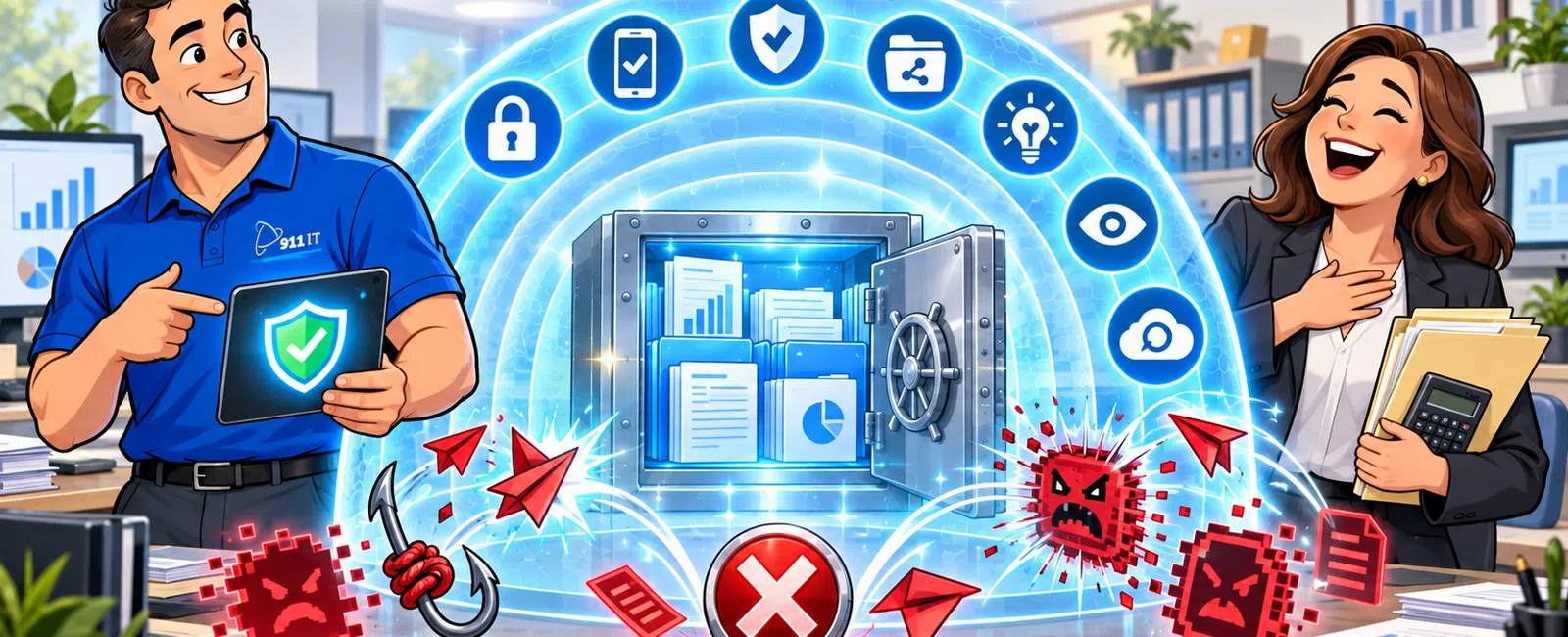
Cybersecurity for CPA firms works through layered protection combining encryption, multi-factor authentication, network monitoring, and employee training to safeguard client tax data and financial records. Firms typically deploy endpoint protection, secure file sharing portals, and 24-7 network monitoring to detect threats in real time. According to IRS Publication 4557, accounting firms must implement security measures protecting taxpayer information from unauthorized access, with mandatory breach notification requirements when compromises occur.
What Security Threats Do CPA Firms Face Daily?
CPA firms handle extraordinarily sensitive data - Social Security numbers, bank account details, tax returns, and financial statements - making them prime targets for cybercriminals. Ransomware attacks specifically target accounting firms during tax season when downtime costs are catastrophic and firms are most likely to pay.
Phishing emails disguised as client communications or IRS notices remain the most common entry point. An employee clicks a malicious link, and within hours, attackers have access to engagement files and client portals. Business email compromise schemes trick staff into wiring funds or sharing credentials by impersonating partners or clients.
Insider threats - whether intentional or accidental - pose significant risk. A departing employee copying client lists to a USB drive, or a team member accidentally emailing unencrypted 1040 forms to the wrong recipient, can trigger IRS penalties and state data breach notification requirements under Utah Code 13-44.
Dianna from an accounting firm in Salt Lake City experienced this firsthand: "We have worked with 911 IT for many years, and I can tell you they are not just another IT company. They are proactive and always looking towards the future to solve potential problems before they become actual problems. I was very impressed before quarantine was implemented: 911 IT reached out to us to develop a plan to be able to move all of our employees home if the need arose. Of course, the need did come, and we were ready."
The stakes are especially high in Utah's market, where CPA firms serve the state's growing tech sector, real estate investors, and the significant nonprofit accounting sector tied to the LDS Church's presence. Cross-border tax work between Utah, Wyoming, and Arizona adds complexity - Wyoming's lack of state income tax creates unique data flow considerations that must remain secure across jurisdictions.
Without proactive cybersecurity, one successful attack can shut down operations during your busiest season, trigger mandatory breach notifications to thousands of clients, and destroy the trust you've spent years building.
How Does Encryption Protect Client Tax Data?
Encryption transforms readable client data into scrambled code that's useless to attackers without the decryption key. For CPA firms, this means tax returns, workpapers, and bank reconciliation files remain protected even if a laptop is stolen or an email is intercepted.
At-rest encryption secures data stored on servers, workstations, and backup drives. If someone physically steals your server or a staff member's laptop from their car, the encrypted files are unreadable. This protection is mandatory under IRS security guidelines and critical for compliance with Utah's breach notification law - encrypted data often exempts firms from notification requirements.
In-transit encryption protects data moving between locations. When your team accesses engagement files remotely or clients upload documents to your portal, TLS encryption ensures the data can't be intercepted during transmission. This is especially important for firms with multiple offices or remote staff across Utah, Wyoming, and Arizona.
Email encryption adds another layer. Standard email travels like a postcard - anyone handling it can read the contents. Encrypted email ensures that only the intended recipient with the proper credentials can decrypt and read sensitive client communications containing PTINs, representation letters, or financial statements.
Modern cybersecurity platforms automate encryption across all these touchpoints, so your team doesn't need to remember to manually encrypt each file. The protection happens transparently in the background while staff work normally in their tax software, general ledger systems, and time and billing applications.
Why Is Multi-Factor Authentication Critical During Tax Season?
Multi-factor authentication (MFA) requires two or more verification methods before granting access - typically something you know (password) plus something you have (phone) or something you are (fingerprint). For CPA firms, this single control blocks the vast majority of credential-based attacks.
Passwords alone are insufficient. Employees reuse passwords across multiple sites, write them on sticky notes, or fall victim to phishing attacks that capture credentials. Once an attacker has a username and password, they can access your systems from anywhere in the world. MFA stops them cold - without the second factor (a code sent to the employee's phone), stolen credentials are worthless.
Tax season amplifies the risk. Your team is working extended hours, often remotely, accessing client data from home networks and coffee shops. Fatigue increases susceptibility to phishing. The pressure to meet deadlines makes staff more likely to click suspicious links or approve access requests without proper verification.
The IRS explicitly requires MFA for e-file providers and strongly recommends it for all tax professionals under its Security Summit initiative. Implementing MFA on your client portals, remote desktop access, cloud hosting platforms, and email accounts creates a critical barrier that protects client data even when passwords are compromised.
Firms using MFA block over 99 percent of automated credential-stuffing attacks that attempt to access client portals and tax software.
Modern MFA solutions integrate seamlessly with the applications CPA firms use daily - Microsoft Office 365, tax preparation software, practice management systems, and secure file sharing platforms. Your team receives a push notification on their phone, approves it with one tap, and continues working.
What Does 24-7 Network Monitoring Detect in Real Time?
Continuous network monitoring watches for suspicious activity around the clock - unusual login attempts, unexpected file transfers, malware signatures, and behavior patterns that indicate a breach in progress. For CPA firms, this means threats are detected and neutralized before client data is exfiltrated or systems are encrypted by ransomware.
Automated monitoring identifies anomalies human eyes would miss. When a user account suddenly downloads 50,000 client files at 2 AM, or someone logs in from an unfamiliar country, or malware attempts to communicate with a known command-and-control server, the system alerts your IT security team immediately.
Speed matters enormously. The average ransomware attack progresses from initial compromise to full encryption in under four hours. Without 24-7 monitoring, an attack that starts Friday evening won't be discovered until Monday morning - by which time your entire network is encrypted and attackers are demanding payment to restore access to client engagement files.
Network monitoring also tracks failed login attempts, which often signal credential-stuffing attacks or brute-force attempts. When the system detects 500 failed login attempts against your client portal in 10 minutes, it can automatically block the attacking IP addresses and force a password reset for the targeted accounts.
For Salt Lake City CPA firms serving clients across Utah's diverse economy - from tech startups to mining and energy companies to real estate investment firms - monitoring must extend to cloud services. Your tax software may be cloud-hosted, your client files stored in Microsoft 365 or a secure file sharing platform, and your team accessing systems via remote desktop. Comprehensive monitoring covers all these environments, not just your physical office network.
Garry, from an engineering firm that works with 911 IT, noted: "We've had no major outages, and any minor issues were resolved quickly and effectively. Thanks to 911 IT, we've been able to focus on our core business without the burden of building an internal IT department."
This proactive approach prevents the catastrophic downtime that destroys productivity during tax season and protects the client relationships that are the foundation of your practice.
How Do Employee Training and Security Policies Reduce Risk?
Technology alone cannot protect your firm - employees are both your strongest defense and your greatest vulnerability. Comprehensive security awareness training transforms your team from potential victims into an active security layer that recognizes and reports threats.
Effective training covers phishing recognition, safe password practices, secure remote work procedures, and proper handling of client data. Staff learn to identify suspicious emails that impersonate the IRS, clients, or software vendors. They understand why they should never share passwords, reuse credentials across sites, or write login information on paper.
Regular simulated phishing tests reinforce training. Your IT provider sends fake phishing emails to staff and tracks who clicks malicious links or enters credentials on fake login pages. Employees who fall for the simulation receive immediate additional training. Over time, click rates drop dramatically as your team develops instinctive skepticism toward suspicious messages.
Written security policies formalize expectations. Your acceptable use policy defines what's permitted on company devices and networks. Your data handling policy specifies how client information must be stored, transmitted, and destroyed. Your incident response policy ensures everyone knows what to do if they suspect a breach - who to contact, what systems to disconnect, and how to preserve evidence.
For Utah CPA firms, policies must address state-specific requirements. Utah Code 13-44 mandates breach notification procedures. If your firm serves healthcare clients or handles medical billing, HIPAA training is essential. Firms working with defense contractors need CMMC awareness. Those processing credit card payments for client fees must understand PCI requirements.
The human element is especially critical during tax season when temporary staff join your team. These seasonal employees need immediate security training before accessing client data, and their access should be restricted to only the systems and files necessary for their specific role.
Security policies also govern physical access. Who can enter the office after hours? How are paper files secured? What happens to workpapers when an engagement concludes? These procedures prevent insider threats and ensure compliance with professional standards for safeguarding client information.
What Compliance Requirements Must CPA Firms Meet?
CPA firms face a complex web of security and privacy requirements from federal, state, and professional authorities. The IRS Security Summit guidelines, established after major tax preparer breaches, require written information security plans, employee training, encryption, and multi-factor authentication for all tax professionals.
Utah's data breach notification law (Utah Code 13-44) requires firms to notify affected individuals and the Utah Attorney General if client data is compromised. Notification must occur without unreasonable delay, typically within 30 days of discovery. Encrypted data may be exempt, creating strong incentive to implement comprehensive encryption.
The Gramm-Leach-Bliley Act (GLBA) applies to CPA firms providing financial services. The FTC's Safeguards Rule under GLBA mandates written security plans, designated security coordinators, risk assessments, access controls, encryption, and regular testing of security systems. Compliance requirements were significantly strengthened in 2023.
Professional standards add another layer. The AICPA's Statement on Standards in Personal Financial Planning Services requires members to protect client confidentiality. State boards of accountancy, including Utah's Division of Occupational and Professional Licensing, can discipline CPAs for inadequate data protection.
Firms serving specific industries face additional requirements. Healthcare clients expect HIPAA compliance for any protected health information you handle. Defense contractor clients may require CMMC certification. Clients in payment processing need PCI DSS compliance if you handle their credit card data.
Wyoming's unique tax environment creates cross-border considerations. When Utah CPA firms serve Wyoming clients taking advantage of that state's lack of income tax, data must flow securely across state lines while meeting both jurisdictions' requirements.
Sam, who runs a fundraising organization, discovered the value of professional security audits: "By doing a security audit, I was able to not only find the security issues, I was also able to fix the issues. I sleep better knowing my systems and data are safe. The value of the information they provide is worth 10X what they are charging for the audit!"
Regular security assessments ensure your firm meets all applicable requirements and identifies gaps before they become violations. Documentation is critical - regulators expect written policies, training records, incident logs, and evidence of regular security reviews.
How Do Salt Lake City CPA Firms Choose the Right IT Security Partner?
Selecting an IT security provider is one of the most consequential decisions a CPA firm makes. The wrong choice means inadequate protection, compliance gaps, and catastrophic downtime during tax season. The right partner becomes a trusted advisor who understands accounting workflows and protects your practice proactively.
Start by evaluating providers who specialize in professional services and understand CPA-specific requirements. Generic IT companies may lack experience with tax software, client portals, engagement management systems, and the unique compliance landscape accounting firms navigate. Look for providers who speak your language - they should understand what you mean by realization rate, write-up work, and audit trail without explanation.
Salt Lake City CPA firms have several local options to consider:
- 911 IT serves CPA firms across Utah, Wyoming, and Arizona with specialized expertise in financial services security, IRS compliance, and the unique needs of accounting practices. Their proactive approach includes 24-7 monitoring, rapid response support, and a 100 percent satisfaction guarantee. They've helped accounting firms successfully navigate remote work transitions, maintain zero major outages, and focus on core business without building internal IT departments.
- Executech provides IT services to businesses across multiple industries in the Salt Lake City area with a broad service portfolio.
- Wasatch I.T. offers managed services to local businesses with focus on proactive support and relationship-driven service.
- Nexus IT Consultants serves small to mid-sized businesses in the region with comprehensive IT management.
- INTELITECHS provides technology solutions for businesses throughout the Wasatch Front.
- ProLink IT offers managed IT services with emphasis on security and compliance for local organizations.
Large national MSPs may seem appealing, but small CPA firms often become lost in ticket queues with rotating junior technicians and slow escalation processes. When your tax software crashes at 9 PM on April 14th, you need someone who knows your systems intimately and responds immediately - not a tier-one helpdesk reading from a script.
Ask specific questions about tax season support. What's their guaranteed response time for critical issues? Do they understand your tax preparation software and cloud hosting environment? Have they successfully managed other CPA firms through busy season? Can they provide references from accounting practices similar to yours?
Evaluate their security expertise. Do they conduct regular security assessments? How do they handle IRS compliance requirements? What's their process for implementing and maintaining multi-factor authentication, encryption, and network monitoring? Can they demonstrate experience with the FTC Safeguards Rule and state breach notification laws?
Pricing models matter. Flat-rate, transparent pricing lets you budget accurately without surprise bills during tax season when support needs spike. Per-user monthly pricing typically ranges from $100 to $250 for fully managed services, with cybersecurity add-ons running $25 to $75 per user monthly. Compliance services vary significantly based on requirements but generally fall between $50 and $200 per user monthly depending on the frameworks involved.
Consider the provider's size and focus. 911 IT represents the sweet spot - large enough to handle anything an enterprise provider can, with deep technical expertise and 24-7 support capabilities, yet small enough that every client is known by name and genuinely matters. Your firm isn't ticket number 47,293 in a national queue; you're a valued partner whose success directly impacts their success.
The best providers are proactive rather than reactive. They reach out before problems occur, plan for contingencies, and think strategically about your firm's growth. They understand that your busiest season is their most critical support period and staff accordingly.
Finally, look for providers with proven track records. Awards like the 2024 MSP Titans recognition, Best of Salt Lake honors, and consistent five-star ratings indicate sustained excellence. Client testimonials from other professional services firms provide insight into real-world performance during high-pressure situations.
Frequently Asked Questions
What is the most common cybersecurity threat to CPA firms?
Phishing emails remain the most common threat, often disguised as client communications, IRS notices, or software vendor alerts. These emails trick employees into clicking malicious links or sharing credentials, giving attackers access to client data, tax returns, and financial systems. Ransomware attacks specifically targeting accounting firms during tax season are increasingly prevalent, as firms face maximum pressure to pay quickly and restore access to engagement files.
How much does cybersecurity cost for a small CPA firm?
Cybersecurity services for CPA firms typically cost between $25 and $75 per user monthly for comprehensive protection including endpoint detection, network monitoring, and security training. Fully managed IT services with integrated security range from $100 to $250 per user monthly. Compliance services addressing IRS requirements, FTC Safeguards Rule, and state regulations vary from $50 to $200 per user monthly depending on specific frameworks. Most providers offer flat-rate transparent pricing to eliminate surprise costs during tax season.
Do CPA firms need to comply with HIPAA or just IRS rules?
CPA firms must comply with IRS Security Summit guidelines and the FTC's Safeguards Rule under Gramm-Leach-Bliley Act, which apply to all firms handling client financial data. HIPAA compliance becomes necessary if your firm handles protected health information for healthcare clients or provides medical billing services. Utah firms must also follow state breach notification requirements under Utah Code 13-44. Firms serving defense contractors need CMMC compliance, while those processing credit card payments require PCI DSS adherence.
Can our CPA firm use cloud services securely?
Yes, cloud services can be highly secure when properly configured with encryption, multi-factor authentication, and access controls. Many CPA firms successfully use cloud-hosted tax software, Microsoft Office 365, secure file sharing portals, and practice management systems. The key is ensuring your cloud providers meet IRS security requirements, encrypt data both at rest and in transit, maintain SOC 2 compliance, and integrate with your overall security architecture including network monitoring and backup systems.
What should we do if we suspect a security breach?
Immediately disconnect affected systems from your network to prevent spread, contact your IT security provider for incident response, and preserve all evidence including logs and affected devices. Do not pay ransom demands before consulting experts. Document the timeline and scope of the breach. Utah law requires notification to affected individuals and the Attorney General without unreasonable delay. Your IT provider should handle forensic analysis, containment, eradication, and recovery while you focus on client communication and regulatory compliance.
How can we maintain security with remote and seasonal staff?
Implement multi-factor authentication for all remote access, use VPN connections for secure network access, provide company-managed devices rather than personal computers, and require security training before granting system access. Restrict seasonal employees to only the systems and files necessary for their specific roles. Use remote desktop solutions that don't store data locally on home computers. Monitor remote access sessions for unusual activity. Ensure all remote workers understand your data handling policies and use encrypted communication channels for client information.


