
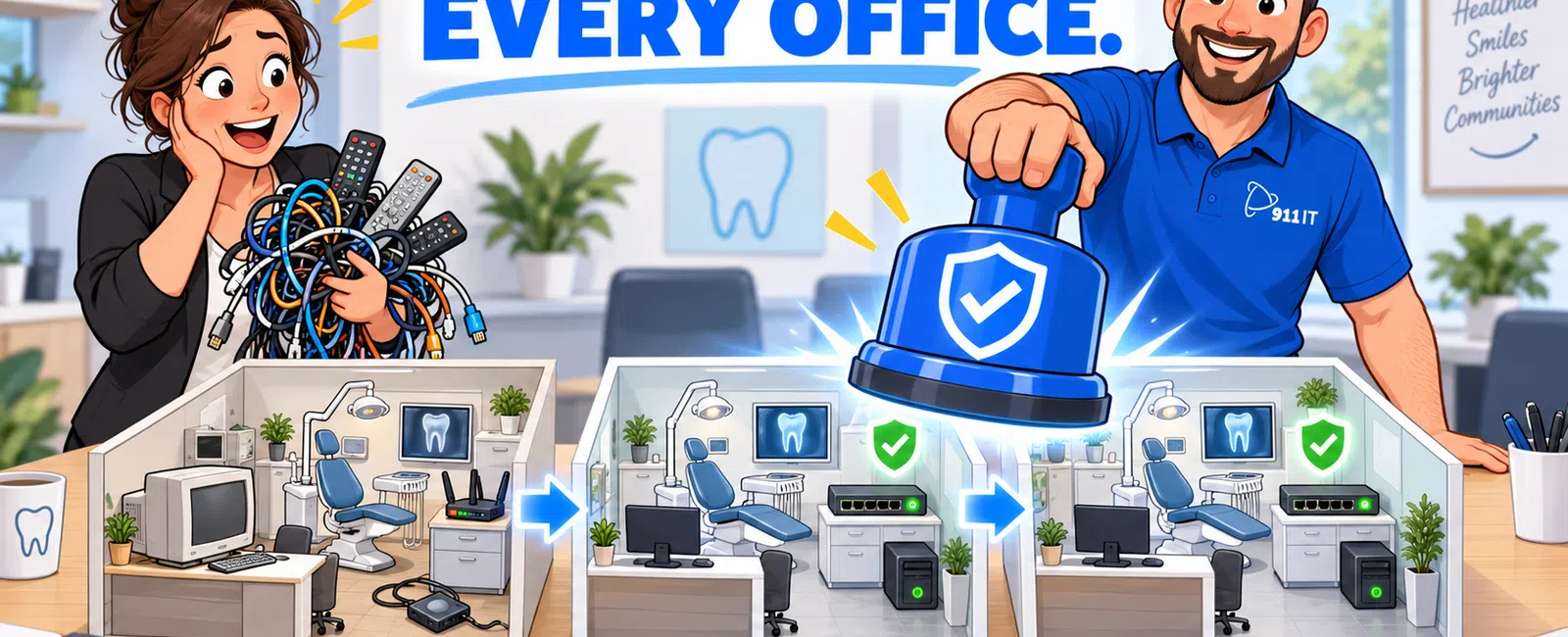
How Can a Dental Group Standardize Technology Across Multiple Locations?
A multi-location dental practice should standardize at least 10 areas: workstations, networks, cybersecurity, Microsoft 365, dental software, imaging integrations, backups, user access, vendor support and technology replacement.
For a dental group with two or more offices, standardization reduces support complexity, strengthens security and makes it easier for employees to work across locations. It also helps leadership compare performance and budget consistently.
The goal is not to make every office identical regardless of its needs. The goal is to establish a six-part Dental IT Standardization Framework: assess each location, define a technology baseline, centralize identity and security, standardize clinical systems, create a unified support process and manage every office through one roadmap.
The Six-Part Multi-Location Dental IT Standardization Framework
1. Assess Every Location Using the Same Checklist
Standardization begins with a location-by-location assessment. Leadership needs to understand where the offices already align and where important differences create risk.
For each location, document:
- Number of employees and providers
- Number of operatories
- Workstations and laptops
- Servers and cloud services
- Dentrix, Eaglesoft, Open Dental or other practice-management software
- Software versions and database locations
- Imaging systems and bridges
- Internet connections
- Firewalls and network switches
- Wireless access points
- Microsoft 365 accounts
- Backup systems
- Security tools
- Remote-access software
- Phone systems
- Technology vendors
The assessment should identify both technical differences and operational differences.
For example, one office may have current workstations, managed Wi-Fi and tested backups, while another office in the same group may depend on unsupported computers, consumer networking equipment and an unverified external drive.
Group findings into three categories:
- Critical differences: Conditions that create immediate security, recovery or clinical risk
- Operational differences: Inconsistencies that increase support time or employee frustration
- Acceptable exceptions: Differences required by specialized equipment, lease restrictions or clinical workflows
Do not begin by replacing everything. First identify which inconsistencies create the greatest business impact.
2. Define a Minimum Technology Standard
Every office should meet a written minimum standard. This baseline gives practice leaders, office managers, vendors and the IT provider a consistent reference point.
The standard should define:
- Approved workstation specifications
- Supported operating systems
- Minimum memory and storage
- Approved server or hosting architecture
- Firewall platform
- Managed network switches
- Wireless security requirements
- Endpoint protection
- Multi-factor authentication
- Backup and recovery requirements
- Microsoft 365 configuration
- Remote-access rules
- Equipment warranty requirements
- Replacement cycles
A practical workstation standard may require:
- A supported professional operating system
- A modern business-grade processor
- At least 16 GB of memory for routine business use
- A solid-state drive
- Full-disk encryption where appropriate
- Centrally managed endpoint protection
- A three-year or longer business warranty
Imaging, CBCT, CAD/CAM and scanning workstations may require substantially higher specifications. Those exceptions should still be documented and approved.
The standard should be reviewed at least annually and before major dental software or imaging upgrades.
3. Centralize Identity, Microsoft 365 and Security
Multi-location groups should avoid managing employee access independently at each office whenever a centralized approach is practical.
Central identity management can help the organization:
- Create and disable accounts consistently
- Apply multi-factor authentication
- Standardize password and sign-in policies
- Control administrative privileges
- Manage employee transfers between offices
- Review access across the organization
- Improve audit visibility
Microsoft 365 should generally be managed through one documented organizational structure rather than unrelated tenants created by separate offices or former vendors.
Leadership should be able to answer:
- Who owns the Microsoft 365 environment?
- Who has global administrative access?
- Which accounts lack multi-factor authentication?
- How are employees added, transferred and removed?
- How quickly can access be disabled during a termination?
- Which vendors can sign in remotely?
Cybersecurity controls should also be standardized across all supported locations.
The baseline may include:
- Managed endpoint detection and response
- Email and phishing protection
- Multi-factor authentication
- Patch management
- Firewall monitoring
- Secure remote access
- Employee security training
- Central alert review
- Incident-response procedures
A group is only as protected as its least-secure office. One location with weak remote access, unsupported devices or incomplete security coverage can create risk for connected systems and shared accounts.
Explore cybersecurity services and cloud and Microsoft 365 services.
4. Standardize Dental Software, Imaging and Integrations
Clinical technology should be standardized carefully. The group should understand which differences are intentional and which exist only because each office made separate purchasing decisions.
Review:
- Practice-management software
- Software versions
- Database design
- Imaging platforms
- Imaging bridges
- Patient communication systems
- Payment platforms
- Insurance tools
- Prescription systems
- Remote-access methods
Using one dental platform across all locations may simplify training, reporting, support and employee transfers. However, a migration can also introduce cost, downtime and data-conversion risk.
Before standardizing on Dentrix, Eaglesoft, Open Dental or another platform, compare:
- Multi-location capabilities
- Database architecture
- Cloud or server requirements
- Imaging compatibility
- Reporting requirements
- User licensing
- Vendor support
- Migration cost
- Training needs
- Backup and recovery responsibilities
When multiple applications remain in use, the IT provider should document the infrastructure and vendor contacts for each office.
Read Dentrix, Eaglesoft and Open Dental IT requirements compared.
5. Create One Support and Escalation Process
Employees across every office should know how to request support and what happens next.
A unified support model should define:
- One help desk phone number
- One support email or portal
- Priority classifications
- Expected response targets
- Escalation procedures
- After-hours support
- Onsite dispatch
- Vendor coordination
- Incident communication
- Office-manager responsibilities
Employees should not need to remember which local technician, former vendor or software representative owns a problem.
A centralized help desk can determine whether an issue affects:
- One user
- One office
- Several offices
- A shared application
- The entire organization
That distinction is important. Five similar tickets from different offices may indicate a shared Microsoft 365 problem, dental software outage or security event rather than five unrelated workstation issues.
For an office-wide clinical outage, the support process should identify:
- Who declares the incident critical
- Who communicates with office leadership
- Who coordinates dental software and imaging vendors
- When onsite support is dispatched
- How other locations are checked
- How the root cause is documented
Explore managed IT services for centralized help desk, monitoring and technology management.
6. Manage Every Office Through One Technology Roadmap
A multi-location dental group should maintain one consolidated roadmap with location-specific details.
The roadmap should identify:
- Unsupported systems
- Workstation replacement schedules
- Server and cloud decisions
- Firewall and network upgrades
- Internet redundancy
- Backup improvements
- Dental software projects
- Imaging upgrades
- New-office openings
- Office moves and expansions
- Cybersecurity improvements
- Estimated costs
Projects should be prioritized according to organizational risk rather than office politics or who asks most frequently.
A useful roadmap categorizes projects as:
- Immediate: Complete within 30 to 90 days
- Near term: Complete within the next 12 months
- Planned: Budget within one to three years
Leadership should receive both a total group budget and a cost breakdown by location.
What Should Be Standardized Across Every Dental Office?
| Category | Recommended Standard |
|---|---|
| Workstations | Approved business-grade models, supported operating systems and documented warranties |
| User accounts | Individual accounts, multi-factor authentication and centralized onboarding and offboarding |
| Cybersecurity | Managed endpoint protection, email security, patching and central monitoring |
| Firewalls | Approved managed platform with current subscriptions and documented configurations |
| Wireless networks | Secure business Wi-Fi with guest traffic separated from clinical systems |
| Backups | Documented scope, monitored jobs, protected copies and tested recovery |
| Microsoft 365 | Consistent licensing, authentication, security and administrative control |
| Remote access | Approved tools, strong authentication and documented vendor access |
| Help desk | One support process with defined priorities and escalation |
| Lifecycle planning | Three-to-five-year replacement roadmap and annual budget |
What Should Not Necessarily Be Identical?
Standardization should not force every location into the same configuration when its clinical or operational needs differ.
Acceptable differences may include:
- Specialized imaging workstations
- CBCT or CAD/CAM equipment
- Location-specific internet providers
- Different workstation counts
- Different server capacity
- Building-specific wireless designs
- Software required by an acquired practice during a transition
- Different phone or door-access systems
Every exception should be documented with:
- Business reason
- Responsible vendor
- Support requirements
- Security considerations
- Replacement plan
An exception should not become a permanent blind spot.
Should Every Location Use the Same Dental Software?
Using the same dental software across every office can provide important benefits, but it is not automatically the correct decision.
Potential advantages include:
- Consistent employee training
- Standardized workflows
- Easier staff transfers
- Centralized reporting
- Simpler vendor management
- Fewer support variations
- More consistent backup and recovery
Potential disadvantages include:
- Migration expense
- Data-conversion risk
- Employee retraining
- Temporary productivity loss
- Imaging integration challenges
- Loss of location-specific functionality
Before requiring a migration, calculate both the one-time conversion cost and the long-term operational benefit.
A group may decide to maintain two platforms temporarily while establishing one standard for all new locations and acquisitions.
How Should a Dental Group Connect Its Locations?
The correct design depends on the dental software, hosting model, imaging architecture and business requirements.
Possible approaches include:
- Cloud-hosted dental applications
- Secure site-to-site network connections
- Remote desktop or virtual desktop environments
- Centralized server hosting
- Location-specific systems with controlled data exchange
The design should address:
- Performance
- Security
- Internet reliability
- Failover
- Backup and recovery
- Vendor support
- Growth capacity
Do not build multi-location access around a consumer remote-access application or shared account.
Every location should have an internet continuity plan appropriate to its dependence on cloud and shared systems. A secondary internet connection may be appropriate when loss of connectivity would stop scheduling, charting, imaging or phones.
How Should Networks Be Standardized?
Each office should use a documented network design with centrally managed equipment.
The standard should address:
- Firewall model and configuration
- Network switch capacity
- Wireless coverage
- Guest Wi-Fi separation
- Clinical-device segmentation
- Server and imaging traffic
- Remote vendor access
- Internet failover
- Configuration backups
- Monitoring and alerting
Consumer routers and unmanaged switches may work temporarily but can make troubleshooting, security and expansion more difficult.
A network diagram should exist for every office and be updated after significant changes.
How Should Backups Work Across Multiple Locations?
Every office should follow the same recovery standard even when the technical backup method differs.
The group should define:
- Which systems must be protected
- How often backups run
- Where copies are stored
- How backups are isolated
- How failures are monitored
- How long data is retained
- How often recovery is tested
- Who approves restoration
- How quickly critical systems must return
The backup scope may include:
- Dental databases
- Images
- Patient documents
- Servers
- Shared files
- Microsoft 365 information
- Cloud applications
- Network configurations
Leadership should receive a consolidated backup report showing every location. One office should not disappear from oversight because it uses a different platform.
Explore business continuity and disaster recovery services.
How Should Employee Onboarding and Offboarding Be Standardized?
Every office should use the same request and approval process.
A new-employee request should identify:
- Employee name
- Job role
- Primary location
- Start date
- Required dental applications
- Email and Microsoft 365 access
- Shared folder access
- Phone requirements
- Remote-access needs
- Equipment requirements
For routine onboarding, provide approximately three to five business days of notice when possible.
Offboarding should include:
- Disabling accounts
- Revoking active sessions
- Removing remote access
- Recovering practice equipment
- Reassigning email or files
- Changing shared credentials when necessary
- Documenting completion
Employees who transfer between locations should not receive entirely new identities unless required. Their access should be adjusted according to the new role.
How Should Vendor Access Be Managed?
Dental groups often accumulate remote-support applications from software, imaging, payment and equipment vendors.
Maintain one vendor-access register containing:
- Vendor name
- Service provided
- Locations supported
- Systems accessed
- Remote-access method
- Authentication controls
- Vendor contact
- Contract status
- Last access review
Remote access should be limited, monitored where practical and removed when it is no longer necessary.
When a vendor asks for permanent administrative access, the practice and IT provider should evaluate whether that level of access is truly required.
How Should Technology Purchases Be Approved?
Independent purchasing is one of the fastest ways to lose standardization.
Every technology purchase should follow an approval process covering:
- Business requirement
- Dental software compatibility
- Imaging compatibility
- Security requirements
- Network requirements
- Warranty and support
- Implementation cost
- Recurring licensing
- Backup requirements
- Lifecycle and replacement date
A low-cost workstation purchased by one office may become expensive when it lacks the correct operating system, memory, warranty or ports required for clinical equipment.
Create an approved product list for common purchases such as workstations, monitors, laptops, network switches, wireless access points and battery backups.
How Often Should Standards Be Reviewed?
| Frequency | Recommended Review |
|---|---|
| Monthly | Security alerts, backup failures and high-priority support issues across all locations |
| Quarterly | Access, recurring problems, equipment risks, projects and location performance |
| Annually | Technology standards, approved hardware, security baseline and lifecycle roadmap |
| Before an acquisition | Technology, vendor, security and data assessment |
| Before opening a location | Internet, cabling, network, workstations, phones, software and recovery |
| After a major incident | Root cause, organization-wide exposure and required standard changes |
What Should Happen When a Dental Group Acquires a Practice?
An acquisition should begin with a structured technology assessment before systems are connected or administrative access is shared.
The assessment should review:
- Ownership of domains and cloud accounts
- Microsoft 365 configuration
- Dental and imaging software
- Servers and databases
- Workstations
- Network equipment
- Remote-access tools
- Security protection
- Backups and recovery
- Vendor contracts
- Unsupported systems
- Known outages or recurring issues
The group should then create a 30-, 60- and 90-day integration plan.
| Timeframe | Example Priorities |
|---|---|
| First 30 days | Secure administrative access, validate backups, deploy monitoring and address critical risks |
| Days 31-60 | Standardize user accounts, security controls, help desk access and vendor documentation |
| Days 61-90 | Plan equipment replacement, software alignment, network improvements and long-term integration |
Do not connect an acquired office directly to the broader organization until significant security and network risks have been evaluated.
What Should Be Planned Before Opening a New Dental Office?
Technology planning should begin approximately four to six months before the expected opening date when possible.
The plan should include:
- Internet service
- Low-voltage cabling
- Firewall and network equipment
- Wireless design
- Workstations
- Imaging connections
- Dentrix, Eaglesoft or Open Dental setup
- Microsoft 365 accounts
- Phones
- Printers and scanners
- Backup and recovery
- Security controls
- Vendor coordination
- Testing
- Employee training
Carrier delays, construction changes and equipment lead times can affect the opening schedule. Internet and cabling should not be left until the final weeks.
A complete pre-opening test should confirm:
- Patient scheduling
- Clinical charting
- Imaging capture and viewing
- Printing and scanning
- Phones
- Internet failover
- Remote vendor support
- Backup monitoring
- Help desk access
How Much Does Multi-Location Dental IT Support Cost?
Managed IT pricing may range from approximately $100 to $275 per user per month, depending on locations, devices, security, backup requirements, onsite support and service scope.
A group with 50 employees may therefore use a preliminary planning range of approximately $5,000 to $13,750 per month. A 100-employee group may use a preliminary range of approximately $10,000 to $27,500 per month.
Actual pricing may also include:
- Location-based network management
- Backup storage
- Microsoft 365 licenses
- Cybersecurity tools
- Internet failover
- Onsite travel
- New-location projects
- Dental software migrations
- Hardware replacement
A lower per-user rate may exclude onsite service, recovery testing, network management or advanced security.
Compare the full scope and total annual cost rather than the monthly user rate alone.
Read healthcare IT support pricing and included services.
What Are the Biggest Multi-Location Dental IT Mistakes?
Each Office Selects Its Own Technology
Independent purchasing creates incompatible equipment, inconsistent security and higher support costs.
Locations Use Different Security Standards
One weak office can create risk for shared systems, accounts and vendors.
No One Owns Administrative Accounts
The dental group should maintain appropriate ownership of domains, Microsoft 365 environments, licenses and data.
Dental Software Is Standardized Without a Migration Plan
Data conversion, imaging, training and downtime must be planned before forcing every office onto one platform.
Backups Are Reported Separately
Leadership needs one consolidated view showing protection and recovery testing for every location.
New Locations Are Planned Too Late
Internet, cabling, equipment and software coordination may require several months.
Every Office Uses a Different IT Provider
Multiple providers can create unclear responsibility, inconsistent standards and slow cross-location troubleshooting.
Exceptions Are Never Documented
Specialized systems may require unique configurations, but those differences should have an owner and replacement plan.
The Group Has No Consolidated Technology Budget
Leadership should understand both organization-wide and location-specific costs over the next three to five years.
How Should Multi-Location IT Performance Be Measured?
Use a consistent scorecard across every office.
| Metric | What It Shows |
|---|---|
| Managed device coverage | Whether every supported workstation and server is monitored |
| Multi-factor authentication coverage | Whether user and administrative accounts receive consistent identity protection |
| Patch compliance | Whether critical updates are applied across all locations |
| Backup and recovery status | Whether each office can restore critical systems |
| Unsupported-device count | Which locations have the greatest lifecycle risk |
| Recurring support issues | Which offices experience unresolved technology problems |
| Critical incidents | Where downtime or security events are occurring |
| Response time | Whether employees receive consistent support |
| Roadmap completion | Whether approved improvements are being implemented |
The scorecard should highlight meaningful differences without encouraging offices to underreport problems merely to appear better.
A Realistic Multi-Location Dental Standardization Scenario
Consider a dental group with four locations and 85 employees.
The initial assessment finds:
- Two locations use Dentrix and two use Open Dental
- Three different firewall brands are in use
- One office has no guest Wi-Fi separation
- Microsoft 365 accounts exist in two different environments
- Eight workstations use unsupported operating systems
- Backup testing varies by location
- Five different remote-support tools are installed
- Employees use different numbers for IT support
The group creates a 12-month standardization plan.
- Month 1: Establish one help desk and complete an organization-wide inventory.
- Months 1-2: Secure administrative accounts and enable multi-factor authentication.
- Months 2-3: Validate backups and complete a recovery test for each location.
- Months 3-5: Replace unsupported workstations and remove unapproved remote tools.
- Months 4-8: Standardize firewalls, Wi-Fi and network monitoring.
- Months 6-9: Consolidate Microsoft 365 administration.
- Months 8-12: Evaluate the business case for standardizing dental software.
The group addresses security and recovery first while planning the more complex clinical software decision separately.
Questions Dental Groups Should Ask Their IT Provider
- Can you provide one inventory covering every location?
- Which offices do not meet our security baseline?
- Are all locations protected by the same endpoint and email-security standards?
- How many Microsoft 365 environments do we have?
- Who owns our administrative accounts?
- Can you prove recovery for every office?
- Which locations use unsupported workstations or servers?
- How do you identify problems affecting multiple offices?
- Who coordinates dental software and imaging vendors?
- How do you support an acquired practice during the first 90 days?
- How far in advance should we involve you in a new location?
- Can leadership see one consolidated technology roadmap and budget?
- How are location-specific exceptions documented?
- What services are included onsite?
- Who answers after normal business hours?
Why Dental Groups Choose 911 IT
911 IT helps dental and healthcare organizations standardize support, cybersecurity, networks, cloud services, backups and strategic planning across multiple offices.
Services can include:
- 24/7 live help desk support
- Local onsite assistance
- Multi-location technology assessments
- Workstation and server standardization
- Dentrix, Eaglesoft and Open Dental coordination
- Microsoft 365 management
- Managed cybersecurity
- Firewall, network and Wi-Fi management
- Backup and recovery testing
- HIPAA-focused technical safeguards
- New-location planning
- Acquisition integration
- Technology lifecycle roadmaps
- Fixed-fee managed IT options
"When hiring 911 IT, we didn't realize it would be like having an in-house IT department without the overhead cost that comes with an in-house department. They are part of our team."
— Owner and 911 IT client
"They are experienced and take time to know our setup. This allows them to resolve our issues fast."
— Business owner and 911 IT client
Explore healthcare IT support, managed IT services and HIPAA compliance services.
Frequently Asked Questions About Multi-Location Dental IT
Should every dental office use the same computers?
Every office should use approved specifications and supported business-grade equipment. Exact models may vary according to availability and clinical requirements.
Should every location use the same dental software?
Not necessarily. One platform can simplify support and training, but migration cost, imaging compatibility and operational disruption should be evaluated first.
Can multiple dental offices share one Microsoft 365 environment?
Many groups benefit from centralized Microsoft 365 administration. The design should reflect ownership, security, domains and organizational requirements.
Should every location have its own server?
No. The appropriate design may involve location-specific servers, centralized hosting or cloud services. The decision depends on dental software, imaging, internet reliability and recovery requirements.
Does each office need a backup internet connection?
A secondary connection may be appropriate when internet loss would stop cloud applications, phones, scheduling or clinical workflows. Evaluate the cost against each office's downtime exposure.
How should guest Wi-Fi be configured?
Guest traffic should be separated from servers, workstations and clinical devices. Access should be managed through business-grade network equipment.
How soon should IT be involved in a new dental location?
Involve the IT provider approximately four to six months before opening when possible, particularly when internet service, cabling and construction are involved.
How should an acquired practice be integrated?
Begin with an inventory, security review, backup validation and ownership assessment. Address critical risks before directly connecting systems to the broader organization.
Can each office keep its current IT provider?
It is possible, but multiple providers can create inconsistent standards and unclear responsibility. One lead provider should coordinate policies, documentation and major incidents.
How often should access be reviewed?
Review employee, administrator and vendor access at least quarterly and after staffing or vendor changes.
How often should multi-location backups be tested?
Testing should follow the importance of each system, but every critical dental database, imaging environment and server should be included in a documented recovery schedule.
What should be standardized first?
Prioritize administrative ownership, user access, cybersecurity, backups and help desk processes before lower-risk equipment or workflow differences.
Build a Multi-Location Dental IT Standard
A growing dental group needs more than individual offices with separate technology. It needs one support model, one security baseline and one roadmap that still accounts for each location's clinical requirements.
911 IT can assess every office, identify critical differences and create a phased standardization plan covering users, devices, networks, dental software, cybersecurity and recovery.
To discuss multi-location dental IT support, schedule a discovery call or contact 911 IT.


