
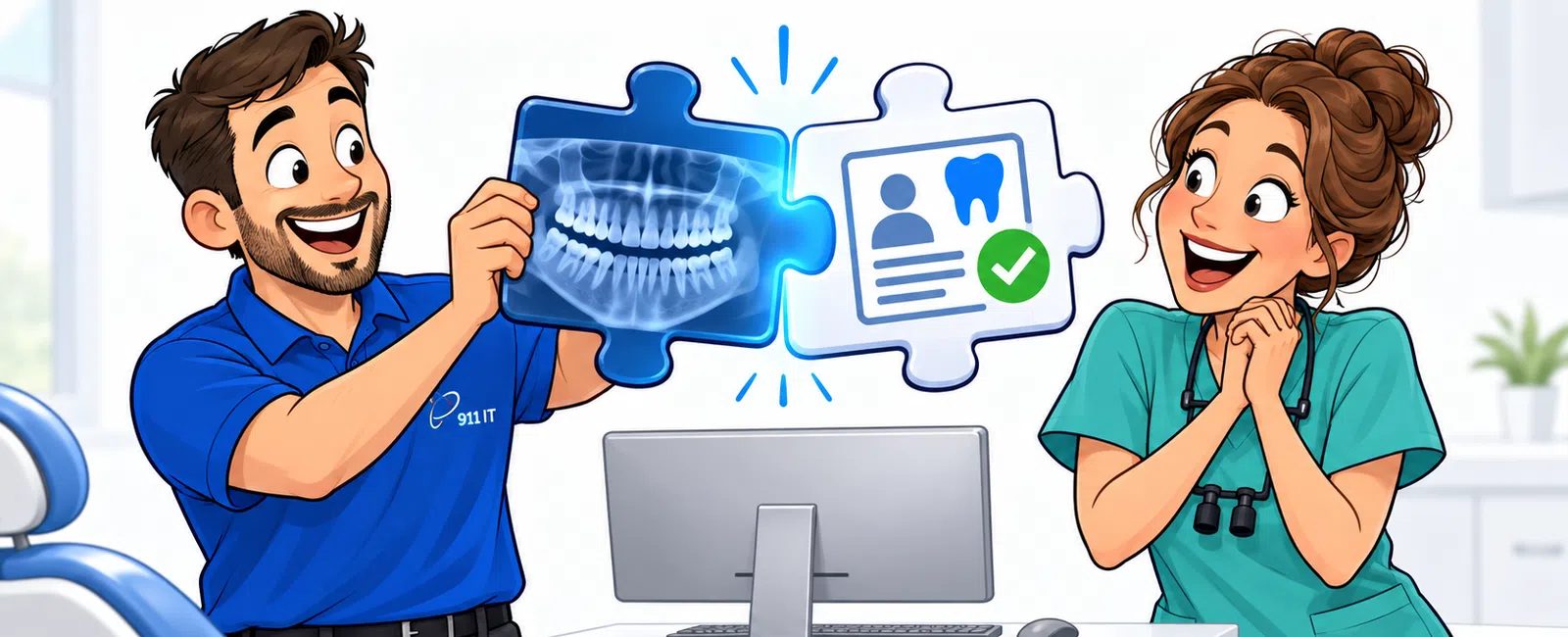
Yes, digital imaging systems integrate with practice management software through HL7 interfaces, TWAIN protocols, or API connections. Most modern dental PMS platforms support direct integration with digital radiography, intraoral cameras, and PACS systems, reducing duplicate data entry by 70-80% and enabling chair-side image viewing within patient charts. Integration success depends on software compatibility, network configuration, and proper HIPAA-compliant data flow setup.
Why Should Dental Practices Connect Imaging Systems to Their PMS?
Disconnected systems force staff to toggle between applications, manually attach images to patient records, and duplicate demographic data entry. This workflow creates bottlenecks during patient appointments when hygienists need immediate access to previous radiographs for comparison.
Integrated systems pull patient demographics directly from your PMS into the imaging software automatically. When a hygienist opens a patient chart, previous X-rays display alongside treatment notes and periodontal charting without launching separate applications.
Salt Lake City dental practices report that integration eliminates 15-20 minutes of administrative work per day per operatory. For a four-chair practice, that's over 300 hours annually redirected from data entry to patient care.
Amy from a healthcare practice shared her experience: "We started using 911 IT when we tired of waiting for our issues to get resolved. Having a dedicated IT team, not a tech person that does it 'on the side' has saved me time and money. Since outsourcing our IT to 911, the 911 team has setup our new location and everything was running great before we opened our doors."
Integration also supports better treatment planning. Dentists can overlay current images with historical radiographs to track bone loss progression or monitor healing after surgical procedures, all within one interface.
Connected systems reduce the risk of attaching images to incorrect patient records, a significant HIPAA violation that occurs more frequently with manual workflows.
Which Integration Methods Work for Dental Imaging and PMS Platforms?
TWAIN protocol represents the most common integration method for intraoral cameras and digital sensors. This standardized interface allows imaging devices to communicate directly with practice management software through a driver layer.
HL7 interfaces handle bidirectional data exchange between systems. Your PMS sends patient demographics, appointment details, and insurance information to the imaging system. The imaging system returns completed radiographs, diagnostic reports, and metadata back to the patient chart.
API connections provide the most flexible integration option. Modern cloud-based PMS platforms like Dentrix Ascend and Curve use RESTful APIs to connect with PACS systems, enabling real-time synchronization across multiple locations.
Direct database connections work for on-premise systems where both applications run on local servers. This method requires careful configuration to maintain HIPAA compliance and prevent unauthorized data access.
Over 85% of dental practices in Utah now use some form of digital radiography, making integration a practical necessity rather than a luxury feature.
Some imaging manufacturers provide proprietary bridges specifically designed for popular PMS platforms. Dexis, for example, offers pre-built connectors for Dentrix, Eaglesoft, and Open Dental that simplify the integration process.
The right method depends on your specific software combination, network architecture, and whether you operate a single location or multi-site practice.
What Technical Requirements Must Be Met Before Integration?
Network infrastructure forms the foundation of successful integration. Both your PMS server and imaging workstations must communicate over a reliable, properly segmented network with sufficient bandwidth for large image files.
Software version compatibility matters significantly. Running outdated PMS versions often prevents integration with newer imaging systems because manufacturers discontinue support for legacy APIs and protocols.
Licensing requirements vary by vendor. Some PMS platforms charge additional fees for integration modules or API access. Imaging software may require separate licenses for each workstation that connects to the PMS.
HIPAA compliance dictates that all data transmission between systems must use encryption. Your network must support TLS 1.2 or higher for data in transit, and both applications must encrypt stored images and patient data at rest.
Database permissions need careful configuration. The imaging system requires read access to patient demographics but should have restricted write access to prevent accidental data corruption in your PMS.
Workstation hardware specifications affect performance. Viewing high-resolution digital radiographs demands adequate RAM (minimum 8GB, preferably 16GB) and graphics processing capability to prevent lag when scrolling through image series.
User authentication systems must synchronize between platforms. Single sign-on (SSO) capabilities reduce security risks by eliminating multiple password combinations that staff might write down or reuse.
Professional IT support becomes essential during setup. Managed IT services providers with dental experience understand the specific requirements for connecting imaging systems while maintaining regulatory compliance.
How Do You Maintain HIPAA Compliance During Imaging Integration?
Business Associate Agreements (BAAs) must be executed with every vendor involved in the integration. Your PMS vendor, imaging software provider, IT support company, and any cloud storage services all require signed BAAs before handling patient data.
Access controls determine which staff members can view, modify, or export images. Front desk personnel might need view-only access to images for insurance verification, while dentists require full editing capabilities for treatment planning annotations.
Audit logging tracks every interaction with patient images. Your integrated system should record who accessed which images, when they were viewed, whether they were exported, and any modifications made.
Data retention policies must align with state requirements. Utah follows federal guidelines requiring dental records retention for seven years after the last patient visit, but some circumstances demand longer retention periods.
Encryption standards apply to both transmission and storage. Images moving between your PMS and imaging system must travel over encrypted connections, and stored images require AES-256 encryption or equivalent protection.
HIPAA compliance services help dental practices navigate the technical requirements and documentation needed for integrated systems. Salt Lake City practices benefit from local IT providers who understand both federal regulations and regional healthcare technology trends.
Security Risk Assessments (SRAs) should be conducted annually and after any significant system changes. Integration projects qualify as significant changes because they create new data pathways that must be evaluated for vulnerabilities.
Backup systems must capture both PMS data and integrated images. Separate backups for each system create restoration challenges; unified backup strategies ensure patient charts remain complete during disaster recovery.
What Challenges Do Practices Face When Connecting These Systems?
Vendor finger-pointing represents the most frustrating challenge. When integration fails, the PMS vendor blames the imaging software, the imaging vendor blames the network, and practices get stuck in the middle without resolution.
Kevin from a construction firm described similar support frustrations that dental practices experience: "When I call for assistance, the response is instantaneous. I'm on the phone with a real person right away, and they're able to assist me with whatever issue I'm having. I've never been told that I need to call back, talk to someone else, or find a different solution."
Legacy system limitations create compatibility barriers. Practices running older PMS versions on Windows Server 2012 or earlier often discover their infrastructure can't support modern cloud-based imaging platforms.
Image format inconsistencies cause viewing problems. Some imaging systems export in proprietary formats that require special viewers, while others use standard DICOM formats. Your PMS must support the specific formats your imaging hardware produces.
Network performance issues emerge when multiple operatories simultaneously capture and transmit high-resolution images. A practice with four digital sensors operating concurrently needs sufficient bandwidth to prevent delays that disrupt patient flow.
User adoption challenges arise when staff resist workflow changes. Hygienists accustomed to manual image attachment may continue old habits unless training emphasizes the time savings and error reduction that integration provides.
Cost overruns occur when practices underestimate integration complexity. What vendors describe as "simple plug-and-play" often requires custom configuration, additional hardware, and professional IT services to implement correctly.
Multi-location practices face synchronization challenges. Images captured at one office must be accessible at other locations where patients might receive treatment, requiring proper network architecture and data replication strategies.
Practices need IT partners who understand dental workflows specifically, not just general healthcare IT. The technical requirements for chair-side imaging integration differ significantly from hospital PACS implementations.
How Long Does Dental Imaging Integration Typically Take?
Single-location practices with modern software can complete basic integration in 2-4 weeks. This timeline includes initial assessment, network preparation, software configuration, testing, and staff training.
The discovery phase takes 3-5 business days. IT professionals inventory your current systems, document software versions, test network performance, and identify compatibility issues before beginning configuration work.
Configuration and testing require 1-2 weeks. Technicians install integration modules, configure data mappings between systems, establish secure connections, and conduct thorough testing with sample patient data before going live.
Staff training spans 2-3 days depending on practice size. Team members need hands-on experience with the integrated workflow, troubleshooting common issues, and understanding when to call for IT support versus resolving minor problems independently.
- Discovery and assessment (3-5 business days)
- Network preparation and infrastructure upgrades if needed (1 week)
- Software configuration and integration setup (1-2 weeks)
- Testing with sample patient data (3-5 days)
- Staff training and workflow documentation (2-3 days)
- Go-live support and monitoring (ongoing for 30 days)
Multi-location practices or those requiring infrastructure upgrades should plan for 6-8 weeks. Network improvements, server upgrades, or firewall reconfigurations add time but ensure stable long-term performance.
Practices transitioning from film to digital radiography face longer timelines because they're implementing new imaging systems simultaneously with integration. This combined project typically requires 8-12 weeks for complete deployment.
Emergency deployments can be accelerated when necessary. Practices experiencing system failures or regulatory compliance deadlines can receive prioritized support, though rushed implementations increase the risk of configuration errors.
Post-implementation monitoring continues for 30 days after go-live. IT teams track system performance, address user questions, and fine-tune configurations based on real-world usage patterns.
Proper planning prevents the extended downtime that disrupts patient care and revenue flow.
What Ongoing Support Do Integrated Imaging Systems Require?
Software updates from either vendor can break integration connections. When your PMS provider releases a new version, the imaging interface may require reconfiguration or updated drivers to maintain compatibility.
Performance monitoring identifies degradation before it affects patient care. IT teams should track image transfer speeds, system response times, and error logs to detect problems early.
Security patches must be applied promptly to both systems. Vulnerabilities in either the PMS or imaging software create entry points for ransomware attacks that can encrypt patient images and records.
Database maintenance prevents corruption that disrupts image retrieval. Regular integrity checks, index optimization, and proper backup verification ensure patient images remain accessible when needed.
User access reviews should occur quarterly. Staff turnover requires prompt deactivation of former employees' credentials, and role changes may necessitate adjusting permissions for current team members.
Hardware lifecycle management matters for imaging workstations. Sensors, cameras, and computers have finite lifespans; proactive replacement prevents unexpected failures during patient appointments.
Jennifer from a financial firm highlighted the importance of responsive support: "Working with 911 IT has been a great experience. I appreciate the flexibility - whether it's submitting a support ticket or calling for immediate help, there's always someone ready to assist. The team is knowledgeable, and if they don't have an answer right away, they make sure to find it and follow up."
Dental practices in Salt Lake City benefit from local IT providers who can respond quickly to chair-side technology failures. When an intraoral camera stops communicating with your PMS during a patient appointment, remote support may not suffice - on-site assistance prevents schedule disruptions.
Salt Lake City IT support teams familiar with dental technology can troubleshoot integration issues faster than generalist providers who lack industry-specific experience.
Proactive monitoring and maintenance prevent the majority of integration problems before they impact your practice.
Frequently Asked Questions
What is the cost to integrate dental imaging with practice management software?
Integration costs vary based on system complexity and practice size. Simple TWAIN-based connections may require only configuration time, while HL7 interfaces or API integrations can involve software licensing fees, professional services for setup, and ongoing support. Most practices should budget for initial implementation plus monthly managed IT services to maintain the integration long-term.
Can we integrate imaging systems if our PMS is cloud-based but our imaging software is on-premise?
Yes, hybrid integrations are possible through secure VPN connections or cloud-based middleware that bridges the two environments. The integration requires proper network configuration to ensure HIPAA-compliant data transmission between your local imaging workstations and cloud PMS. Performance depends on internet bandwidth and latency, so practices need reliable connectivity with sufficient upload speeds for image files.
Will integration work with multiple imaging device brands in our practice?
Most modern PMS platforms support multiple imaging devices simultaneously through standardized protocols like TWAIN or DICOM. Each device may require separate driver installation and configuration, but they can all feed images into the same patient management system. The key is ensuring your PMS version supports all the specific device models you use in your operatories.
What happens to our integrated systems during PMS software updates?
Software updates can temporarily disrupt integration connections if the PMS vendor changes API specifications or interface protocols. Practices should schedule updates during non-patient hours and work with IT support to test integration functionality before resuming normal operations. Proper change management includes backup procedures and rollback plans if updates cause unexpected compatibility issues with imaging systems.
How do we train staff to use integrated imaging and PMS systems effectively?
Effective training combines hands-on practice with written procedures and ongoing support. Staff should learn the integrated workflow using test patient data before treating actual patients. Training should cover normal operations, common troubleshooting steps, and when to escalate issues to IT support. Practices benefit from designating super-users who receive advanced training and can assist colleagues with routine questions.


