
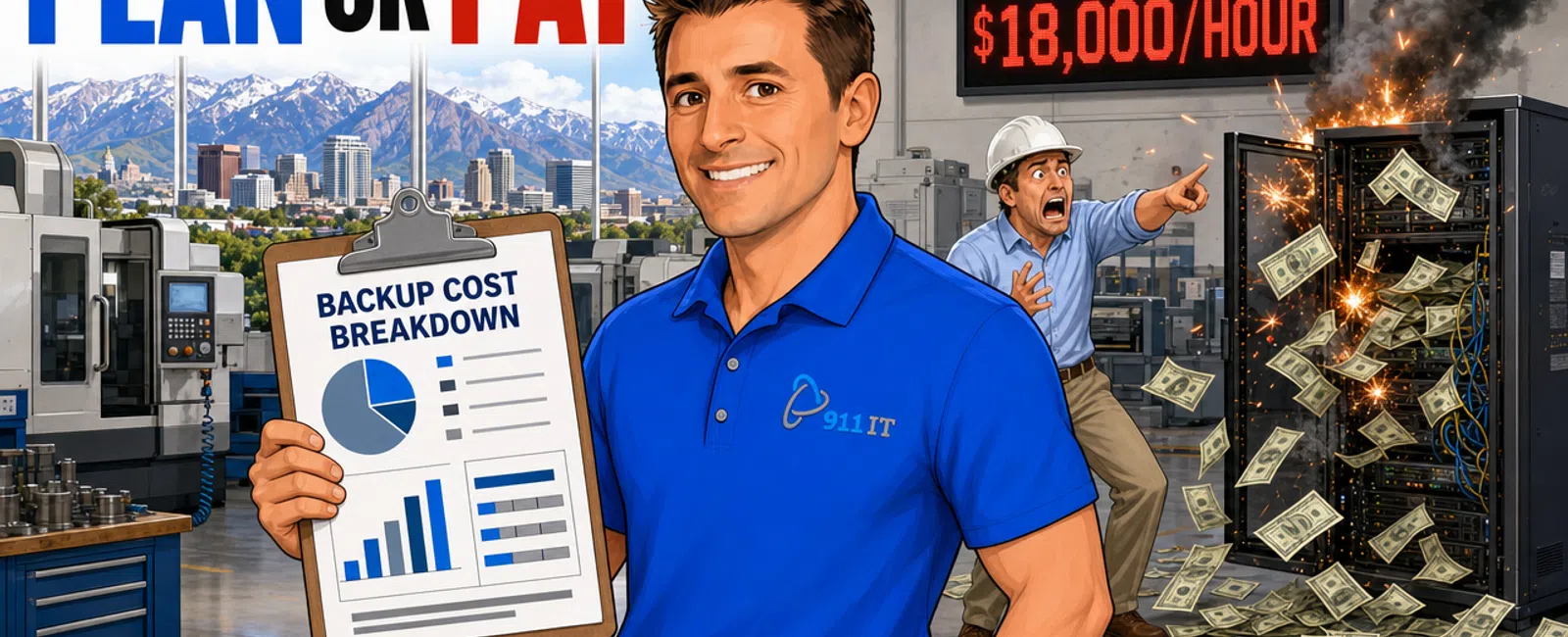
Manufacturing businesses in Salt Lake City typically invest $10 - $30 per user monthly for basic backup and disaster recovery, but total costs depend heavily on production data volume, ERP system integration complexity, and required recovery time objectives. A 50-employee manufacturer with moderate data needs might spend $1,500 - $4,000 monthly when factoring in server backups, production database protection, and rapid-recovery infrastructure.
Why Do Manufacturing Backup Costs Differ From Office-Based Businesses
Manufacturing environments generate fundamentally different data than typical office settings. Your production floor creates massive volumes of operational data from CNC machines, quality control systems, inventory scanners, and real-time monitoring equipment that must be captured continuously.
ERP systems like Epicor, SAP, or Infor sit at the heart of manufacturing operations, holding bill-of-materials data, work orders, supply chain information, and financial records. These databases require specialized backup approaches because they're constantly changing and deeply interconnected with other systems.
Production downtime costs manufacturers $5,000 to $20,000 per hour on average. This reality shapes backup investment decisions differently than for businesses where a few hours of email downtime is merely inconvenient rather than catastrophic.
James, a manufacturing client, experienced this firsthand: "911 IT has been able to cut our IT expenditures by almost half and at the same time improve our systems reliability. Since moving to their IT Firm we have noticed that they are more knowledgeable than the other companies we have used in the past."
The integration between IT systems and operational technology (OT) on the factory floor adds another layer of complexity. Your backup strategy must account for programmable logic controllers (PLCs), supervisory control and data acquisition (SCADA) systems, and manufacturing execution systems (MES) that traditional office backup tools weren't designed to handle.
Manufacturing backup costs reflect the mission-critical nature of production continuity, not just data protection.
What Drives the Price Range for Manufacturing Data Protection
Data volume stands as the primary cost driver. A small fabrication shop might generate 500GB monthly, while a food processing facility with quality control imaging and sensor data could produce 10TB or more. Storage costs scale accordingly, though not always linearly.
Recovery time objective (RTO) dramatically affects pricing. If you can tolerate 24 hours to restore operations, standard backup solutions suffice. If production must resume within one hour, you need hot-failover infrastructure, redundant systems, and potentially cloud-based disaster recovery environments that cost 3-5 times more.
Recovery point objective (RPO) determines how much data loss is acceptable. Manufacturing operations running three shifts with continuous production often require RPOs measured in minutes, necessitating continuous data replication rather than nightly backups. This real-time protection costs significantly more than traditional scheduled backups.
A manufacturer losing one hour of production data could face $15,000 - $50,000 in rework costs, making aggressive RPO targets financially justifiable.
Regulatory requirements add cost layers. Defense manufacturers near Hill Air Force Base pursuing CMMC compliance need encrypted backups, access controls, and audit trails that exceed standard backup capabilities. Food processors must maintain FDA-compliant records with specific retention and retrieval requirements.
Geographic redundancy provides protection against regional disasters. Salt Lake City manufacturers concerned about earthquake risk or widespread power outages invest in off-site replication to data centers in different regions, doubling or tripling backup infrastructure costs but ensuring business survival.
System complexity affects implementation and ongoing management costs. A manufacturer running legacy AS/400 systems alongside modern cloud ERP, CAD workstations, and IoT sensor networks needs backup solutions that span multiple platforms, each requiring specialized expertise.
Your specific combination of these factors determines where you fall in the pricing spectrum.
How Should Manufacturers Calculate Total Backup Investment
Start with per-user costs for employee workstations and standard business data. At $10 - $30 per user monthly, a 50-person manufacturer invests $500 - $1,500 just for protecting office systems, email, and employee files.
Add server and database protection separately. Manufacturing ERP databases, file servers, and application servers typically cost $200 - $800 per server monthly depending on data volume and change rate. A manufacturer running three critical servers adds $600 - $2,400 to monthly costs.
Factor in production system backups. Protecting MES, SCADA configurations, PLC programs, and quality management systems might add another $500 - $2,000 monthly depending on complexity and required recovery speed.
Include disaster recovery infrastructure if rapid recovery is essential. Cloud-based DR environments that can spin up your production systems within hours cost $1,000 - $5,000 monthly for mid-sized manufacturers, but eliminate the multi-day recovery times that could bankrupt your business.
Account for testing and validation. Backups that haven't been tested are just expensive hope. Professional backup management includes quarterly or semi-annual recovery testing, adding 10-15% to base costs but ensuring your investment actually works when needed.
Consider compliance and audit requirements. If you serve defense, aerospace, or regulated industries, add $500 - $2,000 monthly for compliance-grade backup solutions with proper encryption, access logging, and retention management.
Wayne, another manufacturing client, found the investment worthwhile: "When hiring 911 IT, we didn't realize it would be like having an inhouse IT department without the overhead cost that comes with an inhouse department. They are part of our team."
A realistic total for a 50-employee Salt Lake City manufacturer with moderate complexity typically lands between $2,000 - $6,000 monthly for comprehensive backup and disaster recovery.
Which Backup Approach Fits Different Manufacturing Operations
- Small job shops and fabricators (10-25 employees): Cloud-first backup strategies work well for operations running QuickBooks or entry-level ERP with modest data volumes that can tolerate 24-hour recovery times. Monthly investment: $500 - $1,500.
- Mid-sized discrete manufacturers (50-150 employees): Hybrid approaches combining local backup appliances for fast recovery with cloud replication for disaster scenarios. These facilities run full ERP systems, maintain CAD libraries, and operate multiple production lines where downtime costs escalate quickly. Monthly investment: $2,000 - $6,000.
- Process manufacturers (food, chemical, pharmaceutical): Continuous data protection with minimal RPO for 24/7 operations that generate massive sensor data and face regulatory scrutiny. They need real-time replication, hot-standby capabilities, and compliance-grade retention. Monthly investment: $4,000 - $12,000.
- Defense contractors and CMMC-compliant manufacturers: Backup solutions within the security boundary, with encrypted storage, multi-factor access controls, and detailed audit trails. These requirements often double standard backup costs but are non-negotiable for maintaining contracts. Monthly investment: $3,000 - $8,000 for mid-sized operations.
The right approach balances recovery requirements against budget realities while meeting industry-specific compliance needs.
What Backup Mistakes Cost Manufacturers the Most
Backing up only file servers while ignoring production databases ranks as the most expensive oversight. When disaster strikes, manufacturers discover their ERP data wasn't actually protected, or the backup captures database files that are corrupted when restored. This mistake can cost weeks of manual data reconstruction.
Neglecting to test recovery procedures creates false confidence. Approximately 40% of backup systems fail during actual recovery attempts due to configuration errors, incomplete backups, or incompatible restore environments. The first disaster becomes an expensive learning experience.
Storing all backups on-site leaves manufacturers vulnerable to fire, flood, or ransomware that encrypts both production systems and backup storage simultaneously. Local-only backup strategies have destroyed businesses that could have survived with off-site copies.
Using consumer-grade backup tools for business-critical manufacturing systems saves money initially but fails during complex recovery scenarios. These tools lack the database-aware features, application consistency, and granular recovery options that manufacturing environments demand.
Failing to account for growth leads to backup systems that worked fine at implementation but become inadequate as data volumes increase. A backup solution sized for 2TB that now protects 8TB takes too long to complete, misses backup windows, and leaves gaps in protection.
Ignoring compliance requirements until an audit creates expensive remediation projects. Manufacturers discover their backup retention, encryption, or access controls don't meet contractual obligations, forcing rushed upgrades and potential contract penalties.
The cost of backup mistakes isn't measured in monthly fees but in lost production, destroyed data, and potentially failed businesses.
How Do Salt Lake City Manufacturing Backup Providers Compare
Salt Lake City's manufacturing sector has several IT providers offering backup and disaster recovery services, each with different strengths and service models.
National MSP chains offer standardized backup packages with predictable pricing but treat manufacturing clients the same as retail stores or professional offices. Their support teams rotate through ticket queues without developing deep knowledge of your specific ERP system or production environment. A small manufacturer becomes account number 4,872 rather than a known client.
Local providers serving the Salt Lake manufacturing community include Executech, Wasatch I.T., Nexus IT Consultants, INTELITECHS, ProLink IT, and Qual IT. These firms understand regional manufacturing challenges and maintain local support teams.
911 IT brings specialized manufacturing expertise developed since 2004, including Manufacturing Software & ERP System Support and specific experience with the defense manufacturing sector near Hill Air Force Base. Their CMMC compliance services address the unique requirements of aerospace and defense manufacturers.
What distinguishes 911 IT is their combination of enterprise-grade capabilities with personalized service. They handle the same complex backup scenarios as large national providers - ERP database protection, production system continuity, compliance requirements - but every client works with a known team rather than a rotating cast of technicians.
Their 100% Satisfaction Guarantee and one-hour emergency response time provide accountability that matters when production is down. For manufacturers, this means your backup provider answers calls from someone who knows your facility, understands your production schedule, and has tested your recovery procedures.
The flat-rate, transparent pricing model eliminates surprise bills during recovery operations when other providers charge premium hourly rates for emergency restoration work.
Manufacturers need backup providers who understand that downtime costs thousands per hour and treat recovery as the production emergency it actually is.
When Should Manufacturers Upgrade Their Backup Strategy
Production expansion that doubles data volume or adds new facilities requires backup capacity reassessment. Your current solution might complete backups overnight now, but fail to finish before the next backup cycle begins as data grows.
ERP system migrations or upgrades demand backup strategy changes. Moving from on-premise to cloud ERP, upgrading to newer versions, or switching platforms creates temporary vulnerability where your old backup approach doesn't protect the new environment during transition.
New compliance requirements trigger mandatory upgrades. Landing your first defense contract, expanding into FDA-regulated products, or accepting credit cards on the shop floor each impose backup and retention requirements your current system might not meet.
Ransomware near-misses or actual incidents prove your backup strategy inadequate. If you discovered backups were also encrypted, recovery took days instead of hours, or you paid ransom because restoration wasn't viable, immediate upgrade becomes essential.
Acquisition or merger activity requires unified backup strategies across combined operations. Disparate backup systems, inconsistent retention policies, and incompatible recovery procedures create risk and inefficiency that must be resolved.
The shift to 24/7 operations changes backup requirements fundamentally. When production never stops, traditional nightly backup windows disappear, requiring continuous protection approaches that don't impact performance.
Backup strategy should evolve with your manufacturing operation, not remain static while your business transforms around it.
Frequently Asked Questions
What is the minimum backup investment for a small manufacturing shop
A small manufacturer with 10-15 employees running basic systems can implement adequate backup and disaster recovery for $500 - $1,200 monthly, covering employee workstations, essential servers, and cloud replication. This provides daily backups with 24-hour recovery capability, suitable for operations that can tolerate brief downtime without catastrophic losses.
Do manufacturers need separate backups for production equipment
Yes, CNC programs, PLC configurations, SCADA systems, and MES databases require specialized backup approaches beyond standard file and server protection. These systems contain the operational knowledge that runs your production floor, and losing this data means days or weeks of reprogramming and reconfiguration even if your business data survives intact.
How often should manufacturing backups be tested
Manufacturing operations should conduct full recovery tests at least twice yearly, with critical system recovery tests quarterly. Testing should include restoring your ERP database to a separate environment, verifying production data integrity, and confirming that restored systems actually function. Untested backups fail approximately 40% of the time during real disasters.
Can manufacturers use the same backup solution as office businesses
Standard office backup solutions lack the database-aware features, application consistency, and rapid recovery capabilities manufacturing operations require. Manufacturing needs backup tools that understand ERP transactions, can restore multi-terabyte databases quickly, and protect the operational technology systems that office-focused solutions weren't designed to handle.
What backup retention period do Salt Lake City manufacturers need
General business records typically require seven years retention for tax and legal purposes. Defense manufacturers must retain CMMC-related data per contract terms, often three to seven years. Food manufacturers need retention aligned with FDA requirements for traceability. Your specific retention requirements depend on your industry, contracts, and regulatory obligations.
Does cyber insurance cover inadequate backup costs
Most cyber insurance policies require documented backup and disaster recovery procedures as a coverage condition. Inadequate backups may void coverage or result in claim denials. Insurance covers the incident response costs, but won't compensate for lost production revenue if your backup strategy fails to enable timely recovery from a ransomware attack or disaster.


