
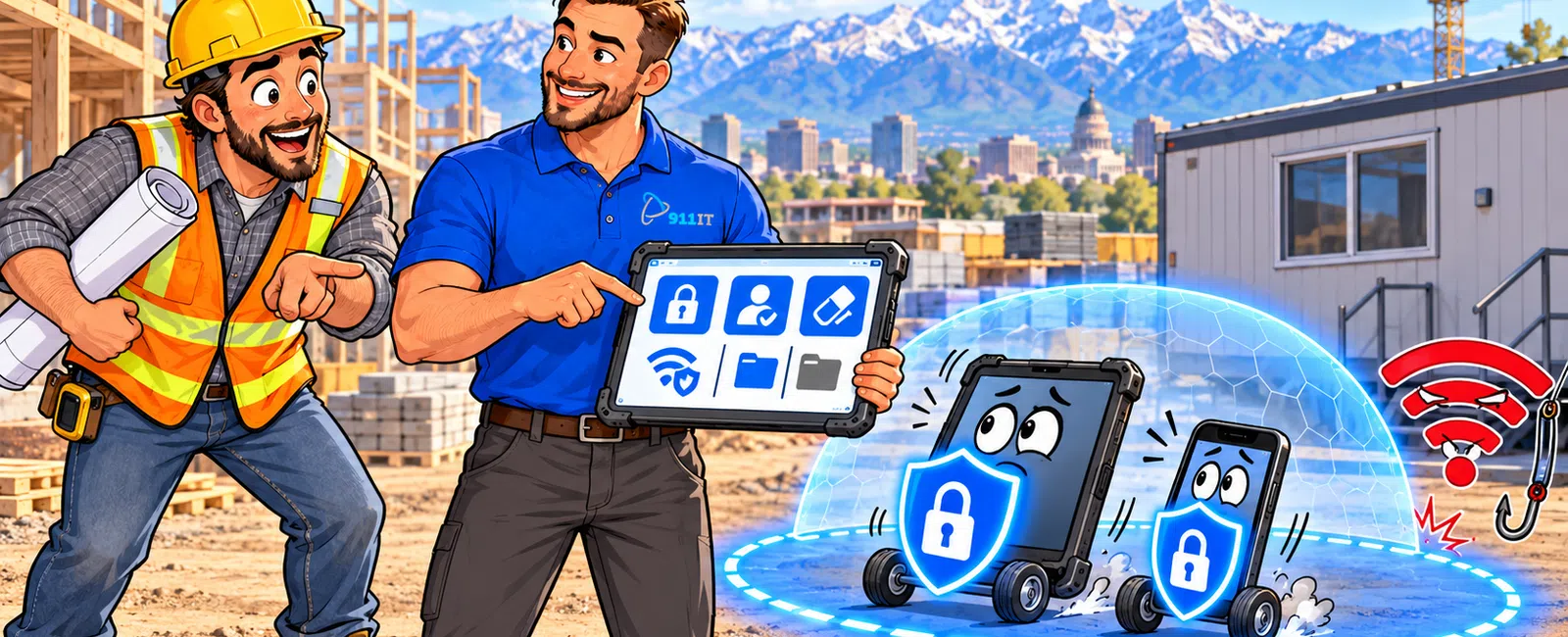
Secure mobile devices on construction job sites by implementing mobile device management (MDM) software that enforces encryption, remote wipe capabilities, and app controls across all field devices. Require strong passcodes of at least 8 characters, enable automatic screen locks after 5 minutes of inactivity, and mandate regular security updates. Establish a bring-your-own-device (BYOD) policy that separates work data from personal information and provides clear protocols for lost or stolen devices.
Why Are Mobile Devices a Security Risk on Construction Sites?
Construction workers carry smartphones and tablets containing sensitive project data, client information, blueprints, and access credentials to project management systems. These devices move between unsecured job trailers, vehicles, and public spaces where theft and loss rates are significantly higher than office environments.
Physical security challenges compound digital vulnerabilities. Devices left in unlocked trucks, on equipment, or in temporary site offices face constant exposure. A stolen phone with saved passwords can give unauthorized access to your entire project management platform, financial systems, and client communications.
Unsecured Wi-Fi networks at job sites create additional attack vectors. Workers connecting to public hotspots or compromised networks expose company data to interception. Malicious actors can monitor unencrypted traffic and capture login credentials transmitted over these connections.
The mix of personal and work use creates data leakage risks. Employees texting photos of blueprints to subcontractors, saving project documents to personal cloud storage, or installing unapproved apps can inadvertently expose proprietary information.
Over 70% of construction data breaches involve compromised mobile devices or stolen credentials from field workers.
Job sites lack the physical security controls of traditional offices, making device-level protection your primary defense.
What Mobile Device Management Features Do Construction Companies Need?
Mobile device management (MDM) platforms give IT administrators centralized control over all company-owned and personal devices accessing work systems. For construction firms, containerization features that separate work apps and data from personal content are essential for BYOD programs.
Remote wipe capabilities allow you to erase company data from a lost or stolen device immediately, before sensitive blueprints or client information can be accessed. Geofencing features can trigger automatic security actions when devices leave designated areas or enter unauthorized locations.
App whitelisting and blacklisting controls prevent workers from installing risky applications that could contain malware or create data leakage pathways. You can mandate approved versions of project management software like Procore, PlanGrid, or Buildertrend while blocking apps that violate security policies.
Compliance reporting features document device security status for insurance requirements and client audits. Automated reports show which devices have current security patches, which users have disabled required protections, and where policy violations occur.
Conditional access policies enforce security requirements before allowing network connections. Devices with outdated operating systems, disabled encryption, or missing security updates can be automatically blocked from accessing company resources until brought into compliance.
Integration with your existing IT infrastructure ensures MDM works seamlessly with managed IT services and monitoring systems.
How Should Construction Firms Handle Personal Devices Used for Work?
A formal BYOD policy defines exactly what personal devices can access, what security controls employees must accept, and what happens when employment ends. The policy should specify which apps and data the company can manage versus what remains private.
Containerization technology creates a secure work partition on personal phones that IT can manage without touching personal photos, messages, or apps. This separation addresses employee privacy concerns while maintaining security control over company data.
Require employees to sign acknowledgment forms documenting their understanding that company data on personal devices may be remotely wiped if the device is lost or when they leave the company. This legal protection prevents disputes over data removal.
Provide stipends or company-owned devices for workers who handle highly sensitive information. For project managers accessing financial data, client contracts, or proprietary designs, company-owned devices with full MDM control offer stronger security than BYOD arrangements.
Kevin from a local construction firm shared: "When I call for assistance, the response is instantaneous. I'm on the phone with a real person right away, and they're able to assist me with whatever issue I'm having. I especially enjoy that I have one of 911 IT's employees that makes frequent visits to our office and makes it a point to come see me in my office and ask if I'm having any IT issues he can assist with."
Regular device audits ensure BYOD policies remain enforced as team composition changes and new devices enter your environment.
What Security Policies Should Apply to Field Workers?
Mandatory passcode requirements should enforce minimum 8-character passwords combining letters, numbers, and symbols. Biometric authentication like fingerprint or face recognition adds convenience without sacrificing security for modern devices that support these features.
Automatic screen lock after 5 minutes of inactivity prevents unauthorized access when devices are left unattended on job sites. This simple control stops opportunistic access by subcontractors, visitors, or thieves who find unlocked devices.
Disable Bluetooth and Wi-Fi when not actively needed to reduce attack surface. Bluetooth vulnerabilities allow nearby attackers to compromise devices, while automatic Wi-Fi connections can link devices to malicious networks mimicking legitimate hotspots.
Prohibit jailbroken or rooted devices from accessing company systems. These modified devices bypass built-in security controls and cannot be properly managed by MDM platforms, creating unacceptable risk for company data.
Require immediate reporting of lost or stolen devices through a 24-hour hotline. Every hour of delay increases the risk that stolen devices will be compromised. Clear reporting procedures with no-penalty policies encourage prompt disclosure.
Mandate monthly security training covering phishing recognition, safe app installation practices, and proper handling of sensitive project documents. Construction workers often lack IT security backgrounds, making regular education essential.
Establish clear protocols for photographing and sharing project information. Specify approved methods for transmitting blueprints, progress photos, and site documentation that maintain security while supporting workflow needs.
- Enable strong passcodes with at least 8 characters combining letters, numbers, and symbols
- Activate automatic screen lock after 5 minutes of inactivity
- Disable Bluetooth and Wi-Fi when not in use
- Block jailbroken or rooted devices from company systems
- Report lost or stolen devices immediately through 24-hour hotline
- Complete monthly security training on phishing and safe practices
- Follow approved protocols for photographing and sharing project information
These policies protect your data while respecting the practical realities of construction field work.
How Do You Protect Data on Devices Used at Remote Job Sites?
Full-disk encryption ensures that data stored on mobile devices remains unreadable if the physical device is stolen. Modern iOS and Android devices include built-in encryption that activates when you enable passcode protection, but you must verify encryption status through MDM reporting.
Virtual private network (VPN) connections encrypt data transmitted between field devices and your office systems. Require VPN use whenever workers access company resources over cellular networks or job site Wi-Fi to prevent traffic interception.
Cloud-based project management platforms with proper access controls eliminate the need to store sensitive documents locally on devices. When blueprints and contracts remain in secure cloud storage with view-only mobile access, device theft doesn't compromise the underlying data.
Multi-factor authentication (MFA) adds a second verification step beyond passwords for accessing critical systems. Even if credentials are stolen, attackers cannot access accounts without the second factor - typically a code sent to the user's phone or generated by an authenticator app.
Jaren from a construction company noted: "We have loved the peace of mind using 911 IT has given us. They are great at answering their phone and solving our problems quickly. I have worked for the past year or so with Calvin and his crew. I really like how quickly they respond to my questions and concerns. We are upgrading our machines with them now. They help us with backup services and with virus protection."
Regular security updates and patch management close vulnerabilities that attackers exploit. Automated MDM policies can enforce update installation within specific timeframes and block outdated devices from network access.
Utah's remote construction sites across mountainous terrain and Wyoming's rural project locations require cybersecurity solutions designed for distributed field operations with intermittent connectivity.
What Should Construction Companies Do When Devices Are Lost or Stolen?
Immediate remote wipe activation erases all company data from the missing device before it can be accessed. MDM platforms allow IT administrators to trigger wipes remotely as soon as loss is reported, typically completing within minutes when the device next connects to the internet.
Location tracking features help recover lost devices or confirm theft. GPS tracking through MDM can pinpoint device location, allowing recovery from job sites where devices were simply misplaced rather than stolen.
Forced password resets for all accounts accessed from the compromised device prevent stolen credentials from being used. Change passwords for project management systems, email, cloud storage, and any other services the device could access.
Review access logs to identify what data may have been exposed and which systems were accessed from the device. This audit determines breach scope and informs notification decisions if client or employee data was compromised.
File police reports for stolen devices to document the incident for insurance claims and potential legal proceedings. Law enforcement reports also establish timelines that may be required for regulatory compliance if sensitive data was involved.
Notify affected parties if the device contained unencrypted sensitive information. Utah data breach notification laws require prompt disclosure when personal information is compromised, with specific timeframes depending on the data type.
Post-incident reviews identify how the loss occurred and what policy or technical controls could prevent recurrence. Was the device left in an unlocked vehicle? Did the worker fail to enable required security features? Use findings to refine policies and training.
A documented incident response plan ensures consistent, rapid action when devices go missing.
Which Salt Lake City IT Providers Specialize in Construction Mobile Security?
Construction firms need IT partners who understand job site realities - remote locations, harsh conditions, and workers who aren't sitting at desks. Local providers serving Salt Lake City's growing construction market offer specialized expertise in mobile workforce security.
911 IT provides construction IT support with 24-7 monitoring and rapid response for field worker technology issues. Their proactive approach includes MDM deployment, security policy development, and ongoing training tailored to construction workflows. With a 100% Satisfaction Guarantee and flat-rate transparent pricing, they eliminate the unpredictable costs that plague construction firms dealing with technology problems.
Executech serves Utah businesses with managed services and has experience supporting distributed workforces. Wasatch I.T. offers IT support for local companies, while Nexus IT Consultants provides technology solutions for growing businesses.
INTELITECHS focuses on comprehensive IT management, and ProLink IT delivers managed services to Utah organizations. Qual IT provides technology support for businesses across multiple industries.
Large national MSPs handle construction clients, but small and mid-sized firms often become low-priority accounts in ticket queues staffed by rotating junior technicians. When your superintendent needs immediate help with a device issue that's blocking a critical site inspection, you need a partner who knows your name and treats your emergency as urgent.
911 IT's process-driven excellence and local presence across Utah, Wyoming, and Arizona means your field workers get support from technicians who understand construction software, job site connectivity challenges, and the consequences of downtime during active projects. Their team has earned recognition as 2024 MSP Titans and Best of Salt Lake, reflecting consistent delivery for clients who can't afford IT to be an afterthought.
For construction companies operating across Salt Lake City's booming market and remote sites throughout the region, choosing an IT partner means finding the balance between enterprise capabilities and personalized service where your business genuinely matters.
Frequently Asked Questions
Where should you keep your cell phone on the job site?
Keep your cell phone in a secure location like a locked job trailer, vehicle, or on your person in a protective case with a belt clip. Never leave devices unattended on equipment, in open areas, or visible through vehicle windows where they're vulnerable to theft. When not actively using the phone, enable screen lock and store it in a location you can monitor.
How can employees make sure that their device is secured?
Enable strong passcodes of at least 8 characters, activate automatic screen lock after 5 minutes, keep operating systems and apps updated with latest security patches, install only approved applications from official app stores, enable device encryption, and use biometric authentication when available. Report lost or stolen devices immediately and never disable security features required by company policy.
Can my boss make me use my phone for work?
Employers can require work-related phone use as a job condition, but they must either provide company devices or offer reasonable compensation for personal device use through stipends or reimbursement. If you use your personal device for work, the company can require security controls like MDM software on the work data partition. Review your employment agreement and BYOD policy for specific requirements.
How do I protect construction blueprints and project data on mobile devices?
Store blueprints in cloud-based project management platforms with view-only mobile access rather than downloading files to devices. Enable full-disk encryption, require VPN connections for accessing project systems, implement MDM with remote wipe capabilities, and use multi-factor authentication for all project management software. Establish clear policies for photographing and sharing project information through approved secure channels only.
What happens to company data on my personal phone when I leave the company?
When employment ends, IT administrators remotely wipe the work container on your personal device, removing all company apps, emails, documents, and data while leaving your personal photos, messages, and apps untouched. This containerization separation protects both company data and employee privacy. The process is documented in your BYOD policy acknowledgment form signed at hire.


