
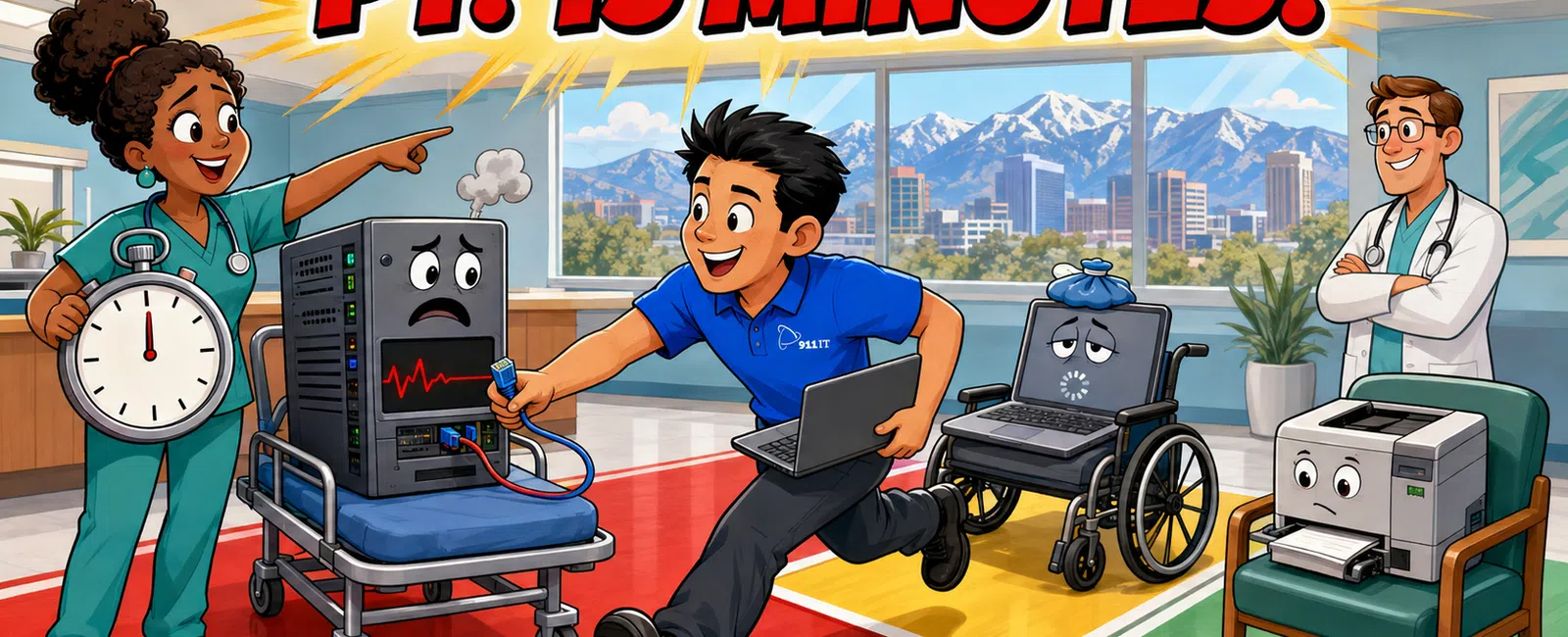
An IT Service Level Agreement (SLA) is a contract defining response and resolution times for technical issues. Healthcare practices should expect Priority 1 (system-down) response within 15 minutes, Priority 2 (degraded service) within 2 hours, and Priority 3 (minor issues) within 8 business hours. HIPAA-compliant providers must also guarantee secure access to PHI during outages and documented incident response.
Why do healthcare practices need different SLA terms than other industries?
Healthcare operates under unique constraints that make standard IT SLAs inadequate. When your EHR system goes down, patient care stops immediately - you cannot access medical histories, prescribe medications electronically, or document visits.
HIPAA and HITECH regulations require that any IT provider accessing your systems sign a Business Associate Agreement and maintain specific security controls. Your SLA must explicitly address how the provider will maintain PHI confidentiality during support sessions, what encryption standards apply to remote access, and how breach notification timelines will be met.
Utah's Health Data Authority adds state-level requirements for healthcare data handling. Salt Lake City practices serving patients across Utah, Wyoming, and Arizona must ensure their IT provider understands multi-state compliance obligations, particularly for telehealth services crossing state lines.
Patient scheduling systems, practice management software, and clinical workflows create dependencies that general business IT support does not account for. A thirty-minute delay in restoring your appointment system means missed patient arrivals, rescheduling chaos, and revenue loss.
A 2-hour EHR outage in a busy practice can affect 20-30 patient appointments and delay clinical documentation for days.
Your SLA should specify response times tied to clinical impact, not just technical severity. The provider must understand that "the server is running but the practice management software won't print superbills" is a Priority 1 issue for your revenue cycle, even if it looks like a minor software glitch to a generic IT technician.
What response time commitments should Salt Lake City healthcare practices require?
Priority 1 issues - complete EHR outages, network failures preventing patient check-in, or security incidents involving PHI - demand response within 15 minutes and on-site arrival within 2 hours if remote resolution fails. Anything longer jeopardizes patient safety and HIPAA compliance.
Priority 2 issues include degraded performance (slow EHR response times affecting clinical workflows), single workstation failures in multi-provider practices, or non-critical server problems. These warrant response within 2 hours and resolution within 4 business hours.
Priority 3 issues - password resets, printer problems, or software questions - should receive response within 8 business hours. Even these "minor" issues disrupt clinical staff productivity and patient experience when left unresolved.
After-hours support is non-negotiable for healthcare. Medical emergencies, on-call physicians, and 24-7 facilities like urgent care centers need IT support outside business hours. Your SLA must guarantee live technician availability, not just an answering service that creates tickets for Monday morning.
| Priority Level | Issue Type | Response Time | Resolution Target |
|---|---|---|---|
| Priority 1 | Complete EHR outage, network failure, PHI security incident | 15 minutes | 4 hours |
| Priority 2 | Degraded performance, single workstation failure, non-critical server issues | 2 hours | 8 hours |
| Priority 3 | Password resets, printer problems, software questions | 8 business hours | 24 hours |
Sarah, a Salt Lake City healthcare practice administrator, experienced this firsthand: "911 IT was phenomenal to work with! After calling tech after tech to come out to find out the issues with our phone lines, Adam came out within a few hours and FIXED our phones immediately! He took the time to LOOK what was wrong instead of just glancing at the issues and bidding us out at thousands of dollars."
The difference between a provider who responds in hours versus one who responds in minutes can mean the difference between a minor inconvenience and a compliance violation. OCR breach notification rules require reporting PHI access failures within specific timeframes, and your IT provider's response speed directly affects your ability to meet those deadlines.
How do managed IT and break-fix SLAs differ for medical practices?
Break-fix providers typically offer no guaranteed response times. You call when something breaks, they schedule a visit when technicians are available, and you pay hourly rates that can reach $150-$300 per hour in the Salt Lake City market. For a critical EHR outage, you might wait 24-48 hours for a technician visit.
This model creates dangerous gaps for healthcare practices. HIPAA requires "reasonable and appropriate" safeguards, and a 48-hour delay in restoring access controls or audit logging could constitute a compliance failure during an OCR audit.
Managed IT services include defined SLAs as part of the service agreement. Response times are contractually guaranteed, typically with financial penalties if the provider misses commitments. Practices pay a predictable monthly fee - industry averages run $100-$250 per user per month for fully managed services - that includes proactive monitoring, security updates, and unlimited support requests.
The managed model aligns incentives correctly for healthcare. Break-fix providers profit when things break; managed providers profit by preventing problems. For practices running Epic, Athenahealth, eClinicalWorks, or other cloud-based EHR systems, proactive monitoring catches performance degradation before clinicians notice slowdowns.
Managed IT SLAs also address preventive maintenance windows. Healthcare practices need scheduled maintenance during non-clinical hours - evenings, weekends, or early mornings - to avoid disrupting patient care. Break-fix providers schedule maintenance at their convenience, often during business hours when it is least expensive for them.
Amy, another healthcare practice manager, explained the difference: "We started using 911 IT when we tired of waiting for our issues to get resolved. Having a dedicated IT team, not a tech person that does it 'on the side' has saved me time and money. Their experienced team helps me price check and make decisions when it comes to equipment and software."
What SLA metrics matter most beyond response time?
Resolution time is distinct from response time. A technician who answers your call in 15 minutes but takes 8 hours to restore your EHR system has met the response SLA but failed the resolution commitment. Healthcare SLAs should specify both: Priority 1 issues resolved within 4 hours, Priority 2 within 8 hours, Priority 3 within 24 hours.
First-call resolution rate measures how often issues are solved during the initial contact without escalation or callbacks. For healthcare practices, this metric directly affects clinical productivity. Every callback means pulling a medical assistant or office manager away from patient-facing duties.
Planned maintenance windows must be clearly defined. Your SLA should specify how much advance notice the provider gives (minimum 5 business days for non-emergency changes), what hours are acceptable for maintenance (typically after 7 PM or weekends), and maximum allowable downtime per maintenance window (usually 2-4 hours).
Security incident response timelines are critical for HIPAA compliance. Your SLA must specify that potential PHI breaches trigger immediate escalation - within 1 hour - to senior technical staff and your practice administrator. The provider should commit to forensic analysis completion within 72 hours to support your breach notification obligations.
Backup verification and disaster recovery testing should appear in your SLA. Monthly backup test restores and annual full disaster recovery drills ensure that when ransomware hits or hardware fails catastrophically, your patient data can be recovered within the committed recovery time objective (typically 4-8 hours for healthcare practices).
Documentation standards matter for compliance audits. Your IT provider should maintain detailed tickets for every support interaction, including timestamps, actions taken, and personnel involved. During OCR audits, this documentation proves you maintained reasonable safeguards and responded appropriately to security incidents.
How do Salt Lake City healthcare IT providers compare on SLA performance?
Local managed service providers in Salt Lake City offer varying SLA commitments. Executech, Wasatch I.T., Nexus IT Consultants, INTELITECHS, ProLink IT, and Qual IT all serve healthcare practices with different service models and response guarantees.
Large national MSPs often provide tiered support with offshore Level 1 technicians handling initial calls. For a small medical practice, this means explaining your EHR system and clinical workflows to a different technician each time you call. Ticket escalation to someone who understands healthcare-specific software can take hours, and you become one account among thousands competing for Priority 1 attention.
Single-technician break-fix shops offer personal service but lack the depth for 24-7 coverage or complex issues. When that one technician is on vacation or handling another client's emergency, your practice waits. They typically cannot support enterprise-grade EHR systems, PACS integration, or multi-location practice networks.
Mid-sized regional providers like 911 IT occupy the sweet spot for healthcare practices. They are large enough to staff 24-7 live support, maintain deep expertise in healthcare-specific systems, and handle everything from routine support to complex HIPAA compliance projects. Yet they are small enough that every client is known by name, and your practice administrator has direct access to senior technical staff.
911 IT's approach emphasizes proactive monitoring and rapid response. As Ying, a healthcare client, noted: "911 IT has been transformative for our business. Their professionalism and reliability stand out - they respond quickly, solve issues efficiently, and keep our systems running smoothly without us having to worry. What really sets them apart is their proactive approach. They don't just fix problems; they prevent them."
The provider's experience with your specific EHR system significantly affects resolution times. A technician familiar with your practice management software, e-prescribing integration, and clearinghouse connections can diagnose issues in minutes that would take a generalist hours to understand. Ask potential providers how many clients they support on your specific EHR platform.
What should healthcare practices include in IT SLA contracts?
Start with clear priority definitions tied to clinical impact. Define Priority 1 as any issue preventing patient care or creating immediate PHI security risks. Priority 2 covers degraded service affecting clinical workflows but not completely stopping operations. Priority 3 includes everything else.
Specify response and resolution times for each priority level, including after-hours and weekend coverage. Healthcare does not stop at 5 PM Friday, and neither should your IT support. Require that after-hours support connects to the same technical team that handles business-hours issues, not an outsourced call center.
Include escalation procedures with named contacts and timeframes. If the assigned technician cannot resolve a Priority 1 issue within 2 hours, the SLA should mandate automatic escalation to a senior engineer and notification to your practice administrator.
Require monthly SLA performance reports showing response times, resolution times, ticket volumes by priority, and first-call resolution rates. These metrics let you hold the provider accountable and identify patterns - like recurring issues that need permanent fixes rather than repeated workarounds.
Build in financial penalties for SLA violations. A common structure credits your account with one day of service fees for each Priority 1 SLA miss, one week for repeated violations. This ensures the provider has financial incentive to meet commitments, not just contractual language.
Address HIPAA-specific requirements explicitly. The SLA should reference the Business Associate Agreement, specify that all technicians complete HIPAA training, require encrypted remote access tools, and mandate immediate notification of any suspected PHI exposure during support activities.
Include provisions for emergency changes outside normal maintenance windows. Sometimes security patches or critical updates cannot wait for the next scheduled maintenance window. Your SLA should define how emergency changes are approved and communicated, balancing urgency against practice disruption.
Kris, a healthcare practice manager, appreciated this proactive approach: "I was pleasantly surprised by 911 IT's initiative to identify and fix issues beyond what I initially asked for. They kept me informed about what they were doing and why, which I gladly approved. This proactive approach and clear communication made all the difference."
Why 911 IT delivers healthcare SLA performance Salt Lake City practices need
911 IT provides managed IT services with guaranteed response times specifically designed for healthcare practice needs. Their 24-7 live helpdesk connects you to experienced technicians who understand EHR systems, practice management software, and HIPAA compliance requirements - not offshore call centers reading scripts.
The team's experience with HIPAA compliance means they approach every support interaction with PHI security in mind. They maintain Business Associate Agreements with all healthcare clients, use encrypted remote access tools, and document every support session for audit purposes. This compliance-first approach protects your practice during OCR audits and security incidents.
911 IT's proactive monitoring catches issues before they affect patient care. Their systems alert the team to degraded EHR performance, failing backups, or security threats in real-time, often resolving problems before your clinical staff notices anything wrong. This preventive approach minimizes the Priority 1 emergencies that disrupt your practice.
For Salt Lake City healthcare practices, 911 IT's local presence means on-site support arrives quickly when remote resolution is not sufficient. Their technicians understand the local healthcare landscape and can be on-site within hours for critical issues.
The company's 100% Satisfaction Guarantee backs their SLA commitments with accountability. If they do not meet your expectations, they make it right - a level of commitment that large national providers simply cannot match when you are one account among thousands.
911 IT's flat-rate, transparent pricing eliminates the uncertainty of break-fix billing. You know exactly what IT support costs each month, with no surprise invoices after emergencies. This predictability helps healthcare practices budget accurately and removes the financial disincentive to call for help when issues arise.
Their experience supporting healthcare practices across Utah, Wyoming, and Arizona means they understand multi-state compliance requirements, telehealth infrastructure needs, and the specific challenges of serving rural patient populations. Whether your practice operates one location in Salt Lake City or multiple clinics across the region, 911 IT scales support to match your needs.
Frequently asked questions
What is a Business Associate Agreement and how does it relate to IT SLAs?
A Business Associate Agreement (BAA) is a HIPAA-required contract between your practice and any vendor accessing PHI, including IT providers. The BAA defines how the vendor will protect patient data, while the SLA defines response times and service levels. Both documents work together - your IT provider must sign a BAA and deliver support services meeting the SLA terms while maintaining HIPAA compliance throughout every interaction.
Can break-fix IT support meet HIPAA compliance requirements?
Break-fix support can technically meet HIPAA requirements if the provider signs a BAA and follows proper security protocols. However, the reactive nature of break-fix creates compliance risks - delayed responses to security incidents, inconsistent patch management, and lack of proactive monitoring. Most healthcare practices find that managed IT services with defined SLAs provide more reliable HIPAA compliance through continuous monitoring and preventive maintenance.
How quickly should my IT provider respond to an EHR system outage?
Complete EHR outages qualify as Priority 1 emergencies requiring response within 15 minutes and on-site arrival within 2 hours if remote resolution fails. Your practice cannot deliver patient care without EHR access, and prolonged outages create HIPAA compliance risks if you resort to paper records without proper safeguards. Any IT provider serving healthcare should guarantee sub-30-minute response for system-down emergencies affecting clinical operations.
What should I expect to pay for healthcare IT support with strong SLAs?
Industry averages for fully managed IT services with healthcare-grade SLAs range from $100 to $250 per user per month, depending on practice size, system complexity, and compliance requirements. This typically includes 24-7 support, proactive monitoring, security management, and HIPAA compliance assistance. Break-fix support appears cheaper at $150-$300 per hour but often costs more annually when you factor in emergency calls, prolonged outages, and lack of preventive maintenance.
Do I need 24-7 IT support if my practice only operates during business hours?
Yes, healthcare practices need after-hours IT support even if you do not see patients around the clock. On-call physicians need remote EHR access for patient questions, automated appointment reminders and patient portal systems run continuously, and security threats do not wait for business hours. Ransomware attacks often launch Friday evenings when practices are closed, and waiting until Monday morning to respond can mean losing days of patient data and facing larger HIPAA breach notification obligations.


