
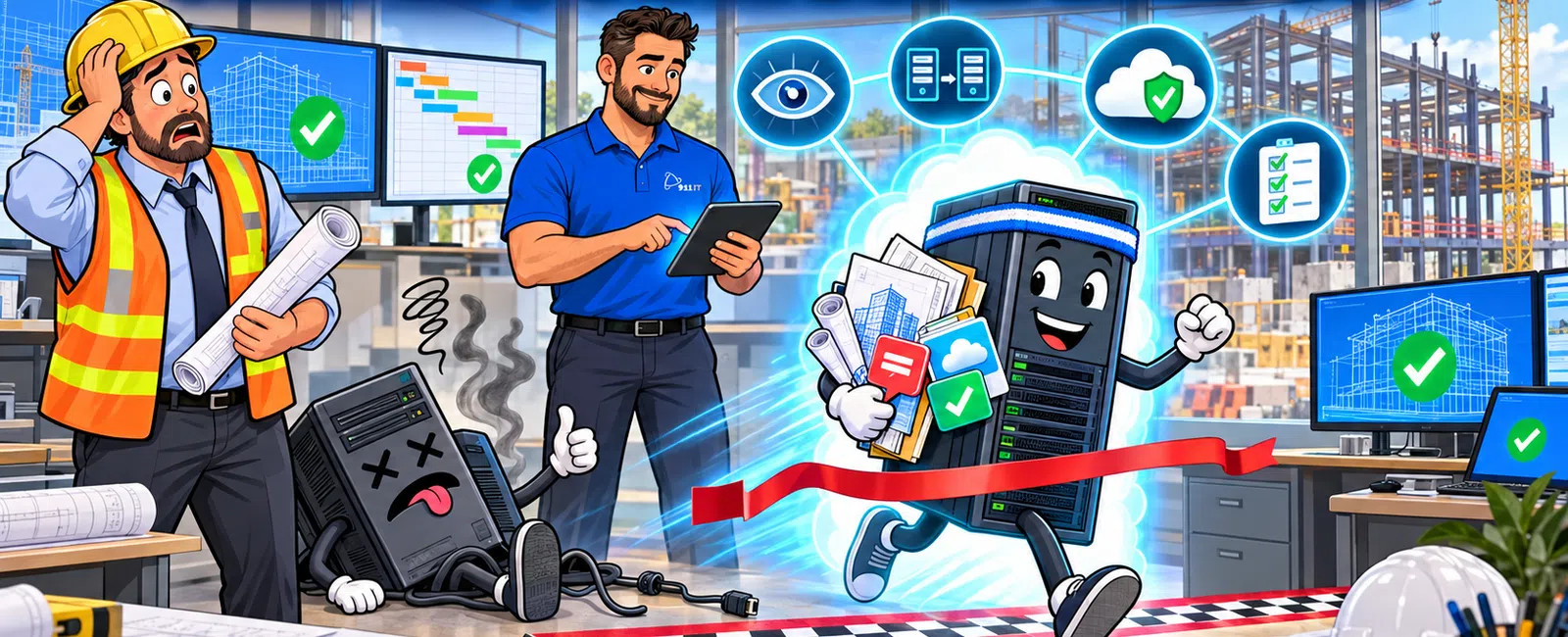
When your server goes down mid-deadline, construction teams lose access to project files, CAD drawings, and submittal documents immediately. Without proactive IT support, recovery typically takes 4-8 hours - time most projects cannot afford. With 24/7 monitoring and disaster recovery systems in place, most firms restore operations within 15-30 minutes, protecting both deadlines and client relationships.
What Immediate Problems Does a Server Crash Create for Construction Projects?
The moment your server fails, field crews lose access to current blueprints and BIM models. Project managers cannot retrieve bid documents or change orders. Office staff cannot process submittals or RFIs.
Your team starts making decisions based on outdated information stored locally on laptops. Subcontractors waiting for approvals sit idle, burning billable hours. The general contractor cannot access as-builts or punch lists to verify completed work.
Communication breaks down across job sites. Without access to your project management software, coordinating between the trailer office and multiple field locations becomes impossible. Teams resort to phone calls and text messages, creating documentation gaps that cause disputes later.
Clay from a Salt Lake City construction firm describes the typical scenario: "When we find ourselves in IT trouble we are usually in a mess until we call 911 IT and they get things working again."
Server downtime during critical project phases can trigger penalty clauses in construction contracts, especially on commercial builds with strict completion schedules.
How Long Does Server Recovery Actually Take Without Proper IT Support?
A construction company without managed IT support faces an average recovery time of 4-8 hours for server failures. This assumes someone on staff has basic IT knowledge and can troubleshoot hardware issues.
The timeline breaks down predictably. First, someone discovers the problem - often 30-60 minutes after the crash when multiple users report issues. Next, your office manager or whoever handles IT calls a break-fix technician who may not be available immediately.
If the technician can respond same-day, they spend 1-2 hours diagnosing the root cause. Hardware failures require parts orders, adding 24-48 hours. Software corruption or ransomware attacks extend recovery to multiple days without proper backups.
Construction firms with proactive monitoring detect server issues within 5-10 minutes and begin recovery immediately, reducing downtime by 85-90%.
The difference comes down to preparation. Firms with business continuity services maintain redundant systems and tested recovery procedures. When hardware fails, they switch to backup servers while technicians repair the primary system.
Ryan from a Utah construction company experienced this firsthand: "Every time I've called in, the team at 911 IT has answered promptly and handled my issue with confidence and clarity. They're incredibly skilled at diagnosing problems and narrowing down solutions quickly, which saves us time and stress."
Proactive monitoring and rapid response transform potential disasters into minor interruptions.
Can We Recover Project Files If the Server Dies Completely?
File recovery depends entirely on your backup strategy before the crash. Construction firms without automated backups lose everything stored exclusively on the failed server - CAD drawings, project photos, bid histories, and financial records.
Modern backup systems create multiple recovery points throughout each day. When a server fails, technicians restore files from the most recent backup, typically losing only 1-4 hours of work rather than weeks or months.
Cloud-based backup solutions provide the fastest recovery. Your team accesses files from backup servers while IT staff repair or replace failed hardware. Projects continue with minimal disruption.
Local-only backup systems require more time. Technicians must install backup drives on replacement hardware, then restore files - a process taking 2-6 hours depending on data volume. Large construction firms with terabytes of project documentation face longer restoration times.
The worst scenario involves outdated or untested backups. Many construction companies discover their backup system failed months earlier only when they need to recover files. Regular backup testing prevents this nightmare.
Jaren from a construction firm in Salt Lake City highlights the importance: "They help us with backup services and with virus protection. We have loved the peace of mind using 911 IT has given us."
Reliable backup systems are non-negotiable for construction firms managing multiple concurrent projects.
What Does Server Downtime Actually Cost During a Project Deadline?
Calculate downtime costs by multiplying hourly labor rates across your entire affected team. A 10-person construction office at $50-75 per hour loses $500-750 for every hour the server stays down.
Field crew costs multiply faster. When 30 workers at $35-65 per hour cannot access current plans or receive updated instructions, you burn $1,050-1,950 hourly. Four hours of downtime costs $4,200-7,800 in wasted field labor alone.
Indirect costs exceed direct labor losses. Missed deadlines trigger penalty clauses - often $500-2,000 per day on commercial projects. Subcontractor delays create ripple effects across your schedule, pushing subsequent projects back.
Client relationships suffer permanent damage. General contractors remember which firms caused delays. Future bid opportunities disappear when your reputation for reliability erodes.
Material deliveries arrive at job sites where crews cannot work, creating storage problems and potential theft exposure. Equipment rentals continue accruing charges while sitting idle.
Insurance claims and legal disputes emerge when server failures cause safety incidents. Workers making decisions without current engineering drawings create liability exposure your insurance may not cover.
For most construction firms, a single 8-hour server outage during a critical deadline costs $15,000-40,000 in direct and indirect expenses - far exceeding annual managed IT services costs.
How Do Construction Firms in Salt Lake City Prevent Deadline-Threatening Downtime?
Successful construction companies implement layered protection starting with 24/7 server monitoring. Automated systems alert IT teams to failing hard drives, overheating components, and performance degradation before complete failures occur.
Redundant server configurations eliminate single points of failure. When one server component fails, backup systems take over automatically. Your team never knows a problem occurred until technicians notify you the repair is complete.
Regular maintenance schedules catch problems early. IT providers perform updates, security patches, and hardware inspections during off-hours. Preventative maintenance reduces emergency failures by 70-80%.
Cloud-based project management systems provide additional protection. Even if your office server fails completely, field crews access current plans and submittals through cloud platforms on tablets and smartphones.
Local construction IT providers understand regional challenges. Utah's elevation changes and remote job sites from Salt Lake City to Wyoming require specialized connectivity solutions. Providers familiar with mountain terrain design systems that work reliably across varied locations.
- Deploy 24/7 monitoring systems that detect hardware failures before they cause complete outages
- Implement redundant server configurations with automatic failover to backup systems
- Schedule preventative maintenance during off-hours to catch problems early
- Use cloud-based backup solutions for rapid file recovery and remote access
- Test disaster recovery procedures quarterly to ensure systems work when needed
- Partner with local IT providers who understand construction workflows and regional challenges
Rhonda from a construction company describes the transformation: "911 IT has been a godsend to our company, especially to me. They are always available and can take care of any need we have right away. I never panic anymore when something isn't working right."
The right IT partner transforms server failures from business-threatening emergencies into minor inconveniences handled behind the scenes.
Who Should Construction Companies Call When Servers Fail During Deadlines?
Construction firms in Salt Lake City have several IT support options, each with distinct advantages for deadline-critical situations. Understanding provider capabilities helps you choose the right partner before emergencies strike.
Local managed service providers specialize in construction IT needs. Firms like 911 IT, Executech, Wasatch I.T., Nexus IT Consultants, INTELITECHS, ProLink IT, and Qual IT understand job site connectivity and construction software requirements specific to Utah, Wyoming, and Arizona operations.
National MSP chains offer standardized services but treat small construction firms as one account among thousands. When your server crashes at 4 PM on Friday before a Monday deadline, you enter a ticket queue behind hundreds of other clients. Rotating technicians unfamiliar with construction workflows troubleshoot generic problems rather than understanding your specific project management software and BIM integration.
Break-fix computer repair shops charge hourly rates without proactive monitoring. They respond only after failures occur, guaranteeing maximum downtime and disruption. Most lack experience with construction-specific software like Procore, Buildertrend, or AutoCAD.
The ideal construction IT provider combines enterprise-grade capabilities with personalized service. They monitor your systems 24/7, respond within minutes rather than hours, and understand how construction projects actually work.
911 IT serves construction firms across Utah, Wyoming, and Arizona with specialized construction IT support. Their team provides 24/7 monitoring, rapid response, and proactive maintenance that prevents deadline-threatening failures.
Clay's experience illustrates the difference: "911 IT's response time has been so great! Most of the time they will resolve our issue before we hang up the phone. They are experienced and they take time to know our setup. This allows them to resolve our issues fast."
Choose an IT provider before emergencies strike - switching providers during a crisis only extends downtime and compounds problems.
Frequently Asked Questions
How quickly can IT support restore our server during a project emergency?
With proactive monitoring and disaster recovery systems, most construction firms restore server operations within 15-30 minutes of failure. Without these protections, recovery typically takes 4-8 hours or longer depending on the failure cause and whether tested backups exist. Cloud-based backup systems enable the fastest recovery, allowing teams to access files while technicians repair hardware.
What backup system prevents losing project files when servers crash?
Automated cloud backup systems with multiple daily recovery points provide the best protection for construction project files. These systems continuously copy CAD drawings, BIM models, and project documents to secure off-site servers. When your primary server fails, IT teams restore files from the most recent backup, typically losing only 1-4 hours of work rather than entire projects.
Should construction companies use cloud or local servers for project files?
Hybrid approaches work best for construction firms - local servers for large CAD files requiring fast access, with cloud backup for disaster recovery and remote job site access. Pure cloud solutions enable field crews to access current plans from any location but may face bandwidth limitations on remote sites. Cloud services combined with local infrastructure balance performance and protection.
How much does 24-7 IT monitoring cost for construction companies?
Fully managed IT services with 24/7 monitoring, proactive maintenance, and rapid response typically cost construction firms between $100-250 per user monthly, depending on company size and complexity. This investment prevents the $15,000-40,000 losses a single 8-hour server outage creates during project deadlines. Most construction firms find managed services cost less than one prevented emergency.
Can we prevent server failures during critical project deadlines?
While no system is completely failure-proof, proactive monitoring and preventative maintenance reduce emergency server failures by 70-80%. IT providers detect failing components before complete breakdowns, schedule repairs during off-hours, and implement redundant systems that take over automatically. Regular hardware replacement cycles and performance monitoring catch problems before they threaten deadlines.


