
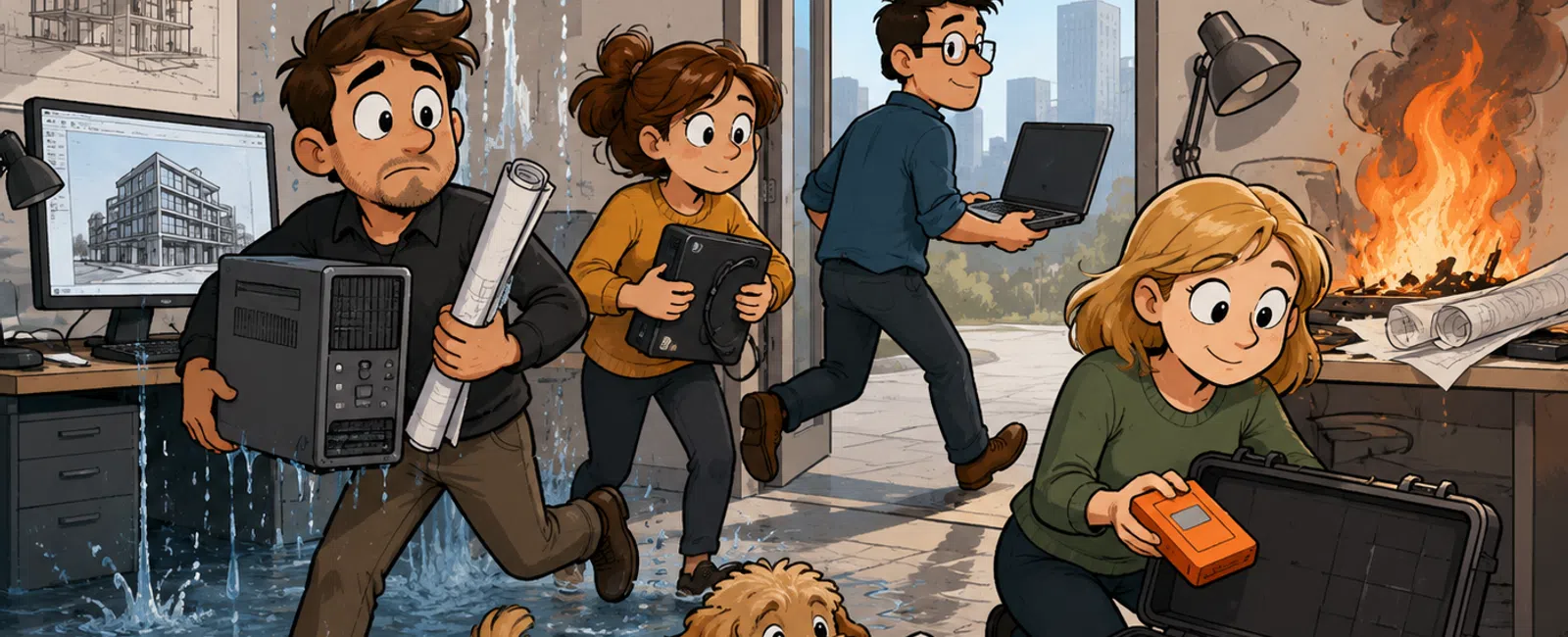
The Essential Disaster Recovery Plan for an Architecture Firm
A 25–50 person architecture firm should maintain a written disaster recovery plan that can restore its most important systems within defined timeframes. At minimum, the plan should cover Microsoft 365, Autodesk and BIM collaboration platforms, Revit project files, local servers, cloud infrastructure, identity systems, networking, financial applications, and employee workstations.
The plan should define two measurable targets for every critical system:
- Recovery Time Objective: How quickly the system must return to operation
- Recovery Point Objective: How much recent data the firm can afford to lose
For example, an active Revit project may require restoration within four hours with no more than one hour of lost work. An archived marketing folder may tolerate a recovery time of two business days and up to 24 hours of lost changes.
A complete architecture disaster recovery program should include:
- A prioritized system and data inventory
- Documented recovery time and recovery point objectives
- Protected backups for local and cloud data
- Alternate internet, equipment, and work-location options
- Named recovery roles and external contacts
- Step-by-step restoration procedures
- Communication plans for employees, clients, and consultants
- Recovery testing at least annually, with more frequent tests for critical systems
The Seven-Part Architecture Firm Disaster Recovery Framework
1. Identify Critical Business Functions
Begin with the work the firm must continue rather than the technology it owns. Leadership should identify which activities are necessary to protect project deadlines, client obligations, cash flow, and employee coordination.
Critical functions may include:
- Accessing active Revit and BIM models
- Communicating through email and Microsoft Teams
- Coordinating with engineers and consultants
- Submitting drawings and permit documents
- Processing payroll and invoices
- Accessing project contracts and schedules
- Supporting remote and office employees
- Maintaining secure access to client information
Rank each function by maximum acceptable downtime. A deadline-sensitive permit submission may be more urgent than access to an archived project from five years ago.
2. Map Every Function to Its Technology Dependencies
Each business function depends on several connected systems. Revit production may rely on more than the Revit application itself.
A single workflow may require:
- Employee credentials
- Microsoft Entra ID or another identity system
- A workstation or virtual desktop
- Autodesk licensing
- Autodesk Construction Cloud or a local file server
- Internet connectivity
- Office networking
- Revit add-ins
- Linked models
- Consultant access
- Printers or plotters
A disaster recovery plan that restores project files but not identity, licensing, networking, or workstations may still leave employees unable to work.
3. Establish Recovery Priorities
Group systems into recovery tiers so the team knows what to restore first.
| Recovery Tier | Example Systems | Illustrative Recovery Target |
|---|---|---|
| Tier 1: Immediate operations | Identity, Microsoft 365, active BIM access, internet, core network, and critical servers | 2–8 hours |
| Tier 2: Essential business services | Accounting, project management, remote access, printing, and shared business documents | 8–24 hours |
| Tier 3: Supporting systems | Marketing resources, secondary applications, and noncritical shared folders | 1–3 business days |
| Tier 4: Archives | Completed projects, historical records, and infrequently used data | Several business days |
These targets are examples. Each architecture firm should establish its own requirements based on contracts, deadlines, staffing, technology, and budget.
4. Design Backup and Recovery Systems
Backups should support the firm's recovery objectives rather than simply create copies of data. A nightly backup may be inadequate when employees make significant project changes throughout the day.
A complete backup strategy should address:
- Active Revit and project data
- Local file servers
- Microsoft 365 email and cloud files
- Virtual servers and cloud infrastructure
- Accounting and project-management systems
- Configuration data for firewalls and network equipment
- Critical workstation data that is not stored centrally
- Archived projects
Backups should be encrypted, monitored, retained according to documented standards, and protected from the accounts used to administer production systems.
911 IT helps organizations design and manage backup, disaster recovery, and operational resilience through its business continuity services.
5. Document Recovery Procedures
The recovery plan should provide enough detail for an authorized technical professional to restore systems even when the primary administrator is unavailable.
Each procedure should include:
- The system owner
- Technical support contacts
- Administrative access requirements
- Backup location
- Restoration steps
- Required dependencies
- Validation tests
- Expected recovery time
- Escalation procedures
- Known limitations
Passwords should not be placed in an unsecured recovery document. Use a protected password manager or emergency-access process.
6. Define Communication Responsibilities
Recovery is not only a technical process. Employees, clients, consultants, insurers, legal counsel, and vendors may need timely information.
The plan should identify who communicates with:
- Employees
- Firm leadership
- Project managers
- Clients
- Engineering consultants
- Insurance providers
- Legal counsel
- Technology vendors
- Building management
- Public authorities when necessary
Prepare communication templates before an outage. The firm may not have access to normal email, Teams, shared folders, or office phone systems during a major incident.
7. Test and Improve the Plan
A recovery plan is not complete until it has been tested. Successful backup notifications do not prove that systems can be restored within the required timeframe.
Testing should include:
- Restoring an active project folder
- Recovering a deleted Microsoft 365 mailbox or document
- Starting a recovered server or virtual machine
- Validating Autodesk and application access
- Testing remote work after an office outage
- Confirming emergency contact information
- Conducting a leadership tabletop exercise
- Documenting actual recovery times
Correct failed tests, revise procedures, and repeat the affected scenario.
Which Architecture Systems Need Disaster Recovery?
| System | Potential Business Impact | Recovery Considerations |
|---|---|---|
| Active Revit and BIM models | Production teams cannot coordinate or issue deliverables | Version history, model integrity, linked files, consultant access, and restoration speed |
| Microsoft 365 | Email, Teams, calendars, and cloud documents become unavailable | Account recovery, retention, independent backup, and alternate communication |
| Autodesk cloud platforms | Employees and consultants may lose access to shared models | Identity, permissions, project administration, local copies, and vendor outage procedures |
| Local file servers | Project and business files may be inaccessible | Image-level recovery, file restoration, hardware replacement, and remote access |
| Internet service | Cloud applications, communication, and remote access may stop | Secondary circuits, mobile failover, and remote-work options |
| Firewall and core network | Office systems lose internal or internet connectivity | Configuration backups, spare hardware, vendor support, and replacement procedures |
| Revit workstations | Individual employees cannot perform production work | Spare systems, standardized deployment, cloud workstations, and data centralization |
| Accounting and payroll | Invoices, vendor payments, payroll, and financial reporting may be delayed | Cloud access, backups, alternate approval procedures, and vendor contacts |
| Project-management systems | Teams lose access to schedules, contacts, budgets, and documentation | Data exports, vendor recovery terms, and alternate records |
| Phone systems | Clients and consultants cannot reach employees normally | Mobile forwarding, cloud administration, and alternate communication channels |
Recovery Time and Recovery Point Objectives Explained
Recovery Time Objective
The Recovery Time Objective, or RTO, defines how long a system can remain unavailable before the disruption becomes unacceptable.
Examples:
- Microsoft 365 access must return within four hours.
- Active project storage must return within six hours.
- Accounting systems must return within one business day.
- Archived projects may return within three business days.
Recovery Point Objective
The Recovery Point Objective, or RPO, defines the maximum acceptable amount of data loss measured in time.
Examples:
- An RPO of 15 minutes means the firm may lose up to 15 minutes of recent changes.
- An RPO of one hour means up to one hour of work may need to be recreated.
- An RPO of 24 hours means the last available copy may be from the previous day.
Lower RTO and RPO targets usually require more sophisticated systems, more frequent replication, and higher cost. Leadership should choose targets based on business impact rather than demanding immediate recovery for every system.
How to Calculate the Cost of Architecture Firm Downtime
A simple direct labor calculation is:
Employees affected × loaded hourly cost × downtime hours.
Consider a 35-person architecture firm where 24 production employees are unable to access active project files for six hours. If the average loaded labor cost is $65 per hour:
24 × $65 × 6 = $9,360 in direct labor impact.
This calculation does not include:
- Missed client deadlines
- Employee overtime
- Delayed invoices
- Consultant disruption
- Expedited recovery expenses
- Contractual consequences
- Reputational impact
- Lost or recreated design work
Use the estimated impact to determine whether investments in backup, internet redundancy, spare equipment, or cloud recovery are financially justified.
The Difference Between Backup, Disaster Recovery, and Business Continuity
| Discipline | Primary Purpose | Architecture Firm Example |
|---|---|---|
| Backup | Create recoverable copies of information | Restore a deleted project folder or mailbox |
| Disaster recovery | Restore technology after a major disruption | Recover servers, identity, applications, and project access after ransomware |
| Business continuity | Keep essential business functions operating | Move employees to remote work while the office is unavailable |
A firm needs all three. Backups without restoration procedures may not return operations quickly enough. Technology recovery without alternate work procedures may still leave employees unable to meet project obligations.
Disaster Scenarios Architecture Firms Should Plan For
Ransomware
Ransomware can encrypt workstations, servers, synchronized files, and connected backups. The recovery plan should address system isolation, forensic investigation, account protection, backup validation, restoration priorities, and communication.
Microsoft 365 Account Compromise
A stolen administrator or employee account can expose email, cloud files, Teams messages, contacts, and client communication. Recovery may require revoking sessions, resetting credentials, removing malicious forwarding rules, reviewing accessed information, and restoring deleted data.
Autodesk or Cloud Platform Outage
The firm should know how employees will continue productive work when a BIM collaboration platform is unavailable. Procedures may include local work, alternate tasks, communication with consultants, and clear rules for synchronizing changes after service returns.
Server Failure
A failed server may require hardware repair, image-level restoration to replacement equipment, recovery to a virtual environment, or temporary cloud hosting.
Internet Outage
Cloud-dependent firms should consider a secondary internet circuit, cellular failover, temporary remote work, or another office location.
Office Fire, Flood, or Building Closure
Employees may need to work remotely for days or weeks. The plan should address equipment, remote access, phone systems, mail, printing, security, and access to physical records.
Lost or Stolen Laptop
The response should include account protection, remote device management, encryption verification, replacement equipment, and review of locally stored information.
Accidental Deletion or Corruption
An employee may delete a folder, overwrite a file, damage a model, or synchronize incorrect changes. Version history and file-level recovery should support quick restoration.
Key Employee Unavailability
The firm should not depend on one person to administer Autodesk projects, Microsoft 365, backups, network systems, or financial applications.
Supply-Chain or Vendor Failure
A managed service provider, software company, cloud platform, consultant, or internet provider may experience its own disruption. Document alternative contacts and service options where practical.
How to Protect Active Revit and BIM Projects
Revit recovery requires more than backing up a folder. The firm should understand the model's authoritative location, worksharing design, linked files, cloud services, add-ins, and consultant dependencies.
For each active project, document:
- The authoritative model location
- Project administrators
- Internal and external users
- Linked models and reference files
- Backup or version-history options
- Archive procedures
- Restoration responsibilities
- Project closeout requirements
Test restoration with representative models. Confirm that recovered files open correctly, linked content is available, permissions work, and employees can resume production.
How to Recover Microsoft 365
A Microsoft 365 recovery plan should cover more than service availability. It should address accidental deletion, compromised accounts, malicious insiders, retention limitations, and widespread data loss.
Document recovery procedures for:
- Exchange Online mailboxes
- OneDrive
- SharePoint
- Teams-related files
- User accounts
- Administrative roles
- Security policies
- Domain and DNS dependencies
The firm should determine whether native retention features meet its recovery objectives or whether an independent Microsoft 365 backup is required.
How to Prepare for an Office-Wide Outage
A complete continuity plan should allow critical employees to work even when the office is unavailable.
Prepare:
- Company-managed laptops or portable workstations
- Secure remote access
- Cloud-accessible business systems
- Multi-factor authentication
- Phone forwarding or softphones
- Alternate internet options
- Remote printing and document procedures
- Employee contact lists stored outside the office network
- Instructions for accessing emergency systems
- A process for approving temporary purchases
Test remote work before an emergency. Employees should not discover during an outage that their home systems, internet connections, credentials, or applications are inadequate.
Internet Redundancy Options
| Option | Best Fit | Main Limitation |
|---|---|---|
| Second wired internet circuit | Offices that depend heavily on cloud collaboration | Both circuits may share upstream infrastructure unless carefully selected |
| Cellular failover | Temporary access for email, communication, and limited cloud work | Capacity may be insufficient for many Revit users |
| Employee remote work | Short or extended office outages | Requires secure devices, adequate home internet, and cloud-accessible systems |
| Secondary office location | Multi-office firms | May lack enough space or equipment for the full team |
| Cloud virtual desktops | Firms needing location-independent computing | Still requires employees to have internet access and managed devices |
Who Should Be on the Recovery Team?
| Role | Primary Responsibility |
|---|---|
| Executive recovery leader | Sets priorities and approves major financial, operational, and communication decisions |
| IT or managed service provider | Contains incidents, restores technology, validates systems, and coordinates vendors |
| Project operations leader | Identifies critical deadlines, clients, project teams, and production priorities |
| BIM manager | Validates Revit models, collaboration systems, add-ins, and project access |
| Finance leader | Maintains payroll, billing, payment controls, and emergency purchasing |
| Communications lead | Coordinates approved employee, client, consultant, and public messages |
| Legal counsel | Advises on contracts, notification obligations, evidence, and liability |
| Insurance contact | Coordinates policy reporting and approved incident-response resources |
Assign a primary and backup person for each role. Contact details should be available outside normal email and file systems.
What a Disaster Recovery Runbook Should Contain
A recovery runbook is the step-by-step operational portion of the plan. It should include:
- How to declare a disaster
- Who has decision authority
- How to contact the recovery team
- How to isolate affected systems
- How to access emergency credentials
- Which systems are restored first
- How backups are selected and validated
- How applications and project data are tested
- How employees are notified
- How clients and consultants are updated
- How normal operations are resumed
- How lessons and changes are documented
Disaster Recovery Testing Schedule
| Test | Recommended Frequency |
|---|---|
| Backup job and alert review | Daily or through continuous monitoring |
| Representative file restoration | Monthly or quarterly |
| Microsoft 365 data restoration | Quarterly |
| Server or virtual machine recovery | At least annually |
| Active Revit project recovery | At least annually and after major workflow changes |
| Internet failover | At least annually |
| Remote-work continuity test | At least annually |
| Leadership tabletop exercise | At least annually |
| Emergency contact review | Quarterly |
| Full plan review | Annually and after major incidents or technology changes |
Example: Recovery Plan for a 40-Person Architecture Firm
Consider a 40-person architecture firm with one Salt Lake City office, Microsoft 365, Autodesk Construction Cloud, a local file server, 30 Revit users, hybrid employees, and several outside engineering consultants.
Its recovery priorities might be:
| Priority | System or Function | Target |
|---|---|---|
| 1 | Identity, Microsoft 365, and employee communication | Restore or establish alternate access within four hours |
| 2 | Active Revit and BIM project access | Restore within six hours with no more than one hour of lost work |
| 3 | Internet, firewall, and core network | Restore or fail over within four hours |
| 4 | Accounting, payroll, and project management | Restore within one business day |
| 5 | Archives and noncritical shared data | Restore within three business days |
The supporting plan could include:
- A secondary internet connection
- Image-level server backups
- Independent Microsoft 365 backup
- Autodesk project-administrator redundancy
- Two preconfigured spare Revit workstations
- Remote-work procedures for all critical employees
- Quarterly file-restoration tests
- An annual server-recovery test
- An annual ransomware tabletop exercise
- Offline access to emergency contacts and procedures
A 30-Day Disaster Recovery Planning Sprint
Week 1: Identify Priorities
- List critical business functions.
- Identify the systems and vendors supporting each function.
- Rank systems into recovery tiers.
- Assign preliminary recovery time and recovery point objectives.
Week 2: Evaluate Protection
- Document current backups.
- Identify systems with no independent recovery option.
- Review Microsoft 365, Autodesk, server, and cloud recovery capabilities.
- Verify backup monitoring and retention.
- Review internet and equipment redundancy.
Week 3: Write the Plan
- Assign recovery roles.
- Document emergency contacts.
- Create restoration runbooks.
- Write employee and client communication procedures.
- Document alternate work arrangements.
Week 4: Test and Improve
- Restore one active project folder.
- Restore one Microsoft 365 item.
- Test remote work for representative employees.
- Conduct a one-hour tabletop exercise.
- Correct failures and approve the final recovery roadmap.
Common Disaster Recovery Mistakes
Assuming Synchronization Is Backup
OneDrive, SharePoint, Autodesk cloud collaboration, and other synchronization services may copy deletions, corruption, or malicious changes. Confirm version history, retention, and independent recovery capabilities.
Protecting Servers but Ignoring Cloud Data
Microsoft 365, Autodesk, accounting, and project-management systems may contain critical information that is not included in local server backups.
Setting the Same Recovery Target for Every System
Immediate recovery for every application is costly and unnecessary. Prioritize systems based on business impact.
Testing Only Small Files
A successful restoration of one document does not prove that a large Revit project, mailbox, or server can be recovered within the required timeframe.
Depending on One Administrator
Recovery should not stop because one employee, BIM manager, or IT technician is unavailable.
Storing the Plan Only on the Network
The plan must remain accessible when email, shared folders, and office systems are unavailable.
Ignoring Employee Workstations
Restored servers and cloud systems provide little value when employees do not have functioning, secure devices.
Failing to Coordinate With Insurance
The cyber insurance carrier may require immediate notification or the use of approved legal and forensic providers after a suspected attack.
Never Updating the Plan
Office moves, new cloud platforms, staff changes, acquisitions, and new Autodesk workflows can make old procedures inaccurate.
Questions to Ask a Backup and Disaster Recovery Provider
- Which of our systems are currently protected?
- Which systems are not included?
- How often are backups created?
- How long are backups retained?
- Are backups encrypted?
- Can production administrators delete the backups?
- Who monitors failed backup jobs?
- What are the expected recovery times?
- When was our last successful restoration test?
- Can you restore a full server to alternate hardware or the cloud?
- How is Microsoft 365 protected?
- How are active Revit projects tested?
- What happens during an Autodesk or Microsoft outage?
- Who responds after business hours?
- Which recovery services are included in our agreement?
- Which incident services are billed separately?
- How will you communicate when our normal systems are unavailable?
- Do you coordinate with cyber insurance and legal counsel?
- Can you support a multi-day office closure?
- How often will the recovery plan be reviewed?
Disaster Recovery Readiness Scorecard
| Category | Readiness Question |
|---|---|
| Business priorities | Has the firm ranked its most important functions and project obligations? |
| System inventory | Can the firm identify every critical local and cloud system? |
| Recovery targets | Does each critical system have an approved RTO and RPO? |
| Backup coverage | Are active projects, servers, Microsoft 365, cloud systems, and configurations protected? |
| Backup security | Are backups encrypted and protected from production-account compromise? |
| Restoration | Have representative project files, cloud data, and servers been restored successfully? |
| Workstations | Can employees receive replacement equipment quickly? |
| Internet | Does the firm have a workable response to an extended connectivity outage? |
| Remote work | Can critical employees work securely from another location? |
| Roles | Does every recovery responsibility have a primary and backup owner? |
| Communication | Can the firm contact employees, clients, consultants, insurers, and vendors without normal systems? |
| Testing | Is the plan tested on a documented schedule? |
Frequently Asked Questions
How often should an architecture firm test disaster recovery?
Critical file and cloud-data restorations should be tested at least quarterly. Full server, remote-work, internet-failover, and leadership exercises should generally be completed at least annually and after major system changes.
Is cloud storage enough for disaster recovery?
No. Cloud services may improve availability, but the firm still needs identity recovery, data restoration, alternate access, protected endpoints, communication procedures, and plans for vendor outages.
Should Microsoft 365 be backed up separately?
The firm should compare Microsoft's retention and recovery capabilities with its own objectives. An independent backup may be appropriate when the organization needs longer retention, simplified restoration, or protection from specific deletion and compromise scenarios.
How many backup copies should an architecture firm maintain?
The correct design depends on the systems and risks, but firms should maintain multiple protected copies with at least one copy isolated from ordinary production access. The important outcome is recoverability, not simply the number of copies.
How quickly should Revit project files be recoverable?
Active projects may require recovery within a few hours, while archives may tolerate several days. The firm should set targets based on deadlines, project value, and the number of employees affected.
Does Autodesk Construction Cloud eliminate the need for a recovery plan?
No. The firm must still plan for account compromise, permission errors, accidental deletion, vendor outages, identity failures, employee devices, and related project documents stored elsewhere.
What is the difference between an RTO and an RPO?
The RTO defines how quickly a system must be restored. The RPO defines how much recent data loss the firm can accept.
Who should approve the disaster recovery plan?
Firm leadership should approve business priorities, recovery targets, budgets, and communication authority. IT, BIM leadership, operations, finance, and legal counsel should contribute to the plan.
Should the disaster recovery plan be printed?
Maintain a secure copy outside normal production systems. This may include an encrypted offline copy, a protected external platform, and limited printed contact or activation information.
Can managed IT services include disaster recovery?
Yes, but firms should verify the exact backup, testing, response, restoration, and after-hours services included in the agreement. Do not assume every recovery activity is covered.
Build Recovery Around Real Architecture Workflows
A strong disaster recovery plan does not stop at backing up files. It restores the complete environment employees need to deliver projects: identities, Revit models, cloud collaboration, workstations, networking, communications, business applications, and consultant access.
911 IT helps architecture and engineering firms define recovery objectives, protect local and cloud data, test restoration, prepare for ransomware, and create continuity procedures through its business continuity services. Firms can combine recovery planning with managed IT services, cybersecurity services, and specialized engineering IT support.
Schedule a discovery call to assess your current backup systems and build a practical disaster recovery plan for your architecture firm.


