
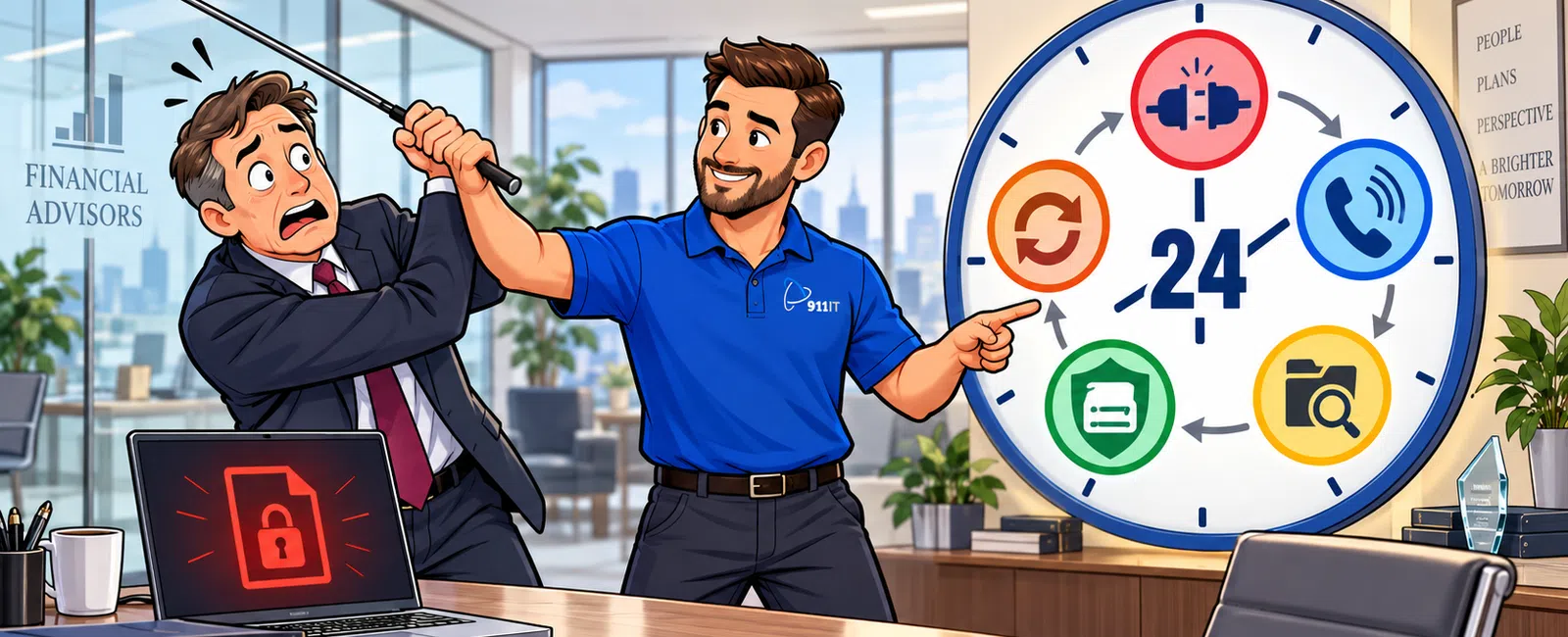
Quick Answer: Follow a 7-Step Ransomware Response Process
A financial firm should take seven immediate actions after discovering ransomware: isolate affected systems, activate the incident-response team, preserve evidence, notify approved legal and insurance contacts, determine the scope, protect clean backups, and begin controlled recovery.
The first 15 minutes should focus on containment and internal escalation. The first 1-4 hours should focus on investigation, business continuity, insurance coordination, and evidence preservation. During the first 24 hours, leadership should determine which systems are affected, whether sensitive information may have been accessed, and how critical operations will continue.
Do not immediately wipe devices, delete suspicious files, contact the attacker, or restore every system. Those actions can destroy evidence, spread the incident, interfere with insurance requirements, or reintroduce ransomware into a partially cleaned environment.
A financial firm should coordinate its response with its cybersecurity provider, managed IT team, legal counsel, insurance carrier, and other approved specialists.
The 7-Step Ransomware Response Framework
| Step | Primary objective | Target timing |
|---|---|---|
| 1. Isolate | Stop the ransomware from spreading | First 15 minutes |
| 2. Escalate | Activate the correct internal and external response team | First 30 minutes |
| 3. Preserve | Protect logs, devices, messages, and other evidence | First 1-2 hours |
| 4. Assess | Determine the affected systems, accounts, data, and business impact | First 1-6 hours |
| 5. Protect | Secure backups, administrator accounts, and unaffected systems | First 1-6 hours |
| 6. Communicate | Coordinate leadership, insurance, legal, employee, and client messaging | First 2-12 hours |
| 7. Recover | Restore clean systems in business-priority order | After containment and validation |
1. Isolate Affected Systems Immediately
The first objective is to limit the spread of the attack. Ransomware may move through shared folders, administrator tools, remote-access services, cloud accounts, or connected backup systems.
Employees who see a ransom note, unusual file extensions, rapidly changing filenames, inaccessible documents, or other suspicious activity should stop working and contact the designated emergency number immediately.
Depending on the circumstances and the firm's incident-response plan, containment may include:
- Disconnecting affected computers from wired and wireless networks
- Disabling compromised user accounts
- Revoking active cloud sessions
- Restricting remote-access services
- Isolating affected servers or network segments
- Blocking known malicious addresses or tools
- Disabling shared drives temporarily
- Separating backup systems from the production environment
Do not power off every affected device automatically. A qualified incident responder may need information stored in active memory. When possible, follow the instructions in the written response plan or obtain guidance from the cybersecurity team before shutting systems down.
What employees should do
- Stop using the affected device
- Disconnect it from the network if instructed
- Do not click the ransom note or communicate with the attacker
- Do not copy suspicious files to another computer
- Report what happened, when it started, and what was visible
- Remain available for follow-up questions
What employees should not do
- Do not delete files
- Do not run unapproved cleanup tools
- Do not restart repeatedly
- Do not connect personal storage devices
- Do not forward suspicious messages to coworkers
- Do not post details publicly or on social media
2. Activate the Incident-Response Team
Ransomware is not a normal support ticket. It requires a coordinated business, legal, insurance, communications, and technical response.
The firm should immediately identify:
- The executive incident leader
- The technical incident leader
- The managed IT or cybersecurity provider
- Approved legal counsel
- The cyber insurance carrier or broker
- Digital forensics specialists
- The business continuity coordinator
- The communications decision-maker
- Compliance or risk personnel
- Important application and cloud vendors
The response plan should establish who has authority to isolate systems, disable accounts, contact outside parties, approve expenses, restore services, and communicate with employees or clients.
Create one incident record
Use one central incident log to document:
- When the incident was discovered
- Who reported it
- Which systems appeared affected
- Containment actions
- People contacted
- Decisions made
- Evidence collected
- Recovery actions
- Important timestamps
A single record reduces confusion and helps support legal review, insurance coordination, forensic investigation, regulatory analysis, and the post-incident review.
3. Preserve Evidence Before Making Major Changes
Evidence can help determine how the attacker entered, which systems were accessed, whether data was removed, and what corrective actions are required. It may also be important for insurance, legal, regulatory, or law-enforcement purposes.
Evidence may include:
- Ransom notes
- Suspicious emails
- Security alerts
- Endpoint detection logs
- Microsoft 365 sign-in records
- Firewall logs
- Remote-access logs
- Administrator activity
- File-access history
- Backup-system alerts
- Images of affected devices
- Copies of malicious files collected safely
- Employee observations
Do not erase or rebuild systems before qualified personnel determine what evidence should be retained. Recovery may be urgent, but restoring too quickly can eliminate valuable information or return compromised systems to production.
Preserve suspicious emails correctly
Do not rely only on screenshots. The original message may contain technical information useful to investigators. Ask the technical response team how to preserve the full message and its headers safely.
4. Determine the Scope and Business Impact
The response team should determine whether the incident affects one device, one department, the entire network, Microsoft 365, cloud applications, remote workers, or third-party systems.
The initial assessment should answer:
- When did suspicious activity begin?
- Which users and devices are affected?
- Which servers, applications, or cloud systems are unavailable?
- Are administrator accounts compromised?
- Are backups accessible and intact?
- Did the attacker access or remove sensitive information?
- Can employees continue critical work safely?
- Which clients, vendors, or partners may be affected?
- What systems should be restored first?
- What legal, contractual, regulatory, or insurance obligations may apply?
Distinguish encryption from data theft
Modern ransomware incidents may involve both system encryption and data theft. An attacker may copy confidential information before disrupting operations.
The firm should investigate possible access to:
- Client financial records
- Tax documents
- Personally identifiable information
- Banking information
- Employee records
- Investment or portfolio information
- Contracts
- Email mailboxes
- Shared cloud files
- Compliance documentation
The presence of a ransom note does not prove that data was stolen, and the absence of a note does not prove that it was not. The conclusion should be based on available evidence and qualified investigation.
5. Protect Backups and Unaffected Systems
Attackers may attempt to delete or encrypt backups, disable security tools, create new administrator accounts, and maintain access after the initial discovery.
The response team should evaluate whether it is necessary to:
- Restrict access to backup systems
- Change backup administrator credentials
- Verify immutable or isolated copies
- Disable unnecessary privileged accounts
- Reset compromised administrator passwords
- Revoke active sessions
- Block unauthorized remote-access tools
- Increase monitoring on unaffected systems
- Review recent account and policy changes
- Preserve known clean recovery points
Do not begin broad password resets without a coordinated plan. Resetting passwords from compromised devices can expose the new credentials, and changing some accounts too early may interfere with evidence collection or recovery.
Validate backup safety before restoration
Before restoring, determine:
- When the initial compromise likely occurred
- Whether the backup contains malicious software or compromised accounts
- Whether the recovery environment is isolated
- Whether the restore point is complete
- Whether administrator credentials have been secured
- Whether the restored system can be monitored immediately
911 IT's business continuity services help financial firms protect backups, define recovery priorities, and test restoration procedures before an emergency occurs.
6. Coordinate Legal, Insurance, and Communications Decisions
Ransomware creates legal, financial, operational, and reputational questions. The firm should involve approved legal and insurance contacts early rather than waiting until recovery is complete.
Notify the cyber insurance contact
The policy may contain requirements for:
- Prompt incident notification
- Use of approved legal counsel
- Use of approved forensic vendors
- Consent before incurring certain expenses
- Coordination before communicating with attackers
- Preservation of evidence
- Documentation of business interruption
Contact the broker or carrier through the approved process listed in the policy. Preserve the policy, application, endorsements, notification details, and claim communications in the incident record.
Coordinate with legal counsel
Qualified legal counsel can help the firm evaluate:
- Privacy and data-breach obligations
- Client and contractual requirements
- Regulatory considerations
- Evidence preservation
- Communications
- Use of forensic investigators
- Law-enforcement contact
- Ransom-related legal concerns
The managed IT provider should not make legal determinations for the firm. Technical findings should be provided to legal, compliance, insurance, and leadership personnel so they can evaluate the appropriate response.
Control internal and external communications
Employees should receive clear instructions without speculation. The first internal update may include:
- Which systems are unavailable
- Which devices employees may use
- Whether remote access is suspended
- How to report suspicious activity
- Where approved workarounds are located
- Who may speak with clients, vendors, or the media
- When the next update will be provided
Client, public, or regulatory communications should be reviewed by the appropriate leadership and professional advisors before release.
7. Recover Systems in Business-Priority Order
Recovery should begin only after the response team has contained the incident sufficiently, identified an acceptable recovery point, secured administrator access, and prepared a clean environment.
A practical recovery order may be:
- Identity and administrator systems
- Firewalls, networks, and secure remote access
- Security monitoring and endpoint protection
- Microsoft 365 and communication systems
- Critical financial applications
- Shared files and document systems
- Employee workstations
- Lower-priority internal systems
The actual order should reflect the firm's documented recovery time objectives and operational priorities.
Use a controlled recovery process
Each restored system should be:
- Recovered from a validated source
- Patched where appropriate
- Scanned for malicious activity
- Protected by endpoint security
- Configured with secured credentials
- Tested before employee access
- Monitored after returning to production
- Documented in the incident log
Do not reconnect every restored system simultaneously. A phased approach makes it easier to identify problems and reduce the chance of reinfection.
The First 24-Hour Ransomware Timeline
First 15 Minutes
- Stop work on affected devices
- Report the incident through the emergency process
- Isolate affected systems where appropriate
- Contact the technical incident leader
- Begin the incident log
First 30-60 Minutes
- Activate the incident-response team
- Identify known affected systems and accounts
- Restrict attacker access where possible
- Protect backups
- Preserve initial evidence
- Notify executive leadership
Hours 1-4
- Contact insurance and approved legal counsel
- Begin forensic investigation
- Review administrator and remote-access activity
- Assess Microsoft 365 and cloud services
- Identify critical operational impacts
- Activate business continuity procedures
- Send controlled employee instructions
Hours 4-12
- Refine the incident scope
- Determine whether data theft may have occurred
- Confirm clean backup availability
- Develop the recovery sequence
- Coordinate with application and cloud vendors
- Document downtime and incident costs
- Prepare leadership updates
Hours 12-24
- Begin controlled recovery where approved
- Validate restored systems
- Continue monitoring for attacker activity
- Review legal, contractual, and regulatory considerations
- Prepare approved client or vendor communication if required
- Establish the next 24-hour recovery plan
Should a Financial Firm Pay a Ransom?
A financial firm should not make a ransom decision without coordinating with executive leadership, legal counsel, the cyber insurance carrier, qualified incident-response professionals, and other appropriate authorities.
Paying a ransom does not guarantee that:
- Data will be decrypted successfully
- Stolen information will be deleted
- The attacker will not demand more money
- The organization will not be attacked again
- Recovery will be faster than restoring from backups
- Payment is legally permissible
The decision may involve legal restrictions, sanctions concerns, insurance requirements, business continuity, public safety, data sensitivity, available backups, and the reliability of the attacker's tools.
Employees, executives, and IT personnel should not negotiate with the attacker independently.
How Should the Firm Continue Operating?
Business continuity procedures should identify approved alternatives for critical operations while systems are unavailable.
Temporary procedures may include:
- Using clean emergency devices
- Redirecting telephone support
- Using an approved alternative communication channel
- Processing urgent transactions through verified manual procedures
- Prioritizing time-sensitive client work
- Delaying nonessential activity
- Working from an alternate location
- Coordinating directly with critical software vendors
Do not move confidential financial or client information to personal email, unapproved cloud storage, consumer messaging applications, or personal devices merely to restore convenience.
What Information Should Leadership Receive?
Leadership updates should be factual, brief, and decision-oriented. Each update should include:
- What is known
- What remains unknown
- Systems and business processes affected
- Containment status
- Backup and recovery status
- Potential data-exposure concerns
- Employee and client impact
- External parties involved
- Decisions requiring executive approval
- Timing of the next update
Avoid reporting unverified assumptions as facts. Early incident information frequently changes as investigators review additional evidence.
Ransomware Response Decision Scorecard
| Question | Confirmed | Unknown | Assigned owner |
|---|---|---|---|
| Affected devices have been isolated | |||
| The incident-response team is active | |||
| Insurance and legal contacts have been notified | |||
| Critical evidence is being preserved | |||
| Administrator accounts have been reviewed | |||
| Backup copies are protected | |||
| The initial compromise method is under investigation | |||
| Potential data theft is being evaluated | |||
| Business continuity procedures are active | |||
| A controlled recovery sequence is approved | |||
| Employee communication has been issued | |||
| Incident costs and downtime are being tracked |
Common Ransomware Response Mistakes
- Wiping systems immediately. This may destroy evidence and eliminate information needed to understand the incident.
- Restoring before containment. Clean systems may be compromised again if the attacker still has access.
- Failing to notify the insurer promptly. The policy may require early notice or use of approved vendors.
- Using compromised devices to reset passwords. The attacker may capture the new credentials.
- Assuming backups are clean. Malicious activity may have existed before encryption began.
- Communicating through affected email accounts. Attackers may be monitoring internal messages.
- Allowing multiple people to contact the attacker. Negotiation and evidence handling should be controlled.
- Making public statements too early. Initial conclusions may be incomplete or inaccurate.
- Ignoring cloud accounts. The attack may involve Microsoft 365, remote access, or third-party applications.
- Failing to document decisions. Missing records complicate insurance, legal, compliance, and recovery work.
What Causes Ransomware Incidents?
Ransomware may begin through:
- Phishing emails
- Stolen passwords
- Unprotected remote access
- Unpatched software
- Compromised administrator accounts
- Malicious downloads
- Third-party vendor access
- Unsupported systems
- Misconfigured cloud services
- Previously installed remote-management tools
The firm should avoid assuming the initial visible event was the original entry point. Attackers may remain undetected for days or weeks before encrypting systems.
A Practical Example: Ransomware at a 40-Employee Accounting Firm
Consider a 40-employee accounting firm that discovers encrypted files on a shared server at 7:30 a.m. Several employees also report that documents will not open.
The firm's response team takes the following actions:
- The managed IT provider isolates the server and affected computers.
- The executive incident leader contacts the cyber insurance carrier and approved legal counsel.
- The cybersecurity team preserves endpoint, firewall, Microsoft 365, and server logs.
- Backup administrator access is restricted, and the most recent clean recovery points are protected.
- Employees receive instructions not to use affected systems or personal storage services.
- The investigation identifies a compromised remote-access account and confirms that MFA was not enabled for that account.
- The team restores identity, security, file, and application services in priority order from validated backups.
Because the firm had tested recovery during the previous quarter, it knew which systems to restore first, where emergency credentials were stored, and how long the file server should take to recover.
The incident still caused disruption, but the documented process reduced confusion, protected evidence, and helped leadership make informed decisions.
What Should Happen During the Next 30 Days?
Days 1-3: Stabilize
- Complete containment
- Restore critical business services
- Monitor for recurring attacker activity
- Preserve evidence
- Continue legal and insurance coordination
- Provide controlled employee and client updates
Days 4-10: Investigate and Correct
- Confirm the likely entry point
- Remove malicious accounts and tools
- Reset credentials through clean systems
- Strengthen MFA and remote-access controls
- Patch exploited vulnerabilities
- Review administrator access
- Verify backup integrity
Days 11-30: Improve
- Complete the post-incident report
- Update the incident-response plan
- Improve employee training
- Review vendor and application access
- Test recovery again
- Update security policies
- Present remaining risks and costs to leadership
The Post-Incident Review Framework
Within 30 days, the firm should conduct a structured review covering:
- Entry: How did the attacker gain access?
- Detection: Which alert or observation revealed the incident?
- Containment: What stopped the spread?
- Impact: Which systems, data, employees, and clients were affected?
- Recovery: Which restoration steps worked or failed?
- Communication: Were employees and external parties informed effectively?
- Improvement: Which technical, procedural, and contractual changes are required?
Assign every corrective action an owner, priority, deadline, and verification method.
How to Prepare Before a Ransomware Attack
The best time to plan a ransomware response is before the incident. A financial firm should maintain:
- A written incident-response plan
- A printed emergency contact list
- 24/7 IT and cybersecurity contact information
- Cyber insurance notification instructions
- Approved legal and forensic contacts
- Protected and tested backups
- Documented recovery priorities
- Separate administrator accounts with MFA
- Endpoint detection and response
- Email phishing protection
- Employee security training
- An annual ransomware tabletop exercise
Financial firms should also understand the cybersecurity responsibilities in their managed IT services agreement. Monitoring, incident response, digital forensics, recovery labor, and after-hours support may be separate services.
15 Questions to Ask Your IT Provider
- Who should we call first after detecting ransomware?
- Is emergency support available 24/7?
- Who has authority to isolate systems and accounts?
- Which security alerts are monitored after hours?
- How will evidence be preserved?
- How will Microsoft 365 and cloud accounts be investigated?
- Can the attacker delete or encrypt our backup copies?
- When was our last successful recovery test?
- Which system would be restored first?
- How long would critical recovery likely take?
- Is incident-response labor included in our agreement?
- Which forensic services require a separate vendor?
- How will we communicate if email is unavailable?
- When was our incident-response plan last tested?
- What security gaps should we correct before an attack occurs?
How 911 IT Helps Financial Firms Respond to Ransomware
911 IT helps financial organizations prepare for, contain, and recover from cybersecurity incidents through:
- 24/7 access to live IT support
- Endpoint detection and response
- Email and phishing protection
- Microsoft 365 security
- Threat monitoring and alert response
- Secure backup solutions
- Disaster-recovery testing
- Incident-response planning
- Administrator and access reviews
- Network and firewall management
- Security awareness training
- Business continuity planning
Explore 911 IT's cybersecurity services, business continuity services, and specialized IT support for CPAs and financial firms.
Take One Action This Week
Print a one-page ransomware contact sheet containing:
- Your executive incident leader
- Your 24/7 IT and cybersecurity contact
- Your cyber insurance claim number
- Your approved legal contact
- Your backup and recovery contact
- An alternative communication method
Store copies in secure locations that remain available when email, shared drives, or cloud systems are inaccessible. Then conduct a 30-minute tabletop exercise to confirm that leadership knows whom to call and what not to do.
Schedule a Ransomware Readiness Assessment
A ransomware readiness assessment should evaluate endpoint protection, Microsoft 365 security, administrator access, backup resilience, recovery testing, incident-response procedures, insurance coordination, and employee readiness. The result should be a prioritized improvement plan with specific owners and deadlines.
Schedule a discovery call with 911 IT to review your ransomware defenses, backup strategy, response plan, recovery priorities, cyber insurance requirements, and current security gaps.


