
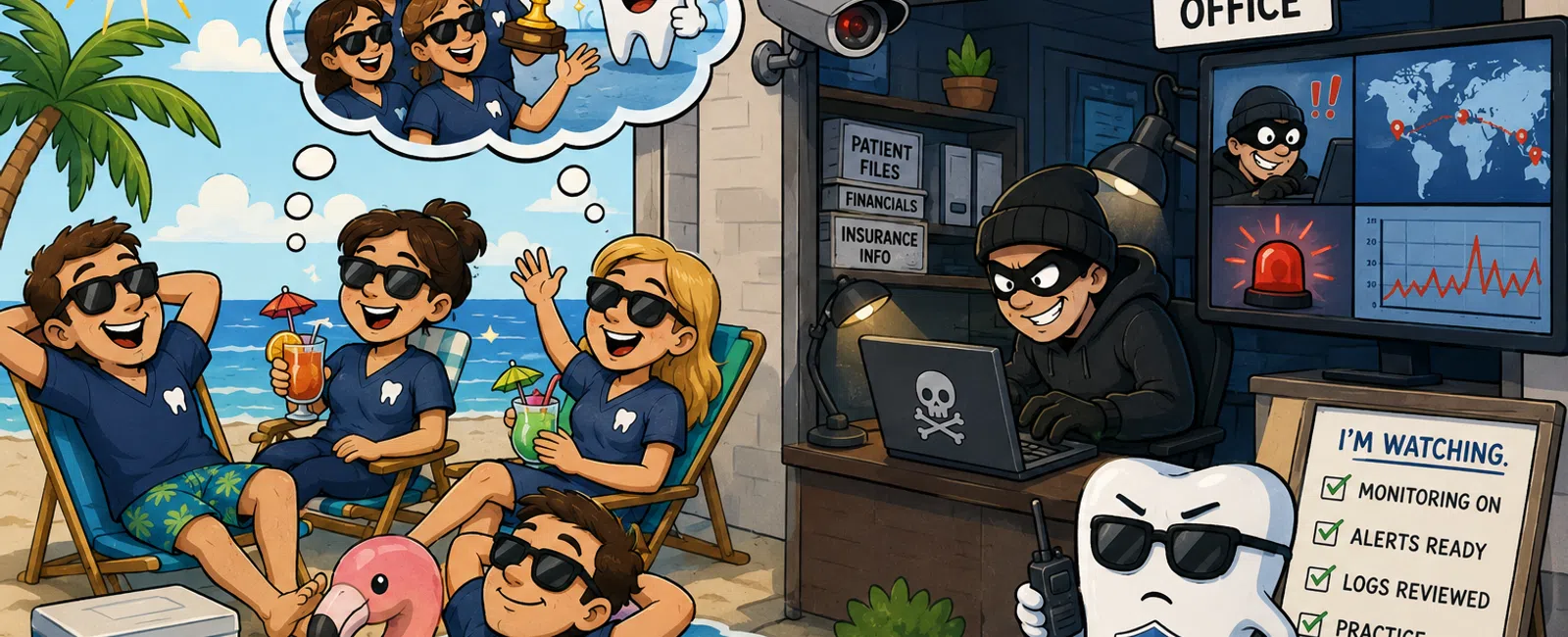
While You're Out of Office, Someone Is Already Inside
You can feel it before a long weekend.
The pace changes. Conversations tighten. Everyone's working toward the
exit.
And that's when most practices stop being observed.
Not shut down. Not disconnected.
Just… not watched.
That's what attackers wait for.
What "Someone Is Watching" Actually Means (In Practice)
Most dental practices believe they have monitoring.
Very few have reviewed monitoring with defined thresholds and response.
Here's what that looks like when it's real—not assumed:
Standard detection thresholds (not guesses):
- Failed logins:
10+ attempts within 5 minutes
- New geolocation
login: any login outside normal region baseline
- After-hours
access: outside 7:00 AM-6:00 PM office pattern
- Privilege
escalation: any standard user granted admin rights
- Data activity:
exports or access patterns that exceed normal daily behavior
These are not optional.
They exist because systems generate audit logs that must be actively
examined—not just stored.
If no one is reviewing them against defined thresholds, you don't have
monitoring.
You have records of what you missed.
What You Should Actually See When This Works
This is the part most practices never see—and where real differentiation
lives.
A functioning monitoring model produces visible, actionable alerts.
Example alert:
"12 failed login attempts from an IP address outside the U.S. within 3
minutes for user 'FrontDesk01'."
What happens next should not be a question.
It should already be defined:
- Alert is logged
and escalated immediately
- Ticket is
created automatically
- Account is
temporarily locked or challenged
- Activity is
reviewed for lateral movement
- Responsible
party is notified within minutes
If you cannot visualize what an alert looks like or what happens
immediately after—
that's the gap.
What Happens When Something Triggers
Detection without response is where most protection fails.
Here's what a complete response workflow looks like in practice:
Who reviews alerts
- A designated
individual or monitored queue (not "whoever notices it")
- Coverage must
include nights, weekends, and holidays
How fast
- Initial review
within 5-15 minutes
- Escalation
initiated immediately for high-risk alerts
What actions are taken
- Disable or lock
compromised account
- Isolate
affected workstation from network
- Terminate
suspicious sessions
- Preserve logs
for investigation
- Document the
response for compliance
This isn't overkill.
It's the operational side of audit controls and system activity review
required under HIPAA safeguards.
Without this, detection doesn't reduce risk—it only delays awareness.
A Real Weekend Incident (Where This Breaks)
We investigated a practice using Dentrix where a billing contractor had
remote access.
Friday: Access granted. No expiration. No audit review planned.
Saturday: Login triggered from a new location. Logged—but not reviewed.
Sunday: After-hours access to patient data exceeded normal activity
patterns.
Tuesday: Files began locking. Staff assumed it was a performance issue.
By the time action was taken:
- Systems were
compromised
- Patient data
access had occurred
- Incident was
reportable
Nothing "failed."
Logs worked. Systems recorded everything.
But no one was watching.
What Good vs Risky Actually Looks Like
This is where clarity replaces assumption:
Area | Risky | Acceptable
Monitoring | Logs collected but not reviewed | Alerts reviewed within 15
minutes, 24/7
Thresholds | No defined triggers | Documented alert thresholds enforced
Access | Shared or undocumented accounts | Named users with MFA
Remote Access | Untracked tools and devices | Controlled, logged, limited
access
Response | IT called after issue appears | Predefined response workflow
executed immediately
Most practices sit somewhere in between.
That's where risk lives.
Are You Exposed? (Quick Self-Test)
You likely have a gap if:
- You don't know
who reviews alerts after hours
- You cannot
confirm MFA on all remote access accounts
- You haven't
reviewed user access in the last 30 days
- You've never
seen a real alert from your own systems
- You would need
to "figure out what to do" during an incident
If any one of these is true, your exposure is not theoretical.
It's just undiscovered.
Your 15-Minute Pre-Weekend Audit (Do This Exactly)
Before your next long weekend, run this without overthinking:
Minute 0-5: Access
- Export user
list from Dentrix or Active Directory
- Disable
accounts inactive for 30+ days
- Remove any
shared login use
Minute 5-10: Monitoring
- Confirm alert
thresholds exist (failed logins, after-hours access)
- Verify logs are
centralized—not scattered across systems
- Identify
exactly who reviews alerts overnight
Minute 10-15: Response
- Confirm
response steps are defined (lock account, isolate device)
- Assign
ownership for escalation
- Validate remote
access devices are recognized and controlled
This is not a security overhaul.
It's visibility.
The External Judgment You Can't Avoid
If something happens, the question won't be technical.
It will be:
"Can you show that activity was monitored and reviewed?"
That question comes from:
- Regulators
reviewing compliance
- Insurance
providers validating claims
- Patients
deciding whether to trust you again
HIPAA doesn't expect perfection.
But it does expect evidence that you can record and examine system
activity and act on it.
And evidence means:
- Logs
- Alerts
- Response
records
Not assumptions.
What to Do Within the Next 7 Days
Block 30 minutes this week and do one thing most practices never do:
Ask to see a real alert from your own system.
Not a description.
Not a promise.
The actual output:
- What triggered
- When it
triggered
- Who saw it
- What happened
next
If that cannot be shown clearly, you've just identified your risk.
Make Your Risk Visible—Before It's Tested
Schedule your 10 minute discovery call with 911 IT and walk through
whether your monitoring includes real thresholds, real alerts, and real
response—not just logs. You'll leave with a clear answer on whether someone is
actually watching your systems when your office isn't.


