
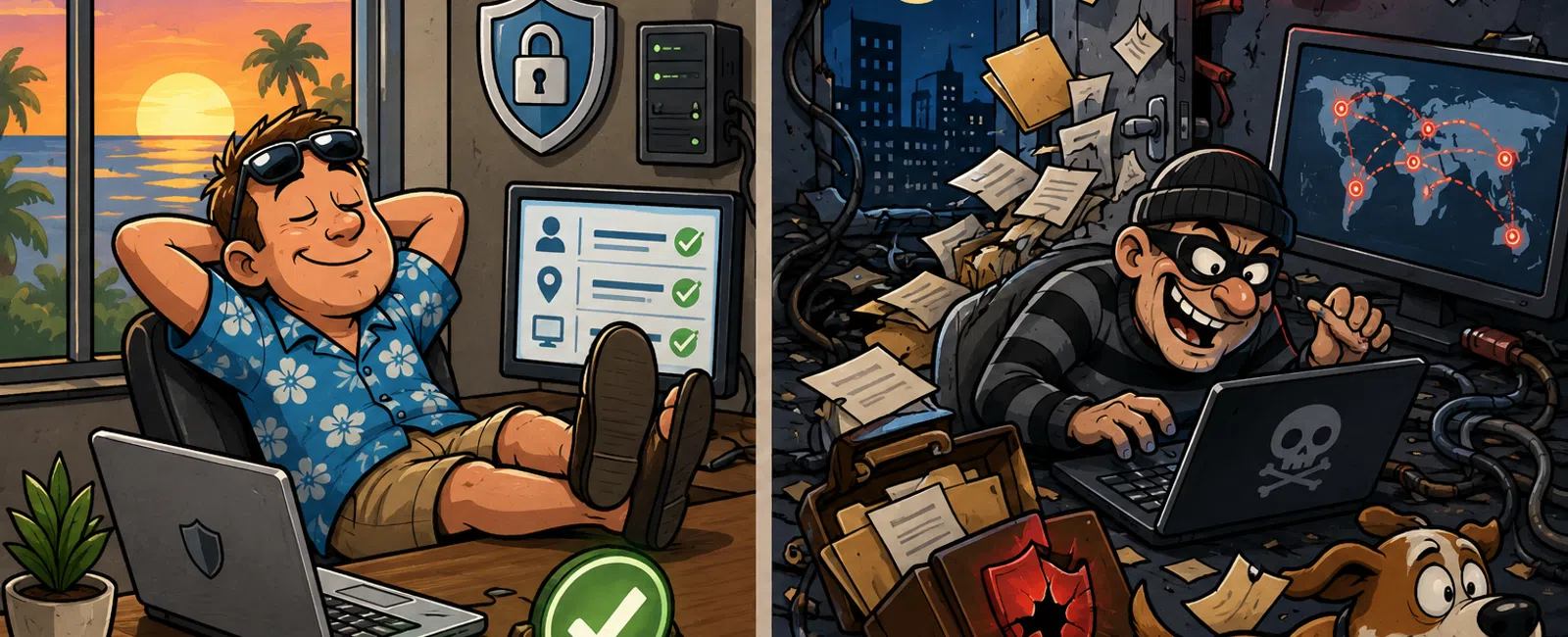
While You're Out of Office, Your Security Model Is Either Working—or It Isn't
You don't discover a security failure when it starts.
You discover it when it's already moved.
That's why weekends matter.
It's not just downtime. It's a predictable gap—one attackers
intentionally target. When your team steps away, your environment either
continues enforcing control… or it doesn't.
The real question isn't whether your business is exposed.
It's whether your systems can detect and act without you.
What This Looks Like in a Real Environment
Environment:
- Microsoft 365
(identity, email, file access)
- Entra ID +
Conditional Access
- Microsoft
Defender
- EDR / RMM
tooling
Friday, 6:12 PM
A vendor account signs in.
- IP originates
outside your normal operating region
- Device is
unknown
- Behavior
deviates from the user's baseline
If your environment is configured correctly:
- Conditional
Access evaluates the login context
- The session is
blocked or forced into step-up authentication
- The sign-in is
flagged as risky based on location, device, or behavior
- The session is
revoked automatically
- An alert is
routed to a monitored system in real time
If it isn't:
- Login succeeds
- No location
controls apply
- An alert may
exist, but no one reviews it
- The session
remains active all weekend
That is the gap.
Minimum Required Security Policies (M365)
This is not advanced. This is baseline.
Non-negotiable controls:
- MFA for every
user, no exceptions
- Legacy
authentication disabled completely
- Conditional
Access enforcing location or device-based restrictions
- Risk-based
policies triggering MFA or blocking high-risk sign-ins
- Session
controls enforcing timeouts and reauthentication
If these are not enforced consistently, your environment is not secured.
It is exposed.
What Good Monitoring Actually Looks Like
A functioning environment doesn't just record activity. It reacts.
If your monitoring is working correctly:
- Risky sign-in →
alert triggered immediately
- Impossible
travel → flagged as abnormal behavior
- Suspicious
session → automatically revoked
- High-risk user
→ forced password reset
There is no delay. No dependency on awareness. No wait for Monday.
The system is active, even when you're not.
The Friday 30-Minute Security Sweep
This is where most businesses quietly fail.
Make this repeatable and mandatory.
Step 1: Review Active Sessions
- Identify
sessions from unknown devices or locations
- Revoke anything
that doesn't align
Step 2: Scan Failed Login Activity
- Look for
repeated attempts or spikes
- Identify
accounts being targeted
Step 3: Validate Alert Routing
- Confirm alerts
reach a monitored system
- Not a dashboard
no one checks
Step 4: Review External Access
- Remove vendor
and temporary access
- Apply
expiration where needed
Step 5: Backup Validation
- Confirm last
successful backup timestamp
- Verify a usable
restore point exists
- Test at least
one restore monthly
Backups are not protection unless you know they work.
The Incident Response Chain
Detection is not the outcome. It is the trigger.
If an alert fires Friday night, this is what should happen:
- Alert is
generated immediately
- Routed to a
monitored system or response team
- Action is
taken:
- Session
revoked
- Account
disabled
- Access blocked
- Containment
occurs quickly
- Full review and
cleanup happen when the team returns
If your process stops at "an alert exists," your system does not respond.
It records failure.
Where This Breaks in Real Life
A construction company gives a vendor access to project files late
Thursday.
The vendor finishes the job.
Access is never removed.
Saturday:
- Login occurs
from a foreign IP
- No
location-based controls are enforced
- No one reviews
alerts
By Monday:
- Project folders
accessed
- Files
downloaded
- No
interruption, no awareness
Nothing broke technically.
Everything broke operationally.
What an External Audit Would Flag Immediately
If an outside evaluator reviewed your environment after that weekend,
they wouldn't ask how the attacker got in first.
They would ask:
- Why was
abnormal access allowed in the first place?
- Which policies
failed to challenge it?
- What alerts
triggered—and who saw them?
- What actions
were automated versus dependent on human response?
And one question that matters more than anything else:
What part of your security model depends on someone being present?
That's where it fails.
The Operational Playbook
Access Control
- Export all
active users
- Disable
inactive accounts (30+ days)
- Remove
anonymous or open sharing
- Enforce
expirations on vendor accounts
Monitoring
- Flag impossible
travel
- Detect new
device or location logins
- Monitor
privilege changes
- Track abnormal
file access behavior
Response
- Every alert has
ownership
- Every alert has
an action
- No alert sits
idle
This is not advanced security.
This is operational discipline.
Security Fails in Silence
Your systems are not tested when something breaks.
They are tested when nothing appears wrong.
When your team is offline.
When no one is watching.
When the environment must operate on its own.
That's when your structure either holds—or doesn't.
Your Next-Week Action
Before Friday, implement a Conditional Access policy that enforces
location or risk-based restrictions and run it in report-only mode to verify
exactly what it would block.
Do not assume it works. Validate it.
The Right Next Step
Get your Weekend Exposure Score.
Schedule your 10 minute discovery call with 911 IT to review your access
controls, alerting, and response setup and identify where your environment is
unprotected after hours.


