
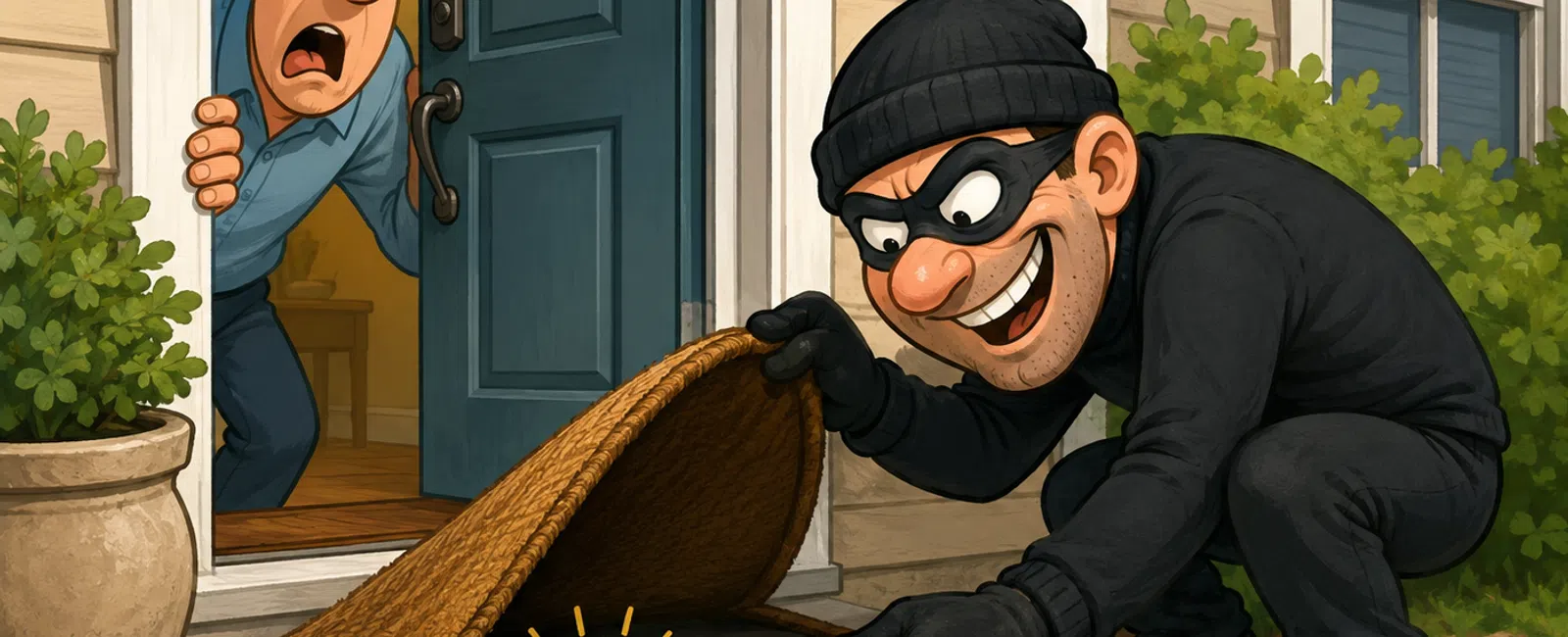
Your Password Is the Key Under the Doormat
Picture walking up to a property, lifting the welcome mat, and finding
the key sitting right there.
It's convenient. Predictable. And exactly where someone would check
first.
That's how most teams are still handling passwords.
Not because they don't care. But because they're busy, stretched thin,
and trying to keep everything moving at once. Password habits fall into the
"good enough" category — until they don't.
The Problem Isn't Weak Passwords — It's Reused Ones
Most breaches don't start in your systems.
They start somewhere else entirely. A vendor. A subscription. A tool
someone signed up for years ago and forgot about. That company gets breached,
and suddenly your team's login is out there.
From there, it's automated.
Attackers take those credentials and try them everywhere: email, CRM,
accounting, cloud storage. Quietly. At scale.
Credential reuse is one of the most common entry points in breaches. And
most incidents that start with compromised credentials don't involve
sophisticated hacking at all.
One reused password doesn't unlock one door.
It unlocks everything tied to it.
Where This Breaks in Real Life
A property management firm had a coordinator using the same login for a
vendor portal and their internal email.
Day 1: The vendor portal is breached. No alerts hit your system.
Day 2: Attackers log into email and set up hidden forwarding rules.
Day 3: They monitor conversations and wait for a rent update or payment thread.
Day 5: Instructions are quietly altered. Funds are redirected.
No alarms. No brute force attack. Just patient observation.
Recovery took weeks. Accounts had to be reset, tenants contacted, systems
audited, trust rebuilt.
All from one reused password.
The Illusion of "Strong Enough"
A capital letter. A number. A symbol.
That used to matter.
Today, tools can test billions of combinations in seconds. What feels
strong to a human doesn't slow anything down.
But even perfect passwords don't fix the real issue.
Passwords are still a single point of failure.
One phishing email. One exposed credential. One shared login.
That's enough.
The Layer Most Teams Are Missing
If your password is the lock, you need a deadbolt.
Not a better lock. A second layer entirely.
That's where the risk actually gets reduced.
The 3-Step Credential Protection Framework
If you only fix one thing this quarter, make it this:
1. Eliminate password reuse completely
Every system gets a unique password. No exceptions.
2. Use a password manager across the entire team
Tools like 1Password, Bitwarden, or LastPass generate and store secure, unique
passwords so your team doesn't have to.
3. Turn on multi-factor authentication everywhere
Use app-based authentication or hardware keys so passwords alone aren't enough
to get in.
That's the system. Not complicated. Just enforced.
What Good vs Risky Actually Looks Like
Good
- Every login is
unique
- MFA is enforced
across all core systems
- No shared
credentials
- Access is tied
to individuals
Risky
- Same password
across multiple tools
- MFA is optional
or inconsistent
- Shared logins
in email or CRM
- Former
employees still have access
This is what an auditor sees immediately.
What an External Audit Would Flag First
If someone outside your business reviewed your systems, they wouldn't
start by checking password complexity.
They would look for patterns:
- Reused
credentials
- Shared logins
- Accounts
without MFA
- No visibility
into access changes
These are fast, objective findings. And they raise questions quickly.
The Biggest Mistakes Teams Make
"We trust our team."
Trust isn't the issue. Systems are.
"We'll turn on MFA later."
Later doesn't happen. It gets pushed behind operations every time.
"We only have a few users."
That actually increases risk. One compromised login affects a larger percentage
of your business.
"We'd notice if something was wrong."
Most credential-based attacks are quiet. You notice after damage is done.
Edge Cases That Still Need Solving
Shared inboxes. Vendor access. Legacy systems.
This is where most teams get stuck.
- Shared email
accounts need to be replaced with delegated access
- Vendors should
never use internal credentials
- Legacy tools
still need unique passwords and MFA where possible
If you skip these, the system breaks around the edges.
How to Roll This Out in 2 Weeks
You don't need a full overhaul. You need a controlled rollout.
Week 1
- Implement a
password manager across your team
- Reset
credentials for high-risk systems (email, CRM, accounting)
- Identify and
document any shared logins
Week 2
- Enforce MFA
across every critical system
- Eliminate
shared credentials and replace with individual access
- Remove access
for former employees and unused accounts
That's enough to close the majority of exposure.
What to Do Next Week
Start with one system.
Email or your CRM.
Check two things:
- Is every login
unique
- Is MFA enforced
for every user
Fix that first. Then move to the next system the following week.
Momentum matters more than perfection.
The Bottom Line
Most security failures don't happen because someone outsmarted your
system.
They happen because something basic was left exposed.
A reused password. A missing layer. A shared login no one questioned.
You don't need complexity. You need consistency.
Schedule your 10 minute discovery call with 911 IT. We'll walk through
your current setup against this 3-step framework and identify exactly where
credential risk still exists. It's a fast way to confirm whether this is
something you actually need to fix right now.


