
April 1st quickly passes, and with it, the jokes and fake updates that make April Fools' Day so tricky fade away.
But scammers don't stop their schemes just because the day is over.
Spring marks a peak season for cybercriminals. Not due to negligence, but because busy schedules and distractions create openings for clever attacks. That's when deceptive threats sneak past vigilance, blending seamlessly into your usual workday—often unnoticed until it's too late.
Here are three current scams targeting sharp, conscientious employees just trying to get their work done.
As you review these, ask yourself: Does my team consistently pause long enough to spot each one?
Scam #1: Fake Toll Road or Parking Fee Alerts
An employee receives a text:
"You have an unpaid toll charge of $6.99. Pay within 12 hours to avoid penalties."
The message names a legitimate toll system like E-ZPass or SunPass matching their location. The small amount seems harmless. Between meetings, they quickly click the provided link to pay and move on.
But the link is fraudulent.
In 2024 alone, the FBI logged over 60,000 complaints about these fraudulent toll texts, with incidents soaring 900% in 2025. Researchers found more than 60,000 fake domains imitating state toll agencies—a massive scam infrastructure that reveals its profitability. Some texts even target states without any toll roads.
Why it works: $6 feels like a low risk, and most people have recently encountered tolls or parking, making the message believable.
Protection tip: Real toll agencies do not demand immediate payment through texts. Your company should enforce a strict policy: No payments through text links. If a message seems legitimate, employees should visit the official website or app directly. They must avoid replying—even with "STOP"—to prevent confirming their number's activity and receiving more scams.
Convenience tempts, but protocol protects.
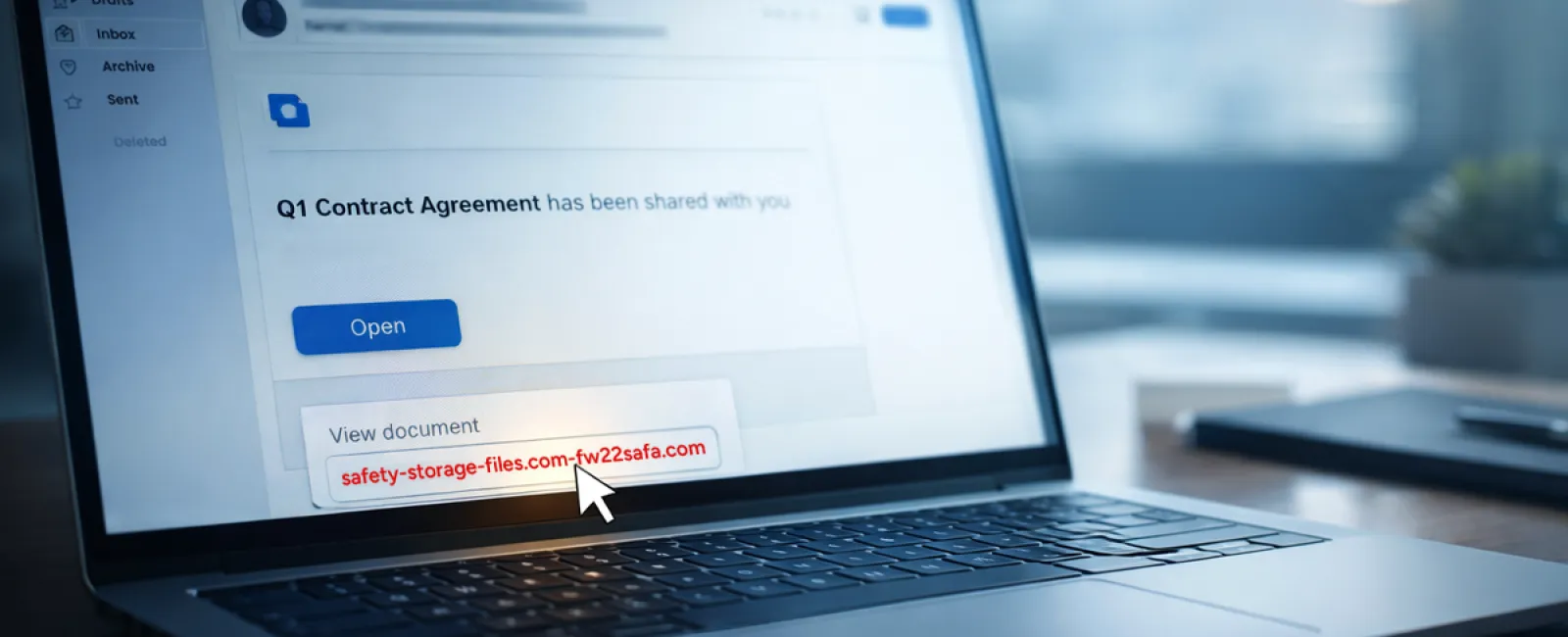
Scam #2: The "Your File Is Ready" Phishing Email
This scam merges flawlessly into typical work life.
An employee gets an email saying a document has been shared—often a contract in DocuSign, a spreadsheet in OneDrive, or a Google Drive file.
The sender looks authentic; the email mimics usual file-share notifications.
They click the link, prompted to log in, and enter their work credentials.
Immediately, the attacker gains access to your company's cloud system.
This threat has surged dramatically. Phishing via trusted platforms like Google Drive, DocuSign, Microsoft, and Salesforce jumped 67% in 2025, according to KnowBe4's Threat Labs. Google Slides phishing links soared over 200% in just six months.
Even more concerning, employees are seven times likelier to click malicious links from OneDrive or SharePoint notifications than random emails because these look genuine.
Newer scams have grown more sophisticated. Attackers compromise accounts and send notifications using the platform's legitimate share feature. The emails come from real Google or Microsoft servers, bypassing spam filters.
Safety practice: When a file share is unexpected, employees should not click the link in the email. Instead, they must log into the platform directly through a browser to verify the file's presence. Companies can reduce risk dramatically by limiting external sharing permissions and activating alerts for suspicious login activity—quick fixes your IT team can deploy in minutes.
Simple caution, strong protection.
Scam #3: The Exceptionally Polished Email
Gone are the days when phishing emails were easy to detect with poor grammar and odd formatting.
Modern scams are far smarter.
A 2025 study showed AI-crafted phishing emails achieve a 54% click rate—more than four times higher than the 12% for human-written scams. These emails appear convincingly authentic, citing real company names, job titles, and workflows, drawn swiftly from LinkedIn and corporate sites.
Scams are now finely targeted: HR and payroll get fake employee verifications, finance teams receive vendor payment redirects. One test found 72% of employees interacted with vendor impersonation emails—90% more than other phishing types. The messages are professional, calm, and urgent without drama—just another workday.
Defense strategy: Any request involving credentials, payment changes, or sensitive info must be verified via a second method—phone call, chat, or in-person. Before clicking, employees should hover over the sender's email to confirm the domain. And urgency itself is a red flag signaling caution.
True security doesn't rely on panic to provoke clicks.
What It Ultimately Boils Down To
All these scams exploit assumptions of familiarity, authority, timing, and "this'll only take a moment."
The real threat isn't careless employees but systems assuming everyone will always slow down, double-check, and act perfectly under pressure.
If a single hasty click can ruin your day, that's not a people issue but a process issue.
And process challenges can be solved.
How We Can Support You
Most business owners don't want to add another complex project or become the instructor for digital threats.
They just need peace of mind that their business isn't unknowingly vulnerable.
If you worry about your team's exposure—or know someone else who should—you're invited to a simple consultation.
Book a straightforward discovery call where we'll cover:
•
Current cyber risks facing businesses like yours
•
How everyday workflows can allow threats in
•
Practical strategies to reduce risks without slowing your team down
No pressure. No fear-mongering. Just honest conversation to identify concerns and solutions.
Click here or give us a call at 801-610-6000 to schedule your free 10-Minute Discovery Call.
If this isn't relevant for you, please forward it to someone who would value this warning. Often, knowing what to watch for changes a "would have clicked" into a "nice try."


