
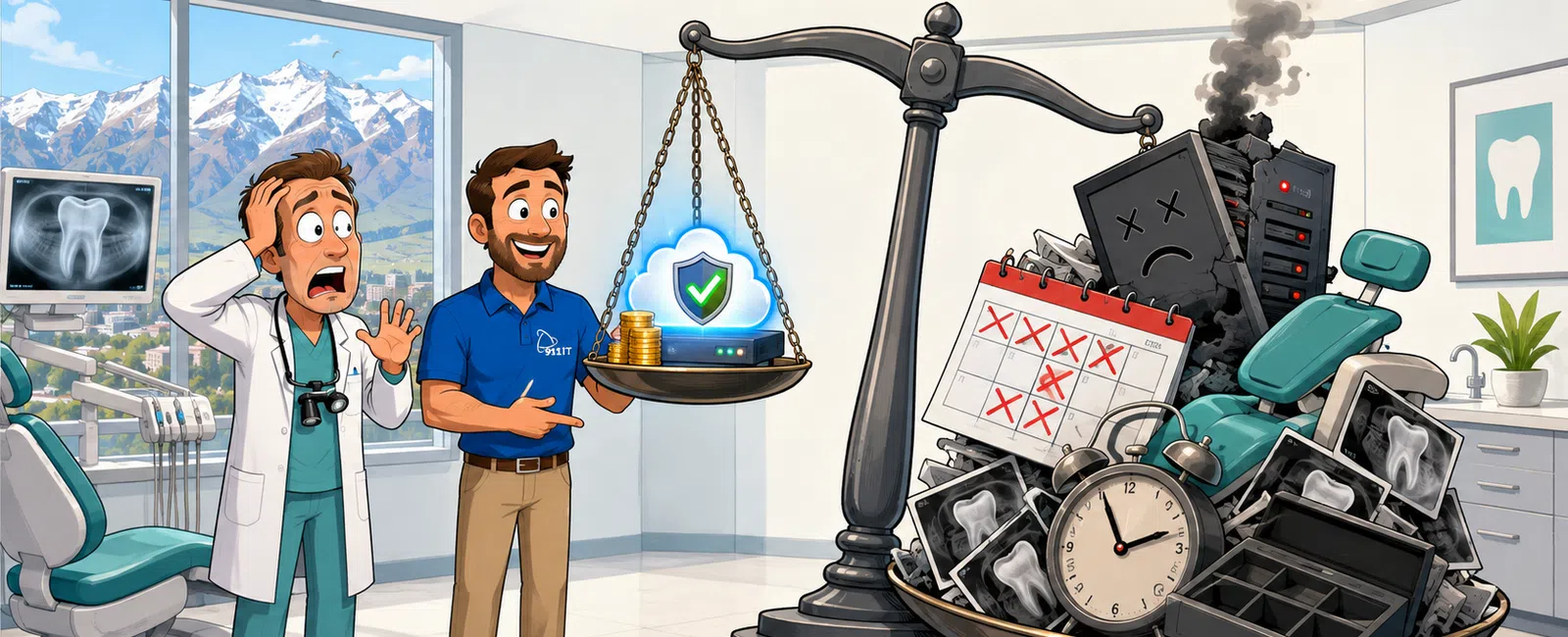
Backup and disaster recovery for Salt Lake City dental practices typically costs between $10 and $30 per user per month for industry-standard solutions, though total investment varies significantly based on data volume, retention requirements, and HIPAA compliance features. A five-person practice might spend $50-$150 monthly, while a ten-operatory practice with extensive digital imaging could invest $300-$800 monthly for comprehensive protection of patient records and practice management systems.
What Drives Backup Costs for Dental Practice Management Systems
The volume of protected health information determines your baseline cost. A single operatory generates hundreds of megabytes daily through digital radiography, intraoral camera images, and treatment planning documentation. Multiply this across multiple operatories and years of retention, and storage requirements escalate quickly.
Your practice management software - whether Dentrix, Eaglesoft, Open Dental, or another platform - dictates backup complexity. These systems maintain relational databases that require application-aware backup technology to ensure data integrity during restoration. Generic file-level backup won't properly capture database transactions in progress when a patient is being checked out.
HIPAA compliance adds mandatory features that increase cost but aren't optional. Encryption at rest and in transit, audit logging of backup access, and Business Associate Agreements with your backup provider are regulatory requirements, not premium features. The Office for Civil Rights expects documented backup procedures in every Security Risk Assessment.
Recovery time objectives directly impact pricing. If your practice can tolerate 24-48 hours of downtime after a server failure, basic backup solutions suffice. If you need operatories functional within hours - which most practices do to avoid appointment cancellations and revenue loss - you'll invest in rapid recovery technology like image-based backups or cloud failover capabilities.
Geographic redundancy protects against regional disasters. Salt Lake City sits in an earthquake zone, making off-site replication essential. Storing backup copies exclusively in your office leaves you vulnerable to fire, flood, or natural disasters that could destroy both primary systems and local backups simultaneously.
A typical five-operatory Salt Lake City dental practice with 8-12 users invests $200-$400 monthly for HIPAA-compliant backup covering practice management data, digital imaging, and rapid recovery capabilities.
How Do Dental-Specific Backup Requirements Differ From General Business Needs
Patient care continuity makes dental backup non-negotiable. When your practice management system goes down mid-morning, you can't access patient charts, treatment histories, or insurance information. Appointments stack up, patients wait, and staff productivity collapses. Unlike many businesses that can operate temporarily without certain systems, dental practices become essentially non-functional without access to patient records.
Digital imaging files dwarf typical business documents in size. A single CBCT scan can exceed 500 megabytes. Panoramic radiographs, intraoral photos, and treatment simulation files accumulate rapidly. A practice generating 50 patient visits daily might produce 2-5 gigabytes of imaging data weekly, requiring backup solutions designed for large file handling rather than document-centric systems.
Retention requirements extend beyond active patient relationships. Most states require maintaining patient records for seven years after the last treatment, with longer periods for minors. Even after a patient leaves your practice, you're legally obligated to preserve their complete treatment history, creating backup storage that never shrinks - only grows.
Julie Bigler experienced firsthand how critical proper backup becomes when disaster strikes. After being told by another company that her damaged hard drive was too damaged to recover, 911 IT successfully retrieved all her data. For a dental practice, that kind of data loss could mean losing years of patient records and facing regulatory violations.
Integration with dental-specific software requires specialized expertise. Your backup solution must properly handle Dentrix's SQL database structure, Eaglesoft's Sybase database, or Patterson Imaging's PACS system. Generic IT providers often lack experience with these platforms, leading to backup configurations that appear functional but fail during actual restoration attempts.
Dental practices need backup solutions that understand their clinical software architecture and regulatory obligations.
What Recovery Speed Does Your Practice Actually Need
Morning server failures create the worst-case scenario. If your practice management system crashes at 8 AM with a full schedule ahead, every hour of downtime cascades into appointment delays, frustrated patients, and lost production. Calculate your average hourly production - many general practices generate $500-$1,500 per hour - to understand the true cost of extended outages.
Emergency restoration timelines vary dramatically by solution type. Traditional tape or external hard drive backups might require 12-24 hours to fully restore a multi-hundred-gigabyte practice management database. Cloud-based image backups with local caching can have you operational in 2-4 hours. Virtualization-capable backups can spin up your entire server as a virtual machine in under an hour.
Patient appointment density determines tolerance for delays. A pediatric practice with 15-minute appointment slots has less flexibility than an oral surgery practice with 60-90 minute procedures. High-volume practices need faster recovery capabilities because rescheduling dozens of patients creates operational chaos and revenue loss that exceeds the cost premium for rapid recovery technology.
Chair-side technology dependencies multiply downtime impact. If your practice relies on digital impression scanners, CAD/CAM systems, or integrated periodontal charting, you can't simply revert to paper records during system outages. These workflows require functioning practice management systems and network infrastructure.
Test restorations reveal your actual recovery capability. Many practices discover during real disasters that their backup solution doesn't perform as expected. Monthly or quarterly test restorations to isolated environments verify that your backups actually work and meet your recovery time objectives. This testing should be documented for HIPAA compliance purposes.
Which Backup Architecture Fits Multi-Location Dental Groups
Dental service organizations face centralized versus distributed backup decisions. A three-location group could implement individual backup solutions at each practice or centralize backup management with data replication to a primary location. Centralization reduces per-location costs through volume licensing but requires robust network connectivity between sites.
Shared patient records between locations complicate backup strategies. If patients visit multiple practice locations and their records synchronize across sites, your backup solution must maintain data consistency across all locations. Point-in-time recovery becomes critical - you need the ability to restore all locations to the same timestamp to avoid record conflicts.
Cloud-based backup platforms scale efficiently for growing groups. Rather than managing separate backup infrastructure at each location, cloud solutions provide unified management, centralized monitoring, and consistent recovery procedures. As you add locations, per-user costs often decrease through volume pricing tiers.
Network bandwidth constraints affect backup windows. Uploading gigabytes of daily imaging data from multiple locations requires sufficient internet bandwidth. Salt Lake City practices generally have access to business fiber connections, but rural Utah locations might face bandwidth limitations requiring hybrid backup strategies with local caching.
Compliance reporting simplifies with unified backup platforms. Rather than generating separate HIPAA documentation for each practice location, centralized backup solutions provide consolidated audit logs, encryption verification, and Business Associate Agreements covering all sites.
How Can Salt Lake City Dental Practices Optimize Backup Spending
Data lifecycle management reduces storage costs significantly. Not all patient data requires the same protection level. Active patient records need rapid recovery capabilities, but archived records from patients who haven't visited in five years can use lower-cost long-term storage with slower recovery times. Implementing tiered storage based on data age and access frequency cuts costs without compromising compliance.
Compression and deduplication technologies shrink backup storage requirements. Modern backup solutions identify duplicate data blocks - common in dental practices where template documents, standard forms, and imaging software files repeat across backups - and store only one copy. This can reduce storage consumption by 50-70 percent, directly lowering monthly costs.
Bundling backup with managed IT services typically offers better value than standalone solutions. Providers like 911 IT include backup and disaster recovery within comprehensive IT management packages, eliminating the need to coordinate between separate vendors and often providing better per-user economics than purchasing backup services independently.
Right-sizing retention policies prevents over-spending. While regulatory requirements mandate minimum retention periods, some practices unnecessarily retain data indefinitely. Implementing documented retention policies that meet legal requirements without excessive storage - for example, seven years for adult patients, longer for minors - optimizes storage costs while maintaining compliance.
Local caching appliances accelerate recovery without premium cloud costs. Hybrid backup architectures that maintain recent backups on local devices while replicating to cloud storage provide fast recovery for common scenarios (accidental deletions, recent file corruption) while preserving off-site protection for major disasters. This approach balances cost and performance effectively.
Practices should invest in backup solutions that match their actual recovery needs rather than over-engineering for unlikely scenarios.
What Should Salt Lake City Dental Practices Look For in a Backup Provider
Dental software expertise separates qualified providers from generalists. Your backup vendor should demonstrate specific experience with your practice management platform, understand its database architecture, and have documented procedures for restoring Dentrix, Eaglesoft, or your specific system. Generic IT support often lacks this specialized knowledge, creating risk during critical recovery situations.
HIPAA compliance credentials must be verified and documented. Your backup provider becomes a Business Associate under HIPAA regulations, requiring a signed BAA that specifies their responsibilities for protecting PHI. Verify that the provider maintains appropriate security controls, conducts regular risk assessments, and can provide compliance documentation for your audits.
Local presence matters for dental practices in ways it doesn't for many businesses. When your server fails and you need immediate assistance, having a provider based in Salt Lake City - like 911 IT's South Jordan location - means faster on-site response than relying on remote-only support. For practice-critical systems, local availability can mean the difference between a two-hour disruption and a full-day shutdown.
Testing and verification procedures should be standard, not optional. Quality backup providers conduct regular test restorations, provide documented evidence of successful backups, and proactively alert you to backup failures. Ask potential providers about their testing frequency, restoration success rates, and how they validate backup integrity.
24-7 support availability aligns with dental emergency scenarios. While most practices operate during business hours, disasters don't respect schedules. A Saturday morning server failure before a full Monday schedule requires immediate response. Providers offering genuine 24-7 support - not just answering services that escalate to on-call technicians - minimize downtime regardless of when problems occur.
Transparent, flat-rate pricing eliminates surprise costs during emergencies. Some backup providers charge premium rates for actual restoration services, creating situations where recovering from disaster becomes unexpectedly expensive. Look for providers like 911 IT that offer transparent, predictable pricing without hidden restoration fees or emergency service surcharges.
Who Provides Backup and Disaster Recovery for Salt Lake City Dental Practices
Several Salt Lake City IT providers serve dental practices with varying approaches and capabilities:
- Executech - Offers IT services to local businesses including backup solutions
- Wasatch I.T. - Provides managed services and data protection for Utah companies
- Nexus IT Consultants - Delivers IT support and backup services to Salt Lake City area businesses
- INTELITECHS - Serves local organizations with technology management and data protection
- ProLink IT - Provides IT solutions including backup and recovery services
- Qual IT - Offers managed IT services to businesses in the Salt Lake City region
- 911 IT - Specializes in HIPAA-compliant IT solutions for healthcare providers with local South Jordan presence
Large national MSPs serve Salt Lake City but typically treat small dental practices as one account among thousands. While these providers offer robust technology platforms, small practices often experience ticket queue delays, rotating technicians unfamiliar with their specific setup, and slower escalation for urgent issues. For a six-operatory practice, being a priority client rather than ticket number 847 in a queue matters significantly.
911 IT specializes in HIPAA-compliant IT solutions for healthcare providers, including dental practices throughout Salt Lake City and surrounding areas. With local presence in South Jordan and 24-7 live support, 911 IT combines enterprise-grade backup technology with the responsiveness and personal attention that small practices need. Their flat-rate, transparent pricing model eliminates surprise costs, and their 100% Satisfaction Guarantee demonstrates confidence in service delivery.
The provider's understanding of dental workflows and software distinguishes adequate backup from practice-optimized solutions. 911 IT's experience supporting practice management systems, digital imaging platforms, and dental-specific compliance requirements means backup configurations designed specifically for how dental practices actually operate, not generic small business templates adapted awkwardly to healthcare environments.
Choosing a backup provider who treats your practice as a valued client rather than a ticket number - and who understands dental-specific technology and compliance - provides better outcomes when disaster strikes.
Frequently Asked Questions
What is the 3-2-1 rule for backup in dental practices?
The 3-2-1 backup rule means maintaining three copies of your data (original plus two backups), on two different media types (such as local server and cloud storage), with one copy stored off-site. For dental practices, this protects against local disasters, hardware failures, and ransomware attacks while ensuring HIPAA-compliant geographic redundancy. This approach balances cost, security, and recovery reliability for patient records and imaging data.
How often should dental practices test disaster recovery plans?
Dental practices should conduct disaster recovery testing quarterly at minimum, with annual full-scale restoration exercises. Testing should include restoring your practice management database to an isolated environment, verifying imaging data accessibility, and confirming that restored systems integrate properly with chair-side technology. HIPAA Security Rule requires periodic testing of backup procedures, and documented test results demonstrate compliance during audits. Regular testing identifies problems before actual disasters occur.
Is it worth paying for professional data recovery services for dental practices?
Professional data recovery services are absolutely worth the investment when standard backup restoration fails and patient records are at risk. Services typically cost $500-$3,000 depending on failure severity, but this is minimal compared to regulatory penalties for lost patient data, practice disruption costs, and potential malpractice liability from missing treatment histories. Matthew's experience with 911 IT recovering years of irreplaceable data after another company failed demonstrates the value of expert recovery capabilities.
What backup features are specifically required for HIPAA compliance?
HIPAA-compliant backup requires encryption of data both at rest and in transit, audit logging of all backup access, signed Business Associate Agreements with backup providers, documented backup and restoration procedures, regular testing verification, and secure disposal procedures for retired backup media. Geographic redundancy and disaster recovery planning are also compliance expectations. These features protect electronic protected health information throughout the backup lifecycle and demonstrate due diligence during OCR audits.
How much data does a typical dental practice generate monthly?
A typical five-operatory dental practice generates 40-100 gigabytes of new data monthly, depending on digital imaging volume and patient flow. Practices with CBCT scanners or extensive intraoral photography generate significantly more. This includes practice management database transactions, digital radiographs, patient photos, treatment planning files, and scanned documents. Over years of operation, total data storage can reach multiple terabytes, requiring scalable backup solutions that accommodate continuous growth without cost surprises.
Can dental practices use consumer cloud storage for backup?
Consumer cloud storage services like Dropbox, Google Drive, or iCloud are not appropriate for dental practice backup because they lack HIPAA compliance features, don't provide Business Associate Agreements, and aren't designed for database backup integrity. These services also lack the application-aware backup capabilities needed for practice management systems and offer inadequate recovery time objectives for practice-critical systems. HIPAA-compliant backup solutions designed for healthcare provide necessary regulatory protections and reliable recovery capabilities.


