
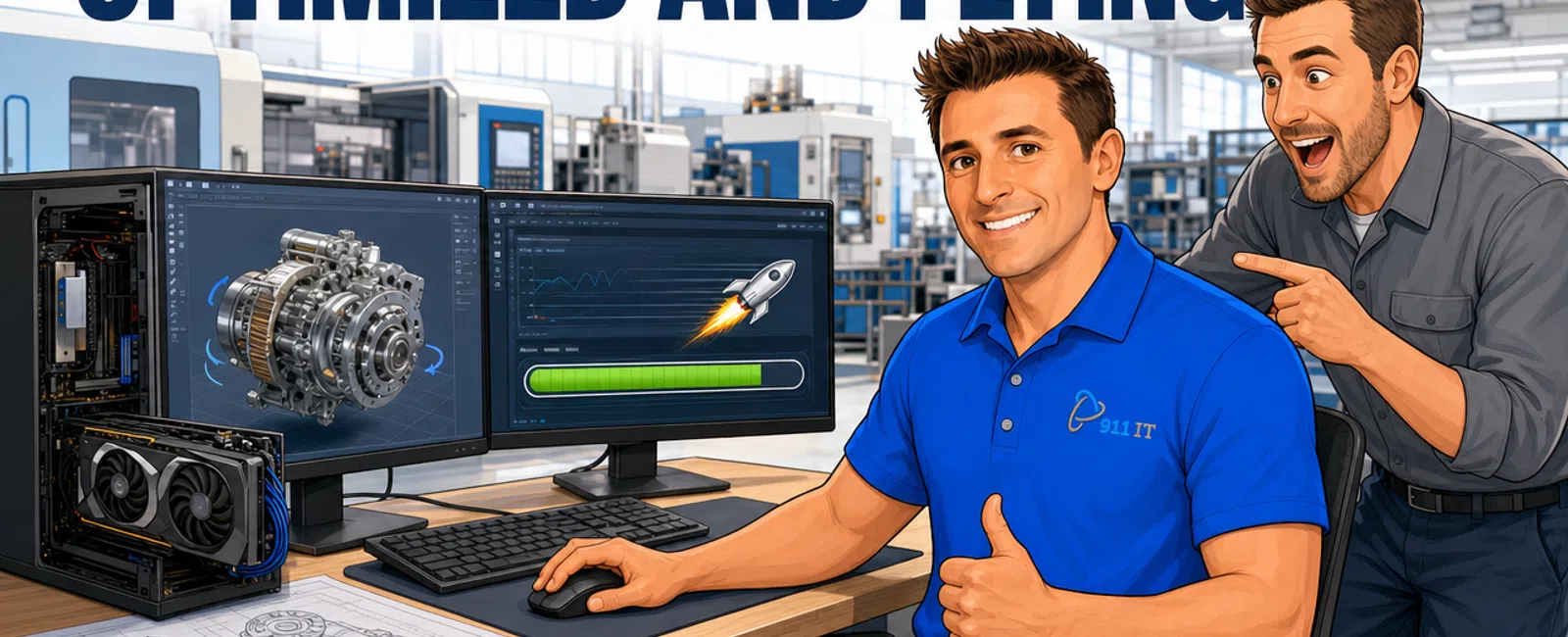
Yes, 911 IT provides specialized support for CAD, CAM, and engineering software performance issues with guaranteed one-hour emergency response times. Our team optimizes workstation configurations, resolves software conflicts, manages licensing, and monitors system performance 24/7 to prevent slowdowns that cost manufacturers thousands in lost productivity.
Why Do CAD and CAM Programs Run Slowly or Crash?
CAD and CAM software demands massive computational resources that standard business IT configurations can't handle. AutoCAD, SolidWorks, Mastercam, and similar programs require specific GPU acceleration, high-speed storage, and memory configurations that differ dramatically from typical office applications.
Most performance problems stem from four root causes: insufficient RAM allocation (CAD workstations need 32-64GB minimum for complex assemblies), outdated or consumer-grade graphics cards that lack certified drivers, network bottlenecks when accessing large files from servers, and background processes competing for system resources.
Software conflicts create another layer of complexity. Engineering firms often run multiple specialized programs - CAD for design, CAM for toolpath generation, ERP systems for production planning, and PLM software for version control. When these systems aren't properly integrated or configured, they compete for resources and create instability.
Mitch from a Salt Lake City manufacturing company shared: "911 IT is able to resolve all of our IT issues, even if the problem has been intermittent. Outsourcing to 911 IT has been a huge relief for our company! They have a quick response time and are honest with all of our problems."
Temperature and hardware degradation also impact performance. CAD workstations generate significant heat under load, and inadequate cooling leads to thermal throttling where the CPU and GPU automatically slow down to prevent damage. Dust accumulation in manufacturing environments accelerates this problem.
Proper diagnosis requires understanding both the software and the manufacturing workflow, not just generic IT troubleshooting.
What Hardware Specifications Do CAD and CAM Systems Actually Need?
The "minimum requirements" listed by software vendors are misleading - they represent the bare threshold to launch the program, not to work productively. Real-world CAD/CAM performance requires significantly more powerful specifications.
For CPU selection, CAD software like AutoCAD and SolidWorks prioritize single-thread performance for modeling tasks, while CAM software benefits from multi-core processors during toolpath calculations and simulations. Intel Core i7/i9 or AMD Ryzen 7/9 processors represent the practical minimum for professional work.
Professional CAD workstations require 32-64GB RAM for assembly work, certified professional GPUs (NVIDIA Quadro/RTX A-series or AMD Radeon Pro), and NVMe SSDs delivering 3,500+ MB/s read speeds.
Graphics cards deserve special attention. Consumer gaming GPUs and professional workstation GPUs may share similar chip architectures, but certified drivers make the difference. Professional cards receive extensive testing and optimization for CAD/CAM applications, plus they include error-correcting memory critical for design accuracy.
Storage architecture matters more than most realize. Large assembly files and CAM simulations generate enormous temporary files. A fast NVMe SSD as the primary drive, combined with a separate high-capacity drive for project archives, prevents the performance degradation that occurs when a single drive fills up.
Network infrastructure impacts performance when teams share files from servers. Gigabit Ethernet represents the minimum, but 10-gigabit connections eliminate bottlenecks for large assemblies. Our engineering IT support services include network optimization specifically for design file workflows.
Matching hardware to your specific software and project complexity prevents both overspending and false economy.
How Do You Prevent Software Conflicts and Licensing Issues?
Engineering software licensing represents one of the most frustrating IT challenges manufacturers face. Network license servers fail, dongles malfunction, and subscription authentication errors can halt production for hours.
We implement redundant license server configurations with automatic failover, ensuring that if the primary server experiences problems, workstations seamlessly connect to a backup. This architecture prevents the scenario where a single server failure stops an entire engineering department.
License monitoring provides early warning before problems occur. We track license usage patterns to identify when you're approaching capacity limits, prevent license conflicts when multiple users need the same module, and alert you to upcoming renewal deadlines before they cause access interruptions.
Software version management prevents compatibility nightmares. When your CAM system requires a specific CAD file format version, or when your ERP integration depends on particular API versions, uncoordinated updates break workflows. We test updates in isolated environments before deployment and maintain version compatibility matrices across your entire software ecosystem.
Driver management for professional graphics cards requires specialized attention. NVIDIA and AMD release certified drivers on different schedules than gaming drivers, and using the wrong driver version can cause crashes or rendering errors. We maintain driver compatibility testing for your specific software combinations.
Bill from a manufacturing client noted: "I like working with 911 IT because they have an in-house tech who is friendly and knowledgeable about my computer. This is especially important since I work only one day a week in the office and need to clear emails remotely on other days."
Proactive license and software management eliminates emergency troubleshooting during critical deadlines.
What About Remote Work and Accessing CAD Systems Off-Site?
Remote CAD work presents unique technical challenges that standard VPN solutions can't adequately address. The massive data transfers and real-time graphics rendering required for CAD software demand specialized remote access configurations.
We implement several remote access strategies depending on your specific needs:
- Remote desktop solutions with graphics acceleration allow engineers to connect to office workstations from home, leveraging the full power of professional hardware while maintaining security
- Virtual workstation infrastructure with GPU pass-through capabilities for teams requiring consistent remote work
- Intelligent file caching that pre-loads frequently accessed files and compresses data transfers without compromising file integrity
- Multi-factor authentication, encrypted connections, and endpoint security monitoring to protect intellectual property
- Protocol optimization, traffic prioritization, and compression to reduce bandwidth requirements
This approach works well when you have powerful office workstations and engineers need occasional remote access. For teams requiring consistent remote work, we configure virtual workstation infrastructure with GPU pass-through capabilities that deliver near-native performance while centralizing data security and backup.
Security for remote CAD access requires balancing protection with usability. Our cybersecurity services include specialized protocols for protecting design files without creating friction that tempts users to find workarounds.
Bandwidth optimization makes remote access practical even without fiber connections. Protocol optimization, traffic prioritization, and compression reduce the bandwidth requirements for acceptable CAD performance.
Remote access done right enables flexibility without sacrificing performance or security.
Who in Salt Lake City Provides Specialized CAD and CAM IT Support?
Salt Lake City's proximity to Hill Air Force Base and the concentration of aerospace, outdoor recreation equipment manufacturers, and precision machining firms creates demand for IT providers who understand engineering software, not just generic business applications.
Several local providers serve manufacturing IT needs. Executech offers managed IT services with some manufacturing clients. Wasatch I.T. provides IT support to various business sectors. Nexus IT Consultants and INTELITECHS serve the broader business community. ProLink IT and Qual IT also operate in the Salt Lake market.
National MSPs with local presence might seem attractive, but they typically assign manufacturing clients to generalist technicians who lack specialized CAD/CAM knowledge. When your SolidWorks assembly crashes during a critical deadline, you need someone who understands graphics card driver conflicts and memory allocation issues, not someone reading from a generic troubleshooting script.
Large enterprise-focused providers have the technical depth but treat small-to-midsize manufacturers as minor accounts. Your urgent workstation issue gets queued behind tickets from their Fortune 500 clients, and you're assigned to rotating junior technicians rather than building relationships with engineers who learn your specific systems.
Eduardo from a manufacturing client explained: "We've had a fantastic experience with 911it. Their team is extremely helpful and always solves our issues. They make a real difference in our day-to-day operations. Their techs are knowledgeable and very friendly. We love having them in our lab."
911 IT occupies the ideal position for manufacturing firms - large enough to provide 24/7 monitoring and emergency response with specialized expertise in CAD, CAM, and ERP systems, yet focused enough that every client receives personalized attention from technicians who know your equipment and workflows by name.
We've supported Salt Lake City manufacturers since 2004, earning recognition as a 2024 MSP Titans award winner and Best of Salt Lake. Our manufacturing IT support specifically addresses the unique challenges of production environments where IT downtime directly impacts output.
Our 100% Satisfaction Guarantee and one-hour emergency response time mean you're never stuck waiting when software problems threaten production schedules. We provide flat-rate transparent pricing that makes IT costs predictable, unlike break-fix providers who profit from your problems.
For manufacturers who also need CMMC compliance for defense contracts - common in Salt Lake City's aerospace sector - we provide integrated CMMC compliance services that address both cybersecurity requirements and operational performance.
Choosing an IT provider who understands manufacturing workflows prevents the costly cycle of explaining your business to rotating technicians.
How Quickly Can Performance Issues Be Resolved?
Response time matters critically in manufacturing environments where every hour of CAD workstation downtime delays production, misses customer deadlines, and idles expensive equipment waiting for toolpaths.
911 IT guarantees one-hour emergency response times for critical issues. When your CAM programmer can't generate toolpaths for tomorrow's production run, or your design engineer's workstation crashes during a customer presentation, you receive immediate attention from technicians who understand the business impact.
Our 24/7 monitoring identifies many performance problems before they cause complete failures. When we detect a workstation's memory usage climbing toward capacity, graphics card temperatures exceeding safe thresholds, or storage approaching full capacity, we proactively address issues during off-hours before they impact your team.
Erik from a manufacturing client shared: "I like the prompt, knowledgeable service I've received from 911 IT every time I have a computer issue. They're friendly and willing to answer any questions I may have about the issue. 911 IT has been excellent each time I've needed help, and they are quick to respond to any technical problems, usually within the same day!"
Resolution speed depends on problem complexity:
- Simple issues like driver conflicts or license server resets resolve within minutes
- More complex problems like hardware failures require parts replacement, but we maintain relationships with local suppliers to minimize delays
- Remote monitoring and management tools allow us to diagnose and often resolve software-related performance issues without dispatching a technician
- When on-site presence is necessary, our Salt Lake City location enables rapid response throughout the Wasatch Front
For non-emergency optimization projects - upgrading workstations, migrating to new software versions, or implementing remote access - we schedule work during your downtime to avoid production disruption. Our project planning includes testing and validation protocols that prevent the "upgrade disasters" that occur when changes are rushed.
Fast response backed by deep expertise prevents small problems from becoming production crises.
Frequently Asked Questions
What is the best CAD/CAM software for CNC machines?
The best CAD/CAM software depends on your specific machining operations and existing systems. Mastercam dominates CNC machining for its comprehensive toolpath capabilities, while Fusion 360 offers integrated CAD/CAM for smaller shops. SolidWorks with CAMWorks suits manufacturers already using SolidWorks for design. We help evaluate options based on your machines, materials, and workflow requirements rather than recommending one-size-fits-all solutions.
How much RAM does CAD software really need?
Professional CAD work requires 32GB RAM minimum for typical assemblies, with 64GB recommended for complex assemblies containing hundreds of parts. While software vendors list 16GB minimums, this causes constant memory swapping that degrades performance. Large assembly work, rendering, and simultaneous operation of multiple engineering programs benefit from 128GB. We assess your specific project complexity to right-size workstation memory.
Is CAD software more CPU or GPU intensive?
CAD software uses both intensively but differently. Modeling, constraint solving, and file operations depend heavily on single-thread CPU performance, favoring high-clock-speed processors. Graphics rendering, shading, and viewport manipulation leverage GPU acceleration, requiring professional graphics cards with certified drivers. Balanced configurations with strong CPUs and professional GPUs deliver optimal performance. We configure workstations matching your specific software's resource priorities.
Can you support CAD systems for remote workers?
Yes, we implement secure remote access solutions specifically optimized for CAD software's high bandwidth and graphics requirements. Options include remote desktop with GPU acceleration to office workstations, virtual workstation infrastructure with graphics pass-through, and intelligent file caching that reduces transfer delays. We balance performance, security, and cost based on how frequently engineers work remotely and their specific software requirements.
What causes intermittent CAD software crashes?
Intermittent crashes typically result from memory leaks in long-running sessions, thermal throttling when cooling systems can't keep pace with sustained loads, graphics driver conflicts with Windows updates, or corrupted user preferences. Network interruptions when accessing files from servers also cause instability. Our monitoring identifies patterns in crash timing and system state, enabling root-cause diagnosis rather than just rebooting and hoping the problem disappears.
How do you handle CAD software licensing for growing teams?
We implement flexible licensing architectures using network license servers with automatic failover, monitor usage patterns to optimize license allocation, and provide early warning when you're approaching capacity limits. For growing teams, we help evaluate whether additional seats, floating licenses, or subscription model changes deliver better value. Proactive license management prevents the emergency purchases that occur when new engineers can't access software on their first day.


