
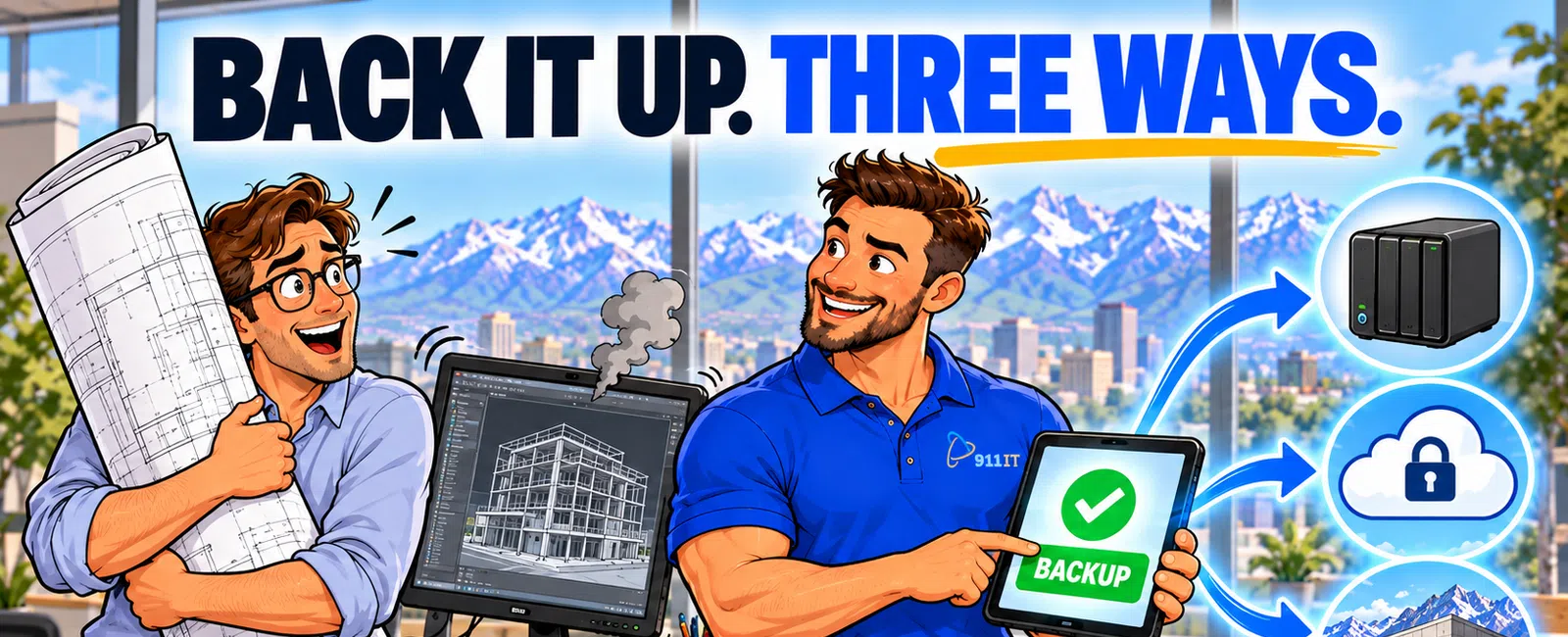
The best way to backup CAD files and project data is the 3-2-1 rule: maintain 3 copies of your data on 2 different media types with 1 copy stored offsite or in the cloud. Automated daily backups with version control protect against file corruption, accidental deletions, and ransomware, while immutable cloud storage ensures recovery within 4 hours of any data loss incident.
Why Do CAD Files Require Specialized Backup Strategies
CAD files are fundamentally different from typical business documents. A single Revit or AutoCAD project can exceed 500 MB, with associated reference files, linked drawings, and texture libraries pushing total project sizes into the multi-gigabyte range. These files change constantly throughout a project lifecycle, creating dozens of versions that teams need to access.
Standard file backup solutions often fail with CAD data because they don't capture file dependencies. When you back up a main drawing file without its xrefs, linked PDFs, or custom fonts, you create an unusable backup. The file opens with missing references and broken links.
Construction projects also involve non-CAD data that's equally critical: project management databases, submittal logs, RFI documentation, change order histories, and bid documents. A comprehensive backup strategy must protect both the design files and the project documentation that gives them context.
Version control becomes critical when multiple team members work on the same drawing set. Without proper backup versioning, you can't roll back to yesterday's file when someone accidentally purges critical layers or saves over the wrong drawing.
CAD backups must account for the reality of construction workflows: field crews accessing files from job site trailers, subcontractors downloading current plans, and project managers reviewing drawings from home offices across Utah, Wyoming, and Arizona.
What Are the Core Components of a Reliable CAD Backup System
The 3-2-1 backup rule provides the foundation. Three copies means your original working file plus two backups. Two different media types might be local network storage plus cloud backup, or external drives plus tape. One offsite copy protects against building fires, floods, or theft that could destroy all local copies simultaneously.
Automated backup scheduling eliminates human error. Manual backups fail because someone forgets, gets busy, or assumes someone else handled it. Automated systems run daily backups during off-hours, typically between 2 AM and 5 AM when CAD workstations sit idle and network bandwidth is available.
Incremental and differential backups reduce storage costs and backup windows. Instead of copying every file every night, incremental backups only capture files that changed since the last backup. A 200 GB project folder might require only 5 GB of daily incremental backup storage.
Immutable backups prevent ransomware from encrypting your recovery copies. When backup files are write-once-read-many, even if malware compromises your network, it cannot modify or delete the backup versions stored in the cloud or on dedicated backup appliances.
Version retention policies determine how many historical copies you keep. Most construction firms maintain daily versions for 30 days, weekly versions for 90 days, and monthly versions for the duration of the project plus 7 years to match typical construction litigation statutes of limitations.
Construction firms lose an average of 29 hours of billable work when CAD files are lost without proper backups.
Jaren from a Salt Lake City construction company shares his experience: "We have loved the peace of mind using 911 IT has given us. They help us with backup services and with virus protection. They are great at answering their phone and solving our problems quickly."
A reliable CAD backup system combines automation, redundancy, and version control to protect against every failure scenario.
How Should You Structure Local Versus Cloud CAD Backups
Local backups provide the fastest recovery times. A network-attached storage device on your office LAN can restore a 2 GB Revit file in under 5 minutes. This speed matters when a designer accidentally deletes critical work and needs immediate recovery to stay on schedule.
Cloud backups deliver offsite protection without the management overhead of rotating external drives to bank vaults. Modern business-class cloud backup solutions designed for CAD workflows can handle large file sizes and maintain the folder structures that CAD software expects.
Hybrid approaches combine both strengths. Your backup system writes to local NAS for fast recovery, then replicates those backups to cloud storage overnight. If your office experiences a fire or flood, you restore from cloud. For routine recoveries like "I need yesterday's version," you pull from the local copy.
Bandwidth considerations matter in Salt Lake City and throughout Utah's mountain regions where upload speeds may be limited. A construction firm generating 50 GB of new CAD data weekly needs at least 10 Mbps dedicated upload bandwidth to maintain nightly cloud backups without impacting daytime operations.
Geographic redundancy protects multi-state operations. If your firm works across Utah, Wyoming, and Arizona, cloud backups replicated to multiple data centers ensure you can recover data even if an entire region experiences internet outages from winter storms or infrastructure failures.
Local backups should use enterprise-grade NAS devices with RAID configurations, not single external hard drives. RAID 6 configurations allow two drives to fail simultaneously without data loss, providing the redundancy that construction project data demands.
The optimal backup architecture balances speed, security, and geographic distribution to match your firm's specific workflow and risk profile.
What Backup Features Matter Most for Construction Project Data
File-level recovery lets you restore individual drawings without recovering entire project folders. When someone needs the version of Sheet A-101 from two weeks ago, you don't want to restore 40 GB of project data to find that one 15 MB file.
Continuous data protection captures changes in near-real-time rather than waiting for nightly backups. For critical projects under tight deadlines, CDP creates recovery points every 15 minutes, limiting maximum data loss to a fraction of an hour rather than a full day's work.
Bare-metal recovery capabilities restore entire CAD workstations, not just files. When a designer's computer fails completely, bare-metal restore rebuilds the entire system - operating system, AutoCAD installation, custom tool palettes, and all project files - to new hardware in hours instead of days.
Application-aware backups understand CAD software requirements. These systems know to close file locks, flush caches, and capture associated databases in consistent states. Generic file backup tools often create corrupted backups of open CAD files that fail during restoration.
Backup verification testing confirms your backups actually work. Automated systems should periodically restore random files to test media and verify file integrity. Discovering backup corruption during an emergency recovery is too late.
Encryption protects intellectual property during transmission and storage. Construction drawings often contain proprietary details, cost estimates, and competitive information. AES-256 encryption ensures backup data remains confidential even if storage media is stolen or cloud accounts are compromised.
Backup systems must integrate with construction-specific software like Procore, Bluebeam, and project management platforms, not just CAD applications. Complete project data protection requires backing up submittal logs, RFI databases, and document control systems alongside the drawings.
Choose backup solutions that understand construction workflows, not generic file copying tools.
How Do You Implement CAD Backup Best Practices in Your Workflow
Start with a data audit identifying all critical file locations. CAD data often sprawls across designer workstations, network shares, project management systems, and cloud collaboration platforms. Map every location where project-critical data lives before designing your backup strategy.
Establish file naming and folder structure standards that backup systems can follow consistently. When every project uses the same folder hierarchy - 01-Architectural, 02-Structural, 03-MEP - automated backups can apply appropriate retention policies and recovery priorities to each category.
- Configure AutoCAD and Revit autosave settings as your first line of defense (10-minute intervals, 5 autosave versions minimum)
- Deploy automated backup software that runs during off-hours without user intervention
- Implement the 3-2-1 rule with local NAS, cloud replication, and proper version retention
- Enable immutable backups to protect against ransomware encryption
- Set up monitoring alerts for backup job failures or capacity warnings
- Test recovery procedures quarterly with realistic file restoration scenarios
- Document your complete backup and recovery process in a written disaster recovery plan
Train staff on backup procedures and recovery request processes. Designers should know how to request file restorations, where to find AutoCAD temp files in emergencies, and who to contact when they need immediate recovery assistance.
Monitor backup job completion daily. Automated systems should send alerts when backups fail, when backup windows exceed expected durations, or when storage capacity approaches limits. Proactive monitoring prevents the scenario where you discover backup failures only when you need to restore.
Document your backup strategy in a written disaster recovery plan. Specify what data is backed up, how often, retention periods, recovery time objectives, and step-by-step restoration procedures. This documentation proves invaluable when key IT staff are unavailable during an emergency.
A comprehensive CAD backup strategy combines technology, processes, and regular testing to ensure your construction project data remains protected and recoverable under any circumstances.
Why Salt Lake City Construction Firms Choose 911 IT for CAD Data Protection
Construction companies in Salt Lake City face unique backup challenges. Remote job sites throughout Utah's mountain regions, seasonal weather that can disrupt connectivity, and distributed teams across multiple states require backup solutions that work reliably regardless of location or conditions.
Large national IT providers often treat construction firms as generic small businesses, applying cookie-cutter backup solutions that don't account for massive CAD file sizes, complex folder dependencies, or the reality of field crews accessing drawings from job site trailers with limited internet.
911 IT specializes in construction IT support with deep understanding of CAD workflows, BIM collaboration requirements, and the project-based data lifecycle that construction firms manage. Their team knows the difference between backing up a Revit central model versus local files, and why xref paths matter for AutoCAD recovery.
With business continuity services designed specifically for project-based businesses, 911 IT implements backup strategies that protect both your CAD files and the surrounding project documentation. Their flat-rate, transparent pricing means you know exactly what comprehensive data protection costs, without surprise bills when you need to restore large project folders.
The 100% Satisfaction Guarantee and 24-7 support ensure that when you need emergency file recovery - whether it's 3 PM on a Friday before a Monday bid deadline or during a weekend when you're catching up on drawings - you reach knowledgeable technicians who understand construction workflows and can execute recoveries quickly.
Matthew's experience demonstrates 911 IT's data recovery capabilities: "My wife and I thought we had lost years of pictures, videos and songs. Our computer pooped out and decided to freeze up the hard drive. Our trusty local PC company could not pull anything from the hard drive. Enter 911 IT! It took them a couple of days to get every bit of info from the hard drive." If they can recover personal data from completely failed hardware, they can certainly protect your construction project files with proper backup systems.
Local Salt Lake City providers like Executech, Wasatch I.T., Nexus IT Consultants, INTELITECHS, ProLink IT, and Qual IT offer various IT services, but 911 IT's specific focus on construction workflows, proven data recovery track record, and multi-state coverage across Utah, Wyoming, and Arizona make them the natural fit for construction firms managing CAD data across the region.
For construction companies serious about protecting their project data, 911 IT delivers the specialized expertise, reliable technology, and responsive support that keeps your CAD files safe and recoverable under any circumstances.
Frequently Asked Questions
Where are CAD backup files saved by default
AutoCAD automatic backup files are saved in the same folder as your drawing file with a .bak extension. Autosave files are stored in the Windows temp folder, typically C:\Users\[username]\AppData\Local\Temp. You can change these locations in AutoCAD Options under the Files tab. Revit backup files are saved in a backup subfolder within your project directory by default.
Can I recover unsaved AutoCAD drawings after a crash
Yes, AutoCAD maintains autosave files that can be recovered after crashes. Navigate to the autosave file location in Options, find files with .sv$ extensions, rename them to .dwg, and open them in AutoCAD. The Drawing Recovery Manager also appears automatically after crashes, displaying available autosave and backup files. Recovery success depends on your autosave interval settings - shorter intervals mean less data loss.
How often should construction firms backup CAD files
Active construction projects require daily automated backups at minimum, with continuous data protection recommended for critical deadline-driven projects. Implement hourly incremental backups during business hours and full backups nightly. Maintain daily backup versions for 30 days, weekly versions for 90 days, and monthly archives for the project duration plus 7 years to meet construction industry record retention requirements and litigation timelines.
What is the 3-2-1 backup rule for CAD data
The 3-2-1 rule means maintaining three copies of your CAD data, stored on two different media types, with one copy kept offsite. For example: your original working files on workstation drives, one backup copy on local network storage, and one copy in cloud backup. This strategy protects against hardware failure, accidental deletion, ransomware, and physical disasters like fire or flood affecting your office.
How much does professional CAD backup cost for construction firms
Professional backup and disaster recovery services typically cost between $10 and $30 per user per month for industry-standard solutions. Construction firms with large CAD file volumes may need enhanced storage capacity and bandwidth, potentially increasing costs. Comprehensive managed IT services that include backup, monitoring, and recovery support typically range from $100 to $250 per user monthly, providing complete data protection alongside other IT management services.
Can ransomware encrypt my CAD backup files
Standard network backups are vulnerable to ransomware encryption if the malware gains access to backup storage locations. Immutable backups prevent this by making backup files write-once-read-many, meaning even compromised credentials cannot modify or delete existing backup versions. Air-gapped backups physically disconnected from your network and cloud backups with proper access controls provide additional ransomware protection for critical CAD data and project files.
How does automated file backup for construction protect CAD data?
Automated backup scheduling eliminates human error by running daily backups during off-hours, typically between 2 AM and 5 AM when CAD workstations sit idle. These systems capture changed files automatically without relying on someone to remember, preventing the 29 hours of billable work construction firms lose on average when CAD files are lost without proper backups.


