
A Ransomware Protection Guide for Engineering Firms
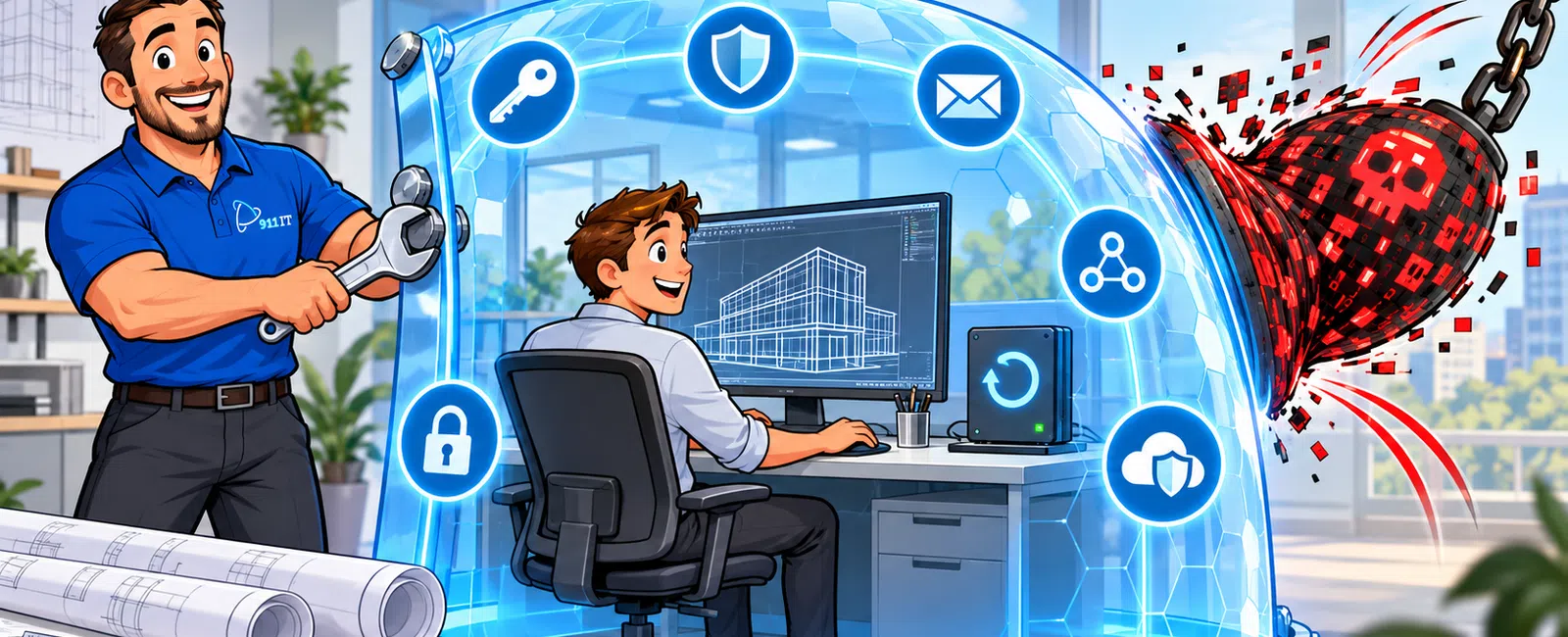
Engineering firms can reduce ransomware risk by combining eight layers of protection: secure identities, managed endpoints, protected email, restricted access, segmented networks, monitored cloud services, recoverable backups, and a tested incident-response plan.
No single security product can protect an engineering firm by itself. Multi-factor authentication will not stop every malicious attachment. Endpoint security cannot recover an encrypted file server. Backups are not enough if attackers can delete them before launching ransomware. The strongest defense uses overlapping controls so that one failure does not become a company-wide outage.
For an engineering firm with 25 to 50 employees, the goal should be to prevent an initial compromise, limit how far an attacker can move, detect suspicious activity quickly, and restore critical CAD and BIM data without depending on a ransom payment.
This guide explains how to protect AutoCAD drawings, Civil 3D files, Revit models, project documentation, cloud accounts, and other engineering intellectual property from ransomware.
Why Are Engineering Firms Attractive Ransomware Targets?
Engineering firms possess data that is valuable to both the business and its clients. That data may include:
- AutoCAD drawings and Civil 3D project files
- Revit models and linked project data
- Infrastructure plans and survey information
- Specifications, calculations, and reports
- Project schedules and cost estimates
- Client contracts and correspondence
- Government or municipal project information
- Employee and financial records
- Credentials for Microsoft 365 and cloud platforms
- Proprietary templates, standards, and design processes
An attacker does not need to understand an engineering drawing to exploit its value. The attacker only needs to know that losing access to project data can stop billable work, delay deadlines, create contractual problems, and put client relationships at risk.
Modern ransomware incidents may also involve data theft. Attackers can copy sensitive information before encrypting systems and then threaten to publish it. That means a successful backup may restore operations but will not erase the consequences of stolen data.
The Eight-Layer Engineering Ransomware Defense Framework
- Protect user identities
- Secure every workstation and server
- Block phishing and malicious email
- Restrict access to project data
- Segment and monitor the network
- Secure Microsoft 365 and cloud platforms
- Maintain isolated, tested backups
- Prepare and test an incident-response plan
Each layer addresses a different part of the attack. Together, they reduce the likelihood that one stolen password, unpatched workstation, or malicious attachment will disrupt the entire firm.
911 IT provides cybersecurity services designed to help businesses prevent ransomware, protect sensitive data, monitor threats, and respond quickly when suspicious activity appears.
1. Protect User Identities
Many attacks begin with a compromised account rather than a direct attack against a server. An employee may enter a password into a fraudulent Microsoft 365 page, approve an unexpected authentication request, or reuse credentials that were exposed elsewhere.
Require Multi-Factor Authentication
Multi-factor authentication should be required for:
- Microsoft 365
- Remote access and VPN connections
- Cloud storage
- Autodesk and other engineering platforms
- Administrative accounts
- Accounting and payroll systems
- Password-management tools
- Backup portals
Where possible, use stronger verification methods instead of relying exclusively on text messages. Authentication applications, hardware security keys, passkeys, and device-based controls can provide stronger protection against account takeover.
Use Separate Administrative Accounts
Employees and technicians should not perform routine email, browsing, and document work while signed in with administrative privileges. Separate administrative accounts limit the damage that malware or a stolen user session can cause.
Administrative accounts should:
- Have unique credentials
- Use multi-factor authentication
- Be assigned only to authorized personnel
- Be monitored for unusual activity
- Not be used for ordinary email or web browsing
- Be reviewed regularly
Apply Conditional Access
Conditional-access policies can evaluate factors such as the user's location, device status, authentication method, risk level, and requested application before granting access.
Examples include:
- Blocking sign-ins from unexpected countries
- Requiring multi-factor authentication for sensitive applications
- Preventing access from unmanaged devices
- Restricting outdated authentication protocols
- Requiring compliant devices for project data
Disable Accounts Immediately During Offboarding
A documented offboarding process should disable access promptly when an employee, contractor, or vendor no longer requires it. The process should cover email, cloud systems, VPN accounts, Autodesk platforms, shared project systems, password managers, and physical access.
2. Secure Every Engineering Workstation and Server
CAD and BIM workstations are high-value targets because they often have access to project files, cloud platforms, email, and shared network resources.
Use Managed Endpoint Detection and Response
Traditional antivirus primarily looks for known malicious files. Endpoint detection and response, often called EDR, continuously evaluates activity on workstations and servers for suspicious behavior.
EDR can help identify activity such as:
- Mass file encryption
- Credential theft
- Unexpected scripting activity
- Attempts to disable security tools
- Suspicious communication with external systems
- Movement between devices
- Abnormal use of administrative tools
The technology is most valuable when alerts are actively monitored and investigated. Installing an agent without a defined response process can create a false sense of security.
Patch Operating Systems and Applications
Attackers frequently exploit outdated operating systems, browsers, remote-access tools, firewalls, plug-ins, and common business applications.
A patch-management program should include:
- Windows and other operating systems
- Microsoft 365 applications
- Web browsers
- PDF tools
- Remote-access software
- Engineering applications and supported plug-ins
- Firewalls and network equipment
- Server applications
- Backup software
Engineering firms should test major application updates before broad deployment when a change could affect CAD, BIM, plotting, rendering, licensing, or other production workflows.
Remove Unsupported Systems
Unsupported operating systems and applications no longer receive the security updates required to address newly discovered vulnerabilities. They should be upgraded, replaced, isolated, or removed.
An unsupported computer should not remain connected to critical project data simply because it still turns on.
Encrypt Portable Devices
Full-disk encryption protects data when a laptop or workstation is lost or stolen. Encryption is especially important for field laptops, mobile workstations, and devices that may contain local copies of project information.
3. Block Phishing and Malicious Email
Email remains one of the most common entry points for ransomware and credential theft. Engineering employees regularly exchange project files, invoices, bid documents, shared links, and vendor communications, which gives attackers many believable scenarios to imitate.
Common Engineering Phishing Scenarios
- A fake shared drawing or document notification
- A fraudulent Microsoft 365 password-expiration message
- A fake Autodesk or Bluebeam login page
- An invoice with a malicious attachment
- A request to review project documents through an unfamiliar link
- A message pretending to come from a client, contractor, or executive
- A fraudulent file-transfer notification
- A request to change payment information
Use Layered Email Protection
Email security should include:
- Spam and malware filtering
- Malicious-link analysis
- Attachment scanning
- Impersonation protection
- External-sender warnings
- Domain-authentication controls
- Quarantine and review procedures
- Monitoring for unusual forwarding rules
Train Employees with Realistic Examples
Annual training alone is not enough. Employees should receive short, recurring instruction and simulated phishing exercises that reflect the messages they actually encounter.
Training should teach employees to:
- Pause before opening unexpected files
- Verify unusual requests through another communication channel
- Inspect the actual destination of a link
- Recognize fake login pages
- Report suspicious messages quickly
- Avoid approving unexpected authentication prompts
- Confirm changes to payment or banking information
Employees should know exactly how to report a suspicious email. A fast report can allow the IT team to remove a message from other inboxes before more employees interact with it.
4. Restrict Access to CAD, BIM, and Project Data
Every employee should not automatically have access to every project. Limiting access reduces accidental exposure and restricts how much data a compromised account can reach.
Apply Least-Privilege Access
Least privilege means giving each user only the access needed to perform current responsibilities.
Project permissions may be based on:
- Project team
- Department
- Office location
- Employment status
- Client restrictions
- Contract requirements
- Administrative responsibility
Permissions should be reviewed when employees change roles, projects end, contractors complete their work, or client requirements change.
Avoid Shared User Accounts
Shared accounts make it difficult to determine who accessed, changed, copied, or deleted information. Each employee should use an individual account so activity can be traced and access can be removed without disrupting others.
Protect Project Templates and Standards
Engineering firms should separately identify and protect high-value internal assets such as:
- CAD templates
- Revit families
- Project standards
- Design libraries
- Automation scripts
- Custom configurations
- Calculation tools
- Quality-control documents
These files may not belong to one client project, but losing them can affect the firm's ability to produce work efficiently across many projects.
Control External Sharing
Cloud links and external file-sharing tools should be configured deliberately. Consider:
- Expiration dates for shared links
- Named-recipient access instead of anonymous links
- Restrictions on downloading
- Multi-factor authentication for external users where appropriate
- Periodic review of active shares
- Approved platforms for transmitting sensitive information
5. Segment and Monitor the Network
A flat network allows a compromised device to communicate broadly with other systems. Network segmentation creates boundaries that can slow or stop an attacker attempting to move from one device to another.
Separate Important Device Categories
Depending on the firm's environment, separate network segments may be used for:
- Employee workstations
- Servers and project storage
- Guest Wi-Fi
- Printers and plotters
- Building or internet-connected devices
- Backup systems
- Administrative management
- Testing or development systems
Segmentation should be enforced with firewall rules and documented access requirements rather than relying only on different network names.
Secure Remote Access
Remote access should require:
- Multi-factor authentication
- Supported and patched devices
- Encrypted connections
- Individual user accounts
- Logging and monitoring
- Restricted administrative access
- A defined process for vendors and contractors
Remote desktop services should not be exposed directly to the public internet. Remote access should pass through a secure, monitored platform.
Monitor Firewalls and Network Activity
Business-grade firewalls and monitoring tools can help detect unusual connections, scanning, command-and-control traffic, repeated login attempts, and other suspicious behavior.
Alerts should be reviewed by someone with the authority and experience to investigate and respond.
6. Secure Microsoft 365 and Engineering Cloud Platforms
Moving email and files to the cloud does not transfer every security responsibility to the platform provider. The firm is still responsible for account security, permissions, sharing, retention, configuration, and recovery planning.
Microsoft 365 Security Checklist
- Require multi-factor authentication
- Disable outdated authentication methods
- Protect administrative roles
- Review mailbox forwarding rules
- Configure anti-phishing policies
- Restrict external sharing
- Monitor suspicious sign-ins
- Review inactive users and applications
- Protect mobile and unmanaged-device access
- Maintain recoverable copies of critical cloud data
Review Third-Party Integrations
Cloud applications may request permission to read email, access files, maintain long-term sessions, or act on behalf of a user. Malicious or unnecessary applications can become another route into the environment.
Review third-party application permissions regularly and remove integrations that are no longer needed.
Protect Autodesk and Other Engineering Platforms
Cloud-based engineering platforms should use:
- Individual accounts
- Multi-factor authentication when available
- Role-based permissions
- Controlled external access
- Documented project ownership
- Defined offboarding procedures
- Activity logs where available
911 IT's cloud services help firms manage Microsoft 365, cloud access, collaboration tools, security configurations, and remote-work environments.
7. Maintain Isolated and Tested Backups
Backups are the foundation of ransomware recovery, but only when attackers cannot easily encrypt or delete every copy.
What Engineering Firms Should Back Up
- CAD drawings and project folders
- Revit models and related project data
- File servers and network storage
- Microsoft 365 data
- Cloud-platform data not otherwise recoverable
- Templates, standards, and libraries
- Server configurations
- Critical workstation configurations where appropriate
- Accounting and business-management systems
- Firewall and network-device configurations
Follow a 3-2-1 Backup Strategy
A practical starting framework is:
- Maintain at least three copies of important data
- Store them using at least two different systems or media types
- Keep at least one copy isolated or offsite
For ransomware protection, at least one copy should be immutable, offline, logically isolated, or otherwise protected from compromised administrative credentials.
Define Recovery Point and Recovery Time Objectives
Leadership should determine two important targets:
- Recovery point objective: How much recent work could the firm afford to recreate?
- Recovery time objective: How long could a critical system remain unavailable?
A firm that can afford to lose no more than one hour of project changes requires a different backup design from one that can recreate an entire day's work.
Test Restores, Not Just Backup Jobs
A successful backup notification does not prove that the data can be restored. Test recovery on a documented schedule.
Testing should include:
- Individual files
- Complete project folders
- Microsoft 365 data
- Servers or virtual machines
- Application data
- Recovery from an isolated backup copy
Document the date, data restored, time required, result, and corrective actions.
Learn more about business continuity and disaster recovery services from 911 IT.
8. Prepare and Test an Incident-Response Plan
The first hour of a ransomware incident is not the time to decide who has authority to disconnect systems, contact clients, notify insurance, or approve recovery actions.
The Six-Stage Ransomware Response Process
- Identify: Confirm suspicious activity and determine which users, devices, accounts, and systems may be affected.
- Contain: Isolate compromised devices, disable affected accounts, block malicious connections, and prevent further spread.
- Investigate: Determine how the attacker entered, what activity occurred, whether data was accessed, and which persistence mechanisms remain.
- Eradicate: Remove malicious software, close vulnerabilities, reset credentials, and rebuild systems when necessary.
- Recover: Restore clean data and systems in a controlled order while monitoring for renewed activity.
- Improve: Document lessons, update controls, revise the response plan, and communicate required changes.
Assign Responsibilities Before an Incident
The response plan should identify:
- Executive decision-maker
- Internal incident coordinator
- Managed IT or security provider
- Cyber-insurance contact
- Legal counsel
- Insurance-approved forensic provider
- Public-relations or client-communication contact
- Law-enforcement contact where appropriate
- Critical vendors and software providers
Keep an Offline Copy of the Plan
The response plan, phone numbers, insurance information, vendor contacts, and recovery priorities should be available even when the network, email, or document platform is unavailable.
Run Tabletop Exercises
A tabletop exercise walks leadership and technical personnel through a simulated incident. It can reveal unclear authority, missing contacts, unavailable documentation, and unrealistic recovery assumptions before a real emergency.
What Should an Employee Do When Ransomware Is Suspected?
Employees should receive simple instructions they can follow under pressure.
- Stop using the affected device.
- Disconnect it from wired and wireless networks if instructed by company policy.
- Do not continue clicking messages or attempting random fixes.
- Contact the designated IT or security team immediately.
- Describe what happened, what was clicked, and what appeared on the screen.
- Do not delete suspicious messages or files unless instructed.
- Use a different, known-safe device for urgent communication.
Employees should not feel punished for reporting a mistake. Fast, honest reporting can dramatically reduce the impact of an incident.
How to Protect AutoCAD and Civil 3D Files
AutoCAD and Civil 3D environments often depend on shared folders, external references, templates, survey data, imagery, and related project assets. Protecting only the primary drawing file may not be enough.
A protection plan should address:
- Drawing files and external references
- Sheet sets
- Survey databases
- Data shortcuts
- Templates and standards
- Plot styles
- Custom scripts and configurations
- Point clouds and imagery
- Project correspondence and PDFs
Use controlled project permissions, versioning where appropriate, monitored storage, and recoverable backups. Test restoration of complete projects so dependencies are not overlooked.
How to Protect Revit Models
Revit projects may involve central models, linked models, cloud collaboration, families, templates, add-ins, and shared project resources.
Protection should include:
- Role-based access to projects
- Multi-factor authentication for cloud platforms
- Controlled external collaboration
- Version history and retention
- Backup of templates and custom families
- Protection of linked project data
- Documented recovery procedures
- Testing with representative project models
The recovery process should be tested with the same collaboration method employees use in production. Restoring a file does not automatically prove that the project team can resume coordinated work.
How Much Could Ransomware Downtime Cost an Engineering Firm?
The direct cost of downtime can be estimated using this formula:
Number of affected employees × hours unavailable × average fully burdened hourly cost
For example, if 30 employees are unable to work for one business day and the average fully burdened cost is $75 per hour:
30 employees × 8 hours × $75 = $18,000 in direct lost time.
That estimate does not include:
- Incident-response and forensic costs
- Data-restoration expenses
- Overtime
- Missed project deadlines
- Contractual consequences
- Client notifications
- Legal expenses
- Reputational damage
- Higher insurance costs
- Lost future work
The cost can continue even after systems are restored if employees must validate files, recreate recent changes, contact clients, or rebuild confidence in the environment.
Engineering Ransomware Readiness Checklist
- Multi-factor authentication is required for email, remote access, cloud platforms, and administrators.
- Every workstation and server has monitored endpoint detection and response.
- Operating systems, applications, firewalls, and remote-access tools are patched.
- Unsupported systems have been removed, upgraded, or isolated.
- Administrative accounts are separate from standard user accounts.
- Employees receive recurring phishing and security training.
- Suspicious emails can be reported through a defined process.
- Project permissions follow least-privilege principles.
- Shared accounts have been eliminated wherever possible.
- Guest devices and critical systems are separated on the network.
- Remote access requires multi-factor authentication and encryption.
- Microsoft 365 security settings are reviewed regularly.
- External file-sharing links are controlled and reviewed.
- Critical CAD, BIM, cloud, and business data is backed up.
- At least one backup copy is isolated or immutable.
- File and system restores are tested on a documented schedule.
- Recovery priorities and acceptable downtime are defined.
- An incident-response plan identifies decision-makers and outside contacts.
- An offline copy of the response plan is available.
- The firm conducts periodic incident-response exercises.
Any item marked “no” or “not sure” represents a useful starting point for reducing risk.
Common Ransomware Protection Mistakes
Assuming Antivirus Is a Complete Security Program
Antivirus is one layer. It does not replace secure identities, email filtering, access controls, monitoring, backups, and incident planning.
Treating File Synchronization as Backup
Synchronization can copy encrypted, corrupted, or deleted files to other connected locations. A backup must provide an independent, recoverable version of the data.
Allowing Every User to Be a Local Administrator
Excessive privileges can give malware more control over a workstation and connected systems.
Keeping All Backups Connected to the Same Network
If attackers can reach every backup using the same credentials or network path, they may encrypt or delete those copies before launching the visible attack.
Ignoring Cloud Account Security
Cloud platforms reduce some infrastructure responsibilities, but compromised accounts, poor sharing controls, malicious integrations, and inadequate retention can still cause serious losses.
Waiting for an Incident to Create a Response Plan
Unclear decision-making increases downtime. The plan, contacts, insurance process, communication responsibilities, and recovery priorities should be defined in advance.
What Engineering Clients Say About 911 IT
“911 IT's services allow us to focus on our core business by effectively and safely managing security for our cloud-based services, such as Microsoft Office 365, Atlassian, GitLab, NextCloud, and more, including virus and cybersecurity protection on our computer systems. They thoroughly research options and work with us to implement the right solutions.”
— Scott, Engineering
“911 IT was professional, responsive, and easy to work with from start to finish. I'd highly recommend them to anyone looking for reliable and knowledgeable IT support.”
— Jorge, Engineering
“By doing a security audit, I was able to find the security issues and fix them. I sleep better knowing my systems and data are safe.”
— Sam, Business Owner
More customer experiences are available on the 911 IT client testimonials page.
Cybersecurity Requirements for Government Contractors
Engineering firms that work directly or indirectly with the Department of Defense may have additional obligations involving controlled information, access management, documentation, incident reporting, and security controls.
These firms may need to evaluate requirements related to:
- CMMC
- NIST security controls
- DFARS clauses
- Controlled Unclassified Information
- Supplier and subcontractor requirements
- System-security plans
- Policies and evidence
Compliance should not be treated as a one-time documentation project. Controls must be implemented, maintained, reviewed, and supported by evidence.
Learn more about CMMC compliance services for organizations involved in government and defense work.
Frequently Asked Questions
Can ransomware encrypt AutoCAD and Revit files?
Yes. Ransomware can encrypt project files stored on workstations, servers, network storage, synchronized folders, and other accessible locations. It may also delete backups or steal data before encryption.
Does Microsoft 365 protect engineering firms from ransomware?
Microsoft 365 includes valuable security capabilities, but they must be configured and managed correctly. The firm still needs multi-factor authentication, secure permissions, email protection, endpoint security, monitoring, backup planning, and employee training.
Are cloud CAD files automatically backed up?
Cloud platforms may provide version history, replication, retention, or recovery features, but those capabilities vary. Confirm exactly what is protected, how long versions are retained, who can delete them, and how a complete project would be restored.
Should an engineering firm pay a ransom?
That decision involves legal, operational, insurance, and law-enforcement considerations. Payment does not guarantee successful recovery or prevent stolen information from being released. Firms should contact legal counsel, their cyber-insurance carrier, incident-response specialists, and appropriate authorities before making decisions.
How often should engineering backups be tested?
Critical files and systems should be tested on a documented schedule based on business risk and recovery requirements. High-priority systems may require more frequent testing than archives. At minimum, the firm should not wait for an incident to perform its first restore.
How often should employees receive phishing training?
Short, recurring training is generally more useful than a single annual session. The program should include realistic simulations, clear reporting procedures, and follow-up education based on observed risks.
Does cyber insurance replace cybersecurity?
No. Insurance may help with certain eligible costs, but policies contain requirements, limits, exclusions, and notification procedures. Insurers increasingly expect documented controls such as multi-factor authentication, endpoint monitoring, backups, employee training, and incident-response planning.
What is the difference between backup and disaster recovery?
Backup creates recoverable copies of data. Disaster recovery defines how systems, applications, identities, networks, and operations will be restored in the correct order after a serious disruption.
How can a 25–50 employee engineering firm start improving security?
Begin with a risk assessment covering identities, endpoints, email, remote access, project permissions, Microsoft 365, backups, unsupported systems, and incident readiness. Address the highest-risk gaps first and create a phased security roadmap with owners, budgets, and target dates.
Build a Ransomware Protection Plan for Your Engineering Firm
Effective ransomware protection is not based on fear or one security product. It is a practical system of prevention, limitation, detection, recovery, and preparation.
911 IT has served businesses in the Salt Lake City area since 2004 and provides engineering firms with 24/7 technical support, cybersecurity monitoring, cloud management, backup and recovery, compliance assistance, and strategic technology planning.
Explore IT support for engineering firms or schedule a discovery call with 911 IT to evaluate your current ransomware readiness and create a prioritized security plan.


