
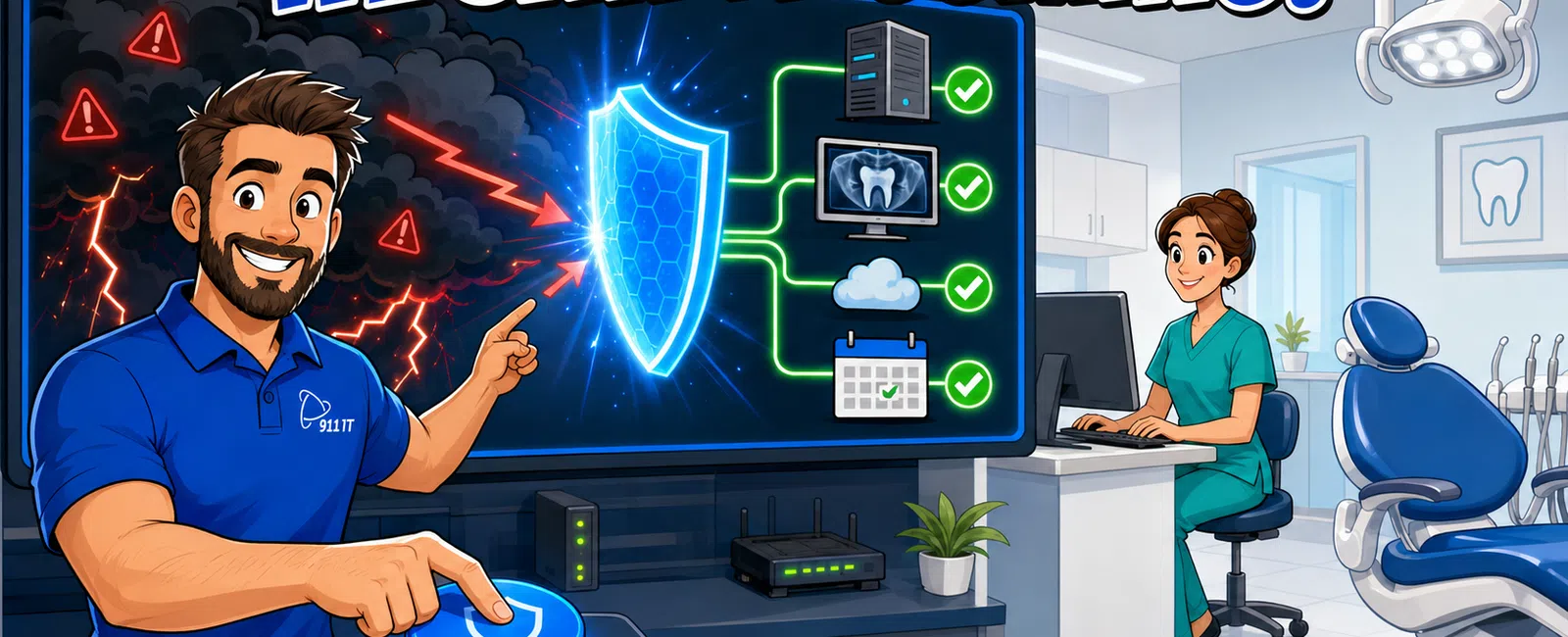
911 IT monitors dental practice networks 24-7 using automated monitoring tools that track over 100 system health indicators including server performance, network bandwidth, backup completion, and practice management software connectivity. Our monitoring system generates real-time alerts when thresholds are exceeded, allowing our technicians to resolve issues - often before your team notices a problem - preventing disruptions to patient scheduling, digital radiography, and chair-side technology during clinical hours.
What Network Components Do You Monitor in a Dental Practice?
Comprehensive network monitoring for dental practices covers every technology layer that supports patient care. We track servers running your practice management system, workstations at the front desk and in operatories, network switches and routers, wireless access points for mobile devices, backup systems protecting patient records, and internet connectivity that enables insurance verification and patient portal access.
Digital imaging systems receive special attention because radiography failures halt clinical workflow immediately. We monitor PACS servers, digital sensor connectivity, and the network bandwidth required to transmit high-resolution images from operatories to review stations. CAD-CAM systems for same-day crowns are tracked separately due to their specialized hardware and software requirements.
Security appliances protecting PHI represent another critical monitoring category. Firewalls, encryption systems, and intrusion detection devices are continuously assessed to ensure HIPAA compliance requirements remain intact. A security device failure could expose patient data to unauthorized access, creating both clinical disruption and regulatory risk.
Voice over IP phone systems that handle appointment confirmations and patient calls are monitored for call quality, connection stability, and failover readiness. When a phone system degrades, patients experience busy signals or dropped calls, directly impacting practice revenue and patient satisfaction.
Monitoring extends to environmental factors affecting equipment reliability. Temperature sensors in server rooms alert us when cooling systems fail, preventing heat-related hardware damage. Power monitoring detects electrical anomalies that could damage sensitive dental equipment or corrupt data during unexpected shutdowns.
Every monitored component feeds data into a centralized dashboard that our technicians review continuously, creating a complete picture of your practice's technology health.
How Do Automated Alerts Prevent Downtime During Patient Hours?
Automated monitoring systems detect problems in their earliest stages, often hours or days before they would cause visible failures. A server showing gradually increasing memory usage might run fine today but crash next Tuesday morning when your schedule is fully booked. Our monitoring identifies the trend and triggers an alert, allowing us to add memory or optimize processes during evening hours when no patients are present.
Backup monitoring provides a clear example of proactive problem prevention. Every night, your practice management system backs up the day's patient records, treatment notes, and billing data. Our monitoring system verifies that each backup completes successfully, checks file integrity, and confirms sufficient storage space remains available. If a backup fails at 2:00 AM, we receive an immediate alert and investigate the cause - a failing hard drive, network connectivity issue, or corrupted database - before you arrive the next morning.
Network performance monitoring tracks bandwidth utilization patterns throughout the day. When we notice bandwidth consumption climbing toward capacity during peak appointment hours, we can upgrade internet connections or optimize traffic prioritization before patients experience slow insurance verification or delayed image transfers. Waiting until the network actually slows means patients are already affected.
Disk space monitoring prevents the catastrophic scenario where your practice management system stops accepting new appointments or patient records because the server has run out of storage. We track storage consumption trends and project when you'll reach capacity, scheduling storage expansion weeks in advance rather than discovering the problem when a front desk staff member can't check in a patient.
Security threat detection operates in real time, identifying unusual login attempts, malware signatures, or suspicious network traffic patterns that could indicate a ransomware attack in progress. Immediate alerts allow us to isolate infected systems before encryption spreads to your entire patient database, potentially saving your practice from days of downtime and six-figure recovery costs.
Automated alerts eliminate the delay inherent in reactive support models where problems are only addressed after staff members notice something wrong and submit a help desk ticket.
What Happens When Your Monitoring System Detects an Issue?
When monitoring systems detect a threshold violation or system anomaly, alerts are immediately routed to our 24-7 helpdesk where technicians assess severity and begin remediation. Critical alerts - those affecting patient care systems like practice management software or digital radiography - trigger immediate response regardless of time of day. Non-critical alerts are queued for resolution during the next business day or scheduled maintenance window.
Our ticketing system automatically creates a record of every alert, tracking the issue from detection through resolution. This documentation provides accountability and helps identify recurring problems that require permanent fixes rather than repeated temporary patches. If the same server generates memory alerts every few weeks, we investigate the root cause rather than simply restarting it each time.
Many issues are resolved remotely without any disruption to your practice operations. A technician can restart a stalled service, clear temporary files consuming disk space, update a problematic driver, or adjust configuration settings while your team continues seeing patients. Remote resolution typically takes minutes rather than the hours required for an on-site visit.
Complex problems requiring deeper investigation are escalated to senior technicians with specialized expertise. If monitoring detects database corruption in your practice management system, a database specialist reviews transaction logs, identifies the corruption source, and repairs affected records using backup data. This specialized response happens faster than the trial-and-error approach common with generalist support providers.
When remote resolution isn't possible, our South Jordan location enables rapid on-site response for Salt Lake City dental practices. A technician can be at your practice within an hour for emergencies affecting patient care, bringing replacement hardware if monitoring data suggests equipment failure. This local presence matters when a failed network switch or server requires physical replacement to restore operations.
After resolving each issue, technicians document the root cause, solution applied, and any recommended preventive measures. This knowledge base helps us identify patterns across multiple practices and proactively address similar issues before they affect other clients.
Proactive monitoring combined with rapid response creates a support model where most problems are resolved before they impact patient care.
How Does Proactive Monitoring Compare to Break-Fix IT Support?
Traditional break-fix IT support operates reactively: your practice management system crashes during morning appointments, your front desk calls for help, a technician is dispatched, and you lose hours of productivity while patients wait or reschedule. The financial impact includes lost production, frustrated patients, and emergency service fees. Your team experiences stress and your practice's reputation suffers when technology failures disrupt patient care.
Proactive monitoring inverts this model by identifying and resolving issues before they cause visible problems. The same server crash that would halt operations under break-fix support is prevented when monitoring detects the failing hard drive days earlier, allowing replacement during evening hours when the practice is closed. Your team arrives the next morning to fully functional systems, unaware that a potential disaster was averted overnight.
Cost structures differ dramatically between the two approaches. Break-fix support charges hourly rates - often $150-$300 per hour industry-wide - with emergency premiums for after-hours calls. A single server failure requiring four hours of emergency recovery could cost $1,200 plus lost production. Proactive monitoring through managed IT services operates on predictable flat-rate pricing, eliminating surprise invoices and aligning the provider's incentives with your practice's uptime goals.
Response time expectations also differ. Break-fix providers respond when you call, potentially hours or days later depending on their workload and your priority in their queue. Proactive monitoring providers respond when their systems detect problems, often before business hours begin. This difference matters enormously when the problem would otherwise halt patient care during your busiest hours.
Knowledge continuity represents another advantage of proactive monitoring. Break-fix technicians learn your environment during each crisis, rediscovering your network layout, software versions, and configuration quirks every time they visit. Monitoring-based providers maintain continuous familiarity with your systems, reducing diagnostic time and preventing the repeated questions that frustrate practice staff.
Ying from a healthcare practice noted: "They don't just fix problems; they prevent them, which gives us real confidence in our IT operations."
Proactive monitoring transforms IT support from a necessary expense during crises into a strategic investment that protects practice productivity and patient satisfaction.
What Monitoring Tools and Technologies Do You Use?
Professional network monitoring relies on enterprise-grade remote monitoring and management (RMM) platforms that provide comprehensive visibility into every device and service in your practice. These platforms install lightweight agents on servers and workstations, continuously collecting performance metrics and transmitting them to centralized monitoring dashboards. Agents consume minimal system resources while providing detailed insights into CPU usage, memory consumption, disk performance, and application behavior.
Network infrastructure monitoring uses SNMP (Simple Network Management Protocol) to track switches, routers, firewalls, and wireless access points without requiring software installation. These devices report their status, traffic volumes, error rates, and connected device counts, allowing us to identify network bottlenecks or failing hardware before they cause connectivity problems.
Synthetic transaction monitoring tests critical workflows automatically throughout the day. For example, we can configure monitoring to log into your practice management system every 15 minutes, verify database connectivity, and measure response times. If login fails or performance degrades, we receive alerts even if no staff members are currently using the system. This approach catches problems during lunch breaks or before your team arrives in the morning.
Log aggregation and analysis tools collect event logs from servers, firewalls, and applications, searching for error patterns, security anomalies, or performance warnings buried in thousands of daily log entries. Automated analysis identifies issues that would be impossible to spot through manual log review, such as gradually increasing authentication failures that might indicate a brute-force attack attempt.
Backup monitoring integrates directly with your backup solution, verifying that scheduled backups complete successfully, checking for corrupted files, and testing restore capabilities periodically. Many practices discover their backups haven't worked in months only when they need to restore data after a disaster. Continuous backup monitoring eliminates this risk.
Security monitoring tools track antivirus status, patch compliance, firewall rules, and intrusion detection alerts across all devices. These tools ensure your cybersecurity defenses remain active and current, a critical requirement for HIPAA compliance in dental practices handling protected health information.
Cloud service monitoring tracks the availability and performance of external services your practice depends on, such as cloud-based practice management systems, patient communication platforms, or online backup repositories. When a cloud provider experiences an outage, we're alerted immediately and can communicate the situation to your team rather than having them waste time troubleshooting local systems.
These monitoring technologies work together to create a complete picture of your practice's IT health, enabling proactive maintenance and rapid problem resolution.
How Do You Choose the Right Monitoring Provider for Your Dental Practice?
Selecting a monitoring provider requires evaluating several factors beyond basic technical capabilities. Local presence matters significantly for dental practices where technology failures directly impact patient care. A provider with technicians in your area can respond on-site within an hour when remote resolution isn't sufficient, while remote-only providers leave you waiting for overnight parts shipments or next-day service appointments.
Healthcare-specific expertise ensures your monitoring provider understands the unique requirements of dental practice technology. They should be familiar with common practice management systems like Dentrix, Eaglesoft, and Open Dental, understand digital radiography network requirements, and know how to configure monitoring for HIPAA-compliant environments. General IT providers often lack this specialized knowledge, leading to inadequate monitoring of critical dental systems.
Service level commitments define response expectations when monitoring detects problems. Look for providers offering 24-7 monitoring with documented response times for critical alerts. Some providers monitor only during business hours or queue alerts for next-day response, defeating the purpose of proactive monitoring. Ask specifically about after-hours response capabilities and escalation procedures for emergencies.
Transparent pricing models prevent surprise bills and align incentives properly. Flat-rate managed services pricing means the provider benefits from preventing problems rather than billing hourly to fix them. Be cautious of providers offering artificially low monitoring fees but charging premium rates for remediation work - their incentive is to detect problems, not prevent them.
Client references from other dental practices provide valuable insights into real-world performance. Ask potential providers for references from practices similar to yours in size and technology complexity. Inquire specifically about response times, problem prevention effectiveness, and how the provider handles emergencies during patient care hours.
Several Salt Lake City area providers serve dental practices:
- Executech - Enterprise-focused provider with broad service offerings
- Wasatch I.T. - Local MSP serving Utah businesses
- Nexus IT Consultants - Technology consulting and support services
- INTELITECHS - Managed IT services provider
- ProLink IT - Business technology solutions
- Qual IT - IT support and consulting
- 911 IT - Healthcare-focused MSP with specialized dental practice expertise
When evaluating options, consider that large national MSPs often treat smaller practices as low-priority accounts in ticket queues, while one-person operations lack the 24-7 coverage and specialized expertise dental practices require.
911 IT occupies the optimal middle ground: large enough to provide enterprise-grade monitoring tools, 24-7 helpdesk coverage, and specialized dental IT expertise, yet small enough that every practice is known by name and receives personalized attention. Our Salt Lake City location enables rapid on-site response when needed, while our proactive monitoring approach prevents most emergencies from occurring in the first place.
Ryan from a construction firm observed: "They're incredibly skilled at diagnosing problems and narrowing down solutions quickly, which saves us time and stress. They even went the extra mile to confirm everything was functioning properly to prevent future issues."
Kari from a financial firm noted: "It's reassuring to have a team that knows our setup and can jump in to solve any IT issue - whether it's small, big, or catastrophic - without us needing to explain everything from scratch."
The right monitoring provider becomes a strategic partner in protecting your practice's productivity, patient satisfaction, and regulatory compliance.
Frequently Asked Questions
Can you give me an example of network monitoring?
Network monitoring tracks server CPU usage, memory consumption, disk space, backup completion, internet bandwidth utilization, and application response times. When a dental practice management server's disk space drops below 15 percent, monitoring systems alert technicians who can add storage during evening hours, preventing the server from running out of space during patient appointments and halting scheduling or billing operations.
What are the major factors used in network monitoring?
Key monitoring factors include device availability (is the server responding), performance metrics (CPU, memory, disk usage), network connectivity (bandwidth, latency, packet loss), application health (database response times, service status), security status (firewall rules, antivirus updates, intrusion attempts), and backup verification (completion status, file integrity). Together these factors provide comprehensive visibility into technology health and potential problems.
What is network health monitoring?
Network health monitoring continuously assesses the overall condition of your IT infrastructure by tracking performance trends, identifying degrading components, and predicting potential failures before they occur. Rather than simply alerting when something breaks, health monitoring analyzes patterns over time - such as gradually increasing server memory usage or declining hard drive performance - enabling proactive maintenance that prevents unexpected downtime during business hours.
How quickly can you respond when monitoring detects a problem?
911 IT provides 24-7 monitoring with immediate response to critical alerts affecting patient care systems like practice management software or digital radiography. Many issues are resolved remotely within minutes. For problems requiring on-site service, our South Jordan location enables response within an hour for Salt Lake City dental practices. Non-critical issues detected overnight are typically resolved before your team arrives in the morning.
What happens if our practice management software goes down despite monitoring?
While proactive monitoring prevents most failures, unexpected issues can still occur. When critical systems fail, our 24-7 helpdesk immediately begins recovery procedures using documented disaster recovery plans specific to your practice. We restore from recent backups, rebuild failed servers, or implement failover systems depending on the failure type. Our business continuity services ensure your practice can continue operating even during major technology failures.
How does monitoring help with HIPAA compliance?
Monitoring tracks security controls required for HIPAA compliance, including firewall status, antivirus updates, encryption verification, access log review, and intrusion detection. Automated monitoring provides the continuous oversight and documentation that HIPAA regulations require, demonstrating to auditors that your practice maintains appropriate safeguards for protected health information. Monitoring alerts also enable rapid response to potential security incidents before patient data is compromised.


