
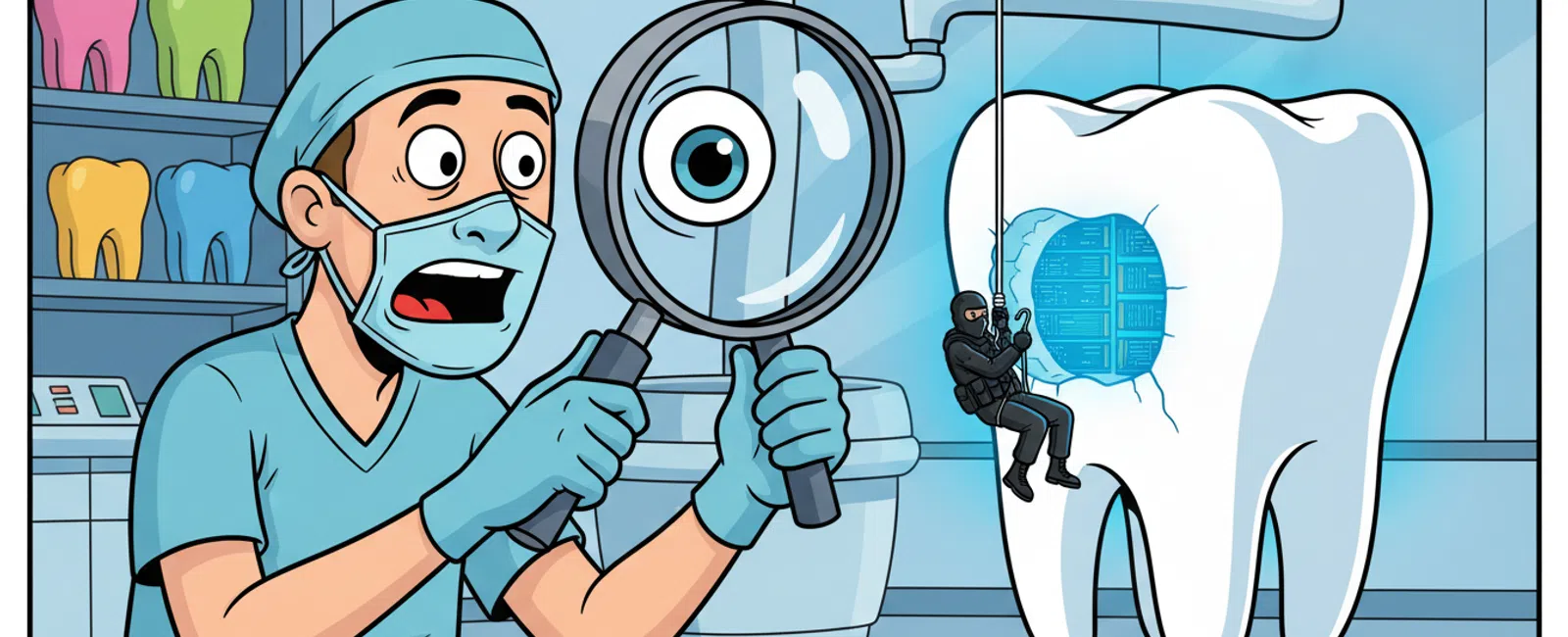
Dental practice cybersecurity combines network firewalls, endpoint protection, encrypted backups, staff training, and continuous monitoring to protect patient records and practice management systems. A typical 10-employee dental office needs at least three security layers: perimeter defense, data encryption, and access controls, with 24-7 monitoring detecting threats within 12 minutes rather than the industry average of 207 days.
What Security Threats Target Dental Practices Specifically?
Dental offices store high-value data: patient names, addresses, Social Security numbers, insurance details, and payment information. This combination makes practices attractive targets for ransomware gangs who know a locked practice management system stops all patient care immediately.
Phishing attacks disguised as insurance verification requests or appointment confirmations trick front-desk staff into clicking malicious links. These emails often reference real insurance carriers or dental suppliers, making them harder to spot than generic phishing attempts.
Business email compromise schemes target practices during wire transfers for equipment purchases or lab bills. Attackers monitor email patterns, then impersonate vendors with urgent payment requests that bypass normal verification procedures.
Unpatched practice management software creates entry points. Dentrix, Eaglesoft, and Open Dental release security updates regularly, but practices running outdated versions remain vulnerable to known exploits that automated scanning tools find within hours of internet exposure.
Dental practices face a 43 percent higher breach risk than general businesses because they combine healthcare data value with typically smaller security budgets.
Which Systems in Your Dental Office Need Active Protection?
Your practice management system holds appointment schedules, treatment plans, billing records, and patient demographics. A breach or ransomware attack here stops all operations - no scheduling, no charting, no claims processing. This system requires database-level encryption, restricted user permissions, and isolated network segments.
Digital radiography systems and PACS store diagnostic images linked to patient identities. These systems often run on older Windows versions that manufacturers no longer update, creating security gaps. Network isolation prevents compromised imaging workstations from spreading malware to billing systems.
Patient portals and online scheduling platforms expose practice data to the internet. Proper configuration includes multi-factor authentication, session timeouts, and encrypted transmission. Weak portal security gives attackers direct access to appointment data and personal information.
Chair-side tablets and intraoral cameras connect to your network, expanding the attack surface. Each device needs endpoint protection and regular firmware updates. Practices often overlook these devices during security audits, leaving unmonitored entry points.
Email systems transmit treatment plans, referrals, insurance authorizations, and patient communications. Without encryption, these messages travel as plain text readable by anyone intercepting the connection. Secure email gateways scan for malware and enforce encryption policies automatically.
Every internet-connected device in your practice is a potential entry point that needs monitoring and protection.
How Do You Build Layered Security That Actually Stops Breaches?
Perimeter security starts with a next-generation firewall that inspects traffic patterns, blocks known malicious IP addresses, and prevents unauthorized outbound connections. This stops attackers from establishing command-and-control channels even if malware reaches an endpoint.
Endpoint detection and response software monitors every workstation and server for suspicious behavior. Unlike traditional antivirus that only catches known threats, EDR identifies unusual file encryption patterns, unexpected network connections, and privilege escalation attempts that signal active attacks.
Network segmentation separates clinical systems from administrative systems. If ransomware infects a billing workstation, it cannot spread to imaging systems or the practice management database. This containment limits damage and speeds recovery.
Multi-factor authentication requires a second verification step beyond passwords. Staff logging into the practice management system from any device must approve access via mobile app or hardware token. This blocks 99.9 percent of automated credential-stuffing attacks.
Encrypted backups stored off-site and tested monthly ensure recovery options when prevention fails. Immutable backups that cannot be altered or deleted protect against ransomware that specifically targets backup systems before encrypting production data.
Security information and event management systems aggregate logs from firewalls, servers, and endpoints. Automated correlation detects attack patterns - like failed login attempts followed by successful access from a new location - that individual alerts miss.
Practices with layered security detect breaches in an average of 12 minutes versus 207 days for those relying on single-point solutions.
Scott, an engineering firm client, noted how 911 IT's comprehensive approach manages security for cloud-based services including Microsoft Office 365 and other platforms, allowing his team to focus on core business rather than security concerns.
What Does 24-7 Security Monitoring Actually Do for a Dental Practice?
Continuous monitoring watches for indicators of compromise around the clock. Attacks often begin outside business hours when no one is watching dashboards. Automated systems flag anomalies immediately, triggering human investigation before damage spreads.
Security operations centers analyze thousands of events daily, filtering false positives and escalating genuine threats. A spike in failed login attempts might be a staff member forgetting their password, or it might be a brute-force attack. Trained analysts distinguish between the two.
Threat intelligence feeds update defenses against newly discovered vulnerabilities and attack techniques. When researchers identify a zero-day exploit targeting dental software, monitoring systems apply detection rules within hours, protecting practices before patches become available.
Automated response capabilities isolate compromised systems instantly. If a workstation begins encrypting files, the system quarantines that device from the network, stops the encryption process, and alerts the security team - all within seconds, not hours.
Regular vulnerability scans identify weak points before attackers do. Monitoring services test your network quarterly, finding unpatched software, weak passwords, misconfigured firewalls, and exposed services. Each scan generates a prioritized remediation list.
Compliance reporting for HIPAA audits pulls directly from monitoring logs. When the Office for Civil Rights asks for evidence of security controls, monitoring systems provide timestamped records of threat detection, incident response, and access logging.
Monitoring transforms security from a reactive scramble after discovering a breach to proactive threat hunting that stops attacks during the reconnaissance phase.
How Do Dental Practices Meet HIPAA Security Requirements?
HIPAA requires a Security Risk Assessment documenting every system that stores, processes, or transmits protected health information. This assessment identifies vulnerabilities, evaluates risks, and creates a remediation plan with timelines and responsible parties.
Access controls limit who sees patient data. Role-based permissions ensure front-desk staff access scheduling but not clinical notes, while hygienists see treatment records but not billing details. Audit logs track every data access, creating accountability and deterring insider threats.
Encryption protects data at rest and in transit. Patient records on servers, backup drives, and laptops must use AES-256 encryption. Data moving between systems - like claims sent to clearinghouses - requires TLS 1.2 or higher. Unencrypted data violates HIPAA even if never accessed by unauthorized parties.
Business Associate Agreements establish security responsibilities with every vendor accessing patient data. Your practice management software vendor, cloud backup provider, billing service, and IT support company must sign BAAs accepting liability for breaches on their end.
Incident response plans document procedures for detecting, containing, and reporting breaches. HIPAA requires notification within 60 days of discovering unauthorized access to 500 or more patient records. Plans must specify who investigates, who notifies patients, and who reports to OCR.
Regular security training teaches staff to recognize phishing, handle patient data properly, and report suspicious activity. HIPAA mandates annual training, but quarterly sessions with simulated phishing tests produce better results. Training documentation proves due diligence during audits.
HIPAA compliance is not a checklist you complete once; it requires ongoing assessment, training, and documentation that evolves with your practice.
What Does Dental Cybersecurity Cost in Salt Lake City?
Managed IT services for dental practices typically cost $100 - $250 per user per month, covering workstation management, help desk support, and basic security. A 10-person practice pays $1,000 - $2,500 monthly for comprehensive IT management.
Cybersecurity add-ons including advanced threat detection, security monitoring, and incident response add $25 - $75 per user monthly. These services provide the EDR, SIEM, and 24-7 monitoring capabilities that basic managed IT does not include.
HIPAA compliance services range from $50 - $200 per user per month depending on practice complexity. This covers Security Risk Assessments, policy development, Business Associate Agreement management, compliance training, and audit support. Multi-location practices or those with complex EHR integrations fall toward the higher end.
Backup and disaster recovery costs $10 - $30 per user monthly for encrypted, immutable backups with regular testing. This ensures recovery from ransomware attacks without paying ransoms. Practices storing large imaging files need higher-capacity plans.
One-time security assessments cost $2,000 - $5,000 for comprehensive vulnerability testing and remediation planning. Sam, a fundraising organization client, found that a security audit identified and fixed critical issues, noting the value was worth 10 times the audit cost and providing peace of mind about data safety.
Emergency incident response for active breaches runs $150 - $300 per hour. Practices without existing security relationships pay premium rates during crises. Retainer agreements with established providers ensure faster response at predictable costs.
The total security investment for a typical dental practice ranges from $1,500 - $4,000 monthly, while the average ransomware attack costs $150,000 in downtime, recovery, and regulatory penalties.
Why Local IT Support Matters for Dental Practice Security
Chair-side technology failures stop patient care immediately. When digital radiography systems crash or practice management software locks up, remote-only support cannot physically check connections, replace failed hardware, or verify imaging equipment configuration. Salt Lake City practices need providers who arrive on-site within hours, not days.
Utah's growing dental market creates competition for patient loyalty. Practices that suffer extended downtime lose appointments to competitors. Local providers understand this urgency because they serve multiple practices in the same market and see the competitive pressure firsthand.
HIPAA compliance audits sometimes require on-site verification of physical security controls. Remote providers cannot inspect server room access, verify workstation placement in HIPAA-compliant areas, or confirm proper disposal of devices containing patient data. Local audits catch issues before OCR does.
Large national MSPs route Salt Lake City practices through centralized ticket queues where you are one account among thousands. Your urgent practice management system failure competes with hundreds of other tickets. Local providers like 911 IT know clients by name and understand that a down PMS means canceled appointments and lost revenue.
Regional providers understand Utah's dental market dynamics, including the concentration of practices in South Jordan and the growth of dental service organizations requiring multi-location support. This local knowledge shapes security strategies around real market conditions rather than generic templates.
- Executech - Established Utah MSP with healthcare experience and multi-location support capabilities
- Wasatch I.T. - Local provider focusing on small to mid-sized businesses with HIPAA compliance services
- Nexus IT Consultants - Salt Lake City-based firm offering managed IT and security solutions
- INTELITECHS - Regional MSP with healthcare vertical expertise and compliance focus
- ProLink IT - Utah provider specializing in business technology and security services
- Qual IT - Local managed services provider with healthcare industry experience
- 911 IT - Combines enterprise-grade 24-7 monitoring and advanced security services with local rapid-response capabilities
When evaluating providers, compare response times, HIPAA expertise, and whether they support your specific practice management software. Ask about their experience with dental-specific systems like Dentrix and Eaglesoft, their average on-site response time, and whether they maintain Business Associate Agreements.
911 IT offers the scale to handle complex security requirements with 24-7 monitoring and compliance services, while maintaining the local presence for rapid on-site response. Garry, an engineering client, experienced no major outages and quick resolution of minor issues, eliminating the need to build an internal IT department while maintaining advanced security compliance.
The right security partner combines enterprise-grade protection with the responsiveness of a local team that understands your practice cannot afford extended downtime.
Frequently asked questions
How quickly can cybersecurity systems detect a breach in a dental practice?
Advanced monitoring systems with endpoint detection and SIEM correlation detect active breaches within 12 minutes on average. Traditional antivirus-only approaches take an average of 207 days to identify compromises. Faster detection dramatically reduces damage by stopping attackers during initial reconnaissance before they access patient records or deploy ransomware across your network.
Do small dental practices really need 24-7 security monitoring?
Yes, because cyberattacks do not follow business hours. Automated attacks scan for vulnerabilities and launch ransomware overnight or on weekends when no one monitors systems. Continuous monitoring detects these off-hours attacks immediately, isolating compromised systems before staff arrives. The cost of monitoring is substantially less than recovering from an undetected weekend breach discovered Monday morning.
What happens to patient appointments if ransomware locks our practice management system?
Without accessible backups, practices cancel all appointments until systems are restored, typically taking three to seven days and costing $5,000 - $15,000 in lost revenue daily. Proper cybersecurity includes immutable backups tested monthly, enabling restoration within hours rather than days. Some practices maintain paper-based emergency procedures, but modern digital workflows make manual operations extremely difficult for more than a few patients.
How often should dental practices update their Security Risk Assessment for HIPAA?
HIPAA requires updates whenever you implement new technology, change locations, add staff, or experience security incidents. Best practice is annual comprehensive assessments with quarterly reviews of significant changes. Regular updates ensure your security controls match current risks and demonstrate ongoing compliance efforts during Office for Civil Rights audits, which increasingly focus on whether practices maintain current risk assessments.
Can dental practices use consumer-grade antivirus for HIPAA compliance?
Consumer antivirus lacks the centralized management, logging, and reporting capabilities HIPAA requires. Compliance demands documented evidence of security controls, automated updates, and audit trails showing protection status across all systems. Business-grade endpoint protection provides these features plus advanced threat detection that consumer products do not offer. Using inadequate security tools demonstrates failure to implement reasonable safeguards under HIPAA standards.
What specific services are included in dental cybersecurity services?
Dental cybersecurity services include network firewalls, endpoint protection, encrypted backups, staff training, and continuous monitoring. A typical dental office needs three security layers: perimeter defense, data encryption, and access controls. Services also provide security operations centers that analyze events daily, threat intelligence feeds, automated response capabilities, and regular vulnerability scans with compliance reporting for HIPAA audits.


