
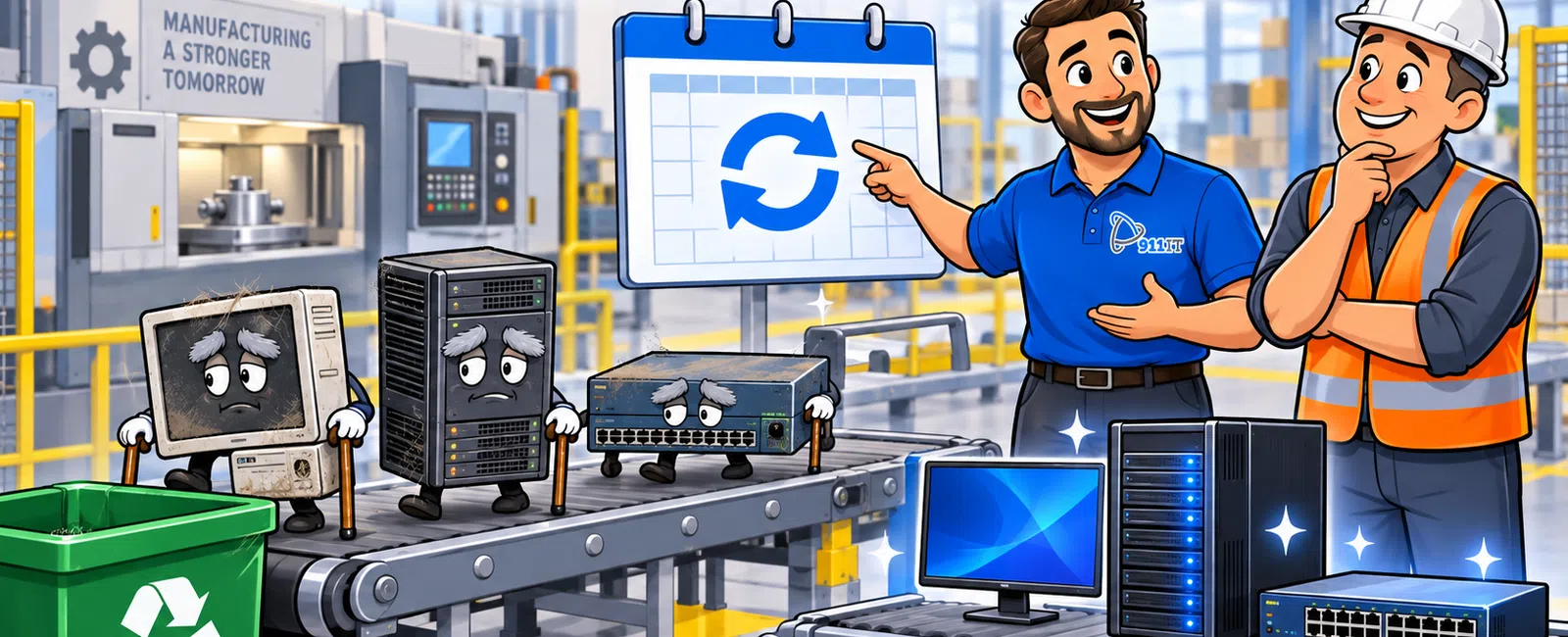
How Long Should Manufacturing IT Equipment Last?
A manufacturing company should generally plan to replace business computers every 3-5 years, servers every 4-6 years, firewalls every 4-6 years, network switches every 5-8 years, and wireless access points every 4-6 years.
Production-connected computers may require a different schedule. Some must be retained longer because they run specialized software or control older equipment. In those cases, the company should use network segmentation, restricted access, system-image backups, spare hardware, and a documented replacement strategy.
The best replacement schedule is based on five factors: equipment age, warranty status, software support, business impact, and cybersecurity risk. A device should be replaced before its failure creates production downtime, data loss, or an emergency purchasing decision.
This guide provides a practical lifecycle framework for manufacturers using managed IT services or an internal technology team.
Recommended Manufacturing IT Lifecycle Ranges
| Equipment type | Typical planning lifecycle | Replace sooner when |
|---|---|---|
| Office desktops and laptops | 3-5 years | Performance affects productivity, warranties expire, or the operating system is unsupported |
| Engineering workstations | 3-5 years | CAD, design, or simulation software performs poorly |
| Production workstations | 4-7 years when supported | Hardware is unreliable, software support ends, or replacement parts become unavailable |
| Servers | 4-6 years | Warranty expires, storage becomes unreliable, or capacity is insufficient |
| Firewalls | 4-6 years | Security support ends, performance limits internet speed, or licensing expires |
| Network switches | 5-8 years | Ports fail, capacity is limited, or security and management support ends |
| Wireless access points | 4-6 years | Coverage is poor, device density increases, or current standards are unsupported |
| Backup appliances | 4-6 years | Storage is insufficient, recovery is too slow, or the platform is unsupported |
| Uninterruptible power supplies | 3-5 years for batteries | Runtime declines, batteries fail tests, or load requirements increase |
| Printers and label printers | 5-8 years | Parts become unavailable, downtime increases, or operating costs rise |
These ranges are planning guidelines rather than automatic replacement rules. Equipment condition, support availability, production requirements, and risk should determine the final schedule.
The Five-Part IT Equipment Replacement Framework
1. Review Equipment Age and Warranty Status
Age alone does not determine whether a device must be replaced, but it is an important warning indicator. Older equipment is more likely to experience component failure, limited performance, and unavailable replacement parts.
Track the following information for every business-critical device:
- Manufacturer and model
- Serial number
- Purchase date
- Installation date
- Warranty expiration
- Operating system
- Assigned employee or business function
- Replacement cost
- Expected replacement year
Warranty expiration is particularly important for servers, firewalls, switches, and production workstations. A failed device may be repairable, but replacement parts or vendor assistance may take several days when active support has ended.
Why Warranty Coverage Matters
A current warranty may provide:
- Replacement parts
- Vendor troubleshooting
- Next-business-day or expedited service
- Firmware and software updates
- Access to technical support
For critical infrastructure, the company should decide whether next-business-day service is fast enough. A server or firewall supporting production may justify same-day support, onsite spares, or a failover design.
2. Confirm Software and Security Support
Equipment may continue functioning after its operating system, firmware, or security software is no longer supported. That does not mean it is safe to keep using.
Unsupported systems may no longer receive:
- Security updates
- Bug fixes
- Compatibility updates
- Vendor technical support
- Modern endpoint protection
- Replacement drivers
The manufacturer should maintain an inventory of unsupported or soon-to-be-unsupported systems and create a prioritized remediation plan.
Questions to Ask About Every Aging Device
- Is the operating system still supported?
- Can current security tools run on the device?
- Does the business application still support this hardware?
- Are firmware updates available?
- Can replacement parts be obtained quickly?
- Is the vendor still willing to troubleshoot it?
Unsupported systems used in production may require temporary compensating controls while replacement options are evaluated.
3. Measure Business Impact and Downtime Risk
Replacement priority should reflect what happens when the equipment fails.
A computer used for occasional administrative work may tolerate several hours of downtime. A workstation controlling a production process may not.
Classify equipment into three business-impact levels:
| Impact level | Example | Replacement approach |
|---|---|---|
| Critical | ERP server, firewall, production workstation, core network switch | Replace proactively, maintain recovery documentation, and consider redundancy or spares |
| Important | Engineering workstation, shipping computer, warehouse scanner system | Plan replacement before support ends and maintain an alternate process |
| Standard | General office computer or secondary printer | Replace on a scheduled cycle or when performance and reliability decline |
Critical systems should not be allowed to fail unexpectedly simply because they are still operating today.
Estimate the Cost of Failure
Use this formula:
Estimated hourly downtime cost × expected recovery time + emergency replacement expense
For example, if a failed production workstation stops a process costing $4,000 per hour and replacement takes eight hours, the operational impact may reach:
$4,000 × 8 hours = $32,000
A planned $3,000-$6,000 replacement may be less expensive than delaying action until the device fails.
4. Evaluate Performance and Capacity
Equipment does not need to fail completely before it affects the business. Slow computers, undersized servers, and overloaded networks create smaller productivity losses every day.
Performance concerns may include:
- Long startup times
- Applications freezing or crashing
- Slow file access
- Insufficient storage
- High memory or processor utilization
- Delayed ERP transactions
- Poor wireless performance
- Network interruptions
- Slow backup or recovery speeds
- Inability to run current software
A computer that wastes 15 minutes per employee per day may create a meaningful annual cost.
Productivity Cost Example
Suppose 10 employees each lose 15 minutes per day because of slow computers. Their average burdened labor cost is $40 per hour.
The approximate annual productivity loss is:
10 employees × 0.25 hours × $40 × 250 workdays = $25,000
Replacing the computers may cost less than continuing to absorb the productivity loss.
5. Build a Multi-Year Replacement Budget
Technology replacement should be planned over several years rather than handled through emergency purchases.
A useful lifecycle plan covers approximately 3-5 years and includes:
- Equipment scheduled for replacement
- Estimated cost
- Business justification
- Target quarter or year
- Required software or licensing changes
- Expected installation impact
- Risk of delaying the work
The plan should separate equipment into:
- Immediate replacement: Unsupported, unreliable, or high-risk equipment
- Replace within 12 months: Equipment approaching end of warranty or capacity limits
- Replace within 2-3 years: Stable equipment with a known lifecycle date
- Monitor: Lower-risk equipment that remains supported and reliable
Strategic planning and budgeting may be coordinated through a virtual CIO or vCIO service included with the managed IT agreement.
How Often Should Office Computers Be Replaced?
Most office computers should be replaced every 3-5 years. High-performance engineering systems may require replacement closer to the three-year point, while lightly used administrative computers may remain productive for five years.
Replace office computers sooner when:
- The warranty has expired.
- The operating system is unsupported.
- The computer cannot run required applications effectively.
- Repairs are becoming frequent.
- Storage or memory cannot be upgraded economically.
- Employee productivity is affected.
- The device cannot support current cybersecurity tools.
Should Computers Be Replaced All at Once?
Manufacturers can use one of two common approaches.
Rolling Replacement
Replace approximately 20%-33% of computers each year.
Advantages include:
- Predictable annual spending
- Smaller installation projects
- Reduced risk of many devices failing simultaneously
- Continuous access to newer equipment
Batch Replacement
Replace a larger group of similar computers at the same time.
Advantages include:
- Consistent hardware standards
- Faster deployment through standardized images
- Potential volume purchasing
- Simpler support and spare-part management
A rolling plan is often easier for budgeting, while batch replacements may be appropriate after an acquisition, operating-system transition, or extended period without lifecycle planning.
How Often Should Engineering Workstations Be Replaced?
Engineering workstations commonly require replacement every 3-5 years because CAD, modeling, simulation, and rendering applications place greater demands on processors, memory, storage, and graphics hardware.
Review:
- Application vendor requirements
- Graphics-card certification
- Memory utilization
- Storage performance
- Model complexity
- Rendering time
- Employee waiting time
A workstation that technically runs the software may still cost the company thousands of dollars in delayed engineering work.
How Often Should Production Computers Be Replaced?
Production-connected computers may remain in service for 4-7 years or longer when they run specialized software that cannot be moved easily. However, a longer lifecycle requires stronger risk controls.
For every production computer, document:
- Connected machine or process
- Operating system
- Application and version
- Required drivers
- License information
- Network settings
- Vendor contact details
- Replacement hardware requirements
- Backup or system-image status
- Recovery procedure
How to Protect an Older Production Workstation
When immediate replacement is not practical, consider:
- Separating it from employee and guest networks
- Blocking unnecessary internet access
- Restricting user logins
- Securing vendor remote access
- Creating a complete system image
- Maintaining compatible spare hardware
- Monitoring network activity
- Documenting manual alternatives
- Creating a funded replacement plan
These controls reduce risk but do not make an unsupported system equivalent to a current, secure device.
How Often Should Servers Be Replaced?
Physical servers should commonly be replaced every 4-6 years. The timeline may be shorter when storage, memory, processing capacity, warranties, or recovery requirements change.
Server replacement should be considered when:
- The warranty has expired.
- Replacement parts are difficult to obtain.
- The operating system or hypervisor is unsupported.
- Storage capacity is nearly exhausted.
- Application performance is declining.
- Backups take too long.
- The server cannot support current security tools.
- The business requires faster disaster recovery.
Should the Server Be Replaced or Moved to the Cloud?
Cloud migration may reduce dependence on onsite hardware, but it is not automatically the best option for every manufacturer.
Evaluate:
- Application compatibility
- Internet reliability
- Performance requirements
- Vendor support
- Data volume
- Monthly cloud costs
- Backup requirements
- Security and compliance obligations
- Production-system dependencies
Some manufacturers use a hybrid approach, keeping production-sensitive applications onsite while moving email, file sharing, backup, or other services to the cloud.
How Often Should Firewalls Be Replaced?
Business firewalls commonly require replacement every 4-6 years. Replacement may be necessary sooner when the device cannot support current security services, internet speeds, remote users, or encrypted traffic.
Replace or upgrade a firewall when:
- Vendor security support ends.
- Firmware updates are no longer available.
- Security subscriptions cannot be renewed.
- The firewall slows the internet connection.
- Remote-access requirements exceed capacity.
- Additional network segmentation is required.
- The company opens another facility.
- The device lacks redundancy for a critical environment.
A firewall may appear operational while failing to inspect traffic at the speed required by the business.
How Often Should Network Switches Be Replaced?
Managed network switches may remain in service for 5-8 years when they are supported, reliable, and properly sized.
Replacement may be needed when:
- Ports are failing.
- Power-over-Ethernet capacity is insufficient.
- Management or security features are outdated.
- Vendor support has ended.
- Production traffic requires greater capacity.
- Network segmentation cannot be implemented properly.
- Replacement units are unavailable.
Critical switches should have current configuration backups. The company should also know how quickly a replacement can be obtained and installed.
How Often Should Wireless Access Points Be Replaced?
Wireless access points commonly require replacement every 4-6 years. Warehouses and manufacturing facilities may need upgrades sooner because of growing device counts, coverage challenges, interference, or physical changes to the building.
Signs that wireless equipment needs attention include:
- Employees lose connections while moving through the facility.
- Barcode scanners or tablets disconnect frequently.
- Coverage does not reach new production or warehouse areas.
- Performance declines during busy periods.
- Current security standards are unsupported.
- Replacement access points cannot be managed with existing equipment.
A professional wireless assessment may be needed when racks, machinery, walls, or building materials interfere with coverage.
How Often Should Backup Equipment Be Replaced?
Backup appliances commonly require replacement every 4-6 years, depending on storage capacity, performance, warranty status, and recovery requirements.
Review backup equipment when:
- Backup windows are too long.
- Storage is nearly full.
- Recovery testing takes longer than the business can tolerate.
- The appliance is unsupported.
- Cloud replication is unreliable.
- New systems have increased data volume.
- Ransomware protection is insufficient.
The company should evaluate the full recovery process, not only whether backup jobs complete successfully.
911 IT's business continuity services can help manufacturers define recovery priorities, test restoration procedures, and reduce downtime risk.
How Often Should Uninterruptible Power Supply Batteries Be Replaced?
UPS batteries often require replacement every 3-5 years, although heat, load, discharge frequency, and battery quality can shorten their useful life.
UPS systems should be tested regularly to confirm:
- Battery health
- Available runtime
- Connected equipment load
- Alert functionality
- Graceful shutdown configuration
A UPS should provide enough time for short power interruptions, generator startup, or an orderly server shutdown. It is not a substitute for a complete power-continuity strategy.
What Should Be Replaced First?
Use a weighted risk score rather than replacing equipment only by age.
| Risk factor | Suggested weight |
|---|---|
| Production or business impact | 30% |
| Security and software support | 25% |
| Warranty and parts availability | 15% |
| Reliability history | 15% |
| Performance and capacity | 10% |
| Replacement complexity | 5% |
Score each device from one to five in every category. Equipment with the highest weighted score should receive priority in the replacement plan.
Example Technology Replacement Plan for a 40-Employee Manufacturer
Consider a manufacturer with:
- 40 employees
- 38 office and engineering computers
- 12 production workstations
- Three physical servers
- One firewall
- Five managed network switches
- Eight wireless access points
- One backup appliance
An inventory review identifies:
- Ten computers older than five years
- One six-year-old ERP server with an expired warranty
- A firewall approaching end of support
- Three unsupported production workstations
- A backup appliance with insufficient storage
Year 1 Priorities
- Replace the ERP server.
- Replace the firewall.
- Upgrade the backup platform.
- Create system images and network protections for unsupported production workstations.
- Replace the ten oldest office computers.
Year 2 Priorities
- Replace 10-12 additional computers.
- Evaluate the oldest network switches.
- Replace production workstations where vendor support is available.
- Improve wireless coverage in the warehouse.
Year 3 Priorities
- Complete the remaining office-computer refresh.
- Replace aging wireless equipment.
- Review server capacity and cloud options.
- Update recovery and spare-equipment plans.
This phased approach spreads costs across several budgets while addressing the highest operational risks first.
How Much Should a Manufacturer Budget for IT Equipment Replacement?
Replacement budgets vary significantly, but a 25-50 employee manufacturer may need to plan for:
| Equipment category | Illustrative replacement range |
|---|---|
| Standard business computer | $1,000-$2,000 per device |
| Engineering workstation | $2,500-$6,000+ per device |
| Production workstation | $2,000-$8,000+ depending on software and compatibility |
| Business server | $8,000-$30,000+ including configuration and migration |
| Firewall | $2,000-$10,000+ including licensing and implementation |
| Managed network switch | $1,000-$6,000+ depending on ports and power requirements |
| Wireless access point | $500-$1,500+ including installation and licensing |
| Backup appliance or recovery platform | $5,000-$25,000+ depending on storage and recovery requirements |
These are planning ranges, not quotes. Installation, licensing, data migration, after-hours work, cabling, and application-vendor assistance may increase the total project cost.
Annual Budgeting Method
A simple budgeting approach is:
Total replacement value of technology ÷ average lifecycle in years
If a company has $200,000 in computers, servers, and network equipment with an average five-year lifecycle, it may reserve approximately:
$200,000 ÷ 5 = $40,000 per year
Actual spending will vary by year, but the reserve reduces the likelihood of unplanned capital requests.
Should Manufacturers Lease or Buy IT Equipment?
| Buying equipment | Leasing equipment |
|---|---|
| Company owns the asset | Payments are spread over a defined term |
| May cost less over a long useful life | Can make budgeting more predictable |
| Requires larger upfront spending | May simplify scheduled refreshes |
| Company controls replacement timing | Contract terms may limit changes or early termination |
| Equipment may remain in use too long | Total financing cost may be higher |
The decision should consider cash flow, accounting treatment, contract terms, equipment lifecycle, and the likelihood of changing requirements. A qualified accounting or financial professional should advise on tax and accounting treatment.
What Should Happen to Retired IT Equipment?
Old equipment may contain employee information, customer data, intellectual property, credentials, or production records. It should not be discarded without a secure process.
A retirement process should include:
- Confirm replacement and data migration.
- Remove the device from management and security systems.
- Preserve required business records.
- Securely erase or physically destroy storage media.
- Record the disposal method.
- Recycle equipment through an approved provider.
- Update the asset inventory.
For regulated or sensitive environments, retain certificates of data destruction and recycling documentation.
How Does Equipment Lifecycle Affect Cybersecurity?
Outdated equipment can create security gaps when it cannot run current software, receive patches, or support modern authentication.
Cybersecurity risks may include:
- Known vulnerabilities remaining uncorrected
- Unsupported operating systems
- Outdated firewall firmware
- Weak encryption standards
- Incompatible endpoint security
- Unmonitored production systems
- Vendor remote-access tools that cannot be secured properly
A replacement plan should be coordinated with the company's cybersecurity services and risk-assessment process.
How Does Equipment Lifecycle Affect CMMC and NIST Readiness?
Manufacturers pursuing defense contracts may need to demonstrate that systems handling protected information are supported, secured, documented, and monitored.
Unsupported equipment can complicate compliance because it may not support required safeguards or security updates. The company may need to:
- Replace the device
- Remove it from the protected environment
- Segment it from sensitive systems
- Apply documented compensating controls
- Restrict the information it can access
Manufacturers can use CMMC compliance services to evaluate how aging equipment affects their security and compliance plans.
A 15-Question IT Lifecycle Checklist
- Do we have a complete inventory of computers, servers, and network equipment?
- Do we know the purchase and installation date of each device?
- Which warranties expire within the next 12 months?
- Which systems are no longer supported?
- Which devices can stop production if they fail?
- How quickly can critical equipment be replaced?
- Do we maintain compatible spare equipment?
- Are production workstations backed up with complete system images?
- Are current firewall and switch configurations backed up?
- Which devices are causing recurring support tickets?
- Where is slow equipment reducing employee productivity?
- Is replacement spending included in the annual budget?
- Does the plan cover the next three to five years?
- Is retired equipment erased and disposed of securely?
- Does leadership review the lifecycle plan at least annually?
Common IT Equipment Replacement Mistakes
Waiting Until Equipment Fails
Emergency replacement reduces purchasing options, increases downtime, and may require expensive after-hours work.
Replacing Equipment Based Only on Age
Age should be combined with support status, business impact, reliability, and performance.
Ignoring Production Workstations
Specialized systems may be difficult to replace quickly. They require documentation, backups, and advance coordination with equipment vendors.
Keeping Unsupported Systems Connected to the Main Network
Unsupported systems should be replaced, isolated, or protected with documented compensating controls.
Failing to Budget for Installation and Migration
The hardware purchase is only part of the project. Include data migration, software setup, licensing, testing, training, and vendor involvement.
Replacing Servers Without Reviewing Cloud Options
A direct hardware replacement may be correct, but the company should evaluate cloud and hybrid alternatives before making a long-term investment.
Buying Consumer-Grade Equipment
Low purchase prices may be offset by limited warranties, inconsistent hardware, unavailable replacement parts, and shorter lifecycles.
Failing to Test Production Applications
A new computer or operating system may not support older manufacturing software, drivers, or equipment interfaces. Test compatibility before the final cutover.
Real-World Example: Replacing a High-Risk Production Computer
A manufacturer has a seven-year-old computer connected to a specialized production machine. The computer runs an unsupported operating system, and the equipment vendor no longer sells the original hardware.
The company cannot replace the production machine immediately, so it creates a phased risk-reduction plan:
- Document the computer. Record the hardware, software, drivers, licenses, network settings, and vendor contacts.
- Create a complete system image. Verify that the image can be restored to compatible hardware.
- Restrict network access. Place the computer on a segmented production network with no general internet access.
- Secure vendor access. Require approved, temporary remote sessions.
- Acquire spare hardware. Locate a tested compatible replacement computer.
- Plan modernization. Budget for equipment or software replacement within 12-24 months.
This approach does not eliminate every risk, but it reduces the likelihood that one computer failure stops production for several days.
Frequently Asked Questions About IT Equipment Replacement
How often should a business replace computers?
Most business computers should be replaced every 3-5 years. High-performance engineering systems may require shorter cycles, while lightly used devices may last longer when they remain supported and reliable.
How often should a server be replaced?
Physical servers commonly require replacement every 4-6 years. Warranty status, capacity, operating-system support, application requirements, and recovery objectives should determine the exact timeline.
Can a computer last longer than five years?
Yes, but continued operation does not mean the device remains economical or secure. Evaluate productivity, warranty coverage, software support, and failure risk.
Should all computers be replaced at the same time?
Not necessarily. Many manufacturers replace 20%-33% of computers annually to spread costs and reduce operational disruption.
How long should a firewall last?
A business firewall commonly remains useful for four to six years. Replace it sooner when security support ends, performance becomes insufficient, or licensing cannot be renewed.
How long do network switches last?
Managed switches may remain reliable for five to eight years. Replacement should be based on vendor support, port capacity, management features, reliability, and business impact.
Should unsupported production computers be disconnected?
They should be evaluated immediately. When replacement is not practical, restrict access, segment the network, secure remote connections, maintain recovery images, and create a replacement plan.
Is upgrading memory or storage better than replacing a computer?
An upgrade may extend the life of a supported computer with a current processor and warranty. Replacement is usually better when the operating system is unsupported, the warranty has expired, or several components are limiting performance.
Should a server be moved to the cloud instead of replaced?
Possibly. Evaluate application compatibility, internet reliability, ongoing costs, security, compliance, and production dependencies before deciding.
How much should a manufacturer budget annually for replacement equipment?
Estimate the total replacement value of the environment and divide it by the average lifecycle. A $200,000 environment with a five-year lifecycle may require an average reserve of approximately $40,000 per year.
Who should own the equipment lifecycle plan?
Leadership should approve the budget, while the internal IT team or managed IT provider maintains the inventory, risk analysis, and replacement recommendations.
How often should the lifecycle plan be reviewed?
Review the plan at least annually and update it after major purchases, failures, acquisitions, facility changes, or new compliance requirements.
What happens to old equipment?
Business data should be securely erased or storage media destroyed. The device should then be documented and recycled through an approved provider.
Does managed IT include new equipment?
Managed IT commonly includes lifecycle tracking and replacement recommendations, while hardware purchases and major installations are usually billed separately.
Why Manufacturers Use 911 IT for Technology Lifecycle Planning
911 IT provides manufacturing IT support for businesses across Utah, Wyoming, and Arizona. The team helps manufacturers identify aging equipment, reduce single points of failure, and create practical replacement budgets.
Lifecycle-planning capabilities include:
- Complete hardware and software inventories
- Warranty and support tracking
- Computer and server replacement planning
- Network and firewall assessments
- Production-workstation documentation
- Cloud and hybrid infrastructure planning
- Backup and recovery testing
- Cybersecurity risk assessments
- Three-year technology roadmaps
- vCIO budgeting and strategic guidance
- Local onsite implementation
- 24/7 access to live technical support
Manufacturers with internal IT staff can also use co-managed IT services for lifecycle assessments, major projects, cybersecurity, and specialist support.
Create a Three-Year IT Equipment Replacement Plan
Aging technology should be replaced according to risk and business impact rather than after an unexpected failure. A documented plan makes costs predictable, improves cybersecurity, and reduces the likelihood that one obsolete device interrupts production.
911 IT can inventory your current equipment, identify unsupported or high-risk systems, estimate replacement costs, and build a phased three-year technology roadmap.
Schedule a discovery call with 911 IT or contact our team to discuss an IT lifecycle plan for your manufacturing company.


