
The First Week Mistake Nobody Plans For
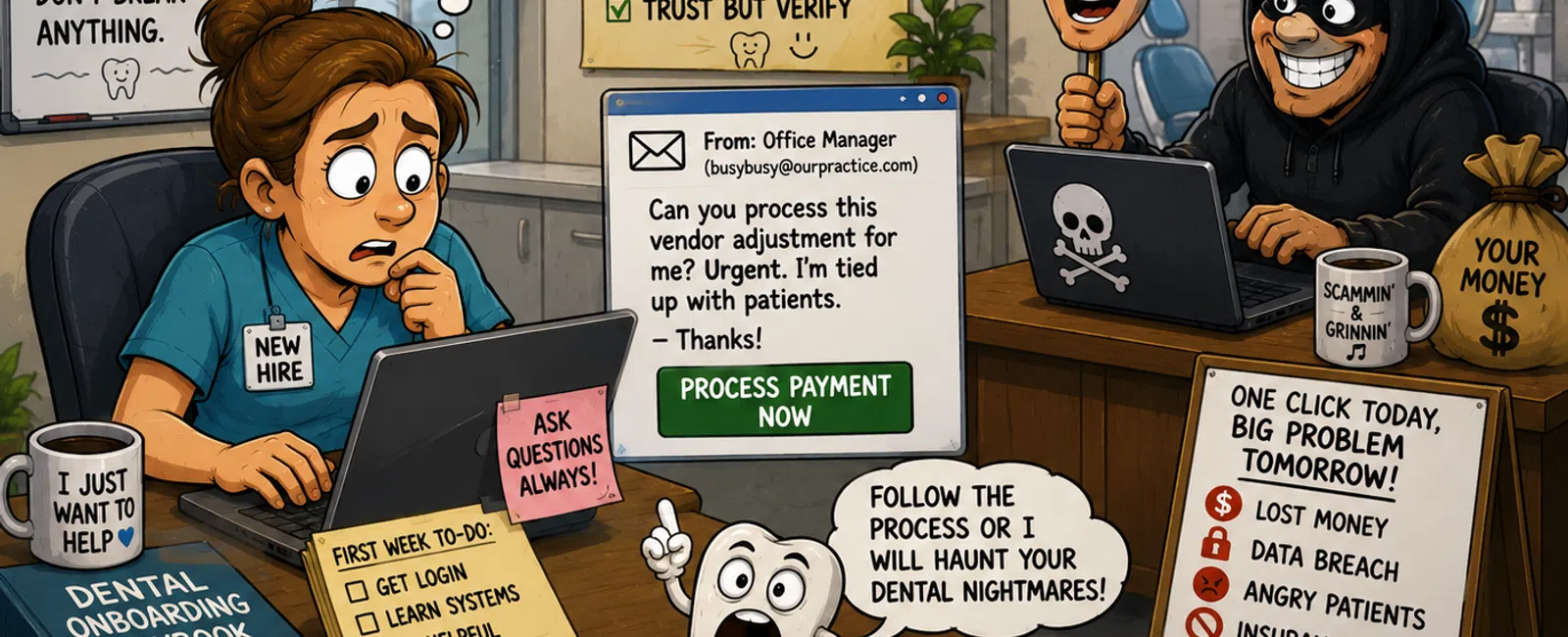
The email doesn't look suspicious.
It arrives mid-morning. The sender name matches your office manager. The
tone feels normal—short, a little rushed.
"Can you help process this vendor adjustment? I'm tied up with patients."
Your new hire hesitates.
They've been there three days.
They don't know what's normal yet. They don't know what's not
normal. And the last thing they want to do is slow the team down by asking
questions that feel obvious.
So they move forward.
And in one quiet click, something small turns into something you now own.
Not because your team failed you.
Because your system asked them to guess.
You've felt this before, haven't you? That moment where everyone looks to
you—and you realize something slipped through that shouldn't have.
What Failure Actually Looks Like (Real Case Pattern)
This isn't theoretical. It follows a pattern we see repeatedly.
Day 3: A new hire gets an email appearing to be from leadership
requesting a vendor payment adjustment tied to software.
Day 3, 11:20 AM: They don't have full access to Dentrix billing workflows
yet, so they download an attachment and process it outside the system.
Day 3, 2:40 PM: Payment details are changed.
Day 5: The vendor calls. Payment never arrived.
Week 3: Investigation confirms a phishing incident.
Insurance review: Claim is challenged because:
- MFA wasn't
enforced at first login
- Shared
credentials were used temporarily
- No onboarding
log proves proper access provisioning
Outcome:
- Financial loss
is partially denied
- Compliance
documentation is questioned
- Owner carries
the explanation—to patients, vendors, and auditors
Nothing about that employee was reckless.
They were trying to help.
Why This Happens More in Dental Than You Think
Dental practices run on trust, speed, and improvisation.
But HIPAA doesn't evaluate intent. It evaluates controls.
That means three things matter more than anything else:
- Unique user
access (no shared logins)
- Verifiable
authentication (who actually accessed what)
- Audit logs
showing activity tied to a specific user
If your onboarding week includes:
- "Just use her
login for now"
- "We'll turn on
MFA later"
- "Save it
locally for now"
Then from an external standpoint, your system—not your employee—is the
failure point.
And that's exactly how auditors and insurers see it.
The Benchmark: What "Good" Actually Looks Like
A compliant, defensible onboarding process isn't complicated—but it is
specific.
Here's the minimum standard:
- Every user has
a unique ID before touching systems
- MFA is active
on first login—not later
- Access is
role-based (front desk ≠ billing ≠ clinical)
- All activity is
logged and reviewable
- No PHI ever
touches an unmanaged device
If you can't prove those five things, you're relying on behavior instead
of systems.
And behavior is what breaks under pressure.
Minimum Viable Onboarding Policy (You Can Copy This)
This is the level of clarity your team needs on day one:
- No financial
requests are executed via email or SMS under any circumstance
- No shared
accounts are permitted for any system, including Dentrix
- All users must
have MFA configured before first login
- PHI may only be
accessed on approved, managed devices
- Any request
involving payments, patient data, or access changes must be verbally
verified
If a new hire can't point to these rules clearly, they will default to
guessing.
The Implementation Asset: New Hire Security Setup (Dental)
This is where most practices fall short—the execution layer.
Use this as your baseline build sheet:
Before Day One:
- Create user in
Dentrix with role = Front Desk / Billing (least privilege)
- Create
Microsoft or Google identity account tied to that user
- Enable MFA
before issuing credentials
- Assign
company-managed device (record serial number)
- Pre-configure
email, PMS, and network access
Day One Documentation Log:
- User ID created
(Y/N)
- Role assigned
(exact permission level)
- MFA enabled
(Y/N + method)
- Device assigned
(serial number)
- Systems
accessed (Dentrix, email, imaging)
Week One Audit:
- Review login
activity for anomalies
- Confirm no
shared credentials were used
- Verify all
files are stored inside approved systems
- Confirm no
personal device access occurred
This is what turns onboarding from "orientation" into a controlled
process.
Tooling That Makes This Work (Without Overcomplication)
You don't need dozens of platforms. You need the right controls in the
right places:
- Identity &
MFA: Microsoft 365 or Google Workspace with enforced MFA
- Access Control:
Role-based permissions inside Dentrix and core systems
- Audit Logging:
Centralized logging (even basic log aggregation) tied to user activity
- Endpoint
Control: Managed devices with encryption and tracking
These aren't upgrades. They're the baseline expected in a HIPAA
environment.
The 15-Minute Internal Audit Script
You can find your gaps this week—no consultants needed.
Sit down with your team and ask:
- Where do new
hires get stuck in their first 48 hours?
- When do we
share logins "temporarily"?
- When do
employees use personal phones or devices?
- How does a new
hire know a request is legitimate?
- Who do they ask
when something feels off?
Don't debate the answers.
Just document them.
That's your exposure map.
One Data Point That Should Change Your Perspective
Most breaches don't start with technical failure.
They start with human action—clicking, sending, approving.
And in your practice, the highest-risk window isn't burnout.
It's onboarding.
Because that's when your systems are weakest—and your people are trying
the hardest.
What To Do This Week
Block 30 minutes.
Map out your last hire's first three days:
- Where did they
lack access?
- Where did they
improvise?
- Where did they
guess?
Then compare it against the onboarding checklist above.
You'll see the gaps immediately.
And once you see them, you can fix them before they become your problem
to explain.
Close the Gap Before It Becomes Your Responsibility
You've built a practice people trust. That includes their data, not just
their care.
Schedule your 10 minute discovery call with 911 IT and walk through your
current onboarding process. You'll leave knowing whether your first week is
controlled, documented, and defensible—or quietly exposed in ways that don't
show up until it's too late.


