
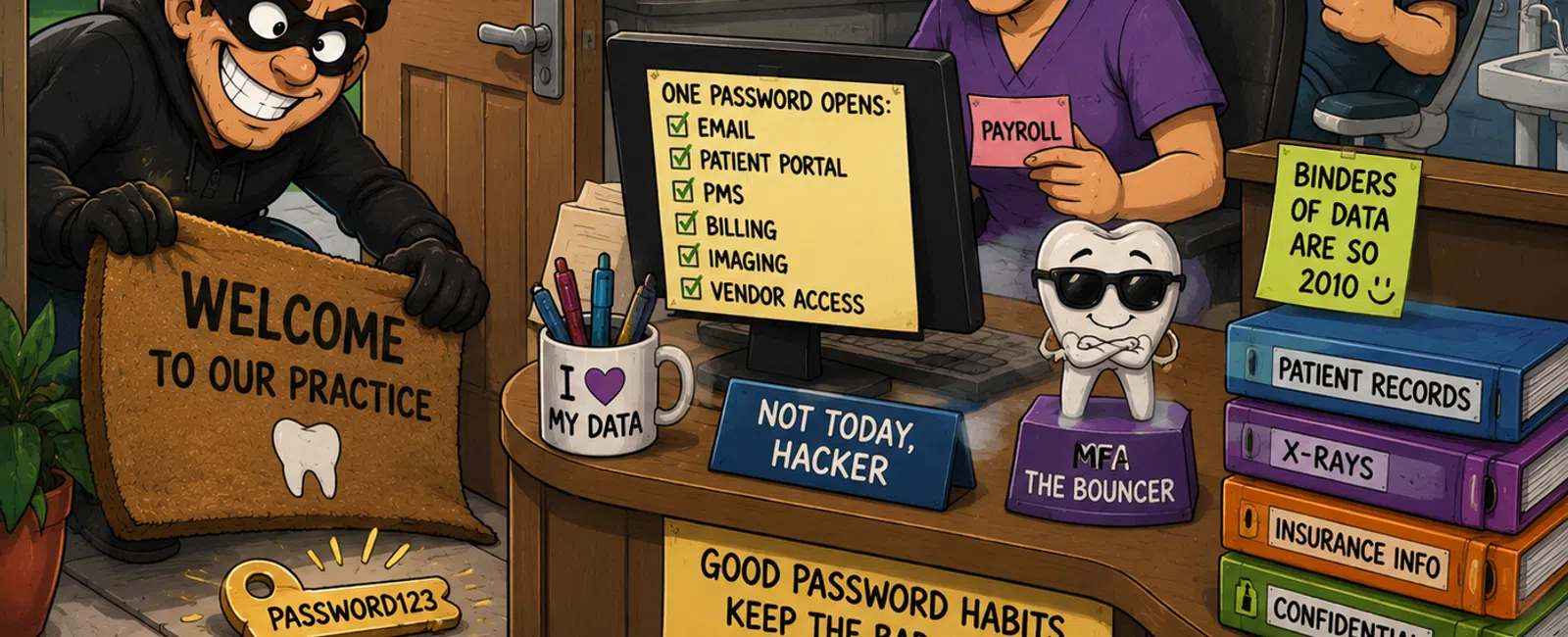
Your Password Is Still the Key Under the Doormat
Let's start with something uncomfortable, but real.
Most credential-based attacks don't break in.
They log in.
That's not a dramatic statement. It's a pattern. In fact, theft of login
credentials continues to be one of the most common ways breaches begin across
industries, including healthcare.
And dental offices are not insulated from that.
You're storing patient records, insurance data, payment details, imaging
files, and communications — all in systems that are accessed constantly
throughout the day.
So when one password gets reused, shared, or saved in the wrong place, it
doesn't just expose one login.
It exposes your entire practice.
Why This Hits Dental Offices Harder Than You Think
In most 10-20 user dental environments, we still see the same patterns:
- One shared
front desk login
- Passwords
reused between email and PMS
- Browser-stored
credentials on shared machines
- Vendor access
left open indefinitely
And on paper, it still "works."
Until the day it doesn't.
Because these systems are connected:
- Email resets
passwords
- PMS connects to
billing
- Vendors connect
to infrastructure
- Workstations
touch everything
The moment one credential is compromised, access spreads faster than
anyone expects.
What Regulators Actually Expect of You
This is where the conversation shifts.
HIPAA is not asking if your passwords are strong.
It's asking:
- Can you prove
who accessed patient data?
- Can you trace
access to an individual person?
- Can you show
controls were in place?
At a minimum, expectations include:
- Unique user
identification (no shared logins)
- Audit controls
(who accessed what and when)
- Authentication
controls (verifying identity)
- Controlled
access to systems handling patient data
If five people use the same login, you cannot answer those questions.
And that's where practices get exposed — not technically, but defensibly.
What This Looked Like in a 12‑Person Practice
Here's a real, stripped-down version of what we see.
Starting point:
- 12 employees
- 1 shared front
desk login
- Email + PMS
using similar passwords
- No MFA on email
- Browser saving
credentials
- Vendor remote
access always enabled
What happened:
- One phishing
email captured a staff login
- Email account
accessed
- Password resets
triggered for billing + PMS
- Multiple
systems accessed within 48 hours
What was found:
- Multiple active
sessions from outside the office
- No clear audit
trail of who accessed patient records
- Vendor access
path still open
- No alerting or
detection early enough
What changed:
- Individual user
accounts created
- MFA enforced on
email and remote access
- Password
manager implemented
- Vendor access
restricted and reviewed
- Audit logs
turned on and retained
Outcome:
- Access became
traceable
- Credential
reuse eliminated
- Audit readiness
restored
- Future
incidents became detectable early
That's the shift.
Not more complexity — more control.
Before vs After (What Actually Changes)
Before:
- Shared
"frontdesk" login
- Same password
across systems
- No audit trail
- Browser
remembers everything
- Vendors always
connected
After:
- Every person
has their own login
- Unique, stored
passwords
- MFA protecting
entry points
- Access tied to
identity
- Vendor access
controlled and logged
This is what "secure" actually looks like in a dental office.
Not perfect. But accountable.
Where Vendors Quietly Break Your Controls
This is the part that gets ignored — and it's one of the biggest risks.
Vendor access.
In most practices, we still see:
- Shared vendor
credentials used by multiple technicians
- Remote access
tools left on 24/7
- No review of
who still has access
- No log of what
was accessed
That creates a blind spot.
You may lock down your team — but if vendors aren't controlled, your
exposure is still wide open.
Enforcement rules that work:
- Vendor access
must be individual — never shared
- Access should
be time-limited, not always-on
- MFA required on
any remote connection
- Access reviewed
quarterly at minimum
- All vendor
activity logged
If you can't answer "who logged in and when," the control isn't real.
What Doesn't Actually Fix This
This is where many practices think they're covered — but aren't.
"We added MFA to email."
But PMS and vendor access are still password-only.
"We use strong passwords."
But they're reused across systems.
"We trust our team."
But access isn't traceable.
"We have IT support."
But vendor access isn't controlled.
These are partial fixes.
They reduce risk slightly — but they don't fix the system.
The Simple System That Actually Works
You don't need enterprise-level complexity.
You need consistency.
At minimum:
- One person =
one login
- One system =
one unique password
- MFA on all
entry points (email, remote access, admin access)
- Passwords
managed centrally, not remembered
- Vendor access
controlled and reviewed
That's it.
When those five things are in place, your risk profile changes
dramatically.
5-Minute Dental Access Check
Run this right now.
Answer yes or no:
- Does every
staff member have their own login for patient systems?
- Is MFA enforced
on email and remote access?
- Can you track
who accessed patient data?
- Are shared
workstations using individual logins?
- Are vendors
restricted to controlled access?
- Are passwords
stored in a secure system (not browsers)?
- Is access
removed immediately when someone leaves?
- Could you
explain your setup to an auditor confidently?
Scoring:
- 7-8 yes →
strong baseline
- 4-6 yes → real
exposure remains
- 0-3 yes →
system relies on habit, not control
What to Fix This Week
Don't try to overhaul everything.
Start here:
At your front desk workstation:
- Remove shared
logins
- Turn on MFA for
connected email accounts
- Stop saving
passwords in the browser
That one change removes one of the most common entry points we see.
Why This Feels So Heavy
Because if something goes wrong, this isn't abstract.
You're the one explaining it.
To patients.
To auditors.
To your team.
That pressure is real.
And most dental owners aren't trying to ignore it — they just don't have
a system that removes the uncertainty.
As defined in your own reality, the real need isn't more technology.
It's knowing things are handled — and won't surprise you later.
Know Exactly Where You Stand
Schedule your 10 minute discovery call with 911 IT. We'll walk through
your access setup across email, shared workstations, practice systems, and
vendor access so you can see exactly where the real exposure is. You'll leave
knowing what's already working — and what actually needs to change.


