
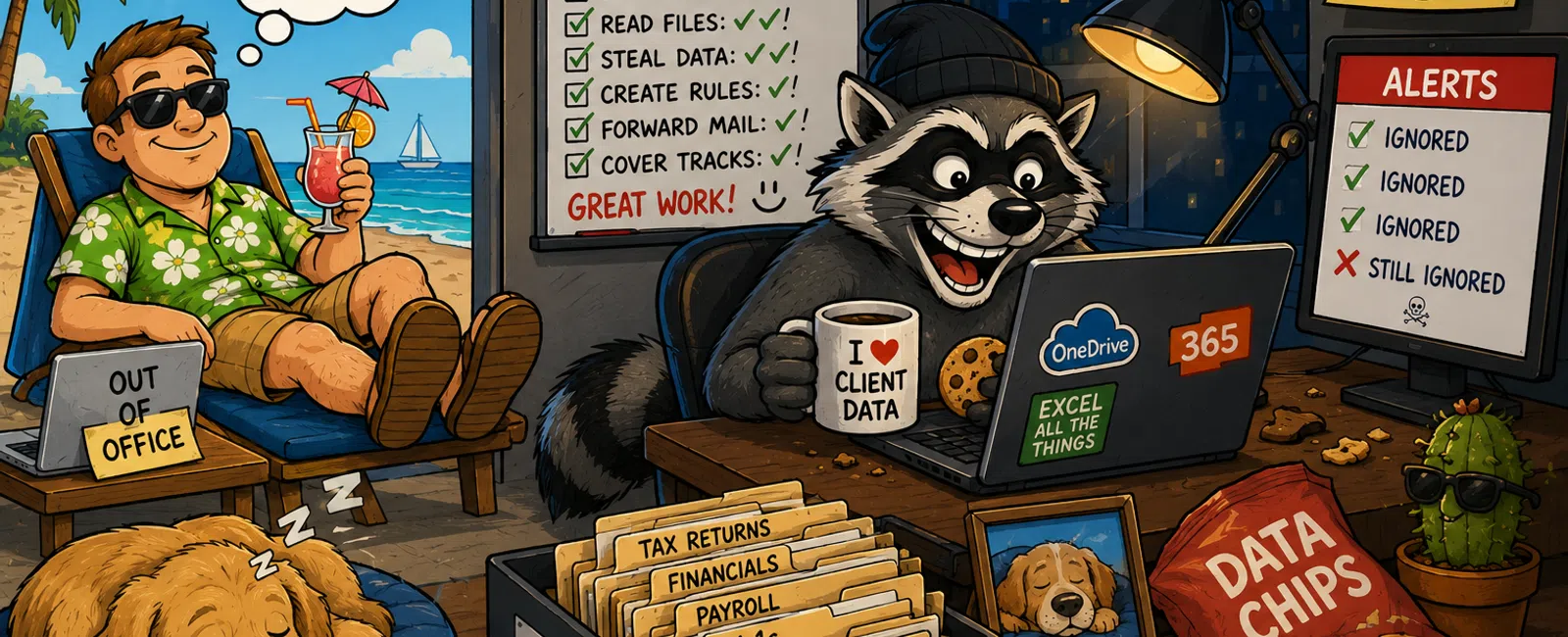
The Most Dangerous Time for Your Firm Isn't When You're Busy
It's when no one is watching — and everyone assumes someone else is.
That's when problems don't look like problems.
They look like normal activity happening at the wrong time.
And by the time anyone notices, you're not stopping anything.
You're explaining it.
The Real Issue Isn't Security. It's Visibility
Most CPA firms aren't ignoring security.
You have tools. You have systems. You likely have some form of
monitoring.
But here's the gap that shows up over a long weekend:
No one can clearly explain who is actively watching those systems in real
time — and what happens when something triggers.
That's not a tooling issue.
That's an operational one.
What "Active Monitoring" Actually Means (In Practice)
Monitoring isn't a dashboard.
It's a chain of events that starts with data and ends with action.
In a functioning environment, alerts typically come from:
- Microsoft 365
audit logs (login activity, mailbox rules, file access)
- Endpoint
detection tools (device behavior, suspicious processes)
- Firewall
activity (unusual traffic patterns, blocked connections)
Most firms already have this data.
The problem is it isn't being reviewed in real time.
Here's what makes it "active":
- A login anomaly
is flagged
- That alert is
routed immediately to a real person (not a queue)
- It is reviewed
within 15 minutes
- If confirmed
suspicious, it is escalated within 5 minutes
- Access is
restricted or sessions are terminated before damage spreads
Without those time expectations, "monitoring" is theoretical.
With them, it becomes protection.
A Real Weekend Pattern We See Repeatedly
This isn't rare.
We see versions of this in firms that believe they are covered.
Friday - 3:10 PM
A user leaves sessions open across multiple systems.
Saturday - 2:08 AM
A successful login occurs from a new location through Microsoft 365.
Saturday - 2:11 AM
Email forwarding rules are quietly created.
Saturday - 2:20 AM - 4:00 AM
Targeted emails and attachments are accessed and downloaded.
No alerts are reviewed in real time. No response is triggered.
Everything looks "normal" until Tuesday morning — when a client questions
a payment request.
At that point, the gap is already visible.
Not because tools failed.
Because no one was watching them when it mattered.
Reactive vs Protected Environments
Here's the difference most firms don't see clearly:
Reactive
- Alerts exist
but aren't routed after hours
- Shared
credentials still circulate
- MFA is
inconsistent
- Logs are
reviewed only after issues surface
- Response
depends on someone noticing a problem
Protected
- Alerts route
24/7 to a defined, accountable person
- MFA is enforced
across all access points
- Conditional
access blocks risky logins automatically
- Anomalies are
detected and reviewed in real time
- Response
actions happen within defined time windows
This isn't about more technology.
It's about whether your current setup is actually operating when you're
not.
If You Only Fix 3 Things Before a Long Weekend
If time is limited, focus here:
- Enforce MFA
everywhere — no exceptions
- Confirm 24/7
alert routing to a real person (name, not role)
- Eliminate
shared credentials completely
These three changes close the most common entry points we see over
holiday windows.
The Operational Checklist (What Actually Matters)
Before your next long weekend, validate this:
- Who receives
alerts after hours (specific person)
- How alerts are
delivered (call, text, or both)
- One alert has
been tested before Friday
- Last 7 days of
login anomalies reviewed
- Temporary and
vendor access removed or expired
- Session timeout
policies enforced
- No shared
credentials exist anywhere
If one of these is unclear, that's your risk surface.
What Good Looks Like on Monday Morning
This is the outcome you're aiming for:
- All alerts from
the weekend are reviewed and documented
- No unexplained
logins remain uninvestigated
- Access logs
align with expected activity
- No lingering
sessions from inactive users
- No emergency
cleanup required
Nothing dramatic.
Just quiet, verified control.
That's what a healthy environment looks like.
How an External Evaluator Sees This
If a client, auditor, or third party asked you to validate your security
posture after a long weekend, they wouldn't ask what tools you have.
They would ask:
- "Show me your
alert log from Saturday."
- "Who reviewed
it, and when?"
- "What was your
response time?"
- "Which accounts
were active outside normal hours?"
If those answers are clear and documented, you're in control.
If they're not, that becomes the finding.
Not because something broke.
Because you can't prove it wouldn't have.
Why This Gets Overlooked
Because most firms assume coverage equals capability.
"There are alerts."
"IT would call if something happened."
"We've never had an issue."
That's not validation.
That's assumption.
And assumption is what attackers plan around.
What To Do Next Week
Block 30 minutes with whoever manages your IT.
Have them walk you through, step by step:
What happens from the moment a suspicious login occurs on a Saturday
night.
Don't accept general answers.
Write down timelines, names, and actions.
That answer is your real security posture.
Take the Next Step
Schedule your 10 minute discovery call to verify how your after-hours
monitoring actually functions in practice. This will confirm whether alerts are
being seen, acted on, and contained within defined response times. With 911 IT,
you'll leave with a clear picture of whether your current setup holds up when
no one is watching.


