
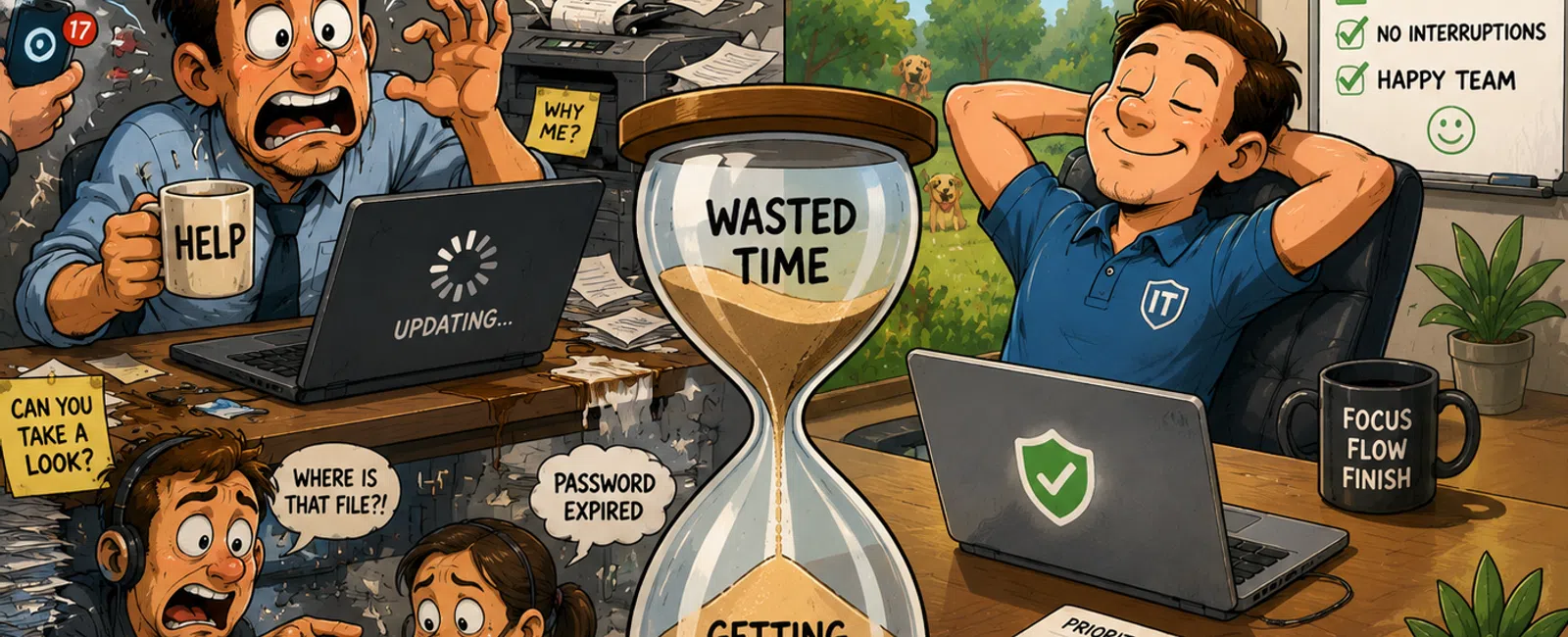
The Longest Day of the Year Won't Save You If Your Systems Keep Stealing Time
Late June brings the longest day of the year. More daylight.
More theoretical hours to get things done.
Yet for most operators, it still ends the same
way—unfinished priorities, fractured focus, and the quiet frustration of
knowing the day slipped away again.
That's not a time‑management problem.
That's an operational one.
When even the longest day feels short, the issue isn't
effort or discipline. It's how much time your systems quietly take from you
without ever triggering an outage.
Where the Day Actually Breaks Down
Very few days start in chaos. Most begin with a plan.
Then the small failures creep in.
Someone can't authenticate into a system that worked
yesterday.
Files sync slowly or land in the wrong place.
An application hesitates just long enough to break momentum.
None of these qualify as "major incidents." That's exactly
why they're dangerous.
Across midsized teams, we consistently see 6-12 micro‑interruptions
per user per week. Each one costs only a few minutes. Together, they
quietly erase 30-60 minutes of productive time per employee—every week.
Multiply that across 50 users, and you're losing 25-50
hours a month without a single outage to explain it.
Why More Hours and More People Don't Fix This
When leaders feel behind, the instinct is predictable:
longer days, faster pace, more hires.
But inefficiency scales.
If access delays, brittle systems, or unclear ownership are
part of daily operations, adding people just multiplies the friction. More
logins. More exceptions. More interruptions.
From the outside—during a cyber insurance review, an audit,
or a board‑level question—the judgment is immediate:
"If this many small issues happen on normal days, what
happens during a real incident?"
That question shows up long before anything breaks.
The 3 Most Common Time‑Leak Systems We See
These aren't edge cases. They're repeat patterns.
1. Identity and Access Sprawl
- Accounts
accumulate exceptions over time
- Access
reviews stop happening
- Authentication
becomes slow or unreliable during peak hours
Nothing fails outright. Work just keeps stopping.
2. File Systems and Permission Drift
- Multiple
storage locations without clear ownership
- Permissions
copied forward instead of reviewed
- Users
hunting for files that technically exist
Time is lost before anyone opens a ticket.
3. Alerting That Detects Outages, Not Friction
- Systems
only flag when something is fully down
- Slowdowns
and retries go unmeasured
- IT
reacts after productivity is already gone
From the dashboard, everything looks "green." From the
floor, nothing flows.
What Good Actually Looks Like
Organizations that don't feel rushed aren't working harder.
They're protecting time at the system level.
When this is fixed, outcomes become predictable:
- Login
and access issues drop from weekly noise to near zero
- Recurring
tickets are eliminated, not reopened
- Interruptions
are resolved before users notice them
- Leaders
stop being pulled into technical decisions mid‑day
The day doesn't feel longer. It just stops fighting back.
What We Fix First (In Order)
This is where most teams go wrong. Priority matters.
- Authentication
stability
If access isn't reliable, nothing else holds. - Recurring
ticket elimination
Anything that reappears twice is a system failure, not a user issue. - Access
review cadence
Predictable reviews prevent exception buildup and audit risk.
This order turns insight into execution.
A Simple Time‑Leak Self‑Check You Can Use Today
Print this. Hand it to a department head. Answer for a
typical week.
Daily Time Leakage Checklist
Check Yes or No:
- Employees
experience login or access issues more than once a week
- Files
are frequently missing, duplicated, or out of sync
- Staff
pause work to "wait on IT" instead of continuing
- The
same technical issues recur without permanent resolution
- Leaders
get pulled into technical decisions they shouldn't need to make
Scoring
- 0-1
Yes: Systems are mostly protecting time
- 2-3
Yes: Productivity drag is present and growing
- 4-5
Yes: Expect 20-40 hours per month lost at 50 users
If you marked three or more Yes answers, the issue is
systemic—not staffing or effort.
A Pattern We See Repeatedly
In midsized Utah organizations, identity and access
management is often the quiet culprit.
Over time, access layers pile up. Reviews stop.
Authentication stacks grow brittle. Peak‑hour logins slow or fail
intermittently.
No alarms. No outages. Just constant friction.
Externally, that reads as weak controls. Internally, it
feels like everyone is "just busy."
Both are signs the system—not the people—is the bottleneck.
A Real‑World Snapshot
A 65‑user professional services firm was averaging eight
access‑related interruptions per employee each week.
Within 30 days of stabilizing authentication and eliminating
recurring tickets, weekly interruptions dropped 47%—without adding staff
or changing workloads.
Nothing dramatic changed. The day just started flowing
again.
Your One Next‑Week Action
This week, track interruptions instead of tasks.
For five business days, write down every technical
interruption longer than two minutes. Note who it affected, what stopped, and
how long it took to resume.
By the end of the week, the pattern will be unmistakable.
The Real Issue Isn't Time
If your business can't get through a normal workday without
constant interruption, it isn't built to run without you.
That's the risk. And it doesn't correct itself.
Reach out to 911 IT right now. If your checklist shows
three or more Yes answers, we'll map exactly where your systems are leaking
time and give you a prioritized fix list before these small failures turn into
something visible. Don't wait.


