
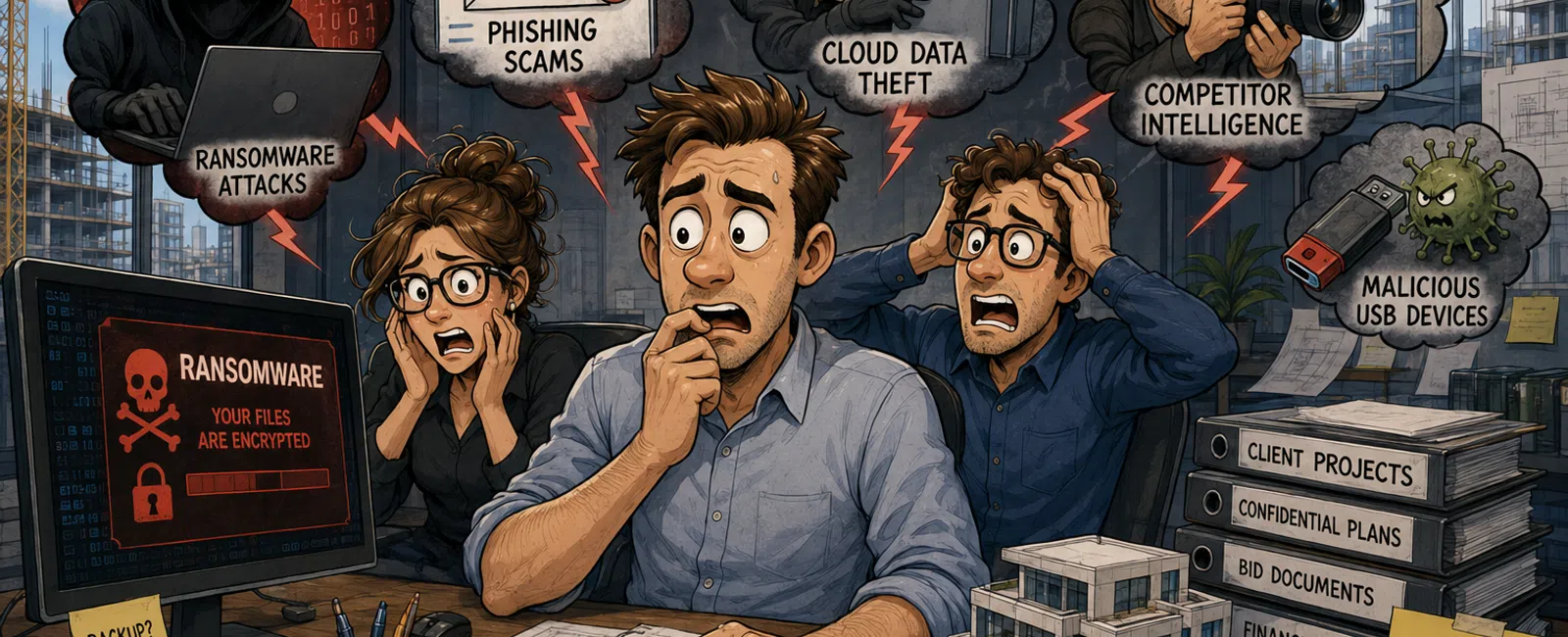
The Biggest Cybersecurity Risks Facing Architecture Firms
Architecture firms face the same ransomware, phishing, credential theft, and business email compromise risks as other professional organizations, but they also hold unusually valuable project information. Building plans, infrastructure details, access layouts, client contracts, bid documents, financial records, and consultant data can make an architecture firm an attractive target.
For a 25–50 person architecture firm, the most important cybersecurity priorities are to protect employee identities, secure every workstation, control access to BIM and project files, defend email, maintain tested backups, and prepare an incident response plan.
A practical baseline should include:
- Multi-factor authentication for every cloud account
- Endpoint detection and response on every managed computer
- Full-disk encryption
- Email threat protection
- Security awareness training and phishing simulations
- Restricted administrator privileges
- Managed software and operating-system updates
- Role-based access to Revit, BIM, Microsoft 365, and project systems
- Independent backups with regular recovery testing
- A documented incident response and business continuity plan
Cybersecurity should not be treated as a separate technical project. It must be built into the way architects collaborate, access models, work remotely, share information with consultants, and deliver projects to clients.
Why Architecture Firms Are Attractive Cyberattack Targets
Architecture firms sit at the center of complex networks of clients, engineers, contractors, consultants, developers, government agencies, and vendors. This creates many opportunities for attackers to steal credentials, impersonate trusted contacts, or gain access through a connected organization.
Architecture firms may possess:
- Detailed building plans and floor layouts
- Security, access-control, electrical, and mechanical information
- Government, education, healthcare, and infrastructure project data
- Contracts, bids, invoices, and payment instructions
- Client and employee personal information
- Autodesk Revit models and other intellectual property
- Microsoft 365 email and collaboration records
- Consultant contact information
- Project schedules and deadline-sensitive deliverables
Attackers do not always need to sell stolen architectural data directly. They may use it to extort the firm, disrupt a project, impersonate an executive, redirect a payment, compromise a client, or pressure leadership into paying a ransom before a deadline.
911 IT helps technically demanding organizations protect systems, identities, networks, and cloud platforms through its cybersecurity services and IT support for engineering firms.
The Seven Most Important Cybersecurity Risks for Architecture Firms
1. Phishing and Business Email Compromise
Email is one of the most common entry points for cyberattacks. Architecture employees regularly receive file-sharing notices, project invitations, invoices, drawing updates, bid requests, cloud-platform alerts, and messages from outside consultants. Attackers can imitate these familiar communications.
A phishing email may pretend to be:
- An Autodesk Construction Cloud invitation
- A Microsoft 365 password-expiration alert
- A Dropbox, SharePoint, or OneDrive file notification
- A consultant sending revised drawings
- A client requesting an urgent payment change
- An executive asking for gift cards or a wire transfer
- A vendor submitting an updated invoice
- A cloud voicemail or document-signature notice
Business email compromise is particularly dangerous because the attacker may gain access to a legitimate mailbox, study real conversations, and send a convincing request at the right moment.
Reduce the risk with:
- Multi-factor authentication
- Advanced email filtering
- External-sender warnings
- Domain protection
- Security awareness training
- Phishing simulations
- Independent verification of payment changes
- Conditional Access policies
- Monitoring for suspicious sign-ins and forwarding rules
2. Ransomware Affecting Project Data
Ransomware can encrypt workstations, servers, synchronized folders, and connected storage. The timing of an attack can create extreme pressure when a project deadline, client presentation, permit submission, or bid is approaching.
A firm may be especially vulnerable when:
- Employees have local administrator rights
- Operating systems and applications are not patched
- Remote access is exposed or poorly secured
- Backups are connected to production systems
- Backup restoration has never been tested
- Endpoint protection relies only on basic antivirus
- Shared folders give broad write access
- Employees use personal devices for business data
Protection requires more than installing antivirus. Use endpoint detection and response, network segmentation, least-privilege access, secure remote access, isolated backups, monitoring, and a practiced incident response process.
3. Stolen Microsoft 365 and Autodesk Credentials
Cloud accounts provide access to email, Teams, SharePoint, OneDrive, Autodesk platforms, project information, and contacts. A stolen password may allow an attacker to enter the firm's environment without installing malware.
Require multi-factor authentication for:
- Microsoft 365
- Autodesk accounts
- Remote-access systems
- Accounting and payment platforms
- Password managers
- Backup administration
- Domain and website administration
- Cloud infrastructure
Do not rely on text-message codes as the only option when stronger authentication methods are available. Authentication applications, number matching, security keys, and phishing-resistant methods can provide stronger protection.
4. Uncontrolled Consultant and Guest Access
Architecture projects frequently involve structural, mechanical, electrical, civil, landscape, interior, and specialty consultants. Each external account expands the number of people and organizations that may interact with project information.
Common problems include:
- Shared consultant accounts
- Guest access that never expires
- Consultants receiving access to more projects than necessary
- Public links that can be forwarded
- Former project participants retaining access
- No record of who approved the invitation
- External users exempted from multi-factor authentication
Use named accounts, project-specific permissions, access expiration, recurring guest reviews, multi-factor authentication, and a documented project closeout process.
5. Lost, Stolen, or Unmanaged Workstations
Architects and project managers may work from offices, homes, job sites, airports, hotels, and client locations. A laptop can contain cached project files, email, saved credentials, browser sessions, and access to cloud systems.
Every portable device should have:
- Full-disk encryption
- Endpoint detection and response
- Strong screen-lock policies
- Managed updates
- Remote support and device inventory
- Controlled administrator privileges
- A documented lost-device response process
The firm should be able to identify the affected employee, device, accounts, stored information, encryption status, and required response immediately after a device is reported missing.
6. Weak Backup and Disaster Recovery Practices
Many organizations assume that cloud storage, synchronization, or version history is the same as a complete backup. It is not always sufficient for ransomware, deleted accounts, malicious administrators, long-term retention, or widespread corruption.
A complete recovery strategy should answer:
- Which systems and data are protected?
- How frequently are backups created?
- How long are versions retained?
- Can attackers using production credentials delete the backups?
- Who receives alerts when a backup fails?
- How often is restoration tested?
- How quickly can the firm recover an active project?
- How much recent work could be lost?
- Can Microsoft 365 email, Teams, SharePoint, and OneDrive data be restored?
911 IT's business continuity services help businesses prepare for ransomware, hardware failure, outages, and other disruptions with backup, disaster recovery, and continuity planning.
7. Cybersecurity Requirements Hidden in Client Contracts
Architecture firms may accept security obligations through contracts, project agreements, insurance applications, or work involving regulated clients. The requirements may include access controls, encryption, incident notification, security policies, audit rights, data retention, or restrictions on subcontractors.
Firms working with government agencies or defense-related organizations may face additional requirements. Before accepting a project, leadership should understand:
- What information will be received or created
- Where that information may be stored
- Who may access it
- Whether encryption is required
- How quickly incidents must be reported
- Whether external consultants must follow the same controls
- How long information must be retained
- Whether the client can audit the firm's practices
Security requirements should be reviewed before project data enters the environment, not after a client questionnaire or audit arrives.
The Six-Layer Architecture Firm Cybersecurity Framework
Layer 1: Identity Security
Identity is the new perimeter for firms using Microsoft 365, Autodesk cloud platforms, remote access, and other online applications.
Recommended controls include:
- Multi-factor authentication for all users
- Conditional Access
- Separate administrator accounts
- No shared credentials
- Strong onboarding and offboarding procedures
- Automated disabling of inactive accounts
- Sign-in monitoring
- Password-manager use
- Phishing-resistant authentication for privileged users
Administrative accounts should not be used for ordinary email, web browsing, or daily work. Limiting privileged access reduces the damage a stolen account can cause.
Layer 2: Endpoint Security
Every workstation, laptop, server, and supported mobile device should be inventoried and managed.
A practical endpoint standard includes:
- Endpoint detection and response
- Full-disk encryption
- Automated operating-system patching
- Application updates
- Device health monitoring
- Restricted local administrator access
- Approved software standards
- Secure remote support
- Browser protection
- Device retirement and secure data destruction
High-performance Revit workstations sometimes receive exceptions because employees are concerned security tools will reduce performance. Exceptions should be tested and documented rather than leaving design systems unprotected.
Layer 3: Email and Collaboration Security
Email, Teams, SharePoint, OneDrive, Autodesk Construction Cloud, and other collaboration systems should be configured with intentional security policies.
Recommended controls include:
- Advanced phishing and malware filtering
- Blocking automatic external forwarding
- Monitoring suspicious inbox rules
- Limiting anonymous sharing links
- Guest access reviews
- Safe attachment and link inspection
- Data retention policies
- External-sender identification
- Approval procedures for payment changes
Layer 4: Network Security
The office network must protect design workstations, servers, wireless devices, printers, building systems, guest devices, and remote connections.
A secure network design may include:
- Business-grade firewalls
- Intrusion prevention
- Secure DNS filtering
- Network segmentation
- Separate guest Wi-Fi
- Managed switches and wireless access points
- Secure remote access
- Logging and monitoring
- Firmware updates
- Internet redundancy for critical offices
Printers, plotters, cameras, conference-room systems, and building devices should not automatically share unrestricted access with servers and production workstations.
Layer 5: Data Protection and Recovery
Data controls should protect information while it is stored, transmitted, shared, archived, and deleted.
Key controls include:
- Role-based access
- Encryption
- Approved sharing platforms
- Backup isolation
- Recovery testing
- Retention standards
- Secure project archives
- Controlled deletion
- Data classification
- Documented ownership
Layer 6: People, Policies, and Response
Technology cannot prevent every incident. Employees need clear instructions for recognizing and reporting suspicious activity.
The firm should maintain:
- Security awareness training
- Phishing simulations
- An acceptable-use policy
- A remote-work policy
- An access-control policy
- An incident response plan
- A business continuity plan
- A vendor-management process
- Cyber insurance documentation
- Annual tabletop exercises
A 15-Control Cybersecurity Baseline for a 25–50 Person Firm
| Control | Minimum Recommended Standard |
|---|---|
| Multi-factor authentication | Required for Microsoft 365, Autodesk, remote access, finance, backup, and administrative systems |
| Endpoint protection | Managed endpoint detection and response on every supported workstation and server |
| Encryption | Full-disk encryption on laptops and workstations containing business data |
| Patching | Centralized operating-system and application update management |
| Administrator access | Separate privileged accounts and limited local administrator rights |
| Email security | Phishing, malware, suspicious-link, and impersonation protection |
| Security training | Training at onboarding and at least annually, supported by recurring phishing tests |
| Backup | Protected backups for critical systems and cloud data with documented retention |
| Recovery testing | Regular restoration tests using representative project and business data |
| Guest access | Named accounts, least-privilege permissions, and recurring reviews |
| Network security | Managed firewall, secure DNS, segmented networks, and separate guest access |
| Monitoring | Centralized alerts for endpoints, identities, backups, and critical network systems |
| Incident response | Written plan with roles, contact information, decision authority, and reporting procedures |
| Vendor management | Review of providers that store, process, or access sensitive information |
| Cyber insurance alignment | Technical controls and application answers verified before renewal |
How to Secure Autodesk Revit and BIM Collaboration
Revit and BIM environments require both performance and security. Employees must be able to access large models without creating unmanaged copies or weakening access controls.
Recommended practices include:
- Use an approved collaboration platform
- Require individual Autodesk accounts
- Enable multi-factor authentication
- Grant access by project and role
- Review external consultant accounts
- Remove access at project completion
- Avoid emailing active models
- Avoid consumer file-sharing accounts
- Protect workstations with encryption and endpoint security
- Document archive and recovery procedures
Do not permit employees to create personal repositories for convenience. The firm should define one authoritative location for active models and supporting project documents.
How to Protect Microsoft 365
Microsoft 365 often contains the firm's email, project communication, client contacts, documents, calendars, meeting information, and cloud identities. A secure configuration should include:
- Multi-factor authentication for every user
- Conditional Access policies
- Blocking legacy authentication
- Separate administrator accounts
- Mailbox audit logging
- Suspicious sign-in alerts
- Anti-phishing and impersonation policies
- Controls for external forwarding
- Guest and external-sharing reviews
- Independent backup where required by the firm's recovery objectives
Microsoft licensing alone does not configure or monitor these protections. The firm needs clear responsibility for implementation, alert review, and ongoing administration.
How Remote and Hybrid Work Change Cybersecurity Risk
Remote work moves employees outside the office firewall and introduces home Wi-Fi, personal devices, shared spaces, travel, and variable internet connections.
A secure remote-work standard should address:
- Company-managed devices
- Encrypted storage
- Endpoint detection and response
- Multi-factor authentication
- Secure remote-access methods
- Prohibited use of personal file-sharing accounts
- Rules for printing and storing documents at home
- Public Wi-Fi use
- Lost or stolen devices
- Household access to company equipment
Firms using virtual desktops or cloud workstations must still secure the employee's access device and identity. Centralizing applications does not remove phishing or credential-theft risk.
Cyber Insurance Controls Architecture Firms May Need
Cyber insurance applications increasingly ask detailed questions about technical controls. Incorrect answers can create problems during underwriting or after a claim.
Common topics include:
- Multi-factor authentication
- Endpoint detection and response
- Offline or isolated backups
- Security awareness training
- Phishing testing
- Patch management
- Email filtering
- Administrator privileges
- Incident response planning
- Vendor access
- Remote desktop exposure
- Encryption
Leadership, the insurance broker, legal counsel, and the IT provider should verify answers together. A control should not be described as implemented unless it is deployed consistently and monitored.
What to Do During a Suspected Cyberattack
Employees should know how to report an incident immediately. Delayed reporting can give an attacker more time to access mailboxes, download data, encrypt files, or contact clients.
A practical first-response process is:
- Report the incident: Contact the designated IT and leadership contacts using a known method.
- Disconnect affected devices when instructed: Remove network access without unnecessarily shutting down systems that may contain useful evidence.
- Preserve information: Do not delete suspicious messages, logs, files, or alerts.
- Contain access: Disable compromised accounts, revoke sessions, and isolate affected systems.
- Determine scope: Identify affected users, devices, systems, data, and external parties.
- Engage required experts: Contact the insurer, legal counsel, forensic provider, and law enforcement when appropriate.
- Recover safely: Restore only after the cause is understood and systems are secured.
- Document lessons: Correct weaknesses and update the response plan.
Employees should not negotiate with an attacker, independently pay a ransom, or communicate publicly without authorization.
A Cybersecurity Incident Response Team
| Role | Primary Responsibility |
|---|---|
| Executive decision-maker | Approves major business, financial, operational, and communication decisions |
| IT or managed service provider | Contains systems, investigates technical scope, preserves evidence, and restores operations |
| Legal counsel | Advises on notification, contracts, privilege, and legal obligations |
| Cyber insurance carrier | Coordinates approved response resources and claim requirements |
| Communications lead | Manages approved employee, client, media, and public communication |
| Project leadership | Evaluates affected deadlines, deliverables, clients, and consultants |
| Human resources | Supports employee communication and personnel-related incidents |
Contact information should be available outside the firm's normal systems in case email, file storage, or the office network is unavailable.
Common Cybersecurity Mistakes Architecture Firms Make
Assuming the Firm Is Too Small to Be Targeted
Attackers often automate scanning, phishing, and credential attacks. They do not need to know the firm's name or size in advance.
Using One Shared Account for a Project Team
Shared accounts eliminate accountability and make offboarding difficult. Every employee and consultant should have an individual identity.
Allowing Permanent Local Administrator Rights
Administrator privileges increase the impact of malware and unauthorized changes. Use controlled elevation or separate administrative credentials.
Relying Only on Built-In Cloud Retention
Cloud availability and version history may not satisfy every recovery need. Test the exact scenarios the firm expects to recover from.
Keeping Former Employees and Consultants Active
Delayed offboarding creates unnecessary exposure. Disable accounts and revoke sessions promptly.
Ignoring Security to Preserve Revit Performance
Disabling protection entirely is not an acceptable performance strategy. Test configurations and exclusions with both the software vendor and security provider.
Treating the Annual Insurance Form as a Security Assessment
An insurance questionnaire is not a substitute for technical testing, vulnerability management, and recovery exercises.
Waiting for an Incident Before Creating a Plan
Leadership should decide response roles, contacts, authority, and priorities before systems are unavailable and deadlines are at risk.
Example: A 38-Person Architecture Firm
Consider a 38-person architecture firm with one main office, hybrid employees, several outside consultants, Microsoft 365, Autodesk Construction Cloud, a local file server, and project work involving schools and municipal facilities.
A practical security improvement plan could include:
- Multi-factor authentication for Microsoft 365, Autodesk, remote access, backup, and finance systems
- Endpoint detection and response on every workstation and server
- Full-disk encryption on laptops and production workstations
- Removal of permanent local administrator rights
- Advanced email protection and payment-verification procedures
- Quarterly review of consultant and guest access
- Network segmentation for guest Wi-Fi, printers, and building devices
- Independent Microsoft 365 and server backups
- A test restoration of one active project and one mailbox
- An incident response tabletop exercise involving leadership, IT, legal counsel, and the insurance broker
The firm should track completion, assign owners, and review the security roadmap at least quarterly rather than treating the work as a one-time project.
A 30-Day Cybersecurity Improvement Plan
Week 1: Secure Accounts
- List every Microsoft, Autodesk, remote-access, finance, backup, and administrative account.
- Enable multi-factor authentication.
- Disable unused accounts.
- Create separate administrator identities.
- Review suspicious forwarding rules and sign-ins.
Week 2: Secure Devices
- Inventory every workstation, laptop, server, and supported mobile device.
- Verify endpoint detection and response coverage.
- Confirm encryption status.
- Review operating-system and application patching.
- Remove unnecessary local administrator rights.
Week 3: Secure Data and Collaboration
- Review Autodesk, Teams, SharePoint, OneDrive, and file-server permissions.
- Remove inactive guests and consultants.
- Identify public or anonymous sharing links.
- Document the authoritative location for active project files.
- Confirm backup coverage and retention.
Week 4: Test Response and Recovery
- Restore one representative project file.
- Restore one mailbox or cloud document.
- Review the incident response plan.
- Conduct a one-hour ransomware or stolen-account tabletop exercise.
- Create a prioritized 12-month security roadmap.
A Cybersecurity Readiness Scorecard
| Category | Readiness Question |
|---|---|
| Identity | Is multi-factor authentication enforced for every important system? |
| Administration | Are privileged accounts separate from everyday user accounts? |
| Endpoints | Are all supported computers encrypted, patched, monitored, and protected? |
| Are phishing, impersonation, suspicious links, and malicious attachments actively filtered? | |
| Project access | Are employees and consultants limited to the projects they need? |
| Remote work | Are remote devices, identities, and access methods governed by written standards? |
| Backup | Can the firm explain exactly what is backed up and how long it is retained? |
| Recovery | Has the firm restored representative project and Microsoft 365 data successfully? |
| Training | Do employees receive recurring security education and phishing tests? |
| Incident response | Does leadership know who to contact and what decisions must be made during an attack? |
| Insurance | Have technical controls been verified against the cyber insurance application? |
| Governance | Are security policies, responsibilities, and review dates documented? |
Questions to Ask a Cybersecurity Provider
- Which security controls are included in the monthly agreement?
- Do you provide endpoint detection and response or only traditional antivirus?
- How is Microsoft 365 monitored?
- Will you enforce multi-factor authentication and Conditional Access?
- How are administrator accounts protected?
- How quickly are critical patches deployed?
- How do you secure Autodesk and BIM collaboration accounts?
- How are consultant and guest permissions reviewed?
- What happens when a security alert occurs after business hours?
- Who performs incident containment?
- Are backups isolated from production credentials?
- How often are restoration tests completed?
- Do you help prepare incident response and business continuity plans?
- Can you support cyber insurance questionnaires?
- How do you document and report security improvements?
- Do you have experience supporting architecture, engineering, or construction environments?
- Which services are billed separately during an incident?
- Can you provide a prioritized security roadmap rather than only a list of tools?
Frequently Asked Questions
Are architecture firms common ransomware targets?
Architecture firms can be attractive targets because they depend on deadline-sensitive data and hold valuable project, financial, client, and consultant information. Automated phishing and credential attacks can also reach firms regardless of industry or size.
Does every employee need multi-factor authentication?
Yes. Multi-factor authentication should protect every employee and external user wherever the platform supports it. Privileged and financial accounts should use the strongest available methods.
Is antivirus enough to protect Revit workstations?
No. A complete approach should include endpoint detection and response, patching, encryption, restricted administrator privileges, identity protection, monitoring, backup, and employee training.
Does Microsoft 365 include backup?
Microsoft provides availability, retention, and recovery features, but those capabilities may not satisfy every firm's backup and retention objectives. Define required recovery scenarios and determine whether an independent backup is needed.
How often should employees receive security training?
Provide training during onboarding and at least annually, with shorter recurring education and phishing simulations throughout the year. Training should address the specific messages employees commonly receive.
How often should consultant access be reviewed?
Review access at project milestones, when a consultant's role changes, during project closeout, and through a recurring company-wide guest-account review.
Can cybersecurity tools slow down Revit?
Poorly configured tools can affect performance, but removing protection is not the right solution. Test representative workflows, review vendor guidance, and apply narrowly defined exclusions only when justified and documented.
What should an employee do after clicking a phishing link?
The employee should report it immediately, even when nothing appears to happen. IT may need to revoke sessions, reset credentials, review sign-ins, inspect the device, and remove malicious mailbox rules.
How often should backups be tested?
Testing frequency should reflect the importance of the systems and the firm's recovery objectives. Critical project and business systems should be tested regularly, with results documented and failures corrected.
Does cyber insurance replace cybersecurity?
No. Insurance may help manage some financial consequences, but it does not prevent downtime, project disruption, client impact, reputational harm, or every uncovered cost.
Build a Security Program Around Architecture Workflows
The strongest cybersecurity program is not simply a collection of products. It protects the way the firm actually works: Revit production, BIM collaboration, Microsoft 365, remote access, consultant sharing, project delivery, and business continuity.
911 IT provides 24/7 threat monitoring, endpoint protection, firewall and network security, employee training, encryption, secure backup, incident response, and customized security planning through its cybersecurity services. Architecture and engineering firms can also combine security with managed IT services, business continuity services, and specialized engineering IT support.
Schedule a discovery call to identify your firm's most important cybersecurity gaps and build a prioritized protection plan.


