
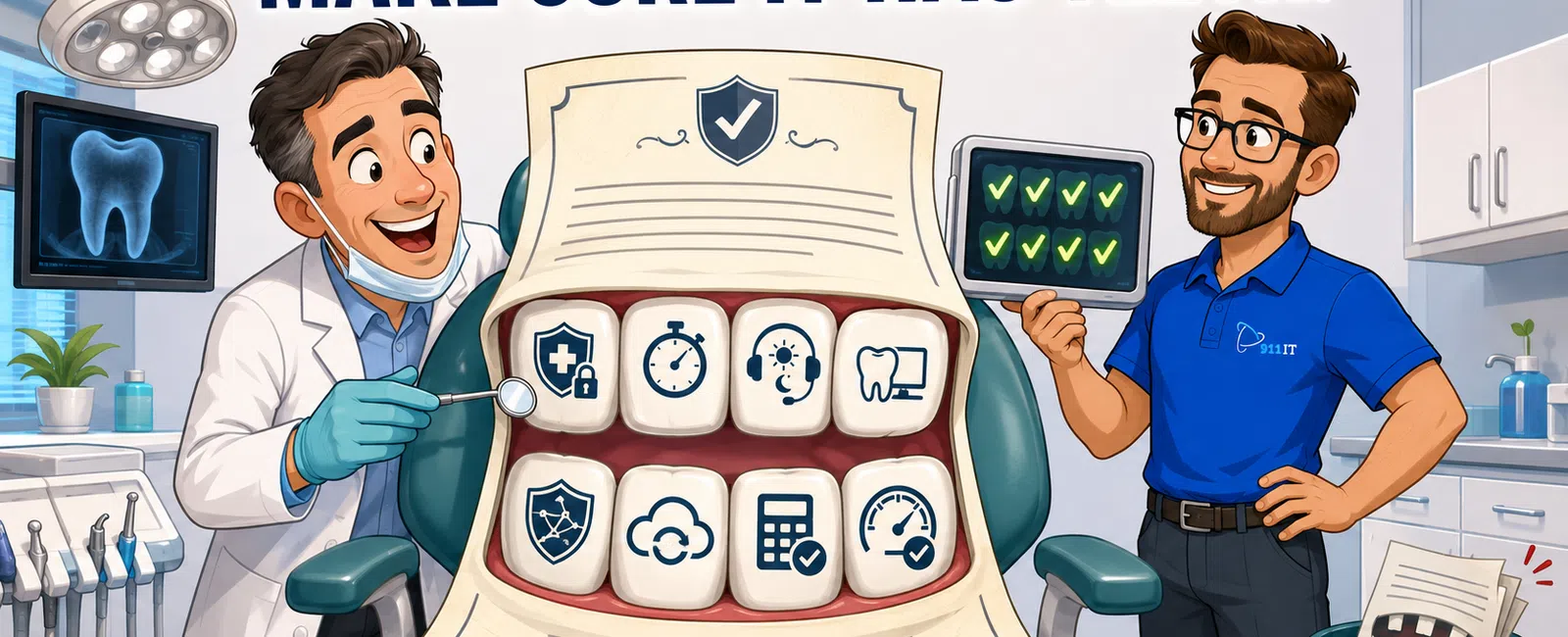
A managed IT services agreement for dental practices must include HIPAA compliance guarantees with a signed Business Associate Agreement, defined response times for critical systems like practice management software, 24-7 helpdesk support, cybersecurity protections including encryption and monitoring, data backup with tested disaster recovery, and transparent pricing. The agreement should specify support for dental-specific software, on-site visit terms, and performance metrics with at least 99% uptime commitments.
What HIPAA and Compliance Terms Must the Agreement Include?
Every managed IT services agreement for a dental practice must include a signed Business Associate Agreement (BAA) that legally binds the IT provider to HIPAA compliance standards. This document makes the provider liable for any breaches involving protected health information (PHI) under their control.
The agreement should explicitly list compliance deliverables: annual Security Risk Assessments, encryption at rest and in transit for all patient data, access controls with role-based permissions, audit logging of PHI access, and employee security awareness training. These aren't optional extras - they're federal requirements that the Office for Civil Rights expects during audits.
Documentation requirements matter significantly. The contract should specify that the provider will maintain compliance documentation, incident response plans, and breach notification procedures that meet the 60-day reporting window mandated by HIPAA. Salt Lake City dental practices face the same federal standards as practices nationwide, with no additional state-specific healthcare IT mandates in Utah simplifying the compliance landscape.
Vendor management provisions should address subcontractors. If your IT provider uses third-party tools for backup, monitoring, or security, each vendor must also sign a BAA. The agreement should clarify who bears responsibility for ensuring downstream compliance.
A comprehensive HIPAA compliance framework protects both your practice and your patients from costly breaches.
How Should Response Times and Support Availability Be Defined?
Response time guarantees separate professional managed services from break-fix providers. The agreement must specify response windows for different priority levels:
- Critical issues affecting patient care (practice management system down, no access to patient records) should trigger immediate response within 15-30 minutes
- Medium-priority issues might involve single-workstation problems or non-essential software glitches with 2-4 hour response windows
- Low-priority requests cover enhancement requests or training questions with 4-24 hour windows
Define what constitutes each priority level in writing. A critical issue for a dental practice includes chair-side technology failures during patient appointments, digital radiography system outages, or complete network failures.
Adam, an accounting firm client, noted that 911 IT "always has someone who is willing to help if not immediately, within the next 24 hours" and they "saved our company after a computer mishap" with their 24-7 availability.
The contract should guarantee 24-7 helpdesk availability, not just monitoring. Dental emergencies don't follow business hours, and Saturday appointments are common in competitive markets like Salt Lake City where patient convenience drives practice success. Remote support capabilities should be standard, minimizing downtime by allowing technicians to diagnose and resolve issues without on-site visits for most problems.
Escalation procedures need documentation. If the first-tier technician cannot resolve an issue within a specified timeframe, the agreement should mandate automatic escalation to senior engineers or specialists. This prevents tickets from languishing in queues while your operatories sit idle.
Clear response commitments ensure your practice technology supports patient care rather than disrupting it.
What Software and System Support Should Be Explicitly Listed?
Generic IT support isn't sufficient for dental practices. The agreement must explicitly name the practice management systems and dental software the provider supports: Dentrix, Eaglesoft, Open Dental, Curve, Dolphin Imaging, or whatever platforms your practice uses. Vague language like "industry-standard software" leaves room for disputes when you need help.
Integration support matters as much as individual applications. Modern dental practices run interconnected systems: the practice management software communicates with digital radiography PACS systems, intraoral cameras feed into treatment planning software, and patient portals sync with appointment scheduling. The agreement should cover integration troubleshooting, not just individual application support.
Hardware support scope requires definition. Chair-side computers, digital X-ray sensors, CAD/CAM milling units, and intraoral scanners represent significant investments. Clarify whether the IT provider supports this equipment directly, coordinates with dental equipment vendors, or maintains relationships with manufacturers for warranty and repair issues.
Cloud services and hosting should appear in the contract if applicable. Many practices now run cloud-based practice management systems or use cloud backup solutions. The agreement should specify the provider's role in managing cloud infrastructure, monitoring performance, and ensuring HIPAA-compliant cloud configurations.
Network infrastructure support - servers, switches, wireless access points, firewalls - needs explicit inclusion. Utah's tech-savvy population expects dental practices to offer patient portals and online scheduling, which require robust, secure network infrastructure that IT providers must maintain.
Comprehensive software coverage prevents the "that's not our responsibility" conversation when critical systems fail.
What Security and Cybersecurity Protections Are Non-Negotiable?
Cybersecurity provisions form the backbone of any dental practice IT agreement. The contract must specify endpoint detection and response (EDR) or managed detection and response (MDR) services on all workstations and servers. These tools actively monitor for ransomware, malware, and intrusion attempts - threats that have crippled dental practices nationwide.
Firewall management and network security monitoring should be standard inclusions. The agreement should detail regular security patch management with defined schedules for critical updates, particularly for Windows operating systems and common applications like Microsoft Office that attackers frequently exploit.
Email security deserves specific attention. Phishing remains the primary attack vector for dental practice breaches. The contract should include email filtering, spam protection, and phishing simulation training for staff. Employee security awareness training should occur at least annually, with quarterly refreshers recommended.
Multi-factor authentication (MFA) implementation should be mandatory for all systems containing PHI. The agreement should specify that the provider will configure and maintain MFA across practice management systems, email, remote access, and administrative tools.
Vulnerability scanning and penetration testing frequency should appear in writing. Quarterly vulnerability scans identify security weaknesses before attackers exploit them. Annual penetration testing simulates real-world attacks to validate your security posture.
Incident response procedures need documentation. The contract should outline the provider's role during a security incident: containment steps, forensic investigation, breach notification assistance, and system restoration. This clarity proves invaluable during the chaos of an actual breach.
Jaren, a construction industry client, emphasized the value of proactive security: "We have loved the peace of mind using 911 IT has given us. They help us with backup services and with virus protection."
Robust security terms protect your practice from the financial and reputational devastation of a breach.
How Should Backup, Disaster Recovery, and Business Continuity Be Structured?
Data backup specifications must be granular and testable. The agreement should mandate backup frequency (continuous or hourly for critical systems, daily for less critical data), retention periods (typically 30 days for daily backups, 12 months for monthly archives), and storage locations (on-site and off-site or cloud-based for geographic redundancy).
Recovery time objectives (RTO) and recovery point objectives (RPO) need definition. RTO specifies how quickly systems must be restored after a disaster - for dental practices, 4-8 hours is reasonable for full operations. RPO defines acceptable data loss - typically no more than one hour of patient data for practices with continuous scheduling.
Disaster recovery testing should occur at least annually, with results documented. Untested backups are worthless. The agreement should require the provider to perform test restorations, verify data integrity, and document restoration procedures. Salt Lake City practices face risks from natural disasters (earthquakes, wildfires) and technical failures that make tested recovery plans essential.
Business continuity provisions should address temporary operations during extended outages. Can the provider supply temporary workstations? Do they maintain relationships with hardware vendors for emergency equipment? How will phone systems continue operating if the office network fails?
Backup monitoring and alerting must be continuous. The contract should specify that the provider actively monitors backup jobs, investigates failures immediately, and notifies the practice of any backup issues before they become critical.
Cloud backup solutions should meet HIPAA requirements with encrypted transmission and storage, BAAs with cloud providers, and geographically redundant data centers. The agreement should clarify whether backup services are included in base pricing or billed separately.
Comprehensive backup and recovery terms ensure your practice can survive any disaster without losing patient data or extended downtime.
What Pricing Structure and Terms Protect Your Practice?
Transparent, predictable pricing prevents budget surprises. The agreement should use flat-rate per-user or per-device pricing rather than hourly billing that creates perverse incentives (slower problem resolution generates more revenue). Industry averages for fully managed IT services range from $100 - $250 per user per month, with variations based on practice size and service scope.
The contract must itemize what's included in base pricing versus additional costs:
- Typical inclusions: helpdesk support, remote monitoring, security updates, basic cybersecurity, and routine maintenance
- Common add-ons: advanced cybersecurity tools ($25 - $75 per user per month), compliance services ($50 - $200 per user per month for HIPAA-specific services), VoIP phone services ($20 - $40 per user per month), and project work like network upgrades or migrations
On-site visit terms require clarity. How many on-site hours are included monthly? What triggers additional charges? For Salt Lake City practices, local provider proximity matters - 911 IT's South Jordan location enables faster emergency response than remote-only providers, but the contract should specify on-site service terms regardless of provider.
Price escalation clauses should be reasonable and predictable. Annual increases tied to inflation (3-5%) are standard, but the agreement should prohibit arbitrary mid-contract price hikes. Multi-year contracts often secure better rates but should include performance guarantees that allow termination if service levels aren't met.
James, a manufacturing client, reported that "911 IT has been able to cut our IT expenditures by almost half and at the same time improve our systems reliability," demonstrating that quality managed services can actually reduce costs compared to reactive break-fix approaches or oversized enterprise providers.
Payment terms, contract length, and termination clauses need attention. Month-to-month agreements offer flexibility but typically cost more. Annual or multi-year contracts reduce rates but should include satisfaction guarantees or early termination options if service quality declines. Termination clauses should specify data return procedures and transition assistance.
Hidden fees destroy trust. The agreement should explicitly list any setup fees, onboarding charges, after-hours premiums, or equipment costs. Transparent pricing builds the foundation for a long-term partnership.
What Performance Metrics and Service Level Agreements Matter Most?
Service level agreements (SLAs) transform vague promises into measurable commitments. Uptime guarantees should specify network and server availability - 99% uptime is minimum acceptable, 99.5% or higher is preferable. This translates to less than 44 hours of downtime annually at 99.5%, which for a dental practice means minimal disruption to patient care.
Response time SLAs should match the priority definitions discussed earlier. Critical issues warrant 15-30 minute response commitments, medium-priority issues 2-4 hours, and low-priority requests same-day or next-business-day response. Resolution time targets should also be specified, though these vary by issue complexity.
First-call resolution rates indicate support quality. Agreements should target 70-80% of issues resolved on first contact without escalation or callbacks. This metric reveals whether technicians have sufficient training and authority to solve problems efficiently.
Customer satisfaction measurements should be built into the contract. Regular surveys, quarterly business reviews, and feedback mechanisms demonstrate the provider's commitment to continuous improvement. Some agreements include satisfaction guarantees - 911 IT offers a 100% Satisfaction Guarantee that gives practices confidence in service quality.
Reporting requirements ensure transparency. Monthly or quarterly reports should document:
- Ticket volume and resolution times
- Security incidents and responses
- Backup success rates
- System uptime
- Completed maintenance activities
These reports provide accountability and help practices understand the value they're receiving.
Penalty clauses for SLA violations add teeth to commitments. If the provider consistently misses response times or uptime targets, the agreement should specify service credits, fee reductions, or termination rights. Without consequences, SLAs become meaningless marketing language.
Christian, a legal industry client, appreciated consolidated services: "We love that 911 IT provides IT, phone, and hosting services. Only working with one company that knows all about our company and the way we are set up has been a great asset to our company." This integration enables better performance tracking across all technology systems.
Measurable performance commitments separate professional managed service providers from vendors who overpromise and underdeliver.
Choosing the Right Managed IT Partner for Your Salt Lake City Dental Practice
Salt Lake City dental practices need IT partners who understand both healthcare compliance and local market dynamics. The agreement components outlined above - HIPAA compliance, defined response times, dental software expertise, robust security, tested disaster recovery, transparent pricing, and measurable SLAs - form the foundation of a productive IT partnership.
When evaluating providers, consider the scale mismatch problem. Large national MSPs treat small dental practices as one account among thousands, resulting in ticket queues, rotating junior technicians, and slow escalation paths. At the opposite extreme, one-person break-fix shops lack the depth to handle complex security threats or compliance requirements.
Local Salt Lake City providers like 911 IT, Executech, Wasatch I.T., Nexus IT Consultants, and others offer the sweet spot - large enough to handle anything an enterprise provider can, small enough that every client is known by name and genuinely matters. 911 IT's South Jordan location provides rapid on-site response when chair-side technology fails during patient appointments, while their 24-7 helpdesk support ensures help is available during evening and Saturday appointments common in competitive dental markets.
The right agreement protects your practice with specific, enforceable commitments rather than vague promises. Before signing, verify that every critical component discussed in this article appears in writing: the BAA, response time guarantees, supported software list, security tools and procedures, backup testing schedule, itemized pricing, and performance SLAs.
911 IT brings specialized experience supporting healthcare practices with HIPAA compliance services, proactive managed IT support, and industry-leading guarantees including their 100% Satisfaction Guarantee. Their flat-rate, transparent pricing eliminates budget surprises, while their process-driven approach ensures consistent, reliable service that keeps your practice running smoothly.
Your managed IT services agreement isn't just a contract - it's the foundation of your practice's technology reliability, security, and compliance posture for years to come.
Frequently Asked Questions
What is a Business Associate Agreement and why do dental practices need one?
A Business Associate Agreement (BAA) is a legally required HIPAA contract between your dental practice and any vendor who accesses protected health information. It makes the IT provider liable for safeguarding patient data and following HIPAA security standards. Without a signed BAA, your practice violates federal regulations and faces potential fines during Office for Civil Rights audits. Every managed IT provider serving dental practices must sign a BAA before accessing your systems.
How quickly should an IT provider respond when our practice management system goes down?
Critical issues affecting patient care like practice management system outages should trigger response within 15-30 minutes with immediate troubleshooting. Resolution time varies by issue complexity, but the provider should have senior technicians engaged within the first hour. The agreement should specify these response times in writing with different tiers for critical, medium, and low-priority issues. 24-7 helpdesk availability is essential since dental practices often operate evenings and Saturdays.
Should backup and disaster recovery services be included in base pricing or separate?
This varies by provider, so the agreement must explicitly clarify what's included. Some providers bundle basic backup in base managed services pricing, while advanced disaster recovery with rapid restoration capabilities may cost extra. Industry averages for dedicated backup services range from $10 - $30 per user per month. Regardless of pricing structure, the contract should specify backup frequency, retention periods, storage locations, recovery time objectives, and annual testing requirements to ensure your patient data stays protected.
What dental practice software should the IT provider be required to support?
The agreement must explicitly list your specific practice management system (Dentrix, Eaglesoft, Open Dental, etc.), digital imaging software, PACS systems, patient portal platforms, and any specialty software like treatment planning or CAD/CAM systems. Generic language like "industry-standard applications" creates disputes when you need help. The provider should also support integration between these systems since modern dental practices run interconnected technology ecosystems. Clarify whether they provide direct support or coordinate with dental equipment manufacturers.
How often should the IT provider test our disaster recovery plan?
Annual disaster recovery testing is minimum best practice, with semi-annual testing preferred for practices heavily dependent on digital systems. The agreement should require documented test restorations where the provider actually recovers data and verifies system functionality, not just checks that backup jobs completed. Testing should include both full system restoration scenarios and individual file recovery. Results should be documented with restoration time measurements and any issues identified. Untested backups frequently fail when you actually need them during real disasters.


