
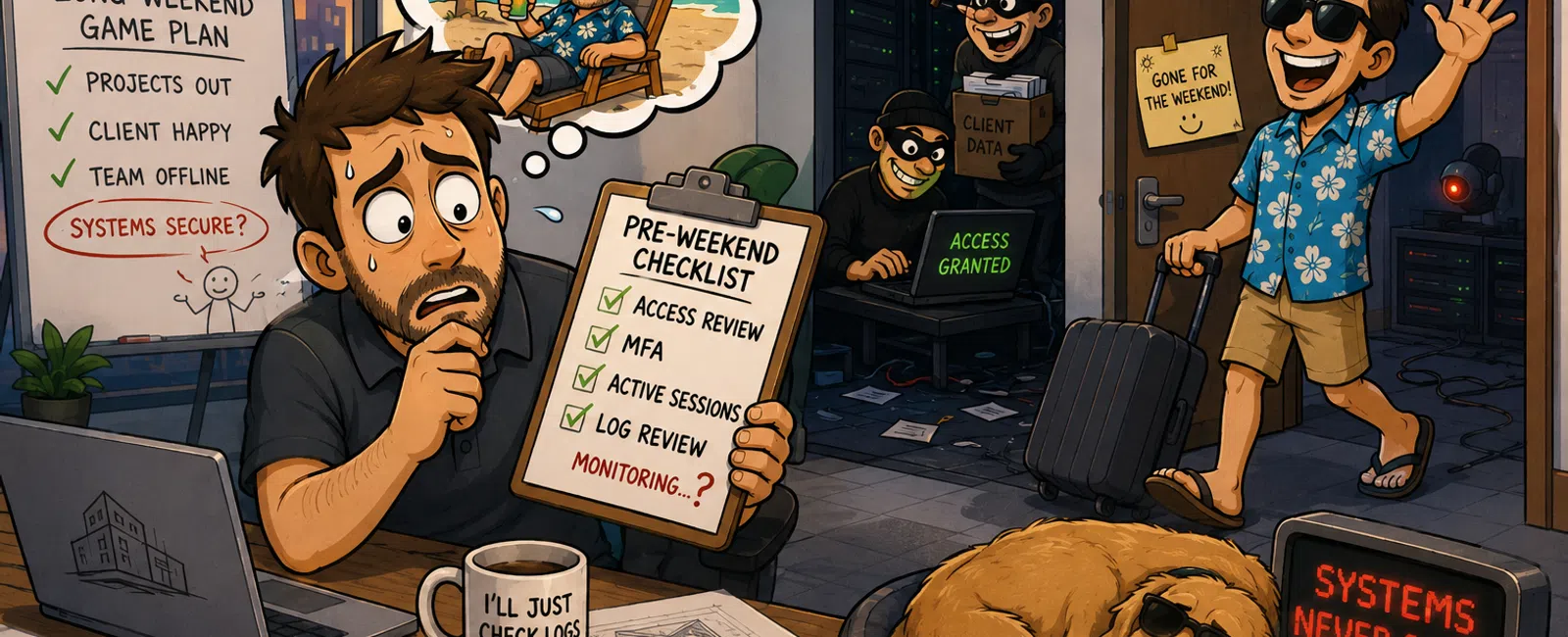
While You're Off the Clock, Your Systems Aren't
You don't need a reminder that long weekends are risky.
You already feel it.
By Thursday afternoon, your day stops being about clean execution and
starts being about getting things out the door. Access gets granted faster than
it gets reviewed. Exceptions get made because a deadline matters. People stop
asking "is this secure?" and start asking "is this done?"
And if you're the one responsible for systems, compliance, or client
data—you already know what that tradeoff looks like.
You carry risk into a window where no one is actively watching.
The Specific Problem Most Firms Miss
Most architecture firms don't have weak tools.
They have a gap between activity and visibility.
Systems stay live. Access stays open. Projects keep moving.
But monitoring—the part where someone actually sees abnormal behavior and
acts on it—drops off the moment people check out.
That mismatch is the real problem. Not lack of effort. Not lack of care.
Just a model that assumes nothing will happen unless something breaks.
What This Looks Like in a 15-Person Architecture Firm Before a Long Weekend
Thursday, 2:00 PM.
You're reviewing a Revit rollout plan, fielding tickets, and answering a
client question about security you weren't expecting.
At the same time:
- A project
manager requests shared access to push a deliverable
- A consultant is
given temporary credentials for a coordination review
- A contractor
who wrapped last week still has access to your file system
- Someone logs in
remotely and leaves their session active
By 4:30 PM, someone asks:
"Are we good for the weekend?"
You do a quick scan. You check what's easy to check.
You don't fully validate access. You don't review logs. You don't audit
sessions.
Not because you don't care—but because you're one person managing too
much.
So you say yes.
And that's the exact moment visibility drops while exposure stays the
same.
This is where most incidents actually begin—not with a major failure, but
with normal behavior under time pressure.
Pre-Weekend Lockdown Checklist (Enforced)
This is the minimum acceptable control layer before your office empties
out.
Pre-Weekend Access Review (Required)
☐ Remove shared credentials
☐ Disable inactive contractor/vendor
accounts
☐ Verify MFA on all remote access (VPN,
cloud apps, remote desktop)
☐ Close active sessions on company
devices
☐ Review recent login activity for
anomalies
☐ Confirm after-hours monitoring
coverage is assigned
Reviewer: ______
Date: ______
If this doesn't happen, you're not dealing with a tooling issue.
You're dealing with undefined ownership.
Where This Breaks (Even When You Know Better)
This isn't hypothetical. You've seen this pattern.
- Access reviews
get skipped because no incident has forced it yet
- Credentials
stay active because removing them slows a project down
- MFA exceptions
get made "just for now"
- No one wants to
be the blocker before a long weekend
And you feel that pressure more than anyone.
Because your role isn't just security—it's keeping projects moving,
clients happy, and systems invisible.
That tension is exactly where most safeguards erode.
Who's Watching After Hours (Three Real Models)
This is where clarity matters most.
1. No Monitoring (Baseline Risk)
Logs exist. Alerts may trigger. No one reviews them in real time.
2. Internal On-Call (Limited Coverage)
Someone is responsible—but not actively watching dashboards overnight.
3. Managed Monitoring (24/7 Coverage)
Alerts are evaluated continuously, and action is taken immediately when
behavior deviates from normal.
Modern security frameworks expect continuous detection and response, not
just preventive controls.
The difference isn't tools.
It's whether someone is actually looking when it matters.
What Happens in the First 10 Minutes
This is where incidents either stop—or expand.
Minute 0-2
Unusual login detected (new location, unusual time)
Minute 2-5
Alert reviewed by monitoring system or analyst
Minute 5-10
Account locked
Session terminated
Source blocked
Access investigated
Or nothing happens at all.
Because the alert sits in a log no one checks until the office reopens.
The gap isn't detection capability.
It's response during silence.
A Scenario You've Probably Lived Through (Or Almost Did)
A mid-size architecture firm heads into a three-day weekend.
- A shared
credential was created to hit a deadline
- A vendor
account remains active post-project
- MFA is
enforced—except for one remote exception
Saturday night:
A login happens from a new location.
No response.
Sunday:
File access increases outside normal patterns.
Still no response.
Monday:
Large data movement.
Still no response.
Tuesday morning:
You walk in and try to piece together when it started.
It didn't start Tuesday.
It started the moment no one was watch
The External Lens That Actually Matters
If an auditor or security reviewer looked at your firm heading into a
long weekend, they wouldn't ask what tools you have.
They would ask:
- Who is actively
monitoring your environment after hours?
- How quickly are
abnormal logins reviewed?
- What action is
taken within the first 10 minutes?
Because under any mature framework, detection and response are just as
critical as prevention.
That's the standard you're being held to—even if no one has said it
directly.
What To Do Next Week (20 Minutes, No Overhaul)
Pick one person. Assign ownership clearly.
Have them:
- Run the full
access checklist once, without shortcuts
- Identify any
shared or temporary credentials still active
- Confirm who is
responsible for after-hours monitoring
- Document what
happens when an alert is triggered
Don't overcomplicate it.
You're not building a new system.
You're removing ambiguity.
The Bottom Line
You're not unprepared because you lack tools.
You're exposed because activity continues while visibility stops.
That gap is small.
But it's exactly where real problems begin.
Schedule your 10 minute discovery call with 911 IT to confirm who is
actually monitoring your environment after hours and what happens in those
first 10 minutes. This helps you validate whether this gap exists in your
firm—and it only takes 10 minutes to know for sure.


