
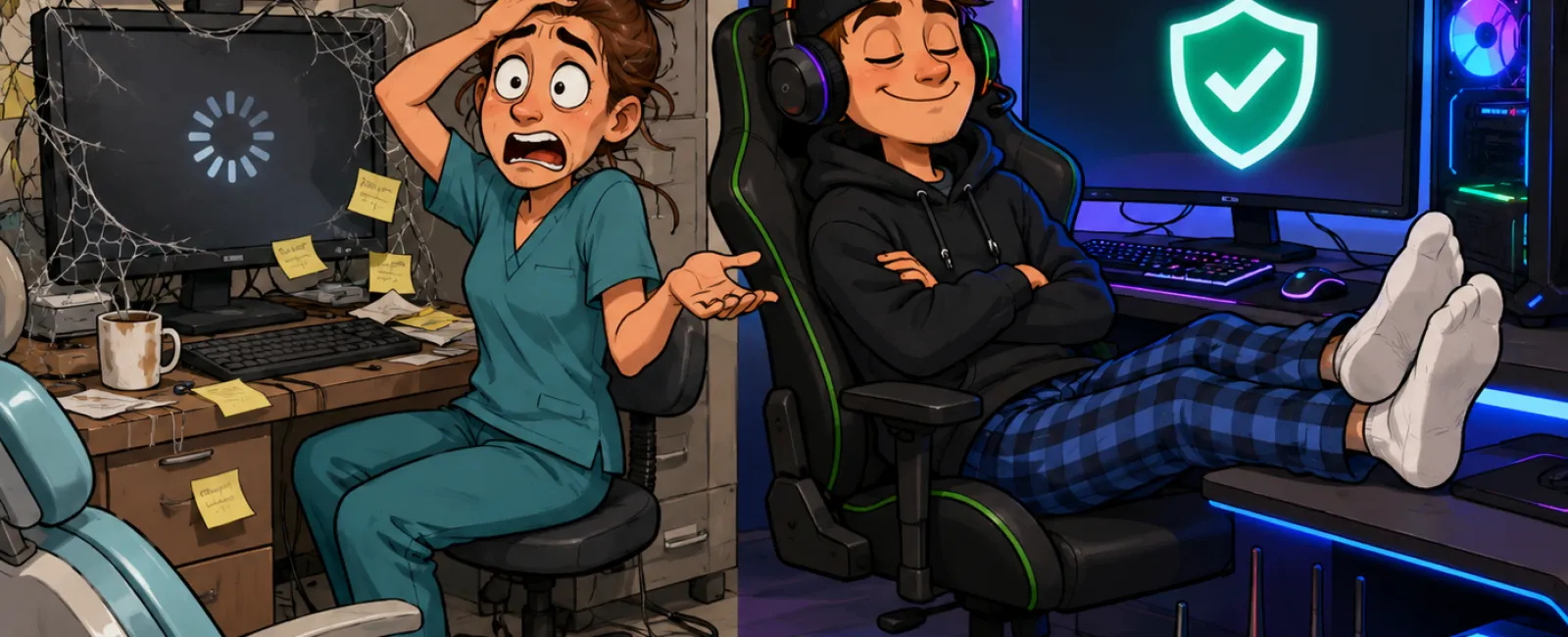
Your Kid's Gaming Rig Would Pass a HIPAA Review Faster Than Your Dental Office
Remember blowing into Nintendo cartridges to make them work?
That was our version of IT support. You fiddled with it,
tried again, and eventually it came back.
A lot of dental technology still gets treated that way.
If the workstation boots, the imaging opens, and the
schedule loads, everyone moves on.
But that is not the standard your practice is judged against
anymore.
Your systems are judged when pressure hits: during a
ransomware event, during an insurance review, during a patient records request,
or when someone asks you to prove how your environment is protected.
And in that moment, "it usually works" is not a defense.
The uncomfortable truth is this:
In many practices, a teenager's gaming setup is maintained
with more consistency than the systems handling patient data.
Not because gaming gear is more important.
Because it gets more attention.
This Is Not a Technology Problem. It's a Discipline Problem
A gaming rig gets updated fast. Performance gets watched.
Backups matter. Accounts are secured. Problems get fixed before they become
normal.
In dental offices, the opposite often happens.
A workstation gets older, but keeps limping along. Your PMS
and imaging platform technically connect, but not cleanly. Backups exist, but
no one has tested one recently. Update prompts stay open for weeks because
nobody wants disruption in the middle of a clinical day.
Nothing feels broken enough to force action.
That is how risk becomes routine.
Where Dental Practices Actually Get Exposed
Most practices do not fail because of one dramatic decision.
They fail because of accumulated neglect.
Something gets added for scheduling. Something else gets
added for patient communication. Imaging evolves separately. Remote access gets
set up later. Security gets layered on after the fact.
Now you are not running one system. You are running an
accumulation of systems.
That creates blind spots in the exact places that matter
most: backups, access control, patching, audit trails, ownership.
And when one of those breaks, the practice finds out at the
worst possible time.
What "Good" Actually Looks Like in Action
This is the part most IT blogs skip.
Here is what a stable, defensible dental environment looks
like in practice.
Your core stack is clearly defined: PMS imaging platform
email remote access backup system endpoint protection MFA network and Wi-Fi
documented user access
Those systems are not just installed. They are maintained on
purpose.
That means:
Every staff member has a unique login
Remote access is protected with MFA
Critical systems are backed up daily
Backups are tested on a schedule
Updates are reviewed and applied on a schedule
Permissions match roles
Someone owns the process
The practice can show evidence that these tasks are actually happening
That is what "good" looks like.
Not flashy. Not complicated. Just controlled.
What Auditors Expect in Real Terms
If you want to stop thinking about this philosophically,
start here.
A practical operating benchmark looks like this:
Backups are validated with a restore test at least monthly
Critical security patches are addressed within days, not months
Remote access and administrative accounts are covered by MFA
Access reviews happen on a recurring cadence
Former employees no longer retain access
System ownership is documented
There is a record of when backups, updates, and access reviews were last
checked
That is the difference between saying "we take security
seriously" and being able to prove it.
Where HIPAA Actually Shows Up in Daily Operations
A lot of practices hear "HIPAA" and think paperwork.
That is not the real issue.
The real issue is whether your day-to-day environment
reflects the safeguards you are expected to maintain.
That includes: access control, audit controls, integrity,
availability, and the ability to show that safeguards are not just promised,
but enforced.
In practical terms, that means: you know who can access
what, you can review activity, you can recover data, and you can explain how
the environment is maintained over time.
If you cannot explain those four things clearly, your risk
is already higher than it should be.
A Real Example of the Problem
In one dental environment, the team believed everything was
fine.
There had been no major outage. No obvious breach. No panic.
But during review, one issue changed the whole picture.
The imaging software was running on an outdated version with
a known vulnerability. A fix had already been made available. It had not been
applied.
What could have happened?
That environment could have been exposed through a weakness
that was already public and already understood by attackers.
What got fixed?
The outdated software was brought current. The update
process was tightened. Ownership of patch review became explicit instead of
assumed.
What changed after that?
The practice no longer had to guess whether a known issue
was sitting open in the environment. They had a process, not a hope.
That is what improvement looks like. Not just "the issue was
resolved," but "the gap stopped being invisible."
The Cost You Are Already Paying
The biggest risk is not just the future breach.
It is the daily drag your team has already normalized.
Slow logins between patients
Repeated data entry across disconnected systems
Midday restarts to "fix" machines
Back-and-forth to locate records or images
Confusion over who owns recurring IT tasks
None of those feel catastrophic.
But together, they cost time, create frustration, and reduce
confidence in the systems your team depends on all day.
By the time a real incident happens, the practice has
usually been paying the price for a long time already.
If You See Any of These, You Have a Problem
Use this as a red-flags checklist.
Backups have not been tested in 30+ days
Shared logins still exist
Updates are behind across multiple machines
No one can quickly show the last successful backup
Remote access is not protected with MFA
A former employee's access has not been reviewed
No one internally can answer the question, "Who owns IT discipline here?"
Staff are re-entering patient data across multiple systems
Your PMS, imaging, and communication tools are coexisting, not truly integrated
If even two of those are true, you do not have a minor
inconvenience. You have a systems problem.
The 15-Minute Dental IT Check
If you want a simple starting point, do this this week.
Ask these questions and write down the answers.
- Can we
verify our last successful backup right now?
Expected answer: yes, with evidence
Bad answer: "I think so" - Have
backups been restore-tested recently?
Expected answer: yes, on a defined schedule
Bad answer: "I'm not sure" - Are
there systems with updates sitting older than a week?
Expected answer: no, or we know exactly why and when they will be resolved
Bad answer: "Probably" - Does
every user have their own login?
Expected answer: yes
Bad answer: "Mostly" - Is
remote access protected with MFA?
Expected answer: yes
Bad answer: "Not for everyone" - Who
owns backup checks, patch review, and access cleanup?
Expected answer: one named internal owner and/or accountable IT partner
Bad answer: "It depends"
That is not a technical exercise. That is an operational
clarity test.
How Practices Actually Close These Gaps
This is where most blogs stop. They diagnose. They do not
prescribe.
Here is the practical roadmap.
Week 1: Visibility
Build a current inventory of: workstations, servers, PMS,
imaging, backup system, remote access, user accounts, MFA coverage.
Verify the last successful backup. Test one restore.
Document the result.
Identify: systems behind on updates, shared logins, former
users, duplicate data-entry workflows.
Month 1: Stabilization
Apply overdue updates to critical systems. Close shared
accounts. Roll out MFA where it is missing. Clean up unnecessary access.
Confirm backup schedules and restore testing cadence. Clarify ownership for
recurring checks.
Ongoing: Enforcement
Review backups on a schedule. Review access on a schedule.
Review updates on a schedule. Monitor exceptions instead of relying on memory.
Document what was checked, when, and by whom.
That is how a practice moves from "we should probably look
at this" to "we now control this."
What Changes When This Gets Fixed
Before: slow systems, uncertain backups, reactive patching,
unclear ownership, staff working around technology.
After: clear accountability, tested recovery, cleaner access
control, fewer workflow bottlenecks, better confidence in the systems the
practice depends on every day.
That transformation matters because the goal is not just to
avoid a breach.
The goal is to run a practice that is less fragile.
The Better Question to Ask
Not: "Is our technology working?"
Ask this instead:
"Could we prove our systems are controlled, recoverable, and
defensible today if someone asked?"
If the answer is not immediate, that is your signal.
Not to panic.
To fix the system before the system forces the issue.
Can You Prove Your Systems Are Compliant Today?
Book a 15-minute Dental IT Risk Snapshot.
We will walk through your backups, update posture, access
controls, and system ownership with you live.
Then we will show you the first things an auditor would flag
in your environment and the first gaps an attacker would hope you miss.
No vague advice. No padded sales call.
Just a direct answer to one question:
Are your systems actually controlled, or have you just gotten used to the friction?


