
April Fools Is Over. These Scams Are Still Targeting Law Firms.
April 1 comes and goes. The jokes fade. The fake
announcements stop making you second-guess every email.
The scams don't stop.
In fact, spring is one of the most productive seasons for
attackers targeting professional firms. Not because lawyers are careless—but
because everyone is busy, moving quickly, and juggling client demands. That's
when almost-believable messages slip through. The kind that look routine. The
kind that don't feel risky until they're already a problem.
And in a law firm, one rushed click doesn't just waste time.
It risks client confidentiality, firm reputation, and billable momentum.
Below are three scams actively working right now inside
firms just like yours—not on naïve users, but on capable, well-trained
professionals doing normal work.
As you read, ask yourself one direct question:
Would everyone in my firm pause long enough to catch this?
Scam #1: The Toll Road or Parking Fee Text
An attorney or staff member gets a text message during the
workday:
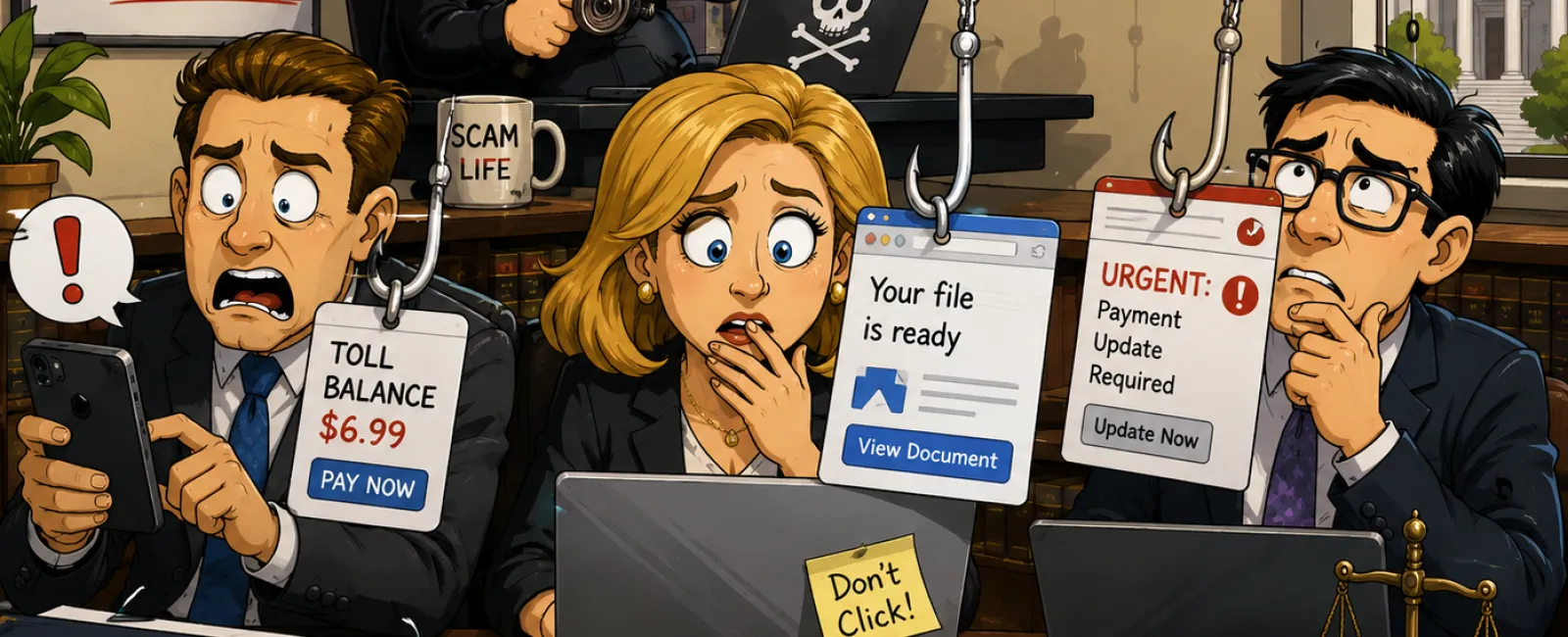
"You have an unpaid toll balance of $6.99. Pay within 12
hours to avoid late fees."
It references a real toll system. The amount is small. The
timing feels plausible. Between meetings, they click, pay, and move on.
Except the link was fake.
These scams succeed because they don't feel like "work IT
issues." They feel personal and low-risk. And once a phone number is confirmed
as active, it becomes a target for follow-on attempts—some of which escalate
into credential theft tied to firm accounts.
The guardrail that holds up under pressure
Legitimate toll agencies do not demand immediate payment via
text message links. Firms that reduce risk enforce one rule, without
exceptions:
No payments of any kind happen through text links.
If something might be legitimate, the employee goes directly
to the official website or app—never through the message. They don't reply. Not
even "STOP." Replying confirms the number and invites more attempts.
Convenience is the bait. Process is the defense.
Scam #2: "Your File Is Ready"
This one blends seamlessly into legal work.
An email arrives stating a document was shared—often a
contract, engagement letter, or financial spreadsheet. It looks like a routine
DocuSign, OneDrive, or Google Drive notification. The sender's name looks
right. The formatting is perfect.
They click.
They're prompted to log in.
They enter their work credentials.
Now someone else has them. And if those credentials grant
access to case files, email, or billing systems, the exposure spreads quickly.
What makes this especially dangerous for law firms is how
these attacks bypass traditional filters. In many cases, the notification is
sent from a real platform because the attacker compromised another account and
used built-in sharing features. Technically, the email is legitimate—just
weaponized.
The guardrail that actually works
If a shared file wasn't expected, the link in the email is
never clicked.
Instead, the employee opens their browser and logs into the
platform directly. If the file is real, it will be there. If it's not, nothing
was exposed.
Firms that reduce risk further restrict external sharing
permissions and enable alerts for unusual login activity—controls that can be
configured quickly but prevent outsized damage.
Boring habit. Serious protection.
Scam #3: The Email That's Written Too Well
There was a time when phishing emails were easy to spot.
Broken grammar. Odd phrasing. Obvious red flags.
That time is gone.
Modern phishing emails are professionally written, calm, and
context-aware. They reference real firm roles, real vendors, and real workflows
pulled from public sources. Some are targeted specifically at finance, HR, or
managing partners.
The most dangerous versions don't feel dramatic. They feel
routine. A vendor payment update. A payroll verification. A document review
request that "just needs to be handled today."
The guardrail that prevents embarrassment later
Any request involving credentials, payment changes, or
sensitive client data is verified through a second channel—no exceptions.
A phone call. An internal chat. Walking down the hall.
Urgency is treated as a warning sign, not a reason to rush.
Real security never pressures professionals into skipping verification.
What This Actually Comes Down To
None of these scams rely on incompetence. They rely on
normal behavior under time pressure.
The real risk isn't a distracted employee. It's systems that
assume everyone will always slow down, double-check, and make the perfect call
in a busy practice.
If one rushed click could expose client data or disrupt
operations, that's not a people problem. It's a process gap.
And process gaps are fixable.
The Law Firm Click-Safety Minimum Standard
Use this as a baseline your firm can enforce consistently.
Print-ready checklist:
- No
payments initiated through text messages—ever
- Unexpected
file shares are accessed only by logging into the platform directly
- Credential,
payment, or data requests require second-channel verification
- External
file sharing is restricted to approved scenarios
- Login
and sharing alerts are enabled and reviewed
If your firm can't confidently check every box, there is
measurable exposure.
This is exactly the kind of baseline an auditor, malpractice
carrier, or client security questionnaire will implicitly measure you
against—whether they show you the checklist or not.
Your Next-Week Action
Within the next seven days, identify one recent
"almost-click" moment inside your firm and map it against the checklist above.
If the outcome depends on someone "being careful," the process isn't finished.
Fix This Before It Becomes a Bigger Issue
Reach out right now to have your firm's real-world exposure reviewed and tightened before a routine message turns into a reportable incident.


