
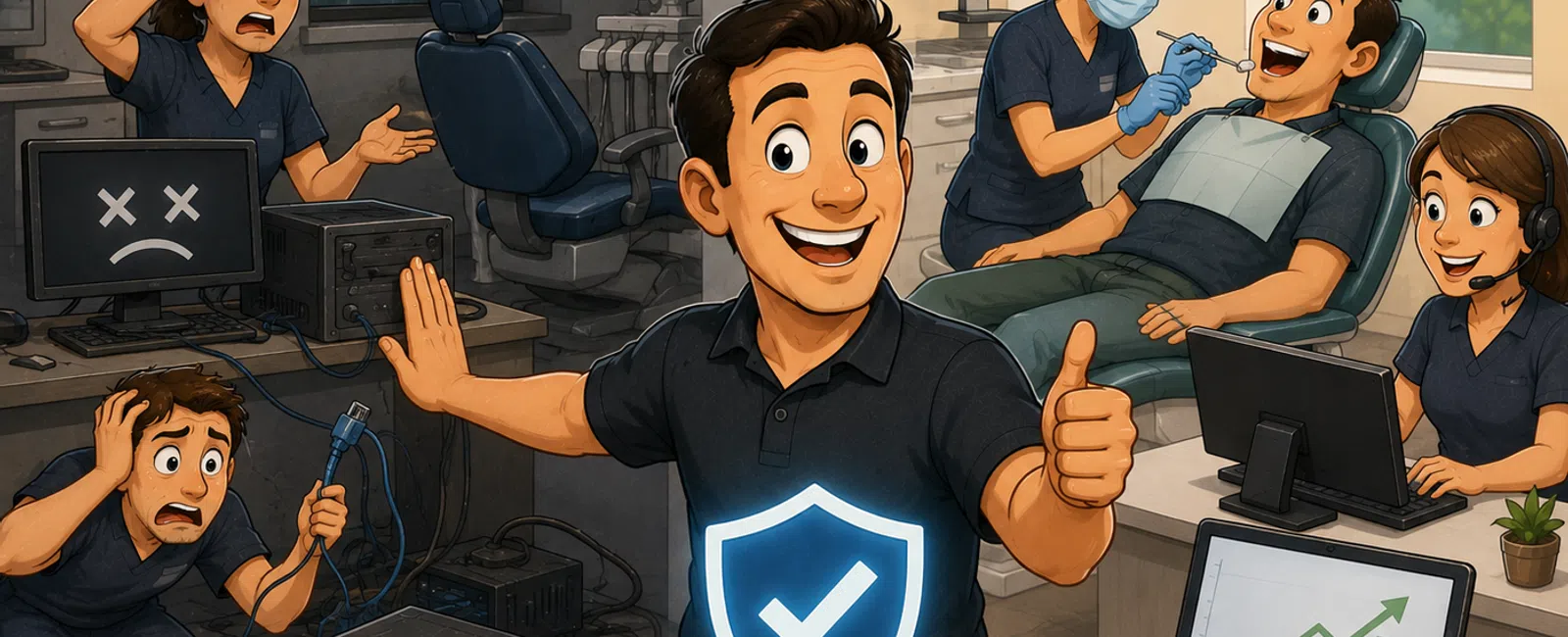
How Can a Dental Office Prevent Technology From Interrupting Patient Care?
A dental practice can reduce IT downtime by managing seven areas consistently: workstation health, server reliability, network performance, internet continuity, dental software support, backup recovery and employee response procedures.
For a practice with 25 to 50 employees, even a 30-to-60-minute outage can disrupt check-in, scheduling, charting, imaging, treatment planning, payments and insurance workflows. The goal is not to promise that technology will never fail. The goal is to prevent avoidable failures, detect problems early and restore critical systems quickly when an interruption occurs.
A practical approach uses the seven-part Dental Downtime Reduction Framework:
- Identify the systems patient care depends on
- Remove recurring technology problems
- Monitor workstations, servers and networks
- Build internet and power resilience
- Protect and test critical backups
- Create clinical downtime procedures
- Review every significant outage
The Seven-Part Dental Downtime Reduction Framework
1. Identify the Systems That Patient Care Depends On
Downtime planning should begin with a list of the systems required to operate a normal clinical day.
These may include:
- Dentrix, Eaglesoft, Open Dental or another practice-management platform
- Digital imaging
- CBCT and intraoral scanning systems
- Patient scheduling
- Clinical charting
- Treatment plans
- Electronic prescriptions
- Insurance and eligibility portals
- Payment processing
- Microsoft 365 and email
- Internet service
- Phones and patient communications
- Printers and scanners
- Servers and shared storage
For each system, document four things:
- Business impact: What stops when the system is unavailable?
- Maximum acceptable downtime: How long can the practice operate without it?
- Responsible vendor: Who supports the application, hardware or connection?
- Recovery method: How will the system be restored or temporarily replaced?
This process separates critical systems from minor inconveniences. A failed front-desk printer and an unavailable patient database should not receive the same priority.
2. Permanently Resolve Recurring Problems
Repeated technology issues are often early warnings of a larger failure.
Examples include:
- A treatment-room computer that freezes several times per week
- Imaging software that regularly loses its connection
- A server that frequently runs low on storage
- Wi-Fi that drops in the same part of the office
- A printer that requires daily restarts
- Repeated database or application errors
- Internet interruptions that occur several times per month
- Backup jobs that fail intermittently
A reactive support process may close each ticket after restarting the device or application. A proactive process asks why the problem keeps returning.
Recurring issues should be tracked by:
- Device
- Location
- Application
- User
- Root cause
- Temporary correction
- Permanent recommendation
For example, six tickets involving one operatory computer may indicate inadequate memory, failing storage or unsupported hardware. Replacing the workstation may cost less than continuing to interrupt employees and patients.
Read how “we’ll fix it later” can turn into clinical downtime.
3. Monitor Workstations, Servers and Networks
Monitoring helps the IT provider identify certain problems before employees experience a complete outage.
A managed environment should monitor areas such as:
- Workstation and server availability
- Storage capacity
- Hardware health
- Security-agent status
- Operating-system updates
- Backup failures
- Firewall availability
- Internet connectivity
- Network equipment health
- Critical system services
Monitoring is only useful when alerts lead to action. The IT provider should define:
- Which alerts receive immediate investigation
- Which alerts create support tickets automatically
- Who reviews after-hours warnings
- How unresolved findings are escalated
- How trends are presented to practice leadership
For example, a server reaching 90% storage capacity should generate a corrective plan before the dental database stops operating properly.
Explore managed IT services for ongoing monitoring, maintenance and support.
4. Build Internet, Network and Power Resilience
Modern dental practices depend heavily on internet access. Cloud applications, phones, insurance systems, email, payments and remote support may all become unavailable during an internet outage.
Practices with high internet dependence should evaluate:
- A business-grade primary internet connection
- A secondary connection from a different service path when practical
- Automatic firewall failover
- Cellular backup for limited continuity
- Battery backup for firewalls, switches and internet equipment
- Documented carrier contact information
- A method for testing failover
A second internet circuit provides limited value when both services depend on the same building entry point or local infrastructure. The practice should ask how independent the connections truly are.
The local network should also use managed business equipment rather than a collection of consumer routers and unmanaged switches.
Network resilience may include:
- A supported firewall
- Managed network switches
- Appropriate wireless coverage
- Separate guest Wi-Fi
- Documented network configurations
- Spare equipment for critical components
- Monitoring and alerting
Power protection should cover critical servers and network equipment. Battery backup units should be tested regularly and replaced when runtime is no longer sufficient.
5. Protect and Test Critical Backups
A backup is not complete until the practice can restore the information and systems it needs.
The backup plan should account for:
- Dental practice-management databases
- Digital images
- Patient documents
- Shared business files
- Server configurations
- Microsoft 365 information
- Cloud applications
- Network configurations
Every critical system should have two defined targets:
- Recovery Time Objective: The longest acceptable period the system may remain unavailable.
- Recovery Point Objective: The maximum amount of recent data the practice can afford to lose.
For example, leadership may decide that its dental database should return within four hours and that losing more than one hour of recent data would be unacceptable. The backup design and testing schedule should support those requirements.
Ask the IT provider:
- What exactly is being backed up?
- How frequently do backups run?
- Where are the backup copies stored?
- Are copies protected from ransomware?
- Who responds to failed jobs?
- When was the last successful restore test?
- How long did the restoration take?
- Could the practice operate from another location?
Explore business continuity and disaster recovery services and read backup and recovery planning for dental practices.
6. Create Clinical Downtime Procedures
Technology may still become unavailable despite preventive maintenance. Employees need a documented process for continuing patient care safely.
The downtime plan should explain:
- How employees report the outage
- Who contacts the IT provider
- Who communicates with dental software and imaging vendors
- How appointments are verified
- How clinical notes are recorded temporarily
- How patient information is protected
- How payments are handled
- How patients are updated
- How temporary records are entered after recovery
- Who determines whether appointments must be rescheduled
A downtime kit may include:
- Current support phone numbers
- Vendor contact information
- Printed downtime procedures
- Blank clinical documentation forms
- Patient contact procedures
- Payment-processing instructions
- Cyber insurance contact information
- Legal and compliance contacts
Store the plan somewhere employees can access without relying on the affected server, cloud account or email system.
Practice the procedure at least periodically. A written document that employees have never seen may not work during a real outage.
7. Review Every Significant Outage
Every major disruption should lead to a documented review.
The review should answer:
- What happened?
- When did the interruption begin?
- How was it detected?
- Which users and systems were affected?
- How long did patient care experience disruption?
- What actions restored service?
- Was communication timely?
- Could the interruption have been prevented?
- What should change before the next incident?
The goal is not to assign blame. The goal is to prevent recurrence and improve response.
Corrective actions may include:
- Replacing unstable hardware
- Improving monitoring
- Updating vendor escalation contacts
- Adding internet failover
- Changing backup retention
- Training employees
- Documenting application dependencies
- Updating the downtime plan
What Causes the Most IT Downtime in Dental Practices?
| Downtime Cause | Common Impact | Preventive Action |
|---|---|---|
| Aging workstations | Slow charting, freezing and imaging interruptions | Use a three-to-five-year replacement plan |
| Server failure | Loss of dental software, images and shared files | Monitor hardware, maintain warranties and test recovery |
| Internet outage | Cloud software, phones, payments and email become unavailable | Evaluate secondary connectivity and firewall failover |
| Network failure | Workstations cannot reach servers, imaging or the internet | Use managed equipment, monitoring and documented configurations |
| Dental software problem | Scheduling, charting or treatment planning stops | Coordinate updates, vendors and infrastructure support |
| Ransomware or account compromise | Systems may require isolation and recovery | Use layered cybersecurity and an incident-response plan |
| Failed software update | Applications or connected devices stop working | Test changes and maintain rollback procedures |
| Power interruption | Servers and network equipment shut down unexpectedly | Maintain battery backups and safe shutdown procedures |
| Human error | Files, accounts or configurations are changed accidentally | Limit privileges, train employees and maintain backups |
How Much Does Dental IT Downtime Cost?
The cost depends on the number of employees and providers affected, the length of the interruption and whether appointments can continue.
A practical calculation is:
Downtime cost = lost clinical production + paid employee time + recovery expenses + rescheduling and follow-up costs
Consider a dental practice with:
- Two dentists producing a combined $800 per clinical hour
- Three hygienists producing a combined $450 per hour
- Ten additional employees costing an average of $35 per hour
If a technology outage stops most operations for two hours, the direct exposure might be:
- Dentist production: $1,600
- Hygiene production: $900
- Additional employee time: $700
The preliminary total is $3,200 before emergency IT labor, patient rescheduling, refunds, overtime or reputational impact.
This is an illustrative example. Each practice should calculate its own hourly downtime cost using actual production and payroll information.
What Is an Acceptable Amount of Downtime?
There is no universal number. The appropriate target depends on the system and its effect on patient care.
| System | Example Recovery Priority |
|---|---|
| Dental practice-management database | Critical |
| Digital imaging | Critical or high depending on the clinical schedule |
| Internet service | Critical when phones and cloud applications depend on it |
| Microsoft 365 email | High, but temporary alternatives may exist |
| One administrative printer | Normal when another printer is available |
| One nonclinical workstation | Normal unless the employee performs a time-sensitive function |
Leadership should define priorities before an outage rather than making every decision under pressure.
How Can a Dental Practice Prevent Workstation Downtime?
Most business and clinical workstations should be reviewed after three years and commonly replaced within three to five years.
Preventive measures include:
- Using standardized business-grade hardware
- Maintaining current warranties
- Installing supported operating systems
- Applying security and software updates
- Monitoring storage and hardware health
- Using centrally managed endpoint protection
- Replacing devices with recurring failures
- Maintaining a prepared spare workstation
- Documenting specialized clinical connections
A spare workstation should be updated and tested regularly. An eight-year-old computer stored in a closet is unlikely to provide useful emergency continuity.
How Can a Dental Practice Prevent Server Downtime?
An onsite server should be monitored, maintained under an appropriate warranty and included in a documented replacement plan.
Review:
- Server age
- Warranty expiration
- Operating-system support
- Available storage
- Hardware alerts
- Database growth
- Backup status
- Recovery-test results
- Replacement timing
Many practices plan server replacement within approximately four to six years, depending on the environment and vendor requirements.
Do not wait for a server to fail simply because it is still operating. Emergency replacement usually creates more downtime, greater expense and fewer good options.
How Can a Dental Practice Prevent Internet Downtime?
Start by understanding which services fail when the internet becomes unavailable.
These may include:
- Cloud-based dental software
- Microsoft 365
- Phones
- Insurance portals
- Payment processing
- Electronic prescriptions
- Patient communications
- Remote support
Practices that cannot operate without internet access should evaluate a secondary connection.
A reliable failover design should include:
- A supported firewall
- Automatic transition between connections
- Enough backup bandwidth for critical workflows
- Regular testing
- Clear limitations
A cellular backup may support scheduling and communications but may not provide enough capacity for every employee, image transfer or cloud application.
How Can a Dental Practice Reduce Dentrix, Eaglesoft or Open Dental Downtime?
The IT provider should understand the technical environment supporting the dental platform.
This includes:
- Server or cloud hosting
- Database services
- Workstation compatibility
- Network performance
- Imaging integrations
- Remote vendor access
- Backups
- Operating-system support
- Storage capacity
Before a significant software upgrade:
- Confirm vendor requirements
- Verify workstation and server compatibility
- Review available storage
- Complete a current backup
- Document a rollback plan
- Coordinate imaging and integration vendors
- Schedule the change outside clinical hours
- Test critical workflows before the next patient day
Read Dentrix, Eaglesoft and Open Dental IT requirements compared and what happens when dental practice-management software goes down.
What Should Employees Do When Dental Software Stops Working?
- Determine the scope. Check whether one user, one office or everyone is affected.
- Record the symptoms. Note error messages and what happened immediately before the outage.
- Contact the help desk. Report the issue through the approved urgent-support channel.
- Avoid repeated changes. Do not restart servers, uninstall applications or modify network equipment without guidance.
- Begin downtime procedures. Use the practice’s temporary clinical and scheduling process.
- Designate one communicator. Allow the office manager or assigned leader to update employees.
- Document temporary records. Ensure information is entered into the correct systems after recovery.
Employees should not open multiple duplicate tickets or independently contact several vendors unless the response plan instructs them to do so. One coordinated incident process reduces confusion.
What Should an IT Provider Do During a Critical Outage?
A structured response should include:
- Acknowledge and classify the incident. Confirm that the issue is receiving critical priority.
- Identify the affected systems. Determine whether the problem involves one device, the network, the server, the internet or a vendor platform.
- Protect data and security. Isolate systems when malicious activity is suspected.
- Coordinate vendors. Keep ownership of the case while involving dental software, imaging, internet or hardware providers.
- Provide updates. Tell practice leadership what is known, what is being tested and when the next update will arrive.
- Restore service safely. Avoid changes that could damage data or make recovery more difficult.
- Document the root cause. Create preventive actions after operations return.
A provider should not close the case simply because another vendor becomes involved. The practice needs one team coordinating the technology environment until responsibility and resolution are clear.
How Fast Should an IT Provider Respond to Dental Downtime?
| Priority | Example | Illustrative Initial Response Goal |
|---|---|---|
| Critical | Office-wide outage, ransomware concern or complete loss of dental software | Within 15 minutes |
| High | Several operatories affected or imaging unavailable | Within 30 minutes |
| Normal | One employee has a noncritical issue | Within 1 to 2 business hours |
| Low | Planned change or minor request | Same or next business day |
These are illustrative targets rather than universal standards. The managed service agreement should define the provider’s response process clearly.
Initial response is not the same as resolution. The provider should continue communicating throughout the incident, especially when recovery requires several hours or involves an outside vendor.
What Should Be Included in a Dental Downtime Kit?
A basic downtime kit should remain accessible when the practice’s normal computers, email or internet connection are unavailable.
- IT help desk phone number
- Dental software vendor contact
- Imaging vendor contact
- Internet carrier information
- Cyber insurance contact
- Legal and compliance contact information
- Printed downtime procedures
- Blank clinical note forms
- Temporary scheduling forms
- Patient communication templates
- Payment-processing contingency instructions
- Incident documentation forms
Review the kit at least quarterly so phone numbers, employee roles and procedures remain current.
How Often Should Downtime Procedures Be Tested?
Test critical procedures at least periodically and after major technology or staffing changes.
A tabletop exercise may take approximately 30 to 60 minutes. Present a realistic scenario and ask participants to explain what they would do.
Example scenario:
At 8:10 a.m., every employee loses access to the patient schedule and clinical charts. The internet is still working, but the server cannot be reached.
The exercise should reveal:
- Who contacts the IT provider
- How employees confirm appointments
- How clinical notes are recorded
- How leadership receives updates
- When patients are rescheduled
- How temporary documentation is entered after recovery
Update the written plan when employees identify unclear responsibilities or missing information.
What Is the Difference Between High Availability and Disaster Recovery?
High availability reduces interruptions by providing alternate equipment, connections or systems that can continue operating after a failure.
Examples include:
- A secondary internet connection
- Redundant server components
- Failover network equipment
- Cloud-hosted applications designed for resilience
Disaster recovery restores systems and data after a significant interruption.
Examples include:
- Restoring a server from backup
- Recovering a dental database
- Rebuilding workstations
- Operating temporarily from a cloud recovery environment
A practice may need both. High availability can reduce short interruptions, while disaster recovery addresses larger failures and data loss.
How Does Cybersecurity Reduce Downtime?
Cybersecurity controls can prevent or limit incidents that would otherwise force the practice to disconnect systems and suspend normal operations.
Important controls include:
- Multi-factor authentication
- Managed endpoint detection and response
- Email and phishing protection
- Patch management
- Restricted administrative privileges
- Network segmentation
- Employee training
- Protected backups
- Incident-response planning
A ransomware event may create days of disruption when systems, backups and credentials are all affected. Layered security can reduce the likelihood and scope of that outcome.
Explore cybersecurity services.
How Should Multi-Location Dental Groups Plan for Downtime?
Multi-location groups should define both centralized and office-specific procedures.
The plan should address:
- Systems shared across all offices
- Location-specific servers and networks
- Internet failover at each location
- Central help desk escalation
- Cross-location communication
- Patient redistribution between offices
- Shared vendor contacts
- Consolidated backup reporting
- Organization-wide incident response
An outage affecting one location should trigger a check of related systems at other offices. An issue involving a shared dental database, Microsoft 365 environment or security platform may affect the entire group.
A Realistic Dental Downtime Prevention Scenario
Consider a 38-employee dental practice using Dentrix, Microsoft 365, digital imaging and one onsite server.
A technology review finds:
- The server is five years old and its warranty expires in four months
- Storage is 88% utilized
- Three operatories use unsupported workstations
- The firewall has no automatic internet failover
- One battery backup fails its self-test
- Backups complete successfully, but no full recovery test has been documented
- Employees do not have written downtime procedures
The practice creates a 90-day plan:
- Replace the three unsupported workstations within 30 days
- Replace the failed battery backup immediately
- Complete a full database and server recovery test within 30 days
- Prepare server replacement and cloud-hosting options
- Add a secondary internet connection with tested failover
- Create and practice a clinical downtime procedure
- Review progress during the next quarterly IT meeting
The plan addresses multiple small weaknesses before they combine into a major clinical interruption.
What Should a Dental Practice Review Every Quarter?
Quarterly IT reviews should include:
- Critical outages during the previous quarter
- Recurring support problems
- Server and workstation health
- Backup and recovery results
- Internet and network reliability
- Unsupported equipment
- Dental software updates
- Cybersecurity risks
- Upcoming projects
- Downtime-plan changes
Leadership should ask:
- What system is most likely to interrupt patient care?
- What recurring problem should be permanently corrected?
- When did we last test recovery?
- Which equipment must be replaced within 12 months?
- What would happen if our internet or server failed tomorrow?
- Which improvement would reduce the most downtime risk?
Read six questions smart dental practices ask their IT provider every quarter.
Dental Downtime Prevention Red Flags
Support Begins Only After Employees Complain
Critical servers, backups, networks and security tools should receive active monitoring.
The Same Problems Keep Returning
Repeated incidents should lead to root-cause analysis and permanent corrective action.
No One Has Tested Recovery
Backup reports cannot confirm how long restoration will take or whether all required information is protected.
The Practice Has No Downtime Procedure
Employees should not invent clinical and communication processes during an emergency.
The Server Has No Replacement Date
Critical infrastructure should have a documented lifecycle and budget.
The Internet Has No Contingency
Practices dependent on cloud software, phones and payments should evaluate failover options.
The Provider Blames Other Vendors
Dental IT requires coordination among software, imaging, internet and hardware vendors.
Every Issue Is Treated as the Same Priority
Support escalation should reflect the number of users affected and the impact on patient care.
Leadership Receives No Outage Report
Significant disruptions should produce a root-cause summary and prevention plan.
Why Dental Practices Choose 911 IT
911 IT helps dental and healthcare organizations reduce preventable downtime through proactive monitoring, responsive support, cybersecurity, tested recovery and long-term technology planning.
Services can include:
- 24/7 live help desk support
- Local onsite assistance
- Dentrix, Eaglesoft and Open Dental coordination
- Workstation and server monitoring
- Network and firewall management
- Internet failover planning
- Backup and recovery testing
- Managed cybersecurity
- Microsoft 365 administration
- Equipment lifecycle planning
- Clinical downtime planning
- Quarterly strategic reviews
“They don’t just fix problems; they prevent them, which gives us real confidence in our IT operations.”
— Health and research client
“They are experienced and take time to know our setup. This allows them to resolve our issues fast.”
— Business owner and 911 IT client
Explore healthcare IT support, managed IT services and business continuity services.
Frequently Asked Questions About Dental IT Downtime
What is the most common cause of dental IT downtime?
Common causes include aging hardware, internet failures, server problems, software issues, network interruptions, failed updates and security incidents. The leading cause varies by practice.
Can all dental downtime be prevented?
No. Hardware, software, utilities and vendors can still fail. The goal is to prevent avoidable incidents and reduce recovery time.
How quickly should a dental server be restored?
The target should reflect the practice’s clinical requirements and backup design. Leadership and the IT provider should agree on a documented recovery time objective.
Does a successful backup mean the server can be restored?
No. Successful jobs show that backup software completed a process. A documented restore test provides stronger evidence of recoverability.
Should a dental office have backup internet?
A secondary connection may be appropriate when an internet outage would stop critical cloud applications, phones, payments or patient communications.
How often should workstations be replaced?
Many dental practices plan for three to five years, with earlier replacement when systems become unsupported, unreliable or incompatible.
How often should downtime procedures be tested?
Test them periodically and after major changes involving software, locations, employees or vendors.
Who should contact the IT provider during an outage?
The practice should designate one or more responsible employees, such as the office manager, to coordinate urgent incidents and communications.
Should employees restart the server during an outage?
Not without guidance. An unplanned restart can interrupt diagnostics, affect data or make recovery more difficult.
What should happen after systems return?
Confirm that dental software, imaging, printing, payments and other workflows function correctly. Reconcile temporary records and conduct a root-cause review.
How does managed IT reduce downtime?
Managed IT combines monitoring, maintenance, help desk support, security, vendor coordination, backup oversight and strategic planning.
How can a practice calculate its downtime cost?
Add lost clinical production, paid employee time, recovery expenses and rescheduling costs for the affected period.
Build a Dental IT Downtime Prevention Plan
Reducing downtime requires more than responding quickly after something breaks. Dental practices need healthy equipment, monitored systems, tested backups, dependable networks and written procedures that protect patient care during an interruption.
911 IT can review your current environment, identify the systems most likely to cause downtime and create a prioritized 90-day improvement plan.
To discuss downtime prevention for your dental practice, schedule a discovery call or contact 911 IT.


