
Midyear Reality Check: What's Actually Changed Inside Your Practice Since January?
January felt controlled.
You knew who had access. Systems made sense. Responsibilities were clear
enough to operate without friction.
Now it's July—and your practice is moving faster, but not necessarily
tighter.
You've added team members, layered in tools, adjusted workflows, and made
fast decisions to keep production on track. None of that is the issue.
The risk comes from what changed—and was never revisited.
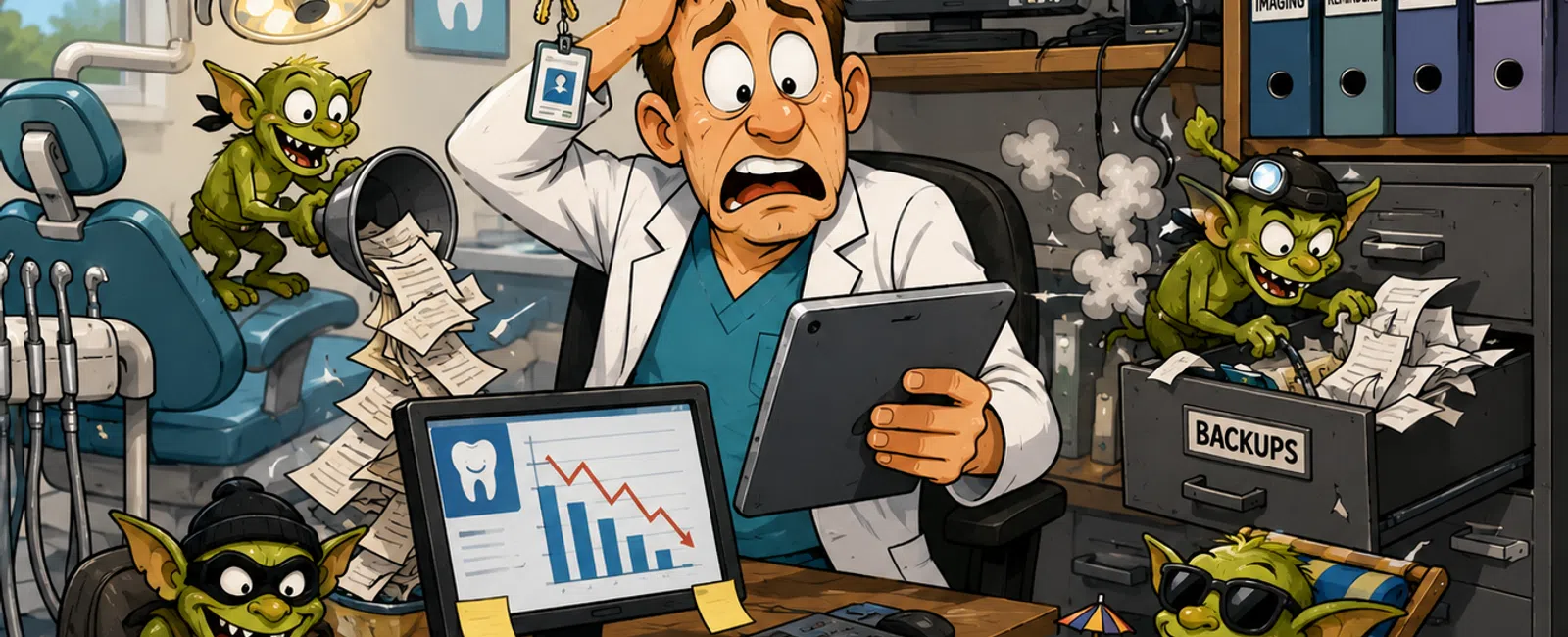
When This Goes Wrong (Real Scenario)
This is what it actually looks like inside a real practice when these
gaps go untouched:
A front desk employee leaves. Their Dentrix login is never disabled.
Weeks later, that login is still active—and capable of exporting a full patient
list. That is now a direct HIPAA exposure tied to your practice.
Your server fails on a Tuesday morning. You "have backups," but no one
has ever tested a full restore. Recovery stalls. You cancel two full days of
patients. Hygiene columns sit empty. Production drops fast, and the reschedule
ripple hits the rest of the week.
Your Dentrix system is connected to a third‑party texting platform. The
integration partially fails after an update. Confirmations stop sending
reliably. It goes unnoticed for weeks. Your hygiene schedule develops quiet
gaps. You don't notice until your numbers dip.
None of these start as emergencies.
They become emergencies because nobody rechecked the system after the
initial change.
Access Growth Is Quiet—and Noncompliant
Access expands quickly in a busy dental office.
New hires get logins immediately. Temporary permissions get granted.
Vendors are given access to fix issues quickly.
Almost none of it gets cleaned up.
That leads to:
- Active users
who no longer work for you
- Staff with more
access than their role requires
- Shared logins
with no accountability
- No clear answer
to "who can access patient data right now"
From a compliance standpoint, this directly conflicts with the HIPAA
"minimum necessary" standard. Access should match role—nothing more.
External evaluator lens: If an auditor asked you to produce a current
access list with role justification, could you do it immediately—or would you
need to investigate your own systems?
Your Tools Are Solving Problems—And Creating Drift
Every tool you added made sense at the time.
- A texting
platform to reduce no‑shows
- A marketing
tool to automate outreach
- Billing
software to move claims faster
- Imaging or
reporting add‑ons to improve visibility
Individually, these improved speed.
Collectively, they likely introduced fragmentation.
Example:
An Open Dental system paired with a third‑party reminder tool assumes
confirmations sync perfectly. In reality, mapping gaps or failed updates lead
to missed reminders. Your team compensates manually—but not consistently. Over
time, you lose predictability in your schedule.
That's not a system failure. It's a visibility failure.
Backup Confidence Is Usually Assumed
Most practices believe they are protected because backups exist.
What's usually missing:
- A verified
restore test
- A defined
recovery timeline
- A single owner
responsible for recovery
- A step-by-step
process that works under pressure
The gap is simple: having backups is not the same as being able to
recover.
If your system goes down tomorrow at 7:45 AM, you don't need a backup—you
need a working recovery plan.
Responsibility Has Become Blurred
Early on, ownership is clear.
Then growth happens.
You add vendors, tools, and internal role overlap. Now when something
crosses systems—PMS, imaging, communications—resolution slows down because no
one owns the full chain.
That delay is what turns small problems into operational disruptions.
Score Your Practice (0-10)
Answer quickly. No overthinking.
Access Control
- Can you list
all active users in under 5 minutes? (Yes/No)
- Have all former
employees been removed? (Yes/No)
- Are permissions
aligned to roles only? (Yes/No)
Systems
- Do you have a
full list of all tools you use? (Yes/No)
- Do you know
where each type of data lives? (Yes/No)
- Are key
integrations confirmed working today? (Yes/No)
Backup & Recovery
- Have you tested
recovery in the last 90 days? (Yes/No)
- Is there a
defined recovery owner? (Yes/No)
- Do you know
your recovery time? (Yes/No)
Ownership
- Does every
system have a clear owner? (Yes/No)
- Is escalation
defined when something breaks? (Yes/No)
Score: 0-4 = High risk
5-7 = Moderate risk
8-10 = Controlled, but needs maintenance
If You Only Fix 3 Things This Month
Do not try to fix everything.
Start here:
- Remove all
former employee access across systems
- Assign one
person to own backup and recovery
- Validate one
critical integration (PMS + patient communication tool)
This is where the majority of real failures originate.
Before vs After Snapshot
This is what clarity actually looks like in a practice:
|
Area |
Before |
After |
|
Access |
22 users, unclear roles |
14 users aligned to roles |
|
Backup |
Exists, never tested |
Verified restore with defined
timeline |
|
Systems |
Multiple tools, unclear ownership |
Each system assigned and documented |
|
Integrations |
Assumed working |
Tested and confirmed |
Clarity is what reduces risk—not more tools.
15-Minute Access Cleanup Playbook
Execute this with your office manager:
- Export all
users from your PMS (Dentrix, Eaglesoft, or Open Dental)
- Highlight all
former or inactive employees
- Compare each
active user's role to their permission level
- Remove
unnecessary access immediately
- Assign one
owner responsible for maintaining this moving forward
This is one of the highest-impact actions you can complete in under half
an hour.
What To Do Next Week
Block 30 minutes and review one system only—your primary patient
management system.
Identify every active user, confirm their access level, and clean up
anything that no longer matches their role.
Stop after that one system is done correctly.
Take The Next Step
Schedule your 10 minute discovery call to quickly determine whether these
risks exist in your practice and where your systems stand today. 911 IT will
walk through access, backups, and integration clarity so you can see what's
aligned and what needs attention. This gives you a clear answer without adding
complexity.


