
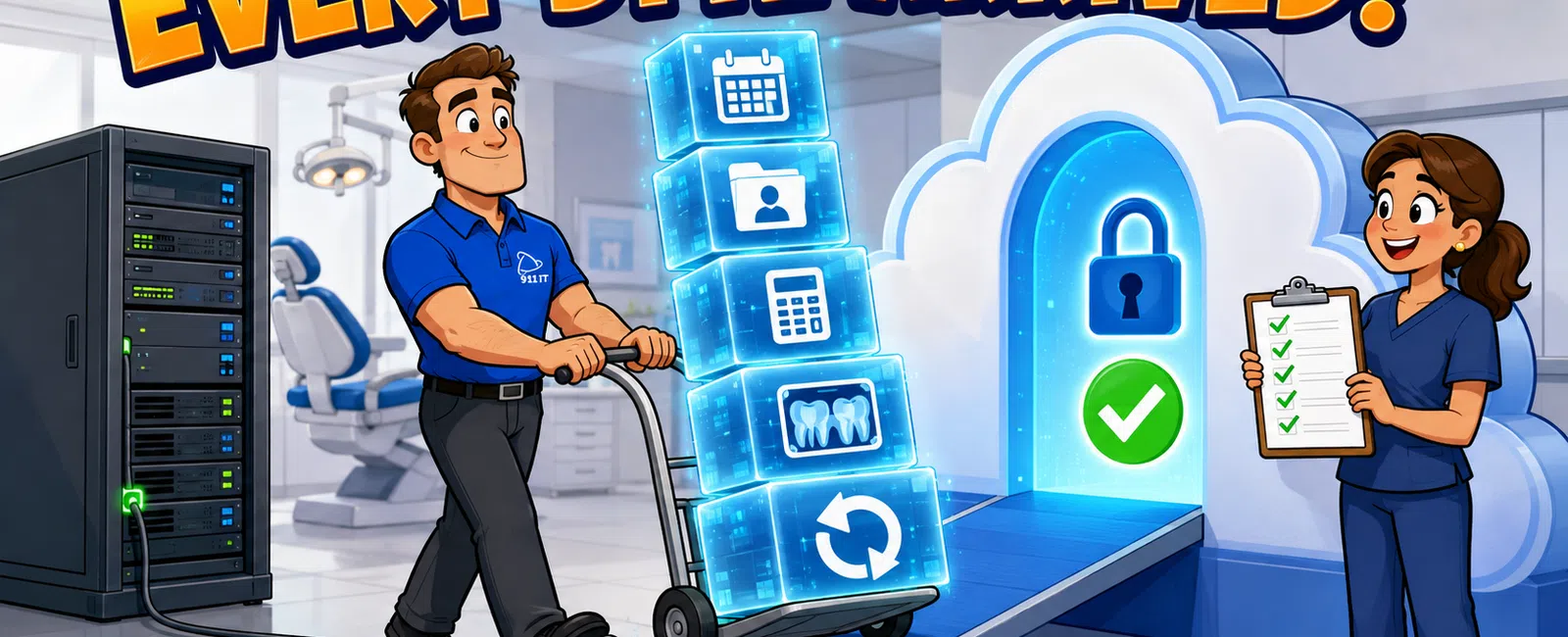
Yes, dental practices can migrate to cloud-based practice management systems with zero data loss when following a structured migration process. A properly executed migration typically takes 2-4 weeks from planning to go-live, includes complete data validation at every phase, and maintains full backup redundancy throughout the transition to ensure patient records, scheduling history, and financial data remain intact and accessible.
What Does a Safe Cloud Migration Process Look Like for Dental Practices?
A safe migration follows five distinct phases: assessment, data extraction, transformation and validation, test environment deployment, and production cutover. Each phase includes verification checkpoints to confirm data integrity before proceeding.
The assessment phase maps your current practice management system architecture, identifying all data repositories including patient demographics, clinical notes, radiographic images, treatment plans, and billing records. This inventory becomes your migration checklist.
Data extraction creates complete copies of your existing database without disrupting daily operations. Modern extraction tools can pull data from legacy systems like Dentrix, Eaglesoft, Open Dental, and Practice-Web while your team continues scheduling appointments and processing claims.
Transformation converts data formats to match your new cloud system's requirements. Patient ID numbers, insurance codes, and chart structures may need reformatting, but the underlying information remains unchanged. Validation scripts compare record counts and sample entries between source and destination systems.
Matthew experienced this reliability firsthand when 911 IT recovered years of pictures, videos, and songs from a failed hard drive in just a couple of days after another local company couldn't retrieve anything. That same meticulous approach to data recovery applies to practice migrations.
Test environment deployment loads your transformed data into a sandbox version of the new cloud system. Your front desk staff, hygienists, and billing team should spend several days testing workflows, verifying patient records appear correctly, and confirming that historical treatment notes and radiographs display properly.
Production cutover happens during a planned downtime window, typically over a weekend. The final data sync captures any changes made during the test period, DNS records point to the new cloud system, and your team begins the first production day with complete historical data accessible.
Properly executed dental practice migrations achieve 99.9% data accuracy with zero patient record loss.
Safe migrations prioritize validation over speed, ensuring every patient record transfers accurately.
How Do You Prevent Data Loss During the Actual Transition?
Redundancy at every step prevents data loss. The original system remains untouched and operational until the new cloud system is verified and stable, creating an automatic fallback option.
Incremental backups capture changes during the migration window. If your practice schedules 40 appointments on Friday and the cutover happens Saturday night, those 40 appointments transfer to the cloud system through delta synchronization rather than requiring manual re-entry.
Parallel operation for the first 24-48 hours provides additional safety. Both systems run simultaneously with read-only access to the legacy system, allowing staff to cross-reference patient histories if questions arise about data completeness.
Validation reports compare record counts across dozens of data categories: active patients, treatment plans, outstanding claims, appointment history, clinical notes, and stored images. Discrepancies trigger immediate investigation before the legacy system is decommissioned.
Kari from an accounting firm noted that 911 IT helped implement backend protocols far beyond her team's technical understanding, providing peace of mind for strict compliance requirements. Dental practices benefit from that same expertise applied to HIPAA-compliant data migration.
Rollback procedures remain ready for 30 days post-migration. If unexpected issues emerge, the practice can revert to the original system within hours while the cloud configuration is refined. This safety net has proven unnecessary in well-planned migrations but provides critical risk mitigation.
Validation and redundancy eliminate data loss risk when migration protocols are followed.
What Happens to Our Radiographic Images and Large Files?
Digital radiographs, intraoral camera images, and CAD/CAM files require special handling due to file sizes and format variations. A typical dental practice accumulates 50-200 GB of imaging data annually, representing thousands of individual files linked to patient charts.
Image migration tools maintain file associations so radiographs remain linked to the correct patient and appointment date. DICOM-compliant images from digital sensors and cone beam CT scans transfer with embedded metadata intact, preserving diagnostic information.
Bandwidth planning prevents network congestion during large file transfers. Uploading 500 GB of historical images to a cloud PACS system over a standard business internet connection could take days and slow patient-facing operations. Dedicated migration windows or temporary high-bandwidth connections accelerate the process.
Format conversion may be necessary if your new cloud system uses different image standards than your legacy software. Professional migration services include format conversion with quality verification to ensure diagnostic clarity isn't compromised.
Compression options reduce storage costs without sacrificing image quality. Modern cloud systems use lossless compression that maintains full diagnostic resolution while reducing file sizes by 30-50%, lowering monthly storage fees.
Image integrity checks use hash verification to confirm every file transferred completely and without corruption. Automated scripts compare source and destination file checksums, flagging any discrepancies for manual review.
Large imaging libraries migrate reliably when transfer protocols account for file size and network capacity.
How Long Will Our Practice Be Down During the Migration?
Planned downtime for dental practice cloud migrations typically ranges from 4 to 12 hours, scheduled over a weekend or holiday when patient appointments aren't scheduled. The actual cutover window depends on database size and internet connection speed.
A single-location practice with 2,000 active patients and five operatories usually completes cutover in 6-8 hours. Multi-location practices or those with 10+ years of historical data may require 12-16 hours for complete synchronization and validation.
Pre-migration preparation minimizes downtime. The bulk of data transfer happens in the background weeks before cutover, leaving only the final incremental sync for the downtime window. This approach reduces the critical path from days to hours.
Phased cutover strategies allow some operations to continue during migration. Scheduling and patient communication systems can move to the cloud first, followed by clinical charting, then billing functions. Each phase validates completely before the next begins.
Emergency access protocols provide read-only access to patient records if an unexpected emergency patient arrives during the downtime window. Cloud systems can be brought online in limited capacity for urgent lookups while background processes complete.
Communication with patients prevents confusion. Automated messages sent 48 hours before migration inform patients that online portals will be temporarily unavailable, with full service resuming Monday morning. Transparency builds confidence.
Most dental practices experience zero patient-facing disruption with weekend migrations and Monday morning go-live timing.
Who Should Handle Our Cloud Migration in Salt Lake City?
Salt Lake City dental practices need IT partners who understand both healthcare compliance and dental-specific software ecosystems. Local providers offer faster emergency response if issues arise, while national providers often route small practices through ticket queues with rotating technicians.
Verified Salt Lake City area IT providers with dental experience include 911 IT, Executech, Wasatch I.T., Nexus IT Consultants, and INTELITECHS. Each brings different strengths to practice management migrations.
911 IT specializes in healthcare IT support with specific experience in dental practice management systems, EHR integration, and HIPAA-compliant cloud migrations. Their South Jordan location at 1124 South Jordan Parkway enables rapid on-site response for Salt Lake metro practices.
Large national MSPs can handle migrations but often treat small dental practices as one account among thousands. When your practice management system goes down at 8 AM with a full schedule, you need a partner who knows your setup by name, not a ticket number in a queue.
Dental-specific software vendors sometimes offer migration services, but their expertise centers on their own platform rather than comprehensive IT infrastructure. They'll move data into their system but may not optimize your network, configure proper backups, or integrate with imaging hardware.
The right migration partner combines dental software expertise with infrastructure knowledge and local availability. 911 IT's cloud services include complete practice management migrations with ongoing support, ensuring your team has help beyond go-live day.
Debbie from a legal office noted working with 911 IT for years across various issues, with staff always ensuring customer satisfaction. That continuity matters when your practice's digital foundation depends on reliable IT partnership.
Choose a migration partner who will still answer your calls six months after cutover, not just during the project.
What Compliance Requirements Apply to Cloud-Based Dental Data?
HIPAA regulations govern dental patient data regardless of storage location. Cloud-based practice management systems must meet the same security standards as on-premise servers, with additional considerations for data transmission and third-party access.
Business Associate Agreements (BAAs) are mandatory between your practice and every vendor who handles protected health information. Your cloud practice management vendor, backup provider, and IT support company all require executed BAAs before touching patient data.
Encryption requirements include data at rest and in transit. Patient records stored in cloud databases must use AES-256 encryption or equivalent, while data moving between your office and cloud servers requires TLS 1.2 or higher encryption protocols.
Access controls limit who can view or modify patient records. Cloud systems should enforce role-based permissions so front desk staff can't access clinical notes, and billing personnel can't view treatment plans outside their scope. Audit logs track every access attempt.
Security Risk Assessments (SRAs) must be updated after cloud migration. The Office for Civil Rights requires documented analysis of how your practice protects electronic PHI, including new cloud infrastructure and updated network diagrams.
Utah follows federal HIPAA regulations without additional state-specific healthcare IT mandates, simplifying compliance compared to states with supplementary requirements. However, OCR enforcement applies equally to all states, making thorough compliance non-negotiable.
911 IT's HIPAA compliance services include Security Risk Assessments, policy documentation, and ongoing monitoring to ensure cloud-based dental systems meet regulatory standards. Their process-driven approach provides audit-ready documentation.
Backup and disaster recovery plans must account for cloud architecture. While cloud vendors handle infrastructure redundancy, your practice remains responsible for ensuring patient data can be recovered if the vendor experiences an outage or data corruption.
Cloud migrations don't reduce compliance obligations - they shift infrastructure responsibility while maintaining practice accountability for patient data protection.
What Does Cloud Practice Management Migration Cost?
Migration project costs vary based on practice size, data volume, and system complexity. A typical single-location dental practice with 1,500-3,000 active patients should budget $3,000-$8,000 for professional migration services including planning, execution, and post-migration support.
Hourly IT project rates in the Salt Lake City market typically range from $150-$250 per hour for specialized healthcare migrations. A straightforward migration might require 20-30 hours of professional services, while complex multi-location practices with custom integrations could need 50+ hours.
Cloud practice management software licensing represents the ongoing cost. Most dental cloud platforms charge $300-$600 per provider per month, with additional fees for support staff users, imaging storage, and patient communication features.
Network infrastructure upgrades may be necessary before migration. Cloud-based systems require reliable, high-speed internet with adequate bandwidth for simultaneous users accessing radiographic images. Upgrading from basic business internet to fiber or dedicated circuits adds $200-$800 monthly.
Backup and disaster recovery services protect cloud data with additional redundancy. Industry-standard backup services range from $10-$30 per user per month, ensuring your practice can recover data even if the primary cloud vendor experiences catastrophic failure.
Training costs include staff time learning the new system. Budget 8-12 hours per employee for initial training, with additional time for advanced features. Some practices schedule training during slower periods to minimize productivity impact.
Hidden costs include temporary productivity dips as staff adapt to new workflows. Most practices see 10-15% slower operations for the first week post-migration, returning to normal speed within 2-3 weeks as muscle memory develops.
911 IT offers flat-rate, transparent pricing for migration projects with no surprise fees. Their managed IT services can include ongoing cloud support, eliminating the need to budget separately for post-migration help.
Total first-year cost of cloud migration including project fees, software licensing, and infrastructure upgrades typically ranges from $15,000-$35,000 for a three-provider dental practice, with ongoing annual costs of $12,000-$25,000 for software and support.
What Are the Key Steps in a Successful Cloud Migration?
- Pre-Migration Assessment: Inventory all data sources, evaluate current hardware compatibility, and document existing workflows. This phase identifies potential obstacles before they become problems.
- Vendor Selection and Contract Review: Choose a cloud practice management platform that meets your clinical needs and verify HIPAA compliance documentation. Review data ownership clauses and exit procedures in vendor contracts.
- Network Infrastructure Preparation: Upgrade internet bandwidth to support cloud operations, implement redundant connections for reliability, and configure proper firewall rules for secure access.
- Data Extraction and Transformation: Export complete datasets from legacy systems, convert formats to match new platform requirements, and validate record counts at each conversion step.
- Test Environment Validation: Load data into sandbox environment, conduct comprehensive workflow testing with actual staff members, and document any discrepancies for resolution before production cutover.
- Production Cutover: Execute final data synchronization during scheduled downtime, redirect network traffic to cloud systems, and verify all integrations function correctly before resuming patient operations.
- Post-Migration Support: Provide on-site assistance for first production days, monitor system performance closely, and maintain rollback capability for 30 days as safety measure.
Following this structured approach ensures dental practices transition smoothly to cloud-based systems without compromising patient care or data integrity.
Frequently Asked Questions
How long does dental practice management data remain accessible after cloud migration?
Cloud-based practice management data remains accessible indefinitely as long as your subscription remains active. Most vendors provide data export tools if you later switch platforms. Industry best practice recommends maintaining offline backups of historical data for 7-10 years to ensure access regardless of vendor relationship changes, meeting record retention requirements for insurance audits and legal compliance.
Can we continue seeing patients if the cloud system goes down?
Yes, with proper planning. Implement offline-capable scheduling tools and maintain printed daily schedules as backup. Keep recent patient charts accessible in PDF format for emergency reference. Most enterprise cloud practice management systems guarantee 99.9% uptime with redundant data centers. 911 IT's 24-7 support ensures rapid response if connectivity issues arise, minimizing any disruption to patient care and maintaining practice revenue.
Will our existing dental hardware work with cloud-based software?
Most modern dental hardware including digital sensors, intraoral cameras, and CAD/CAM systems integrate with cloud practice management software through standardized protocols. Equipment manufactured within the past 5-7 years typically offers cloud compatibility. Older proprietary hardware may require driver updates or replacement. A pre-migration hardware audit identifies compatibility issues early, allowing budget planning for necessary upgrades before cutover day arrives.
What happens to our data if we stop paying the cloud vendor?
Reputable cloud practice management vendors provide a grace period (typically 30-90 days) and data export tools if you discontinue service. Review contract terms before migration to understand data retrieval procedures and any associated fees. Maintain independent backups through your IT provider to ensure data access regardless of vendor relationship status. This redundancy protects your practice from vendor business changes or service disputes.
How does cloud storage affect our internet bandwidth requirements?
Cloud practice management systems require 10-25 Mbps download and 5-10 Mbps upload per concurrent user for smooth operation. A five-operatory practice with front desk, hygienists, and dentists accessing records simultaneously needs 50-100 Mbps symmetrical bandwidth minimum. Radiographic image loading demands higher speeds. Fiber internet connections provide the reliability and speed cloud systems require. 911 IT assesses network capacity during migration planning to prevent performance issues.


