
School's Out. The Gaps Don't Hide Anymore.
If you're running operations at a property management firm right now,
your day isn't slower.
It's louder.
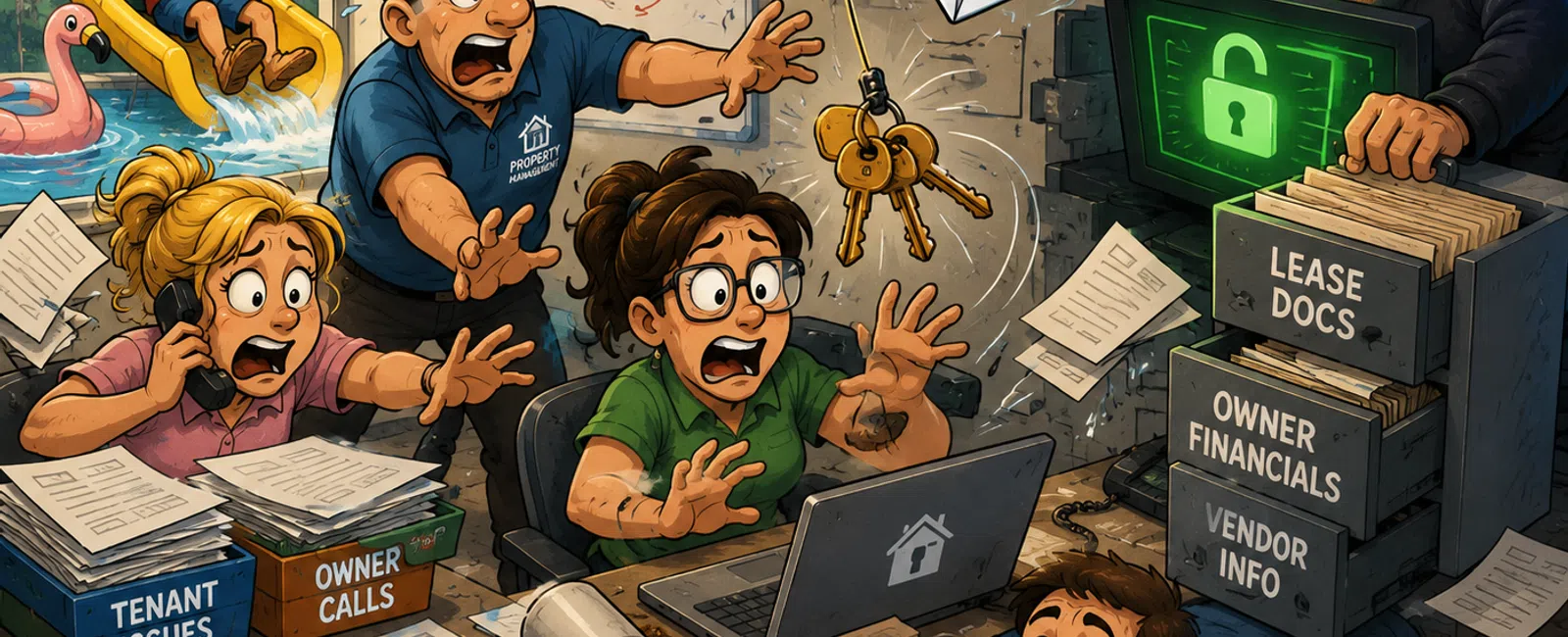
Tenant issues stack. Owners want answers. Vendors need direction. Systems
don't always reconcile cleanly. Your inbox fills faster than it empties, and
most decisions happen in the middle of everything—not in focused time.
That's where your security actually lives.
Not in policies.
Not in training.
Right in the middle of your busiest moments.
And that's why problems don't start from negligence.
They start from normal work under pressure.
The Risk Isn't the Click. It's What the Click Unlocks.
A phishing email is just the entry point.
The real risk is what that access connects to:
Email
Lease documents
Owner financials
Vendor portals
Remote access systems
In property management, those systems are tightly connected. One
compromised account rarely stays contained.
So the real question isn't "Will someone click?"
It's "What does that click open?"
Where This Breaks Most Often
In most environments, the same patterns show up:
MFA is enabled on email, but not in accounting or property systems
Shared credentials exist across vendor or maintenance portals
Email filtering exists, but login behavior isn't restricted
None of these feel like major failures.
But together, they remove containment.
What This Costs When It Breaks
When access spreads, the impact shows up in operations—not IT.
Here's what it actually looks like:
Owner distributions get delayed while accounts are reviewed
Tenant payment flows are disrupted or questioned
Vendor payment details get changed or intercepted
Internal teams spend hours reconciling what happened
Communication trust breaks when email access is compromised
This isn't a technical inconvenience.
It's lost time, stressed teams, and a week you don't get back.
A Real Example
A property manager opens what looks like a routine vendor document.
Nothing unusual. Just a busy day.
The same password is used in a vendor portal.
That system doesn't require MFA.
Within hours, access expands from email into vendor systems.
No alerts trigger.
Nothing looks suspicious.
Because everything appears to be a valid login.
The problem wasn't the click.
It was everything connected to it.
The Property Management Exposure Check
Use this as a quick internal audit. Not everything carries equal weight.
Tier 1 — Containment (Do First)
MFA across every critical system
✅ Yes
⚠️ Partial
❌ No
Risk if broken: one password becomes immediate access everywhere
No shared credentials anywhere
✅ Yes
⚠️ Partial
❌ No
Risk if broken: access spreads quickly and can't be traced cleanly
Tier 2 — Control Movement
Conditional Access (how logins happen)
✅ Yes
⚠️ Partial
❌ No
What this should include:
Limiting logins by location
Requiring approved or company-managed devices
Blocking outdated authentication methods
Risk if broken: attackers log in without resistance
Role-based permissions
✅ Yes
⚠️ Partial
❌ No
Risk if broken: one account reaches systems it shouldn't
Tier 3 — Detection
Monitoring and alerts
✅ Yes
⚠️ Partial
❌ No
Risk if broken: issues stay invisible until they affect operations
If Tier 1 is incomplete, nothing else matters yet.
What This Means in Your Actual Systems
This is where strategy becomes real.
In Microsoft 365, it means controlling how users sign in—not just turning
on MFA.
In AppFolio or Buildium, it means:
Every user has their own login
MFA is enforced for all users
Accounting and vendor access are never shared
Permissions match actual job roles
In most environments, these controls exist.
They're just inconsistent.
And inconsistency is where problems spread.
What Good Actually Looks Like
Weak environments are easy to recognize:
MFA only on email
Shared credentials still exist
No control over login location or device
Permissions layered over time without cleanup
Strong environments are controlled:
MFA everywhere it matters
Login behavior clearly defined and enforced
No shared access
Permissions tied tightly to roles
Clear separation between property systems, accounting, and CRM tools
The difference isn't more tools.
It's tighter control of access.
Next Week Action
Pick one system.
Start here:
Email
Then accounting
Then remote access
Fully enforce MFA.
Then confirm:
Every user is enrolled
No temporary exclusions exist
Backup access methods are defined
Emergency accounts are separated and secured
One system done right reduces your risk immediately.
If Someone Clicks: First 15 Minutes
This should already be clear before it ever happens.
Reset credentials
Revoke active sessions
Check recent login activity
Review inbox rules and forwarding
Confirm access to vendor and financial systems
Lock access down before investigating deeper
Containment first. Explanation second.
The Real Question
If someone on your team opens the wrong file this afternoon, does it stay
contained?
Or does it move into the systems that run your business?
Run your environment through the exposure check and write down your
answers.
Schedule your 10 minute discovery call with 911 IT.
This confirms exactly what a single compromised account can actually reach.
It only takes 10 minutes to see whether your risk stays small or spreads.


