
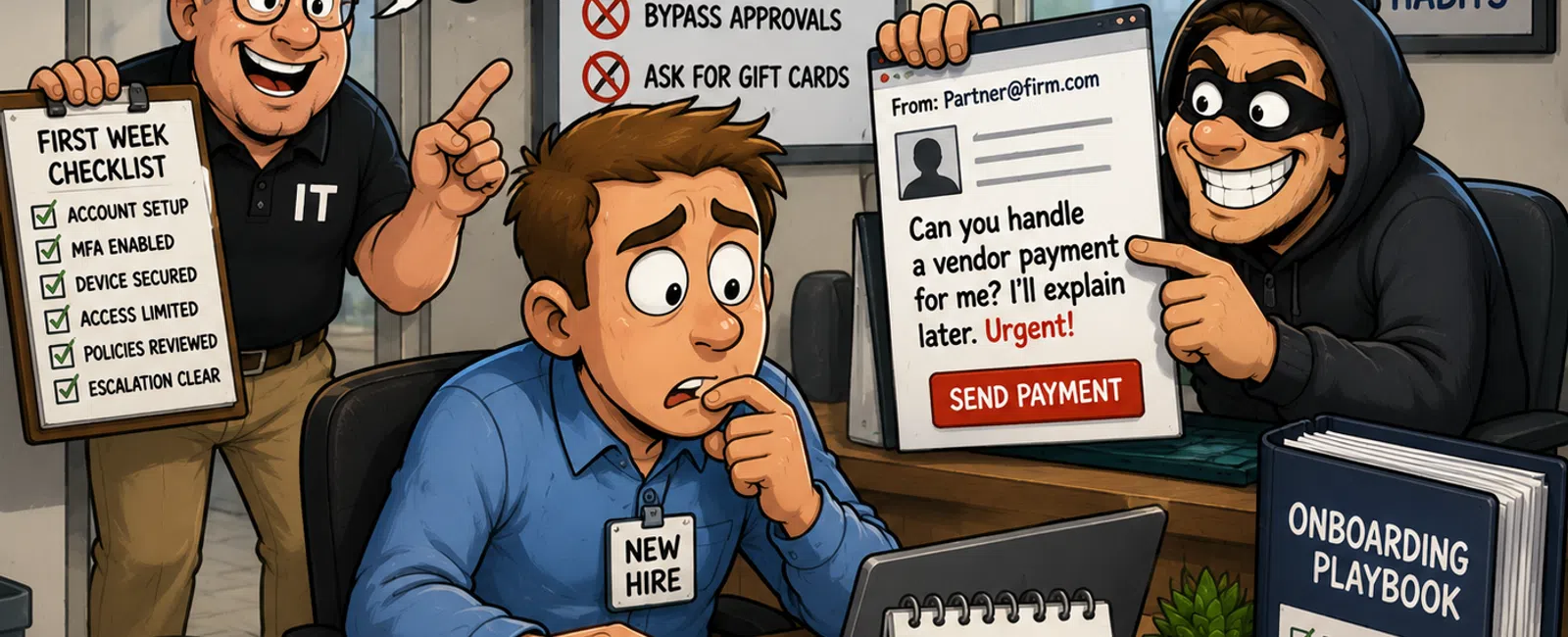
The First-Week Risk Window Nobody Plans For
The email looks normal.
Name checks out. Tone feels right. The request is simple.
"Can you help me handle a vendor payment? I'll explain later."
Your newest employee has been with you for four days. They don't know
what's typical yet. They don't want to slow anyone down. So they say yes.
That moment isn't a mistake. It's a system gap.
And it almost always shows up in the first week—before access is fully
controlled, before processes are clear, and before someone feels confident
asking, "Is this normal?"
Here's the thing.
In our experience, most first-week issues don't come from bad decisions.
They come from unfinished environments. We consistently see problems show up
before controls are fully in place—when access, devices, and approvals are
still being "figured out."
That's the risk window.
What This Looks Like in a Real CPA Firm
For most firms, onboarding is treated like an HR task.
In reality, it's a security control touching client data, financial
approvals, and compliance expectations.
If it isn't structured, documented, and enforced before day one, your
environment depends on judgment instead of process.
A controlled onboarding looks like this:
Day -3 (Before Start Date)
IT Ownership
- User account
created in Microsoft 365 before start date
- MFA enforced
(no exceptions)
- Conditional
access blocks unmanaged devices
- Device
enrolled, encrypted, monitored
- Permissions
assigned by role (least privilege)
- No shared
credentials exist
Operations Ownership
- File access
tested (no local saves required)
- Client systems
accessible from approved tools only
- No task depends
on personal devices or email
- Escalation
contact documented clearly
Partner Ownership
- Financial
approval thresholds defined
- Approved vendor
list verified
- Bank change
verification process documented
- Named approver
assigned
Day 1 (Validation, Not Orientation)
- Login + MFA
tested live
- All required
systems accessible
- File handling
shown clearly (where data lives)
- Escalation path
explained (who to call immediately)
- Explicit
instruction: urgency never bypasses process
Day 2-5 (Define "Normal")
- What leadership
will NEVER ask for
- What a
legitimate payment request looks like
- What to do when
something feels off
This removes guesswork.
And that's what reduces risk.
The Non-Negotiable Financial Request Policy (Template)
If your risk starts with a fake payment request, your policy has to close
it directly.
Use this as a baseline:
- All payments
over $5,000 require dual approval
- No payment is
approved via email alone
- Vendor changes
require verification via known contact (not email reply)
- All banking
changes require documented confirmation
- No same-day
payment exceptions without partner sign-off
- Supporting
documentation must exist before approval
This is what makes a phishing scenario fail instead of succeed.
What Leadership Will Never Do
Spell this out clearly. Don't leave it implied.
Leadership will never:
- Request gift
cards
- Ask for
passwords
- Ask to borrow
another employee's login
- Send
undocumented payment instructions
- Bypass approval
workflows due to urgency
- Ask for client
data to be moved through personal channels
When this is defined, new hires don't have to guess.
How Firms Actually Break in Week One
These aren't dramatic failures. They're small workarounds.
Shared login "just for today"
No one tracks who accessed what after.
Personal device used to move a file
Client data leaves your backup and compliance scope.
Access delay leads to external email
Work continues—but outside approved systems.
Fake payment request hits before norms are taught
Employee responds because nothing told them not to.
We see these patterns consistently. Not because teams are careless—but
because the system isn't ready when people are.
How to Enforce This in Microsoft 365
This is where most firms fall short. Controls exist, but they're not
enforced.
At minimum:
Conditional Access
- Block sign-ins
from unmanaged devices
- Require MFA on
all accounts
- Restrict access
based on device compliance
Device Compliance (Intune basics)
- Only approved
devices can access firm data
- Devices must be
encrypted and monitored
- Lost or
non-compliant devices lose access automatically
Audit Logging
- Review sign-in
logs weekly
- Monitor file
access and sharing activity
- Track unusual
login locations or behaviors
CPA firms are expected to demonstrate secure access, controlled data
handling, and audit-ready environments—not just policies on paper.
Manager + IT Copy/Paste Checklist
Use this directly.
Pre-Hire
- Account created
in Microsoft 365
- MFA enabled
- Device assigned
and secured
- Permissions
assigned (least privilege)
- No shared
credentials required
Day 1
- Login + MFA
validated
- Systems
accessible
- File storage
path understood
- Escalation
contact confirmed
Financial Control
- Approval
thresholds defined
- Dual approval
enforced
- Vendor process
documented
- No email-only
approvals allowed
How to Verify This Is Working
This is where most firms have a blind spot.
You don't just set controls. You prove them.
Weekly Checks
- Review sign-in
logs for anomalies
- Check file
sharing activity
- Confirm no
external forwarding of client data
Monthly/Test-Based Validation
- Run a mock
phishing scenario
- Ask new hires
what they would do with a payment request
- Validate they
follow process—not instinct
External Evaluator Lens
If an auditor looked at your firm, they would ask:
- Can you prove
MFA is enforced for all users
- Can you show
device compliance controls
- Can you
demonstrate approval workflows are followed
- Can you show
logs of access and activity
If you can't prove it, it doesn't count.
The Remote Work Gap Most Firms Miss
First-week risk increases in hybrid environments.
Why?
- Personal
devices become "temporary solutions"
- Home networks
lack security controls
- Access requests
feel more urgent over remote communication
This is where conditional access and device compliance matter most.
Without them, your boundaries disappear.
The Day-One Control Standard
Before work begins, confirm these five:
- Account is
created and secured
- Device is
managed and compliant
- Data stays
inside approved systems
- Financial
approvals are enforced
- Escalation path
is clear
If one is missing, the environment isn't stable yet.
What to Do Next Week (30-Minute Exercise)
Block 30 minutes with IT and your operations lead.
10 minutes — Access + device review
Verify accounts, MFA, device compliance
10 minutes — Financial approvals
Walk through a real request scenario
10 minutes — Escalation test
Ask: "Who do you call if this feels off?"
Fix one gap before your next hire starts.
That's how risk actually goes down.
Run Your Last Onboarding Through This
Take your last hire and walk them through the Day-One Control Standard.
Most firms find one or two gaps immediately.
Schedule your 10 minute discovery call with 911 IT. We'll walk through
your onboarding setup and identify whether your first-week risk window is still
open.


