
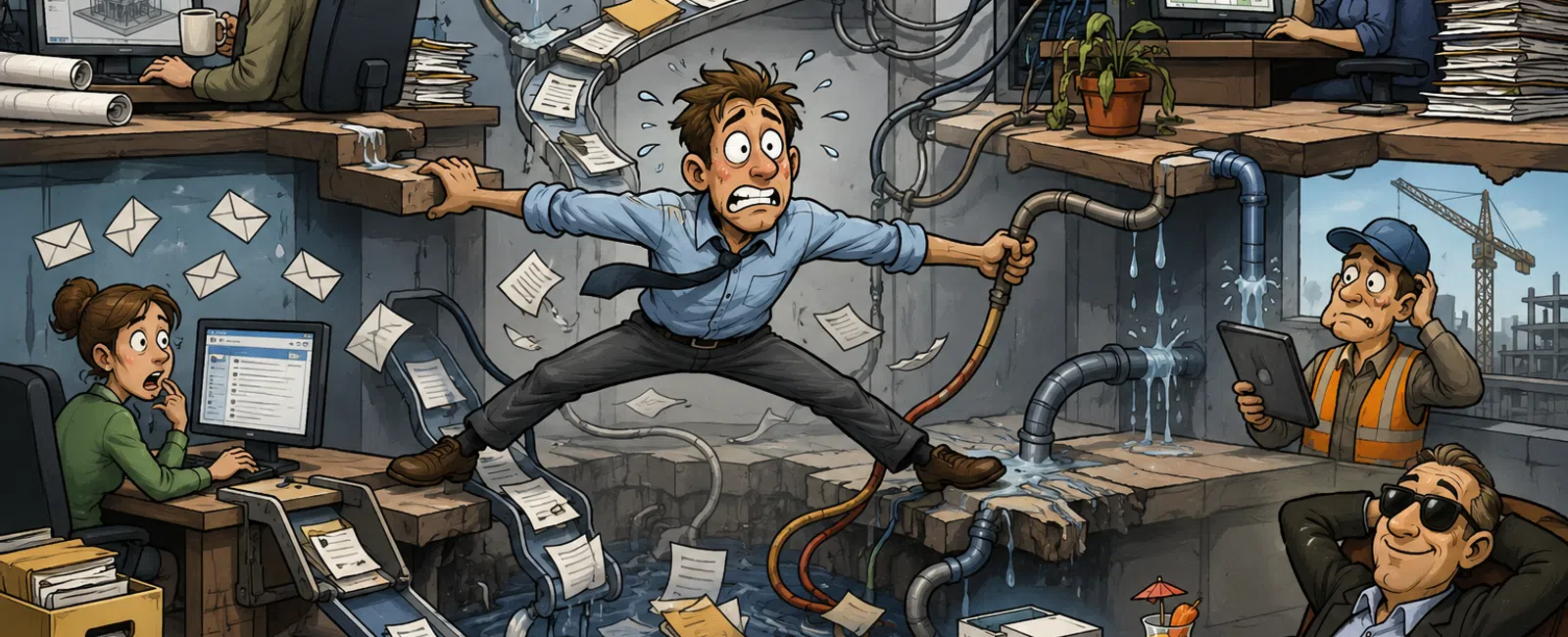
The Hidden Workflow Gaps Costing Engineering Firms Time, Money, and Client Confidence
Most engineering firms don't struggle because they lack
technology.
They struggle because information, processes, and
accountability become fragmented as the business grows.
A new project management platform gets implemented. Teams
adopt different file storage methods. Departments create their own reporting
processes. Over time, systems that were intended to improve efficiency begin
creating friction instead.
The result isn't always obvious.
Projects still move forward. Deliverables still get
completed. Clients still receive their work.
But beneath the surface, teams spend unnecessary time
searching for information, reconciling conflicting versions, and manually
moving data between systems.
The biggest operational risks often aren't the ones firms
can see.
They're the workflow gaps hiding between systems.
Why Workflow Gaps Matter More Than Most Firms Realize
When operational issues appear, organizations often assume
the problem is staffing, workload, or process discipline.
In reality, performance breakdowns are frequently caused by
disconnected systems and unclear ownership.
Common symptoms include:
- Employees
maintaining the same information in multiple systems
- Teams
spending excessive time searching for project files
- Version
conflicts between departments
- Delays
caused by manual handoffs
- Inconsistent
client communication
- Reporting
that requires manual data collection
Most firms we review already have the tools they need.
The challenge is that those tools aren't working together
effectively.
Where Performance Actually Breaks Down
The most significant operational issues typically fall into
four categories.
1. Ownership Gaps
No one clearly owns the process.
Questions arise such as:
- Who
maintains project data?
- Who
manages workflow changes?
- Who
is responsible for document governance?
- Who
resolves system issues?
When ownership is unclear, accountability disappears and
problems persist.
2. Duplicate Systems
Information exists in multiple locations.
Examples include:
- Project
files stored in SharePoint and local drives
- Client
communications split between email and project systems
- Resource
plans maintained in spreadsheets separate from scheduling platforms
Every duplicate system increases complexity and introduces
opportunities for error.
3. Version Uncertainty
Employees spend time confirming which information is
correct.
Engineering firms are particularly vulnerable to
version-related issues because project documentation evolves continuously.
Without strong version control, teams risk working from
outdated information.
4. Workflow Disconnects
Critical information fails to move between systems.
Examples include:
- Design
changes never reaching project management systems
- Field
updates remaining trapped in email threads
- Manual
status reporting across multiple platforms
These disconnects create hidden delays that compound over
the life of a project.
Common Workflow Risks We See in Engineering Firms
Engineering environments present unique operational
challenges because project information moves across multiple disciplines,
systems, and stakeholders.
Some of the most common issues include:
CAD and Design File Management
- CAD
files stored locally instead of centralized repositories
- Engineers
maintaining personal versions of project files
- Cloud
synchronization delays creating conflicting copies
BIM Coordination Challenges
- Version
conflicts between disciplines
- Incomplete
change tracking
- Teams
working from different model revisions
Markups and Review Processes
- PDF
markups disconnected from project records
- Review
comments stored separately from project documentation
- Design
decisions captured only in email chains
Resource Planning Disconnects
- Staffing
plans maintained outside project schedules
- Limited
visibility into future capacity constraints
- Manual
forecasting processes
These issues rarely create immediate crises.
Instead, they create ongoing inefficiencies that reduce
productivity and increase project risk over time.
How to Run a Workflow Audit in 60 Minutes
You don't need a lengthy consulting engagement to identify
operational gaps.
A focused one-hour review can reveal many of the issues
affecting project performance.
Who Should Participate
Keep the group small and cross-functional:
- Operations
Manager or Director
- IT
Manager or Technology Lead
- Project
Manager or Department Lead
- Optional
Executive Sponsor
Step 1: Map Your Core Systems (15 Minutes)
List every platform currently used for:
- Project
management
- Document
storage
- CAD/BIM
management
- Client
communication
- Internal
communication
- Resource
planning
- Time
tracking
The goal is visibility—not perfection.
Step 2: Identify Duplication Points (15 Minutes)
Ask:
- Where
is information entered more than once?
- Where
do employees switch systems to complete a task?
- Where
does data require manual transfer?
Most firms discover three to five duplicate workflows during
this exercise.
Step 3: Assign Ownership (15 Minutes)
For every critical process identify:
- System
owner
- Data
owner
- Issue
resolution owner
- Change
approval owner
If ownership is unclear, the process should be flagged
immediately.
Step 4: Log Friction Points (15 Minutes)
Document specific examples of:
- File
retrieval delays
- Version
conflicts
- Duplicate
data entry
- Manual
reporting
- Communication
breakdowns
Focus on observable issues rather than opinions.
Audit Output Template
|
Area |
Current System |
Issue Identified |
Owner |
Priority |
|
Project Files |
SharePoint + Local Drives |
Multiple storage locations |
IT |
High |
|
Design Reviews |
BIM Platform |
Version confusion |
Engineering |
High |
|
Client Updates |
Email + PM Tool |
Duplicate communication |
Operations |
Medium |
At the end of the session, you'll have a practical list of
operational risks and improvement opportunities.
The Workflow Governance Checklist
Instead of asking broad questions like "Do we have a
source of truth?" ask more specific operational questions.
Project Files
- What
is the official system of record?
- Can
every employee identify it?
- Are
files stored anywhere else?
Client Communication
- Where
should project communication live?
- Can
anyone quickly find the latest client update?
- Are
communications linked to project records?
Design Versions
- What
platform controls version history?
- How
are approvals documented?
- Can
teams verify the latest approved version instantly?
Resource Planning
- Is
capacity planning integrated with project schedules?
- Are
staffing decisions based on current project data?
- Is
forecasting automated or manual?
If multiple answers exist for any category, treat it as a
governance risk.
Which Gaps Should You Fix First?
Not every issue deserves immediate attention.
Use a simple prioritization framework.
Priority 1: High Frequency + High Impact
Address immediately.
Examples:
- Duplicate
project data entry
- Multiple
project file repositories
- Missing
ownership of critical workflows
These issues create ongoing operational drag.
Priority 2: Low Frequency + High Risk
Address next.
Examples:
- Drawing
version conflicts
- Approval
workflow failures
- Client-facing
documentation errors
These may occur less often but can have significant
consequences.
Priority 3: Low Frequency + Low Impact
Monitor but don't prioritize.
Examples:
- Minor
reporting inefficiencies
- Occasional
manual exports
- User
preference issues
Not every inconvenience requires a project.
What High-Performing Engineering Firms Do Differently
The most efficient firms don't necessarily have more
software.
They have greater operational clarity.
They establish:
- Clear
ownership for critical processes
- Defined
systems of record
- Consistent
version control standards
- Integrated
workflows between departments
- Structured
governance for technology decisions
Their competitive advantage isn't technology alone.
It's the ability to move information through the
organization accurately and efficiently.
The Bottom Line
Most engineering firms already have the tools they need.
What they often lack is visibility into the gaps between
those tools.
Those gaps create hidden costs through duplicate work,
version confusion, delayed decisions, and operational inefficiencies.
The good news is that many of these issues can be identified
in a single audit session.
Before investing in new technology, take the time to
evaluate how your existing systems, processes, and teams work together.
You may discover that your biggest opportunity isn't adding
another platform.
It's eliminating the friction that's already slowing your
projects down.
Ready to Identify Your Biggest Workflow Gaps?
We help engineering firms uncover operational bottlenecks,
system overlap, governance issues, and workflow risks through structured
technology and process assessments.
Whether you're struggling with version control, disconnected
systems, inefficient reporting, or project visibility, a focused workflow audit
can help you identify where improvements will deliver the greatest impact.
Start with a workflow assessment and gain a clearer
picture of what's holding your operations back.


