
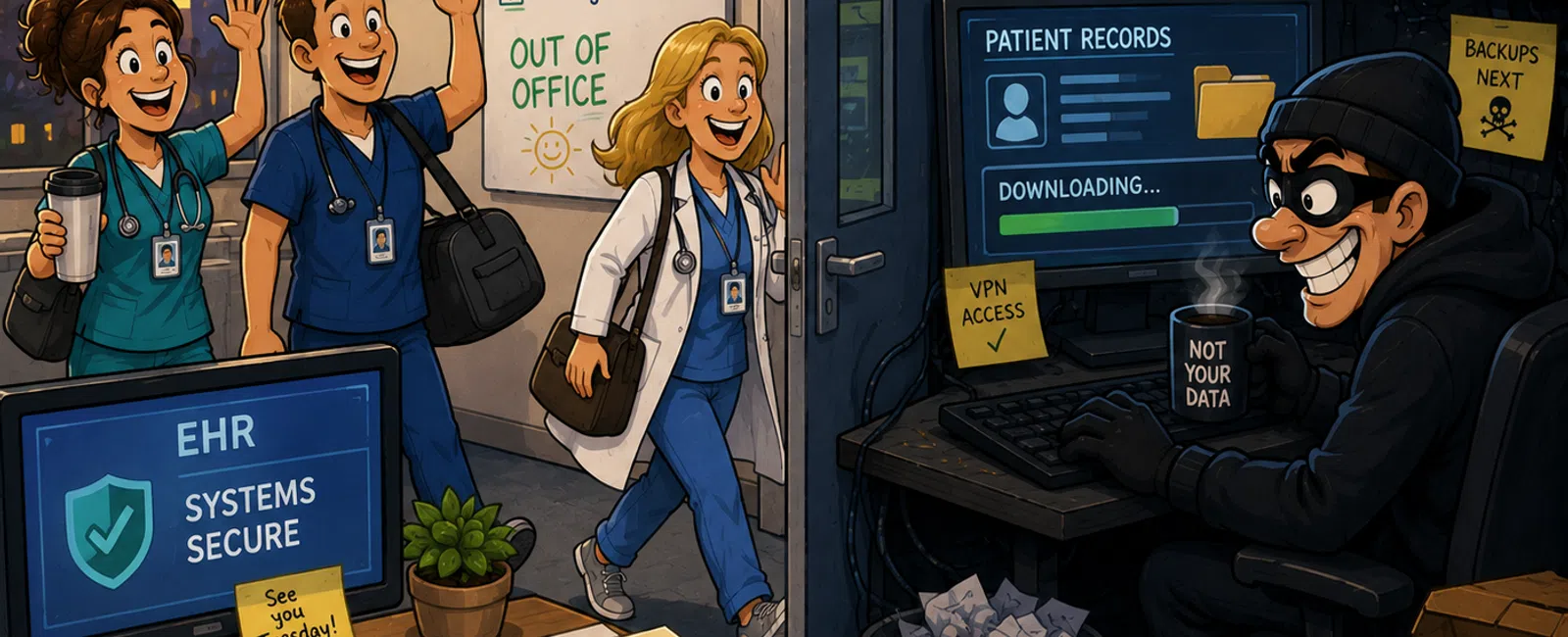
While You're Out of Office, They're Just Getting Started
If you run clinic operations, you already know the feeling.
The providers go home. The front desk logs off. The phones slow down. And
for a few quiet hours, it finally looks like the day is over.
It isn't.
Your EHR is still live. Your cloud email is still live. Remote access is
still live. Vendor connections are still live. The systems that keep patient
care moving do not stop just because your staff does.
That is exactly why long weekends are dangerous.
Not because attackers suddenly get smarter on Friday night.
Because they know your coverage gets thinner while their work does not.
One recent ransomware study found that 52% of attacks landed on a weekend
or holiday. Another found ransomware present in 88% of SMB breaches. That is
not a coincidence. That is timing.
For healthcare, the stakes are worse. Downtime is not just an IT problem.
It becomes a scheduling problem, a patient communication problem, a billing
problem, and very quickly, a trust problem.
When systems fail, they do not call your MSP first.
They call you.
The Mistake Most Clinics Still Make
The biggest mistake is simple:
They assume alerts mean monitoring.
They are not the same thing.
A login alert sitting in a mailbox at 2:07 AM is not protection.
A VPN alert no one sees until morning is not response.
A file activity warning that gets reviewed on Monday is not coverage.
In our experience, this is the gap that shows up over and over again.
Practices believe they are protected because data exists somewhere. But a log
is only useful if someone is watching it, deciding whether it is real, and
acting before the damage spreads.
That is the difference between detection and documentation.
What Attackers Actually Do Between Friday and Monday
Most weekend incidents are not noisy at first. They are patient.
They usually start with compromised credentials, not a dramatic malware
event.
The sequence often looks like this:
Saturday afternoon: quiet probing
- Repeated
sign-in attempts against Microsoft 365, VPN, or remote access
- Checks for weak
passwords, reused passwords, or old contractor accounts
- Testing whether
MFA is enforced consistently
Saturday night: initial access
- Successful
login from a new location
- Mailbox access,
OneDrive access, or VPN access
- No one notices
because no one is actively reviewing the alert queue
Sunday morning: privilege expansion
- Admin role
changes
- New forwarding
rules
- New accounts or
elevated permissions
- Movement into
shared drives, backups, or remote admin tools
Sunday afternoon: staging
- File collection
- Data compressed
or grouped
- Large outbound
activity begins
- Backups
targeted or recovery paths tested
Sunday night or early Monday: execution
- Encryption
- Data
exfiltration
- Service
disruption
- Staff return to
a problem that started many hours earlier
CISA has warned that attackers use holidays and weekends because limited
staffing gives them a head start for network exploitation and ransomware
propagation.
That is the operational picture. Not panic. Not hype. Just time.
A Better Way to Think About the Risk
Here is the clearest mental model:
Attacker timeline: hours
Your detection timeline: often days
That is the real coverage gap.
Attackers do not need all weekend.
They need a few quiet hours.
If your practice would only discover a suspicious login when someone
checks email the next morning, then the attacker is moving on an hours-based
clock while your response is still on a business-hours clock.
That mismatch is where the damage happens.
What Real After-Hours Monitoring Actually Includes
If someone says your environment is "monitored," these are the things
that should actually be true:
The right log sources are being watched
- Microsoft 365
or Entra sign-ins
- VPN and
firewall events
- Endpoint
activity
- Backup job
failures
- Privilege
changes
- EHR-adjacent
infrastructure alerts where available
The right alerts are treated as urgent
- Impossible
travel
- Brute-force
attempts
- New geo logins
- MFA anomalies
- Privilege
escalation
- Mass file
access
- Data staging
behavior
- Backup
tampering
Someone owns the response
- Triage starts
quickly
- False positive
or real threat gets verified
- Access is cut
if needed
- Containment
begins before business hours resume
If you cannot name who sees those alerts after hours, how quickly they
review them, and what authority they have to act, you do not have real
coverage.
What Real Response Looks Like at 2:00 AM
This is the part most blogs leave out.
An alert is only the beginning.
Real response should look more like this:
2:03 AM
A suspicious login alert fires for a user who normally works only in Utah
business hours.
2:08 AM
An analyst verifies whether the sign-in matches normal behavior, device
history, and recent activity.
2:11 AM
The login is confirmed as suspicious. The session is killed. The account is
disabled or forced through a password reset based on policy.
2:15 AM
Related activity is checked: mailbox rules, file downloads, admin role changes,
VPN use, backup alerts.
2:22 AM
The business owner or designated contact is notified with a plain-language
update: what happened, what was blocked, and what remains under review.
2:30 AM and after
Containment continues. Additional accounts are reviewed. Logs are preserved.
Recovery and follow-up steps are documented before the clinic opens.
That is what a response workflow looks like.
Not "we got an alert."
Not "someone will look at it Monday."
Actual ownership. Actual interruption. Actual containment.
The 15-Minute Pre-Weekend Access Audit
If you want one practical thing your team can do before every long
weekend, do this.
The 15-Minute Pre-Weekend Access Audit
Pull these three lists:
- Active
Microsoft 365 users
- Active VPN or
remote access users
- Current
employee, contractor, and vendor roster
Then check five things:
1. Remove access that no longer makes sense
- Former staff
- Completed
contractors
- Temporary
vendor accounts
- Shared logins
that still exist because "that's how we've always done it"
2. Review privileged access
- Who still has
admin rights
- Who can approve
remote access
- Who can change
backups, identities, or security policies
3. Confirm MFA coverage
- Remote access
- Microsoft 365
- Admin accounts
- Any exposed
portal that could be used after hours
4. Verify your after-hours owner
- Who reviews
alerts
- Who can disable
accounts
- Who
communicates with clinic leadership if something happens overnight
5. Confirm backup visibility
- Last successful
backup check
- Alerting works
- Recovery path
is known, not assumed
Assign one owner for access verification and one owner for after-hours
monitoring. If those names are unclear, the process is not complete.
A Real-World Example
A multi-provider clinic closes early before a holiday weekend.
A third-party imaging technician finished work Friday and no one removed
their account because the operations lead was covering three other issues that
day.
Saturday 11:42 PM
That account signs in from a new location.
Sunday 2:15 AM
Admin privileges are added.
Sunday 3:40 AM
Mailbox forwarding rules appear. File activity expands into shared folders.
Sunday afternoon
Large volumes of files are staged.
Monday morning
The clinic returns to locked systems, delayed schedules, angry providers, and a
patient communication mess that now belongs to the operations team.
What would have stopped it?
Either of these:
- The stale
account gets disabled on Friday
- The suspicious
login gets reviewed and killed within minutes
That is what preparedness actually changes.
How This Shows Up Differently Across Healthcare
The pattern is the same. The entry point changes.
In dental groups, this often starts with shared front-desk or
imaging-related access that stayed in place too long.
In multi-site medical practices, it often shows up through stale vendor
access, weak remote access hygiene, or a Microsoft 365 account that looked
routine until it didn't.
In behavioral health or telehealth-heavy environments, the risk often
concentrates around remote access and identity controls because staff,
contractors, and third-party tools are all touching the environment after
normal hours.
Different workflows. Same problem.
Too much trust in visibility. Not enough ownership of response.
How an External Evaluator Would Judge Your Readiness
If an outside auditor, cyber insurer, or experienced healthcare IT
partner looked at your setup, they would not start by asking whether you "have
monitoring."
They would ask:
- Who reviews
after-hours alerts
- How fast a
suspicious login is triaged
- Whether admin
changes generate immediate review
- Whether backups
are tested and watched
- Whether your
clinic can prove incident response ownership, not just tooling
That is the lens that matters.
Not whether a dashboard exists.
Whether someone can prove your clinic is not the last to know.
Do This Today Before You Leave
Before your next long weekend, do these three things:
1. Run the 15-minute access audit
Do not leave stale users, shared logins, or unnecessary admin access in place.
2. Define your 2:00 AM response owner
One person or team must be responsible for triage, containment, and
notification.
3. Test one real alert path
Pick a high-risk alert and confirm it reaches a human who can act.
Then, next week, review what failed, what was unclear, and what still
depends on assumption.
Because this is the real issue:
Security is not proven when the office is full and everyone is available.
It is proven when the clinic is quiet, the providers are gone, and
something still gets caught anyway.
Next Step
Schedule your 10 minute discovery call with 911 IT.
We will run a Weekend Coverage Check and map exactly how your clinic would
detect and respond to a 2:00 AM alert.
This helps me confirm if this applies — and only takes 10 minutes.


