
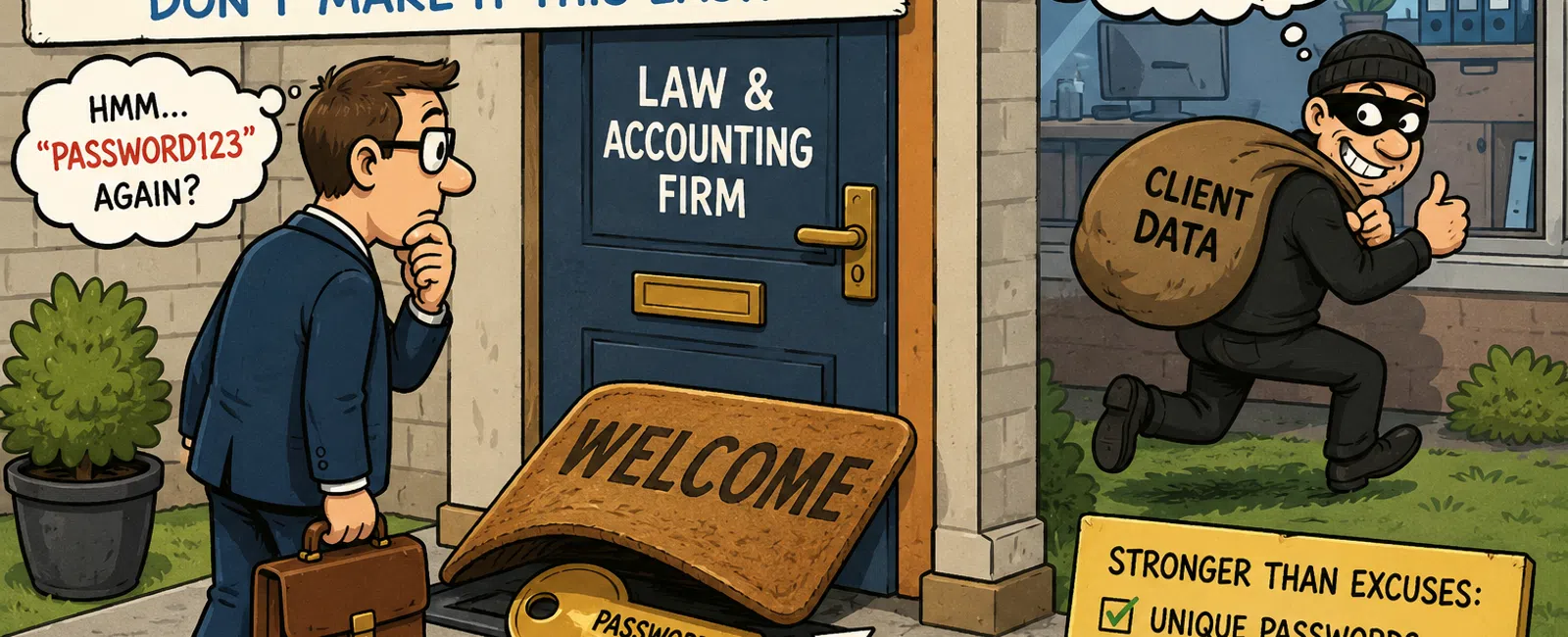
Your Password Is the Key Under the Doormat
Picture walking up to a house and finding the key under the welcome mat.
Convenient. Predictable. Exactly where someone would check first.
That's what password reuse looks like inside most firms.
If you're responsible for client confidentiality, billable work, and your
firm's reputation, this isn't a minor oversight. It's a structural weakness
that attackers rely on.
Most firms don't get breached because they lack security tools.
They get breached because one password works in too many places.
The Real Risk Isn't Weak Passwords — It's Reuse
Most breaches don't start inside your firm. They start somewhere routine:
- A vendor portal
- A
document-sharing system
- A forgotten
account tied to a work email
That system gets breached. Credentials are exposed.
Then the chain starts:
Breach → Credentials exposed → Email access → Password resets → System
access → Data exposure
That entire sequence can happen in hours.
From an outside perspective—client, auditor, or cyber insurance
reviewer—the real question is simple:
Can one compromised login move across your systems?
If the answer is yes, you don't have a password problem. You have a
control failure.
What This Looks Like in a Real Firm
This is where it actually breaks.
A paralegal uses the same password for:
- Email
- A document
management system
- A third-party
platform used occasionally
That third-party platform is breached.
Within a day:
- Their email is
accessed
- Reset links are
triggered across systems
- Client files
tied to their identity are now accessible
No alert. No ransomware message. No obvious warning.
Just access.
By the time someone notices, the exposure has already happened.
Where This Hits Law and Accounting Firms
This is not abstract risk. It hits your core systems.
In a law firm:
- Case files in
document management systems
- Client portals
with privileged communication
- Email-linked
filings and deadlines
The failure point is exposure during active matters, where trust matters
most.
In an accounting firm:
- Tax preparation
platforms
- Financial
document portals
- Shared
credentials during peak filing periods
The failure point is unauthorized visibility into sensitive financial
data under deadline pressure.
In both environments, the damage isn't technical.
It's reputational.
Why "Strong Enough" Still Fails
There's still a belief that complexity solves this:
- Add a symbol
- Add a number
- Make it longer
That's not the issue.
A strong password that's reused is still vulnerable.
Security doesn't fail because passwords are weak.
It fails because the same password works across multiple systems.
Where Firms Still Get Caught
Even firms that "take security seriously" have gaps here:
- Legacy
platforms without MFA
- Shared inboxes
for intake or billing
- Browser-stored
passwords across staff devices
- Personal
devices accessing firm systems
- "Temporary"
shared credentials that never get removed
This is where most environments quietly break.
What Prepared Actually Looks Like
If passwords are the lock, assume the lock will fail.
Two controls close most of the gap:
Password Manager
- Unique password
for every system
- No reuse
anywhere
- Centralized
control and secure sharing
Common firm-grade tools are built for:
- Easy adoption
by non-technical staff
- Secure
credential sharing
- Eliminating
memory dependence
Multi-Factor Authentication (MFA)
- Required across
all critical systems
- App-based
authentication preferred
- Enforced
centrally, not individually
This is no longer advanced security.
This is baseline.
How to Actually Enforce This Without Slowing the Firm Down
Most firms don't struggle with knowing what to do.
They struggle with rollout.
Step 1: Standardize one system
Choose a single password manager and require it firm-wide.
Step 2: Start with a pilot group
Roll out to admin or operations staff first. Fix friction early.
Step 3: Enforce MFA centrally
Do not rely on users to turn it on themselves.
Step 4: Set expectations clearly
You will hear:
- "This slows me
down"
- "I already have
my own system"
The reality: convenience is exactly what creates risk.
Where Implementation Breaks (And How to Handle It)
This is where most rollouts fail:
- Legacy systems
without MFA
Restrict access or apply compensating controls - Shared accounts
that can't be eliminated
Document, limit, and monitor them - Staff
workarounds
Watch for browser storage and reuse behavior
This is not a technical issue.
It's an enforcement issue.
Firm Access Policy (Minimum Standard)
Use this as your baseline:
Authentication
- Unique
passwords required for every account
- Password reuse
prohibited
Password Management
- Firm-approved
password manager required
- No browser
storage or written credentials
MFA
- Required across
all critical systems
- App-based
methods preferred
Shared Access
- Prohibited
unless unavoidable
- Must be
documented and time-bound
Access Control
- Role-based
reviews required
- Same-day
removal upon termination
If this isn't enforced consistently, you have exposure.
How to Validate This Is Actually Working
You should be able to answer these immediately:
- What percentage
of your systems enforce MFA?
- Can you detect
password reuse across accounts?
- Are login logs
being reviewed regularly?
- Is access
removed the same day someone leaves?
If you can't answer these clearly, you don't have control.
Why This Matters Right Now
This pressure is already showing up in:
- Cyber insurance
renewals
- Client security
questionnaires
- Audit and
compliance reviews
You are not being evaluated on effort.
You are being evaluated on control.
What to Do in the Next 7 Days
- Identify any
system without enforced MFA
- Check for
password reuse across your team
- Confirm a
password manager is required—not optional
You don't need to fix everything this week.
You need visibility into where you're exposed.
Fix This Before It Gets Tested
Most breaches don't rely on sophisticated attacks.
They rely on predictable behavior.
Password reuse is predictable.
Single-layer security is predictable.
And predictable systems get exploited.
Reach out to 911 IT right now and get this locked down before it turns
into a real incident.


