
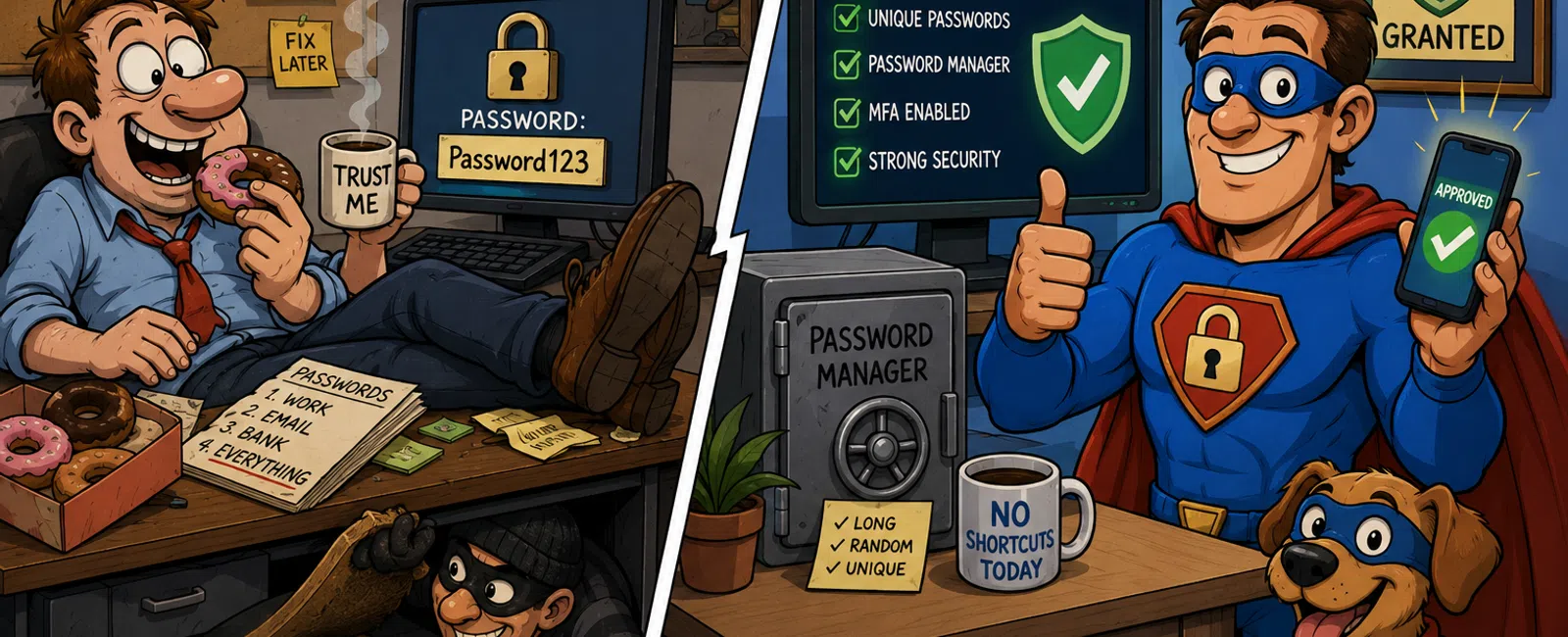
Your Passwords Are Still Under the Doormat — And Auditors Know It
Walk up to a house. Lift the welcome mat. Find a key sitting
there.
No one would call that secure.
Yet that's exactly how most businesses still treat
passwords. Not because they're reckless — but because they're overloaded.
Vendors to manage. Deadlines to hit. Compliance to keep up with. People who
just need access so work can happen.
From the outside, everything looks locked. From the inside,
one reused password quietly opens every door.
Why Most Breaches Don't Start With You
The usual failure point isn't your firewall or your server
room.
It's a third‑party site an employee used years ago. A retail
login. A delivery app. A forgotten subscription.
That site gets breached. Now a perfectly valid email and
password pair is sitting in a breach database.
Attackers don't guess. They test.
That same login is automatically run against:
- Business
email
- Cloud
file storage
- Accounting
systems
- Remote
access portals
- Client
platforms
One reused password turns into a master key.
This attack pattern has a name: credential stuffing. It
isn't clever. It's fast, automated, and brutally effective. By the time someone
notices suspicious activity, access has usually already been granted across
multiple systems.
From an external lens — an insurance review, a compliance
audit, or a board‑level question — the failure isn't "we were hacked."
It's "basic access controls were missing."
That distinction is what determines whether an incident is
survivable or career‑limiting.
The "Strong Enough" Trap
Most teams believe they've handled passwords because they
meet complexity rules:
- A
capital letter
- A
number
- A
symbol
That standard worked twenty years ago. It does not hold up
now.
Modern attack tools can test billions of combinations per
second. A password like "P@ssw0rd1!" doesn't fail eventually — it fails almost
immediately.
Long, random passwords are better. Length beats cleverness
every time.
But even that misses the real problem.
A strong password is still a single point of failure. One
phishing email. One vendor breach. One screenshot sent to the wrong person. The
entire system collapses because everything depends on one secret staying secret
forever.
That's not a people problem.
That's a system‑design problem.
The Deadbolt Most Businesses Still Haven't Installed
If a password is the lock, multi‑factor authentication
(MFA) is the deadbolt.
And a password manager is the key cabinet that stops
people from copying keys in the first place.
Together, they change the failure pattern completely. A
stolen password stops being enough.
This is the baseline most mid‑sized businesses should treat
as non‑negotiable — not aspirational.
The Minimum Acceptable Password Setup (Print This)
Use this as a pass/fail checklist. Not a maturity model. Not
a roadmap.
Every business account must meet all five:
- A unique
password per system
- Passwords
generated and stored in an approved password manager
- Multi‑factor
authentication enabled
- MFA enforced
for email, remote access, and cloud applications
- No
shared logins, unless there is a documented exception and compensating
controls
If any single line fails, access control is already
compromised — even if nothing bad has happened yet.
This is exactly the lens auditors, insurers, and incident
responders use.
What "Approved Password Manager" Actually Means
This is where most policies get vague — and fail in
practice.
An approved password manager is not "whatever the browser
saves."
At minimum, it should be:
- Business‑grade,
not consumer‑only
- Centrally
managed with admin visibility
- Enforced
vault policies (length, randomness, reuse prevention)
- Protected
by MFA to access the vault itself
If IT cannot see whether passwords are being generated,
stored, and protected correctly, the tool isn't actually reducing risk.
The Accounts Everyone Forgets
Most real‑world failures don't happen on primary user
accounts. They happen on the ones no one wants to touch.
Common examples we see during incidents:
- Accounting
systems with shared logins and no MFA
- Legacy
admin accounts created during onboarding and never revisited
- Service
accounts running critical processes with static passwords
- "Break‑glass"
emergency accounts that exist but aren't monitored
Attackers look for these because they're quiet, powerful,
and rarely reviewed.
If these accounts aren't protected with MFA, restricted
access, and documented ownership, they become the easiest way in.
What We See During Real Incidents
These are not hypotheticals. These are patterns.
- A
shared accounting login reused by three people — compromised through a
third‑party breach
- Email
MFA enforced for executives, but not operations — attackers enter through
the weaker side
- A
legacy admin account with no MFA used to reset other passwords after
initial access
In more than one case, the technical damage was recoverable.
The operational damage — email lockouts, business disruption, audit fallout —
lasted days.
What to Do This Week
Within the next seven days, do one thing:
Start with one of these high‑risk systems:
- Business
email
- VPN or
remote access
- Accounting
software
Then:
- Enforce
MFA
- Assign
clear ownership for enforcement
- Enroll
users with firm instructions and a deadline
One system. One fix. Immediate risk reduction.
Momentum matters more than perfection.
The Bottom Line
Good security doesn't depend on perfect behavior.
It assumes people reuse passwords, forget rules, and click
the wrong thing occasionally — and designs systems that hold anyway.
If your access controls still rely on people being flawless,
the key is still under the mat.
And anyone looking knows exactly where to reach.
Call to Action
Reach out to 911 IT right now.
We'll review your access controls against this checklist and tell you exactly
where you pass or fail — before this turns into a real incident.


