
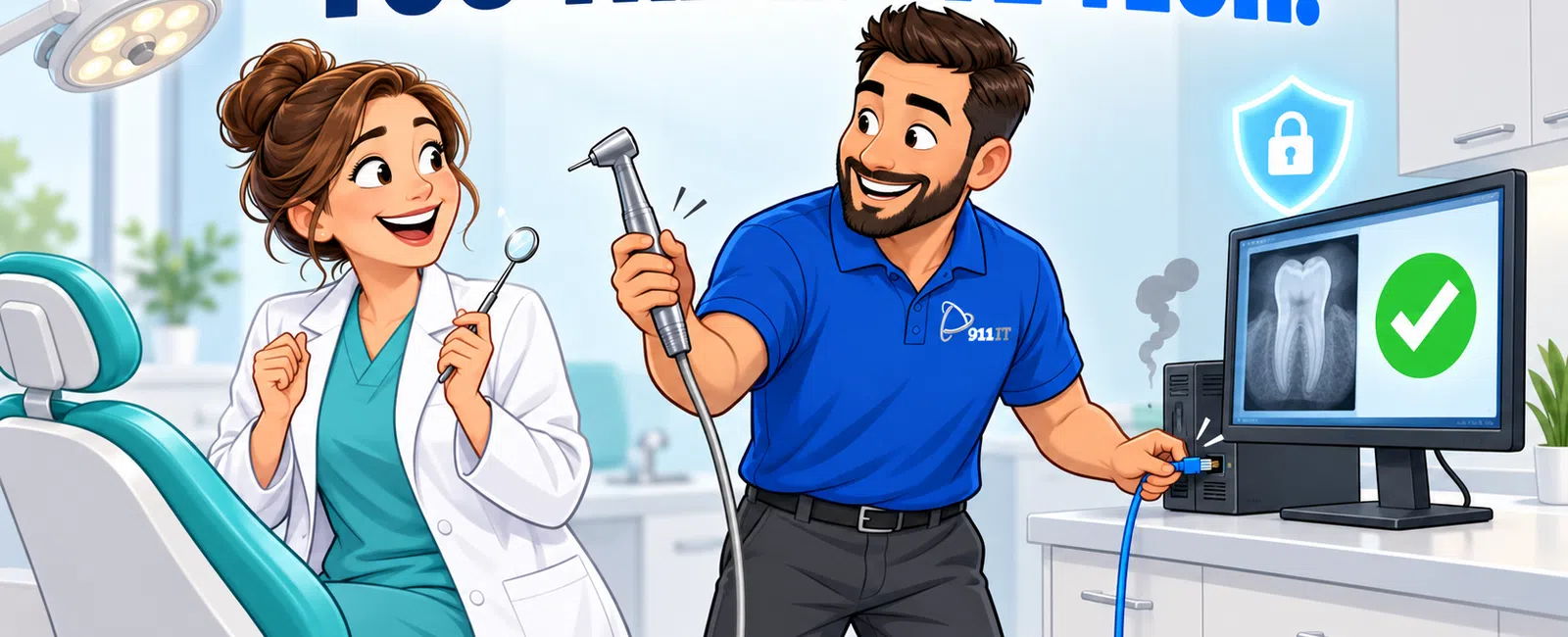
Managed IT services for dental practices provide 24/7 monitoring, proactive maintenance, and helpdesk support for practice management systems, digital imaging, and chair-side technology. Providers handle HIPAA compliance, cybersecurity, data backup, and rapid response to system failures that could disrupt patient care, typically through flat-rate monthly pricing that covers unlimited support calls and routine maintenance with response times under 15 minutes for critical issues.
What Does a Managed IT Provider Actually Do for a Dental Practice?
A managed IT provider becomes your dental practice's complete technology department. They monitor your network 24/7 to catch issues before they impact patient care, manage updates to your practice management software, and maintain your digital radiography systems.
The provider handles your HIPAA compliance requirements including security risk assessments, encryption protocols, and Business Associate Agreements. They ensure your patient health information stays protected while maintaining the accessibility your clinical team needs.
Your staff gets unlimited helpdesk support for everything from password resets to chair-side technology failures. When your Dentrix or Eaglesoft system slows down mid-appointment, you call one number and get immediate help.
Proactive maintenance happens in the background. Software patches deploy automatically during off-hours. Your backup systems verify nightly. Security monitoring flags suspicious activity before it becomes a breach.
The provider also manages your patient portal, online scheduling integration, and digital communication tools that modern patients expect. They ensure these systems sync properly with your practice management software and maintain HIPAA compliance.
Managed IT eliminates the need to hire full-time IT staff or rely on break-fix technicians who only appear when something breaks.
How Does the Monitoring and Support System Work?
Remote monitoring tools install on every device in your practice - workstations at the front desk, computers in each operatory, servers, and network equipment. These agents report system health, performance metrics, and security status continuously.
The monitoring system tracks specific dental technology concerns: hard drive health on imaging servers storing gigabytes of radiographs, memory usage on workstations running resource-intensive CAD/CAM software, and network bandwidth to ensure smooth PACS performance.
When the system detects an issue - a failing backup, unusual login attempts, or degraded performance - it generates an alert. Many problems get resolved automatically through scripted responses. Others trigger immediate technician review.
Your helpdesk operates 24/7 with live support, not voicemail. When a hygienist can't access patient records or an intraoral camera stops communicating with the practice management system, they call and speak with a technician immediately.
Average response time for critical dental practice issues is under 15 minutes, with most remote fixes completed within an hour.
For issues requiring physical presence - a failed server, network equipment replacement, or new workstation setup - technicians dispatch to your location. Local providers in Salt Lake City can typically arrive within 2-4 hours for emergencies.
The ticketing system tracks every interaction. You see resolution times, technician notes, and patterns that might indicate larger infrastructure issues needing attention.
Monitoring and rapid response prevent the scenario where your practice management system crashes at 8 AM with a full schedule of patients waiting.
What Does HIPAA Compliance Support Include?
HIPAA compliance for dental practices starts with a comprehensive Security Risk Assessment. Your managed IT provider evaluates every system that touches protected health information - practice management software, email, patient portals, digital imaging, and even your VoIP phone system.
The provider implements required technical safeguards:
- Encryption for data at rest and in transit
- Access controls ensuring staff only see information necessary for their role
- Audit logs tracking who accessed which patient records
- Automatic session timeouts on unattended workstations
Your Business Associate Agreement establishes the legal framework. The IT provider becomes responsible for protecting PHI within their scope of service and must notify you of any breaches.
Administrative safeguards include written policies and procedures, staff training on HIPAA requirements, and incident response plans. Your provider helps document these requirements and provides annual security awareness training for your team.
Physical safeguards address server room security, workstation positioning to prevent unauthorized viewing, and secure disposal of devices containing patient data. When you replace a computer, the provider ensures hard drives are properly wiped or destroyed.
Ongoing compliance means regular security assessments, policy updates as regulations change, and documentation proving your due diligence. The Office for Civil Rights expects continuous compliance, not one-time certification.
For Salt Lake City dental practices, HIPAA compliance services address federal requirements without additional state-specific mandates, simplifying the regulatory landscape compared to some other states.
Compliance support protects your practice from the $100 to $50,000 per-violation penalties that OCR can assess during audits or breach investigations.
How Do They Support Practice Management Software and Dental-Specific Technology?
Managed IT providers supporting dental practices maintain expertise in the major practice management systems - Dentrix, Eaglesoft, Open Dental, Curve, and others. They understand the specific performance requirements and common failure points of these platforms.
When your practice management system slows down, the provider diagnoses whether the issue stems from database optimization needs, insufficient server resources, network bottlenecks, or workstation performance. They tune SQL databases, optimize imaging file storage, and ensure adequate bandwidth for cloud-based systems.
Digital radiography integration requires specialized knowledge. Your provider ensures PACS systems communicate properly with practice management software, imaging sensors connect reliably, and radiograph files store efficiently without consuming excessive server space.
Chair-side technology support covers intraoral cameras, periodontal charting systems, and patient education displays. When a camera stops working mid-appointment, the technician troubleshoots driver issues, USB connectivity, or software integration problems.
CAD/CAM systems like CEREC demand high-performance workstations and specialized support. Your provider ensures these systems have adequate processing power, graphics capabilities, and network connectivity for same-day crown fabrication.
Treatment planning software, 3D imaging systems, and digital impression scanners all integrate into your technology ecosystem. The managed IT provider ensures these tools work together seamlessly rather than creating data silos.
Software updates require careful coordination. Your provider tests updates in a controlled environment before deploying to production systems, preventing the scenario where an automatic update breaks integration with your imaging system during patient hours.
Scott from an engineering firm shared his experience with 911 IT: "911 IT's services allows us to focus on our core business by effectively and safely managing our security for our cloud-based services, such as Microsoft Office365, Atlassian, GitLab, NextCloud, and more, including virus and cybersecurity protection on our computer system connected to our network." This same focus on core business operations applies to dental practices that need technology working reliably without becoming IT experts themselves.
Specialized dental technology support means your team spends time treating patients, not troubleshooting software.
What Happens During an Emergency or System Failure?
When your practice management system crashes during patient hours, you need immediate response. Managed IT providers prioritize dental practice emergencies because downtime directly impacts patient care and revenue.
The response process starts with your call to the 24/7 helpdesk. The technician accesses your systems remotely to diagnose the issue. For practice management system failures, they check database integrity, server health, network connectivity, and recent changes that might have triggered the problem.
Many emergencies resolve remotely within minutes - restarting stuck services, clearing corrupted cache files, or restoring network connectivity. The technician stays on the line until your staff confirms systems are operational and patient data is accessible.
For hardware failures requiring physical intervention, local providers dispatch technicians immediately. A failed server might need component replacement or failover to backup systems. Network equipment failures require on-site diagnosis and replacement.
Your backup and disaster recovery systems become critical during major failures. If your server suffers catastrophic failure, the provider restores your practice management system and patient data from recent backups, typically getting you operational within hours rather than days.
Communication during emergencies matters. The provider keeps your office manager informed of progress, estimated resolution times, and any workarounds available while repairs proceed. You can make informed decisions about rescheduling patients or operating with limited functionality.
Business continuity planning addresses worst-case scenarios - fire, flood, or ransomware attacks. Your provider maintains documentation of your entire technology environment, enabling rapid reconstruction if necessary. They store encrypted backups off-site, ensuring data survives even if your physical location doesn't.
Jessie from a restoration company described the emergency response experience: "Every time I call, they know exactly who I am and have my file pulled up in front of them ready to help. They are always in a good mood when helping me - even when my needs are super difficult - and they always get the issue solved very quickly." That same personalized, rapid response proves essential when a dental practice faces technology emergencies with patients in chairs.
Emergency response capabilities separate managed IT from break-fix support where you wait hours or days for a technician to become available.
How Does Pricing Work for Dental Practice IT Services?
Most managed IT providers use per-user monthly pricing that covers comprehensive support. Industry rates for fully managed IT services typically range from $100 - $250 per user per month, depending on service levels, technology complexity, and compliance requirements.
Per-user pricing means a practice with 10 staff members (dentists, hygienists, front desk, office manager) pays for 10 users. This model includes unlimited helpdesk calls, 24/7 monitoring, routine maintenance, security management, and compliance support.
Additional services layer onto the base managed services package:
- HIPAA compliance services add costs for security risk assessments, policy documentation, and ongoing compliance monitoring
- Cybersecurity enhancements like advanced threat detection and security awareness training typically add $25 - $75 per user monthly
- Backup and disaster recovery services ensure your patient data remains protected and recoverable, ranging from $10 - $30 per user monthly
- VoIP phone services integrate with your IT infrastructure, typically costing $20 - $40 per user monthly
One-time project costs apply for practice setup, server migrations, or major infrastructure upgrades. These typically bill at hourly rates ranging from $150 - $250 per hour for project work, though many providers offer fixed-price quotes for defined projects.
The flat-rate model provides predictable monthly costs without surprise bills when you need support. You call as often as necessary without watching the clock or worrying about hourly charges accumulating.
For Salt Lake City dental practices evaluating managed IT services, transparent pricing eliminates the uncertainty of break-fix models where every service call generates an invoice.
Compare this to break-fix IT support charging $150 - $300 per hour. A single emergency requiring four hours of work costs $600 - $1,200, potentially exceeding an entire month of managed services for a small practice.
Predictable pricing enables accurate budgeting and eliminates the temptation to delay necessary maintenance due to cost concerns.
How Does the Onboarding Process Work?
Onboarding begins with a comprehensive technology assessment. The provider inventories every device, documents your practice management system configuration, maps your network topology, and identifies security vulnerabilities.
They review your current backup systems, test restoration procedures, and assess your HIPAA compliance posture. This discovery phase typically takes 1-2 weeks and produces a detailed report of your technology environment.
The provider develops a transition plan addressing immediate risks, quick wins, and long-term improvements. Critical security gaps get remediated first. Backup systems receive immediate attention if current solutions prove inadequate.
Monitoring agents deploy to all devices during a scheduled maintenance window, typically after hours to avoid disrupting patient care. The provider configures remote access tools, establishes helpdesk procedures, and trains your staff on the new support process.
Documentation creation happens throughout onboarding. The provider records network credentials, software licenses, vendor contacts, and system configurations. This documentation proves invaluable during emergencies when quick access to information matters.
Your staff receives training on security protocols, helpdesk procedures, and any new tools introduced. The provider establishes communication channels and escalation procedures so everyone knows how to get help when needed.
The first 30 days involve close monitoring and frequent check-ins. The provider identifies patterns, optimizes configurations, and addresses issues discovered during the transition. They establish baseline performance metrics for future comparison.
For practices switching from break-fix support or another managed provider, the transition happens gradually to minimize disruption. The new provider works alongside existing support during the overlap period, ensuring continuity of service.
Onboarding establishes the foundation for a long-term partnership where the provider understands your practice's unique technology needs and workflows.
What Are the Key Benefits for Multi-Location Dental Practices?
Dental service organizations and practices with multiple locations face additional IT complexity. Managed IT providers deliver standardized technology across all locations while maintaining centralized management and support.
Centralized practice management enables consolidated reporting, unified patient records for patients visiting multiple locations, and consistent workflows regardless of which office they visit. Your IT provider ensures all locations run compatible software versions and maintain synchronized data.
Security and compliance become more manageable with centralized oversight. Rather than ensuring each location independently maintains HIPAA compliance, the provider implements consistent security policies, monitoring, and controls across your entire organization.
Staff working at multiple locations experience consistent technology and support. The helpdesk knows your organization's configuration regardless of which location calls. Technicians access the same documentation and can support any site.
Network connectivity between locations enables resource sharing and centralized data storage. Your imaging servers might reside in a primary location with other offices accessing them securely over VPN connections.
Scalability matters as your organization grows. Adding new locations becomes a repeatable process - deploy the standard technology stack, configure monitoring, train staff, and integrate with existing systems. The provider handles technical complexity while you focus on clinical operations.
For practices expanding across the Salt Lake City metro area or into other Utah markets, Utah IT support from a provider with local presence enables rapid response to any location.
Cost efficiency improves with scale. Licensing agreements, security tools, and infrastructure investments spread across multiple locations, reducing per-location costs compared to each office maintaining independent IT systems.
Multi-location support transforms IT from a per-office challenge into an organizational asset supporting growth and consistency.
Frequently Asked Questions
How much do managed IT services cost for a dental practice?
Managed IT services for dental practices typically cost $100 - $250 per user monthly for comprehensive support including 24/7 monitoring, helpdesk access, and security management. Additional services like HIPAA compliance support, advanced cybersecurity, and backup solutions add incremental costs. A 10-person practice might expect monthly costs between $1,000 - $2,500 depending on service levels and technology complexity.
What dental practice management software do IT providers support?
Managed IT providers typically support all major dental practice management systems including Dentrix, Eaglesoft, Open Dental, Curve, Practice Works, and others. They maintain expertise in database optimization, imaging integration, and troubleshooting common issues specific to each platform. Providers ensure your practice management system integrates properly with digital radiography, patient portals, and other clinical technology.
How quickly can a managed IT provider respond to emergencies?
Most managed IT providers offer 24/7 helpdesk support with response times under 15 minutes for critical issues affecting patient care. Remote resolution of many problems happens within an hour. For emergencies requiring physical presence, local providers typically arrive within 2-4 hours. Response time commitments vary by provider and service level agreement.
Do I still need in-house IT staff with managed services?
Most dental practices eliminate dedicated IT staff when partnering with a managed IT provider. The provider handles all technology management, support, and strategic planning. Larger dental service organizations might retain an internal IT coordinator who liaises with the managed provider and handles practice-specific workflows, but technical expertise resides with the managed services team.
How does a managed IT provider ensure HIPAA compliance?
Managed IT providers ensure HIPAA compliance through comprehensive security risk assessments, implementation of required technical safeguards (encryption, access controls, audit logs), Business Associate Agreements, staff security training, and ongoing monitoring. They document policies and procedures, maintain security controls, and provide evidence of compliance efforts required during OCR audits or breach investigations.
What happens to my data if I switch IT providers?
Professional managed IT providers facilitate smooth transitions when practices change providers. They provide complete documentation of your technology environment, assist with data migration, and ensure continuity of service during the transition. Your practice management system data, patient records, and configurations transfer to the new provider's management. Reputable providers never hold data hostage during transitions.
What does managed IT for dental offices include?
Managed IT for dental offices includes 24/7 monitoring, proactive maintenance, and helpdesk support for practice management systems, digital imaging, and chair-side technology. Providers handle HIPAA compliance, cybersecurity, data backup, and rapid response to system failures through flat-rate monthly pricing that covers unlimited support calls and routine maintenance.


