
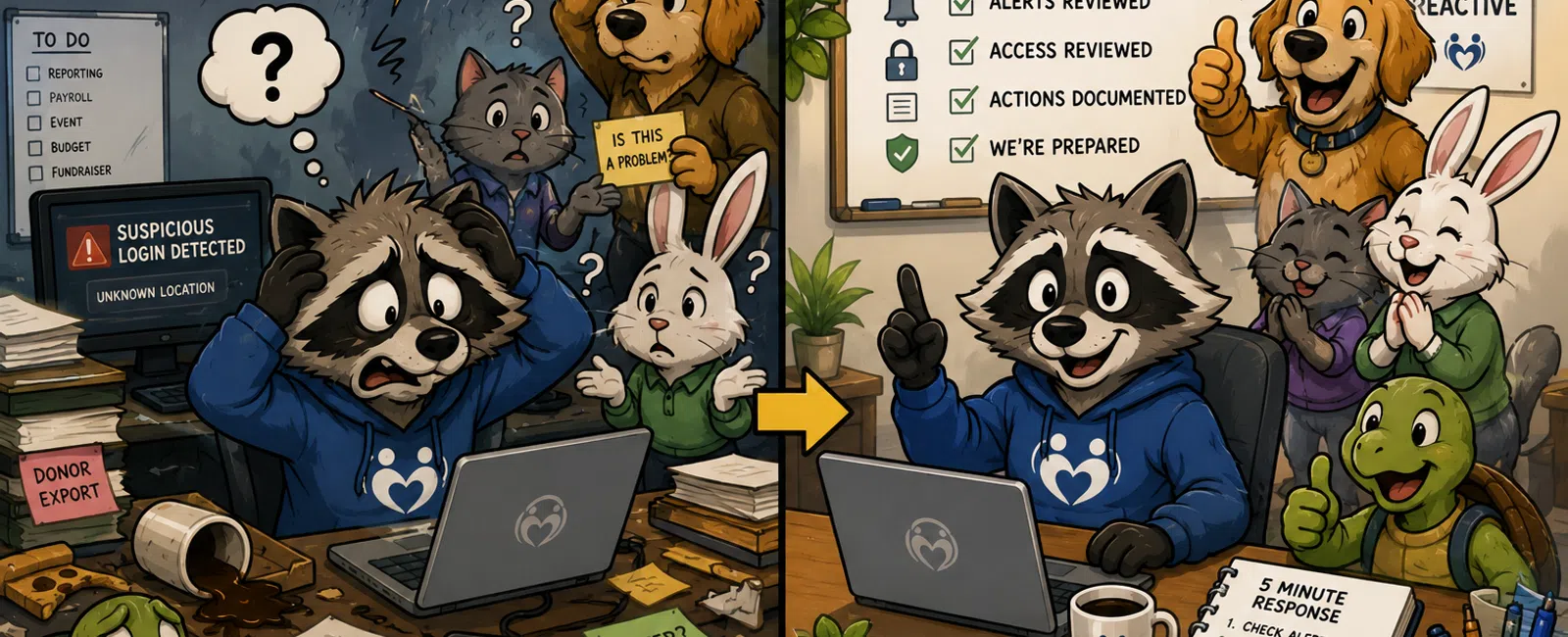
The Moment It Stops Being "An IT Issue"
If you're responsible for operations, you've felt this moment.
Something small pops up—a login alert, a strange file share, a system
notification.
It doesn't look urgent.
It doesn't look catastrophic.
But then someone asks:
"Is this a problem?"
And the real issue surfaces:
No one knows who owns the answer.
In small nonprofits without dedicated IT ownership, this isn't rare.
It's the default.
What This Actually Looked Like in a Real Organization
Before ownership was defined:
- Microsoft 365
alerts were turned on—but no one reviewed them daily
- File sharing
permissions had grown over time, across departments
- Donor exports
were being passed through shared folders
- No one had
authority to act immediately during an alert
Then this happened:
A suspicious login alert triggered.
At the same time, a donor file was discovered in a broadly shared
location.
For the first 6 hours, nothing happened.
Not because people didn't care.
Because no one knew:
- Who should open
the alert
- Whether to lock
the account
- Whether data
access needed to be investigated
By the time leadership was looped in, the question had changed:
Not "what happened?"
But
"why didn't we act sooner?"
After fixing ownership:
- One person
owned Microsoft 365 alerts
- A backup was
assigned
- Clear
thresholds were defined
- Actions were
logged
Same scenario later → handled in under 15 minutes.
What This Actually Looks Like in Microsoft 365
Here is what a real alert looks like.
Not abstract—real:
User: jsmith@nonprofit.org
Location: Utah, USA → Bucharest, Romania (12 minutes apart)
IP Address: 185.xxx.xxx.xxx
Device: Unknown browser
Risk Level: High (Impossible travel login)
This shows up in:
- Entra ID
sign-in logs
- Microsoft 365
Defender alerts
You can see:
- Timestamp
- IP
- Location
mismatch
- Device
information
The signal is clear.
The failure happens after that.
What to Do in the First 5 Minutes of an Alert
This is where control is won or lost.
Do this exactly:
- Open the
sign-in log
- Confirm IP and
location mismatch
- Check recent
activity:
- File access
- Sharing
changes
- Admin actions
- Force sign-out
of the account
- Reset password
- Log what you
just did
That's it.
This removes hesitation.
When to Act vs When to Monitor
Use this as your decision layer.
Lock Immediately If:
- Impossible
travel login
- Multiple failed
attempts followed by success
- Admin-level
activity you don't recognize
Investigate Same Day If:
- New device +
unusual file access
- Unexpected
sharing activity
- Donor data
export
Monitor If:
- Known device
- Expected
behavior
No guessing.
Who Gets Notified and When
Most nonprofits miss this completely.
Here's the simple structure:
- System Owner → takes
immediate action
- Backup Owner → steps in if
no response within 30 minutes
- Leadership → notified if
data access is confirmed or unclear
- Board → only if
actual exposure is confirmed
This prevents overreaction—and underreaction.
Where This Breaks in Real Teams
This is where reality hits:
The owner is on PTO → no one checks alerts
Two departments share a system → no final decision authority
Senior staff override permissions → controls drift again
This is normal.
Which is why you need:
- A backup owner
- Defined
authority
- Clear
boundaries
Without those, ownership dissolves.
What "Documented" Really Means (Good vs Bad)
Bad documentation:
"Security handled by IT team"
That means nothing.
Good documentation (real example):
System: Microsoft 365
Owner: Jane Smith (Operations Director)
Backup Owner: Mark Lee (Finance)
Last Reviewed: May 12, 2026
Access Review: Completed
Alerts Reviewed Daily: Yes
MFA Enforcement: All users
Last Incident:
- Date: May 2
- Type:
Impossible travel login
- Action: Forced
reset, no data access confirmed
This is defensible.
This is what leadership expects.
Run This Test Right Now (5 Minutes)
Ask yourself:
Who owns your email system?
Who checks alerts daily?
When was the last alert reviewed?
What happens in the first 5 minutes of an incident?
If you hesitate on any answer…
That's your gap.
What Leadership Will Actually Ask
When something happens, no one asks technical questions.
They ask:
Who was responsible?
What did we do first?
How fast did we act?
Can we show what happened?
If you can answer those, you're in control.
If you can't, the issue grows fast.
What to Do Next Week
Pick one system.
Email or file sharing.
Write down:
- Owner
- Backup owner
- First 5-minute
steps
- Alert
thresholds
- Documentation
location
Do not overcomplicate it.
Just make it clear.
The Hard Truth
This doesn't fail because nonprofits don't care.
It fails because responsibility is invisible.
And invisible responsibility always leads to delay.
Schedule your 10 minute discovery call. We'll walk through one system
with you and surface exactly where ownership breaks and where it holds. You'll
leave knowing whether your current setup is defensible—and what to fix first if
it's not.


